
Best Comfortable Chairs for Gaming 2026: What to Know Before Your First Purchase
Disclosure: We may earn a commission when you buy through links on this page, at no extra cost to you. As an Amazon Associate I earn from qualifying purchases. Learn more

New to gaming chairs? This first purchase guide covers fit, foam, and adjustments so you can compare comfortable chairs for gaming with confidence.
Your first gaming chair is a bigger decision than it looks, because you will sit in it for hours at a stretch. The best comfortable chairs for gaming share one trait: they fit your body before they impress your eyes. A chair is sitting comfort furniture, plain and simple. It does not fix posture, and it does not treat back pain.
This guide walks a first purchase in a sensible order: fit first, cushion second, adjustments third, and price last. The comparison table below lines up the main chair classes side by side, so the terms in this guide are easy to match against real listings.





Comfortable Chairs 101: The Basics
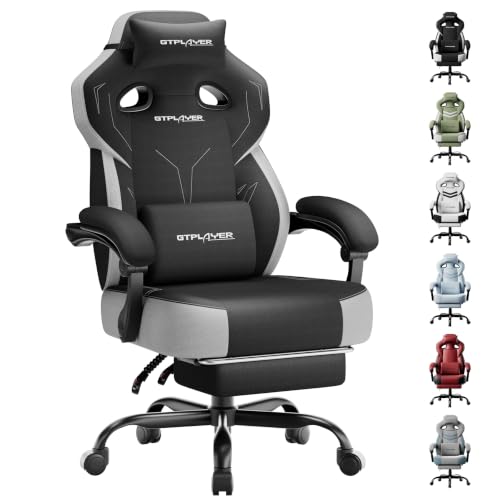
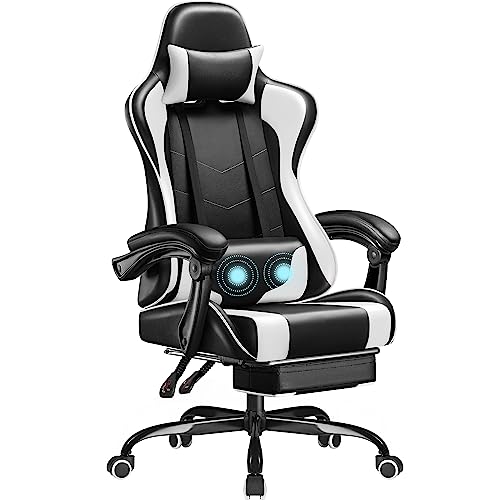
A gaming chair is a seat built for long sessions at a desk or console setup. Most models pair a tall backrest with a bucket style seat, a headrest pillow, and armrests that move in at least one direction. Two broad classes dominate the shelf: racing style chairs with firm bolsters and bright colors, and fabric or mesh chairs that borrow their shape from office seating.
Neither class is automatically better. The right class is the one whose seat dimensions match your frame.
If your sessions are short and your desk doubles as a work space, start with the wider family covered in our guide to best comfortable chairs, then come back here for the gaming specific details. Listing names overlap a lot, so read dimensions rather than labels. Pages titled best officer chairs, for instance, describe office style desk chairs, which are a neighboring class rather than a gaming class.
One honest point belongs at the start. No chair makes a long session healthy on its own, and breaks are the larger half of comfort. Standing up, walking to get water, and stretching between matches do more for how you feel at hour three than any foam upgrade. If pain, numbness, or tingling in your back, legs, or arms keeps returning or does not fade after a session, talk with a clinician instead of shopping for a stronger chair.
Key Specs of the Best Comfortable Chairs for Gaming
Fit First: Seat Width, Depth, and Height
Body size classes decide the chair class, so measure before you browse. Seat width should leave a small gap on each side of your hips; a seat that pinches will ache within an hour. Seat depth matters just as much: sit with your back against the backrest and check that you can fit two or three fingers between the seat edge and the back of your knees.
Seat height should let your feet rest flat on the floor with your knees near a right angle. Finally, check the listed weight capacity and stay comfortably under it, because a chair run at its limit wears its lift and foam faster.
Cushion Foam and What It Does Over a Session
Foam is where a chair either holds up or gives up. Dense molded foam keeps its shape and spreads your weight across the seat, while softer cut foam feels plush for ten minutes and then lets you sink to the frame. A quick test in a store: press the seat with your palm and see whether you feel the hard base through the padding.
The front edge of the seat also matters. A gently sloped waterfall edge reduces pressure behind your thighs, which helps your legs feel fresher late in a session. Thick is not the same as supportive, so judge foam by density and recovery, not by cushion height in a photo.
Features That Matter for Gaming
Gaming asks a chair to do two jobs: hold you upright and steady during play, then lean back when you watch a stream or a cutscene. A wide recline range, roughly from upright to well past vertical, serves both jobs. A tilt lock lets you hold a chosen angle instead of rocking freely.
Detachable lumbar and headrest pillows are common in this class, and they are useful only if they stay where you put them, so check how they attach. Players who use a controller often rest their forearms wider than keyboard players, which makes armrest spacing a real gaming feature rather than a detail.
Ergonomics and Adjustability
Adjustability is the set of movements that let a chair fit different bodies and different desks. Seat height adjustment is standard and non negotiable. Lumbar support comes in three forms: a loose pillow, a built in curve, or a dial that pushes the lower back panel in and out.
Armrests range from fixed loops to four way models that move up and down, side to side, forward and back, and in angle. You do not need every movement. You need the ones that fix your personal pressure points, which for most first buyers are seat height, lumbar depth, and armrest height.
Assembly and Delivery
A gaming chair arrives as a flat box of parts: base, lift, seat, backrest, and a bag of bolts. Assembly usually takes one person about 20 to 40 minutes with the included Allen key, and a second person helps most when the backrest is bolted to the seat. Work on a rug or blanket so the parts do not scratch the floor or each other.
Leave every bolt slightly loose until all of them are started, then tighten in a crisscross pattern. Keep the box and the spare bolts until you are sure the chair fits you, because returns are far easier with the original packaging.
Style and Room Fit
Measure your doorway and your desk gap before you fall for a color scheme. A wide racing chair can crowd a small room and bang its armrests into the desk edge every time you roll in. Fabric finishes hide wear and feel cooler in warm rooms, while smooth vinyl finishes wipe clean but can feel sticky in summer.
Players who split the day between work and play often land on best gaming and office chairs, a class shaped to look calm on a work call and still recline at night. Remember that the chair is only one part of the desk: screen choice is a separate purchase, covered in our guide to best gaming monitors.
Build Quality and Frame
The parts you cannot see decide how long the chair feels solid. A steel frame outlasts a plywood one, and a metal five star base outlasts a plastic base under the same load. The gas lift is rated in classes, and class 4 lifts are the sturdy end of the consumer range.
Casters matter on hard floors, where soft roller style wheels roll quietly and spare the boards. Listings under best quality gaming chairs tend to compete on exactly these parts: frame material, lift class, caster type, and warranty length. Read the warranty for the frame and lift specifically, not just the headline number of years.
Rookie Mistakes to Avoid
- Buying by color and racing looks before checking seat depth, so your knees or shoulders end up unsupported.
- Ignoring the listed weight capacity, which shortens the life of the lift and flattens the foam early.
- Choosing the widest chair in the range for a small room, then fighting the doorway and the desk every day.
- Expecting a new chair to cure back pain, when fit, breaks, and desk height are the real levers.
- Throwing away the box on day one, which makes a return or exchange far harder if the fit is wrong.
Getting Started: Setup and First Use
Once the chair is built, set it up in this order. First, raise or lower the seat until your feet rest flat and your knees sit level with or slightly below your hips. Second, set the armrests so your shoulders stay relaxed with your elbows bent near a right angle. Third, place the lumbar pillow or dial at the small of your back, not at your belt line.
Small changes over the first week are normal, so adjust one thing at a time and play a full session before judging it.
Two habits keep the chair feeling new. Tighten the bolts every few months, because a slow wobble almost always starts as a loose backrest bolt rather than a failed part. Wipe fabric with a damp cloth and vacuum the seat creases, since grit ground into foam breaks it down from the inside. If the chair starts to sink on its own, that is the gas lift wearing out, and lifts are replaceable parts on most models.
FAQs
What features matter most in comfortable chairs for gaming?
Fit matters most: seat width, seat depth, and a height range that lets your feet rest flat. After fit, look at foam density and lumbar support you can adjust, because those decide how hour three feels. One feature new buyers often miss is caster type.
Soft roller wheels protect hard floors and roll quietly at night, while standard plastic casters suit carpet. Treat recline range and styling as tie breakers once fit and foam are right.
How long should a good comfortable chair last?
A well built chair should feel solid for about five years of daily play, and longer with light use. The foam and the gas lift usually wear first, while a steel frame and metal base can outlast both. Lifespan drops fast when a chair is used above its weight capacity. Check whether the maker sells replacement lifts and armrest pads, because a chair with spare parts available at a fair price is cheaper to keep than a chair you must replace whole.
How do I choose the right size?
Start with your own measurements: hip width, thigh length, and torso height. Match hip width to seat width with a small gap on each side, and match thigh length to seat depth so the edge does not press behind your knees. Taller players should also check backrest height, since a headrest that lands at your neck instead of your head is worse than none. When you fall between two size classes, choose the larger one and use a footrest if your feet dangle.
What features matter most for long hours?
For long hours, breathable fabric or mesh and a seat edge that does not press your thighs matter more than extra padding. A tilt mechanism that lets you shift angle during the day spreads the load across different muscles. Also plan the room, not just the chair: a small fan and a water bottle within reach do real work. No feature removes the need to stand and walk every hour or so, so build breaks into the session rather than relying on the chair.
Is an expensive comfortable chair worth it?
A higher price is worth it when it buys a steel frame, denser foam, a class 4 lift, and a longer frame warranty, because those parts decide how the chair feels in year three. It is not worth it when it only buys louder colors and more pillows. A useful middle path is to spend on the frame and foam now and skip paid extras like footrests and cup holders. If two chairs fit you equally, the one with replaceable parts is usually the better long term buy.
Final Thoughts
A first gaming chair purchase goes well when you shop in order: fit your body, judge the foam, then count the adjustments you will actually use. The product table above collects the classes discussed here, so you can compare dimensions and materials in one place. Chosen with those checks, the best comfortable chairs for gaming are simply the ones that still feel right at the end of your longest session.


