
Best Chairs for Lower Back Pain in 2026: Everything to Know Before Your First Purchase
Disclosure: We may earn a commission when you buy through links on this page, at no extra cost to you. As an Amazon Associate I earn from qualifying purchases. Learn more

A first time guide to the best chairs for lower back pain searches: comfort features, support classes, setup geometry, trial windows and rookie mistakes.
If this is your first time shopping with an aching back in mind, start with the most important fact in this guide: no chair treats or relieves back pain. A chair is furniture. What it can offer is sitting comfort and a support feel that suits your body, and that is all this guide covers. Readers comparing best chairs for lower back pain options are really comparing comfort features, so this guide explains those features in plain language and shows you how to judge them.
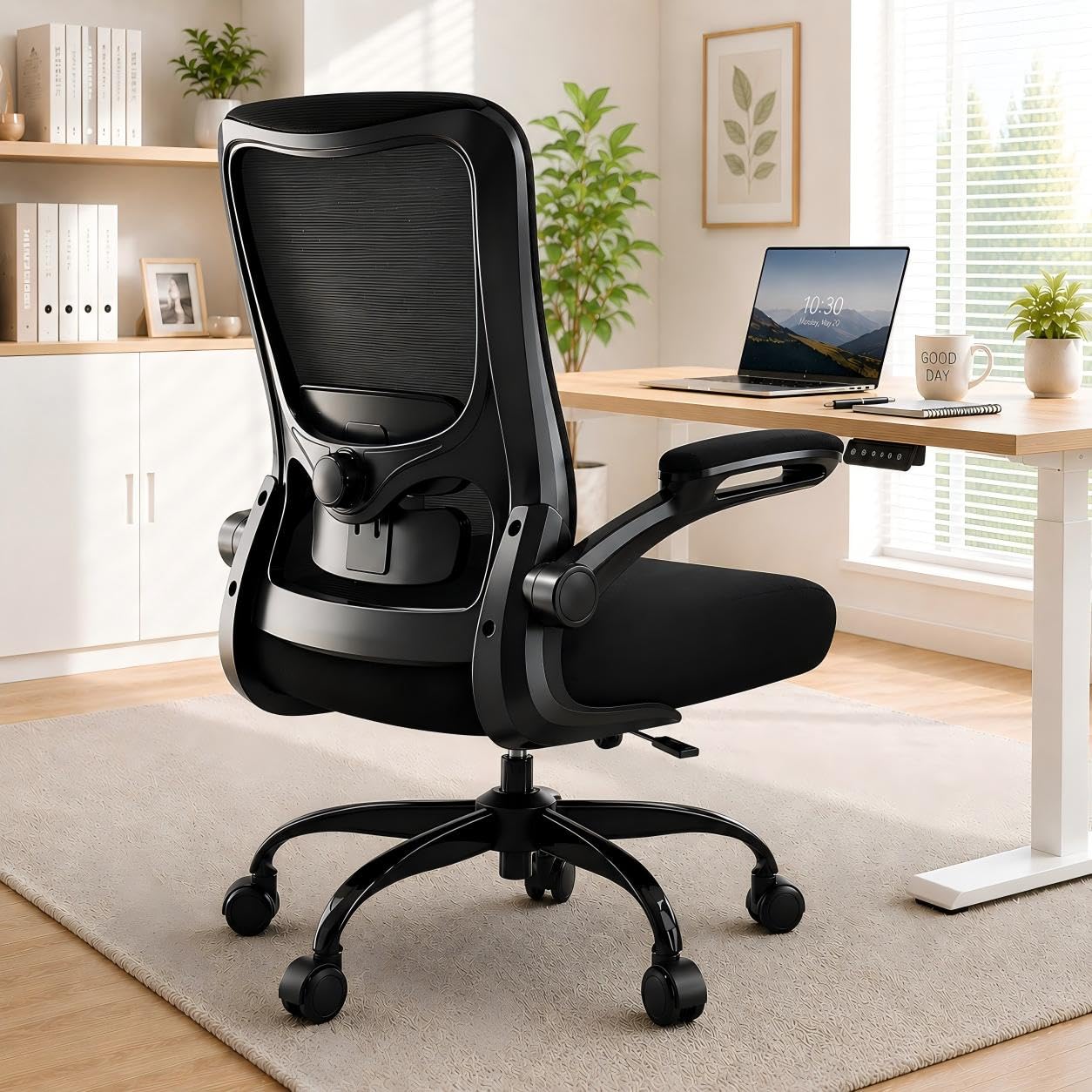
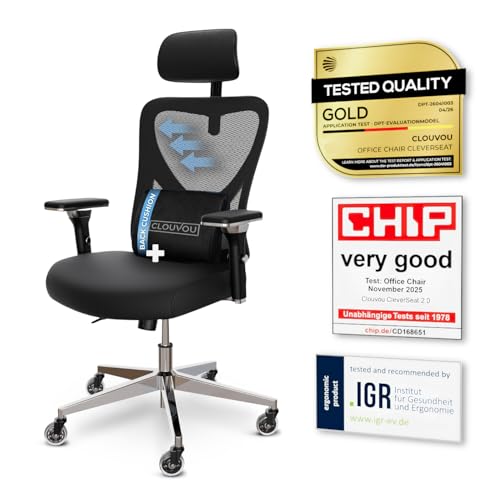
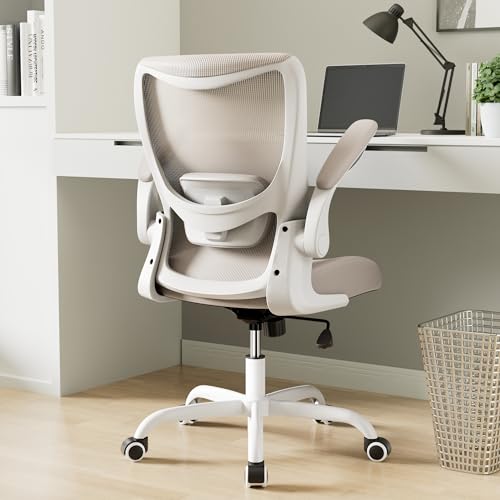
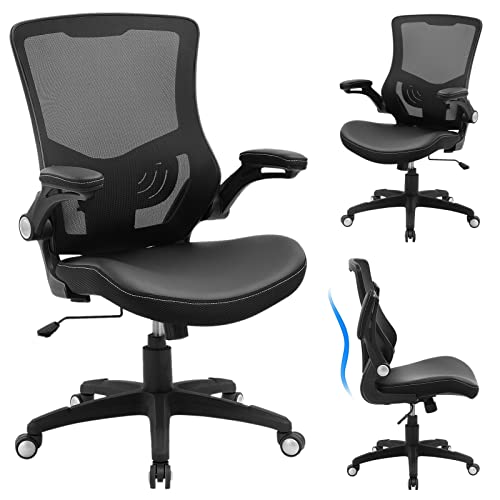
We will begin with the health warning that matters more than any product, then cover the basics, translate the listing terms one by one, and walk through the mistakes first time buyers make. The comparison table below gathers the shortlist in one place. By the end, you will know what each term means, what to set first when the chair arrives, and how to use a trial period to let your own back make the final decision.



See a Clinician First: Signs That Need a Doctor
Before you spend anything, check whether your back needs a professional instead of a purchase. See a doctor promptly if your back pain persists or keeps getting worse, spreads down a leg, or comes with numbness or weakness in a leg or foot, and the same applies to pain that follows an injury, arrives with fever, or appears alongside any change in bladder or bowel control. A clinician can examine you, explain what is going on, and tell you whether particular seating or support advice fits your case. If none of those signs apply and your doctor is content for you to shop for comfort, the rest of this guide is written for you.
Chairs 101: The Basics
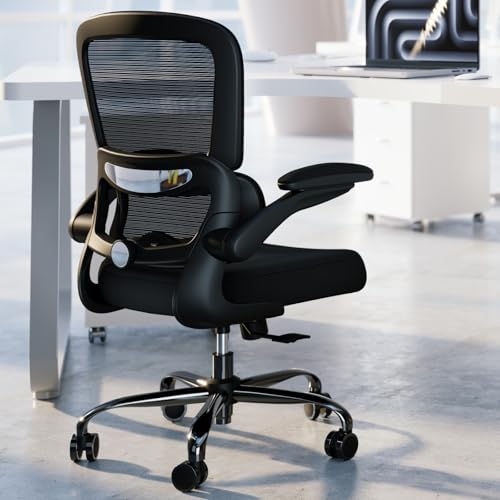
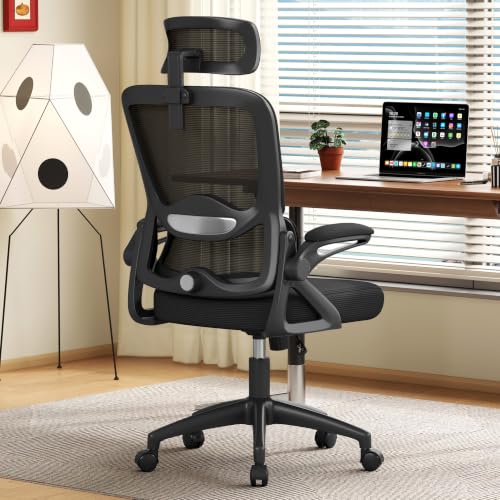
A chair for desk work has five parts worth naming. The seat is the platform you sit on, the backrest supports your spine, the lumbar support is the shaped or adjustable section that meets the inward curve of your lower back, the lift cylinder sets the height, and the base and casters carry the whole thing. When a listing says a chair is ergonomic, it simply means the makers built in adjustments for those parts. It is a description of features, not a medical claim, and it promises nothing about pain.
Chair shapes fall into a few broad styles: task chairs are the standard desk shape, gaming chairs use a tall bucket seat shape borrowed from racing, executive chairs run larger and softer, and kneeling or saddle stools change your posture altogether. If you sit at work all day, the companion guide to best work chairs for lower back pain looks at that setting in more detail. Whatever the style, the comfort questions stay the same: does the support meet your back, can you set the height correctly, and does it still feel right after two hours.
Key Specs Explained in Plain English
Features That Matter for the Lower Back
The feature that decides comfort for your lower back is lumbar support, and it comes in three forms: a curve molded into the backrest, a pad you can move or firm up, and a strap on pillow sold with some chairs. Adjustable beats fixed for a first purchase, because you do not yet know exactly where your back wants the pressure, so look for support that moves up and down at minimum. Depth adjustment, where the pad pushes in or eases off, is the upgrade worth paying for. Everything else on the chair is secondary to getting this one feature placed against the curve above your belt line.
Ergonomics and Adjustability
Adjustability is how the chair is made to fit your body rather than an average one: seat height sets your feet flat on the floor, a tilt lock holds a slight recline, tilt tension decides how easily the backrest moves with you, and armrests should rise to meet your elbows so your shoulders can relax. Set the geometry in this order when the chair arrives: height first, then the lumbar pad against your curve, then armrests, then tilt. A chair with fewer adjustments that fits you beats a chair with many adjustments left at the wrong settings.
Size, Dimensions, and Weight Capacity
Three numbers decide whether a chair fits: the seat height range must include the setting that puts your feet flat, the seat depth should leave a small gap behind your knees rather than pushing you to slouch forward off the backrest, and the seat width should clear your hips with a little room to spare. That width matters doubly if you sit with a leg tucked or shift often, as readers comparing best chairs for lower back and hip pain often do. Finally, check your weight against the rated capacity and leave a margin, because a chair run at its limit wears faster and feels less stable.
Build Quality and Frame
Build quality shows in the parts you rarely look at: a metal base outlasts a plastic one, a class 4 lift cylinder is the sturdier grade to look for in listings, and frame materials under the upholstery range from molded plastic to steel shells, with steel generally flexing least over the years. Casters matter too, since soft wheels suit hard floors while standard wheels suit carpet. None of this changes how a chair feels on day one, but it decides whether the chair still feels the same in year five, which is what your money is really buying.
Warranty and Return Policy
For this purchase, the return policy is as important as the warranty, because fit is personal and the only honest test is sitting in the chair through real workdays at home. Treat the trial window as part of the product: a chair you can return after two weeks is a safer buy than a similar chair sold as final. Then read the warranty in layers, with frame and base coverage running longest, the lift cylinder next, and foam and fabric shortest, since soft parts wear first. Keep the receipt and the box until the trial ends, because returns without packaging can cost you the refund.
Assembly and Delivery
Most desk chairs arrive in one heavy box, flat packed, with the backrest, seat, base, and cylinder separate. Assembly usually takes about 20 to 40 minutes with the included hex key, and the only step that truly benefits from a second person is lowering the seat onto the cylinder. Before you order, measure your doorway and the spot where the chair will live, and check whether delivery is to your door or into the building. Set aside time to assemble and adjust the chair on the day it arrives, while the trial clock and your patience are both fresh.
Picking the Right Chair for Different Uses
The room you sit in changes what a chair must do. These three use cases cover the questions first time buyers ask most, including two categories that are not desk chairs at all.
Best Computer Chairs for Lower Back Pain: Tips for First Time Buyers
Computer work is the most common reason people go chair shopping, and it has its own demands: hours in one posture, hands forward, eyes on a screen. A computer chair should let you sit upright without effort, with the lumbar pad meeting your curve and armrests at keyboard height. Readers who want desk specific comparisons can browse best desk chairs for lower back pain alongside this guide. For your first purchase, choose the chair whose support adjusts most, because screen work gives you the least natural movement of any sitting job.
Best Massage Chairs for Lower Back Pain
Massage chairs are a different product from everything else in this guide: large powered recliners with rollers or air cushions that move against your back. People buy them for relaxation and general comfort at the end of the day, and that is the honest way to judge one. They are not desk chairs, they take up real floor space, and they cost far more than the chairs in the product table above. If you try one, judge it the way you would judge a sofa: comfort while you sit in it, build quality, and whether the size fits your room and your body.
Best Chairs for Lower Back Pain Support: Tips for First Time Buyers
Some shoppers do not need a whole new chair. If your current chair is sound but its backrest feels flat, a separate cushion can add the curve it lacks. Be clear about the category, though: a cushion is an add on for a chair you already own, not a chair, and options like best chair cushions for lower back pain belong to that accessory shelf. A cushion costs far less than a chair and travels between chairs, but it can slide out of place and it effectively makes the seat shallower, so check that your knees still clear the seat edge.
Rookie Mistakes to Avoid
- Buying a chair to fix pain. A chair can make sitting more comfortable, but pain that persists is a medical matter; shoppers who skip the clinician section above are buying furniture to do a doctor's job.
- Judging comfort in five minutes. Showroom sits and first evenings flatter almost every chair, so use the full trial window and several full workdays before you decide to keep it.
- Choosing by softness alone. Very soft seats let your pelvis roll backward and flatten your lower back curve, so a firmer seat often feels better at hour six than it did at minute six.
- Ignoring seat depth. A seat that is too deep keeps your back off the backrest entirely, which quietly cancels every support feature you paid for.
- Forgetting the return terms. A chair bought without a workable return route turns a simple fit question into an expensive guess, so read the policy before the box arrives.
Getting Started: Setup and First Use
When the box arrives, build the chair near where it will live, and keep every bag of bolts until it stands complete. Once assembled, set the height so your feet rest flat on the floor with your knees near level with your hips, then slide the lumbar pad until it meets the inward curve of your lower back and raise the armrests until your elbows rest on them with your shoulders down. Unlock the tilt, lean back gently, and set the tension so the chair moves with you instead of fighting you. For the first week, change one setting at a time and give each change a full day, and tighten the bolts once more after the first few weeks, since new chairs settle.
Frequently Asked Questions
What features matter most in chairs for lower back pain?
Adjustable lumbar support matters most, because it is the one feature you can move until it matches your own curve. After that comes seat depth that lets your back reach the backrest, and a trial window long enough to test the chair honestly. One fresh point for first time buyers: write down your settings once you find a comfortable setup. If a cleaner, a child, or a house move resets the chair, your notes restore your fit in two minutes instead of another week of experimenting.
How long should a good chair last?
A good chair should last about seven to ten years of daily sitting before it needs replacing. The foam usually tires first, gradually losing the firm feel that kept your hips level, while the frame and base keep going. A practical sign that the end is near: the chair develops a permanent lean, a wobble no bolt tightening fixes, or a lift that sinks more each month. Replacing a worn lift cylinder or casters can extend a sound chair, but tired foam means the comfort is gone.
What features matter most for long hours?
For long hours, look for a tilt that moves with you and a backrest material that breathes. Small, frequent changes of posture spread the load across your back better than any single perfect position, and a chair that resists movement works against that. Heat is the quiet factor: a mesh back can feel fresher in the last hours of a warm day than padded upholstery. Above all, plan your breaks as part of the purchase decision, because the best long hours feature is a routine that gets you standing regularly.
Is an expensive chair worth it?
An expensive chair is worth it for a full time sitter who will use the adjustments and keep the chair for years. The higher price buys a wider fit range, sturdier parts, and longer coverage on the frame and lift. It is poor value for occasional use, and it never buys medical benefit at any price. A sensible middle path for a first purchase is a midrange chair with a generous return window: you pay for fit and flexibility, and the trial protects you if your back disagrees with your choice.
How do I choose the right size?
Choose size from your own measurements, not from the chair's marketing name. Sit on a hard chair with your feet flat and measure from the floor to the back of your knee, since your new seat must adjust to about that height or a touch lower, and measure your hip width against the seat width with a small margin on each side. Then confirm the seat depth suits your thigh length, since shorter legs need a shallower seat. If you fall between sizes, favor the chair with the wider adjustment range.
The Bottom Line
For a first purchase, keep the order straight: rule out the warning signs with a clinician, pick adjustable lumbar support and a seat depth that fits your legs, and protect the decision with a real trial window. Move often, because breaks do more for comfort than any feature list. The best chairs for lower back pain shoppers can buy are the ones that fit their body, their room, and their budget, chosen with clear eyes about what a chair can do. Compare the shortlist in the product table above, and let your own back cast the deciding vote during the trial.


