Best Chairs for Gaming Long Hours by Budget: Smart Picks for 2026
Disclosure: We may earn a commission when you buy through links on this page, at no extra cost to you. As an Amazon Associate I earn from qualifying purchases. Learn more
Compare the best chairs for gaming long hours at every price point. Learn what you get at budget, midrange, and premium levels and where spending more pays off.
A three hour raid or a weekend tournament asks more from a chair than a quick match ever does. Seat foam flattens, the lower back starts to ache, and sweat builds up behind your shoulders. The best chairs for gaming long hours are built to stay supportive in hour five, not just comfortable in the first ten minutes, and the product table above lets you compare size, capacity and price before you read the details.
This guide covers who each kind of chair suits, which features decide comfort over a long session, what each budget band usually buys, and the mistakes that send chairs back. It does not rank brands. It shows you how to judge any listing against your body, your desk and your habits.


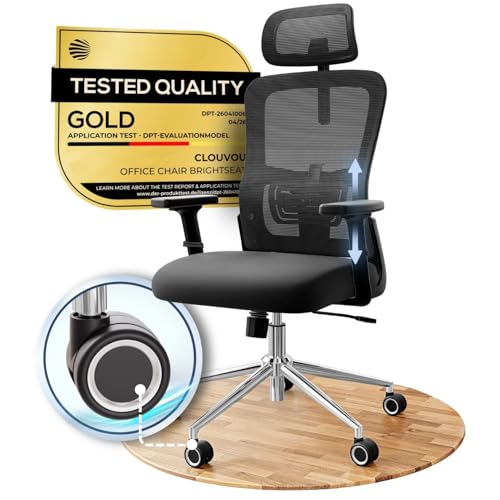
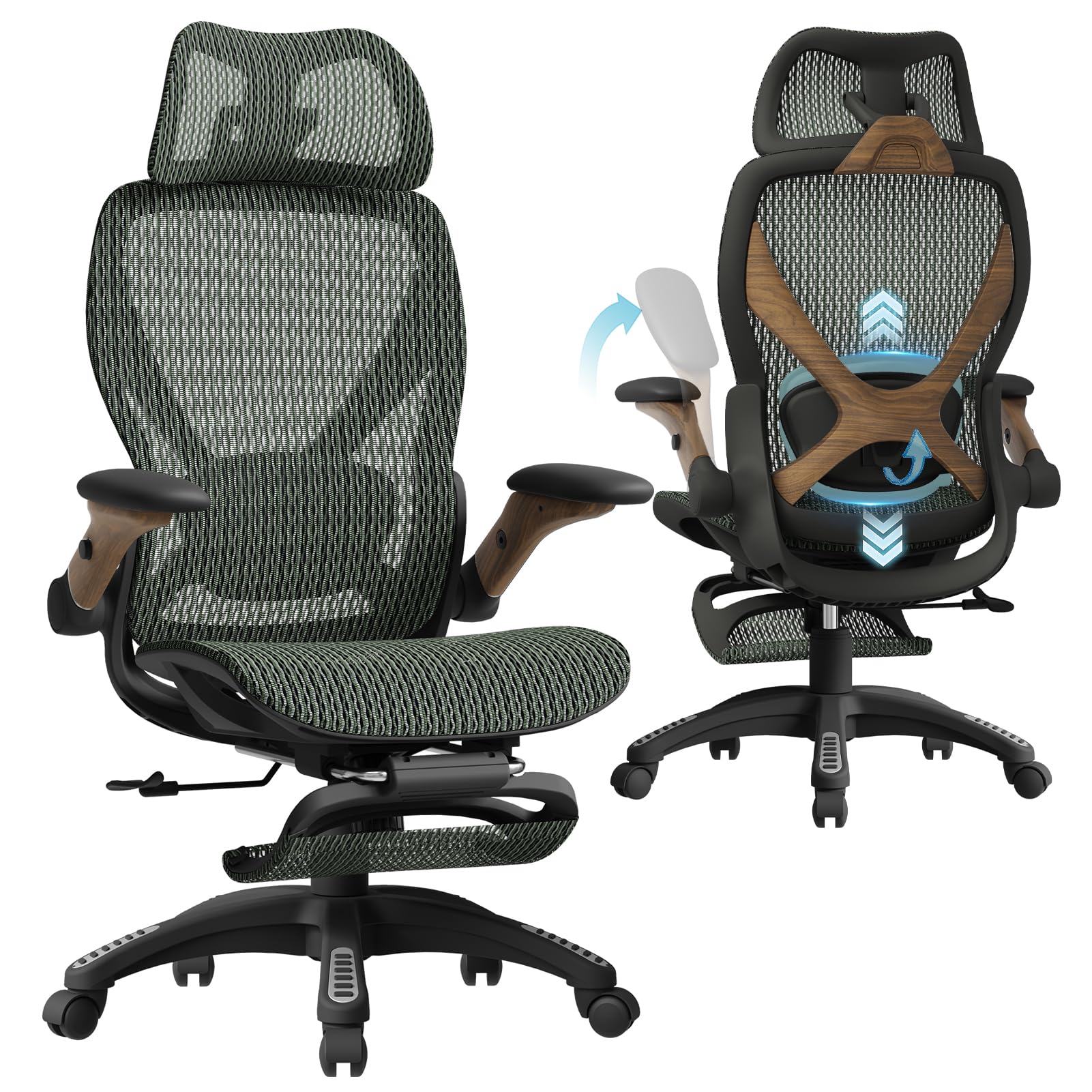


Who Should Buy Which Chair for Long Gaming Sessions?
Start with how you actually play. The posture of a competitive shooter is not the posture of someone who plays a slow strategy game with a controller.
Competitive PC Players Who Sit Upright for Hours
You lean toward the monitor, keep your hands on a keyboard and mouse, and rarely recline. Look for a firm seat, a back that holds an upright angle without drifting, and armrests that lower enough to slide under the desk edge. Lumbar support that you can raise or lower matters more than a tall racing shell, because your lower back does most of the holding.
Console and Controller Players Who Lean Back
You sit further from the screen and shift position often, so recline range and a supportive head area count for more. A back that tilts to about 135 degrees with a reliable lock lets you stretch out between rounds. A footrest is useful here, since your legs are often extended and unsupported on a standard chair.
Streamers and Players Who Also Work at the Same Desk
Your chair covers a full workday and a full evening, so build quality and adjustability beat styling. Choose a seat that adjusts across a wide height range, a tilt mechanism that locks in several positions and upholstery that stays cool under studio lights. If your day starts with spreadsheets, our guide to the best desk chairs for long hours covers the same all day demands from the office side.
Key Features of the Best Chairs for Gaming Long Hours
Judge these features in order. The first three decide whether a chair can work at all, and the rest refine it.
Seat Foam Density, Width and Depth
Foam density matters more than thickness. Dense foam holds its shape under repeated sitting, while soft foam feels plush at first and packs flat within months, leaving you on the seat board. Seat width of about 19 to 22 inches suits most adults, and a depth that leaves two fingers of space behind your knees keeps blood moving to your lower legs. A slightly raised front edge on a racing style seat can press into your thighs, so sit in a flat or waterfall edge shape if you can.
Lumbar Support and Back Shape
The lower back is where long sessions hurt first. A back that follows the natural inward curve of your spine, with support you can move up or down, spreads load across more muscle. Loose lumbar pillows work if they stay put, though built in adjustable support is steadier. No chair corrects posture by itself, so treat support as help for holding a good position, and talk with your clinician if back pain keeps returning.
Recline, Tilt Lock and Tension Control
A chair that only offers upright and fully reclined leaves you stuck between two extremes. Look for a tilt lock with several stops and a tension knob you can set to your weight, so leaning back takes light pressure. Small posture changes through the evening are healthier than holding one position, and a smooth mechanism makes those changes easy.
Armrests That Move With Your Setup
Armrests should hold your forearms level while your shoulders stay relaxed. Height adjustment is the minimum, and arms that move in and out or pivot help when you switch between mouse and controller. Arms that cannot lower will stop the chair from tucking in and push you away from the keyboard.
Upholstery That Stays Cool and Holds Up
Heat builds fast during long sessions, especially under a headset and warm lights. A mesh back lets air through and dries quickly, while smooth faux leather feels warm and can peel with age. Fabric sits between the two, soft and breathable but harder to wipe clean after snacks.
Base, Casters and Weight Capacity
A five point metal base stays steadier than a plastic one when you lean back or push away from the desk. Choose a stated weight capacity comfortably above your own weight, because hard use wears the lift and joints first. Hard casters suit carpet, and softer wheels roll quietly on wood or tile. For general long hour seating beyond games, see our guide to the best chairs for long hours.
What Each Budget Band Usually Buys
Prices for chairs for gaming long hours cover a wide range, and a higher price buys specific upgrades rather than a different kind of chair.
Entry Level: Simple Padding and Fixed Parts
At the low end you usually get thin foam, fixed or flip up arms, a basic tilt and a plastic base. That can be enough for evening sessions of two hours or less. Expect the cushion to soften within a year and check the weight rating carefully.
Midrange: Where Long Session Comfort Improves Most
Midrange chairs typically add denser foam, adjustable lumbar support, arms that move in several directions and a metal base. This is the band where the upgrades show up in every session, so it suits most players who sit for three hours or more most days.
Premium: Finer Adjustment and Longer Service
Premium chairs add seat depth adjustment, smoother tilt mechanisms, stronger lifts and longer warranties. They make sense if you game and work in the same seat for ten hours a day. For occasional marathon sessions, a solid midrange chair serves you just as well.
Common Mistakes to Avoid
- Buying for color and racing trim leaves you with thin foam that flattens before the season ends.
- Ignoring seat depth presses the seat edge into your knees and cuts comfort in the second hour.
- Choosing a deep recline for upright keyboard play lets your hips slide forward and unloads your lower back.
- Skipping the weight rating wears out the lift cylinder and leaves the seat sinking mid match.
- Forgetting your floor type means hard casters scratch wood or soft ones drag on thick carpet.
- Staying seated for the whole session no matter how good the chair is, because movement breaks matter as much as support.
Care and Maintenance for a Chair Under Daily Use
Tighten the bolts under the seat and behind the armrests every few months, since constant shifting loosens them. Vacuum mesh and fabric weekly, wipe faux leather with a damp cloth and mild soap, and clear hair and thread from the casters. If the lift sinks on its own, replace the cylinder rather than raising the seat each morning. For a wider look at seating built for marathon sitting, see our guide to the best chairs for sitting long hours.
FAQ
What matters most in a chair for gaming long hours?
Dense seat foam, adjustable lumbar support and a tilt lock matter most, because they keep your position steady and your lower back supported late in a session. Fit comes right after: seat height, depth and armrest height must match your body and desk. Decorative trim and extra pillows matter least.
Is a gaming chair better than an office chair for long sessions?
Not automatically. Some gaming styled chairs have deep bolsters and tall shells that look sporty but fit narrowly, while a good ergonomic office chair often adjusts more. Judge the adjustments and the foam, not the label. If you are comparing computer seating more broadly, our guide to the best computer chairs for long hours sets out the same checks.
How long should a chair last under heavy daily gaming?
A sound chair should last about three to six years of heavy daily use. Foam and upholstery usually age first, while the lift and casters are the most common repairs. Chairs near their weight limit or used ten hours a day sit at the short end of that range.
Is an expensive chair worth it for long gaming sessions?
It is worth it when the extra money buys adjustments and parts you will use daily, such as seat depth control, denser foam and a longer warranty. It is harder to justify if you play a few hours a week, where a sturdy midrange chair covers the need. Think in cost per year rather than price on the day.
How do I choose the right size chair for my body and desk?
Match three numbers to your body: seat height range, seat width and seat depth. Your feet should rest flat, your knees should sit near a right angle and your armrests should clear the desk underside. For tournament length play, see our guide to the best chairs for long gaming sessions.
Wrapping Up
Choose by fit first, then foam and support, then extras. Check the product table above for sizes and prices that match your budget band, and confirm seat depth and armrest clearance against your own desk before you order. Chosen that way, the best chairs for gaming long hours stay comfortable well past the final match of the night.