
Best Chairs for Streamers: A Buying Guide for 2026
Disclosure: We may earn a commission when you buy through links on this page, at no extra cost to you. As an Amazon Associate I earn from qualifying purchases. Learn more

Lumbar support, quiet casters and frame strength for the best chairs for streamers who sit for hours on camera.
A streaming chair has to do more than fill a corner of your room. You sit in it for hours while you talk, react, and stay framed on camera, and small comfort problems grow fast once a session runs long. The best chairs for streamers support your back and arms through those long sessions, move quietly, and fit the space your viewers see.
This guide walks through fit, cushioning, frame strength, and chair types so you can match a chair to your body, your desk, and your schedule. Use the comparison table below to compare sizes, materials, and adjustment ranges side by side before you settle on a style.
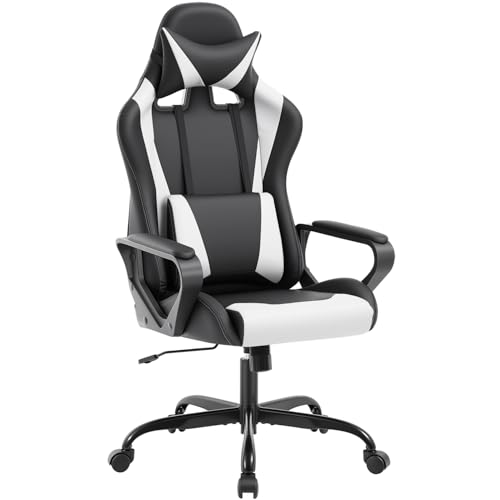
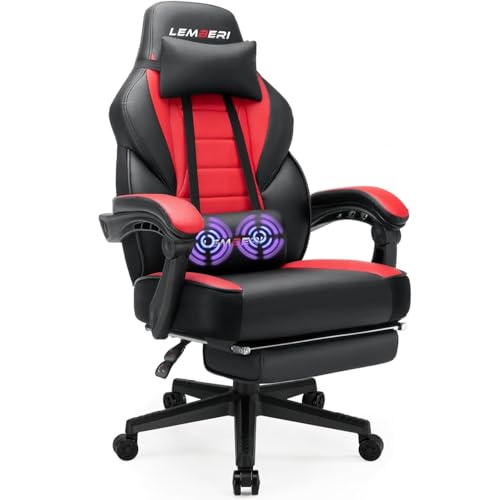


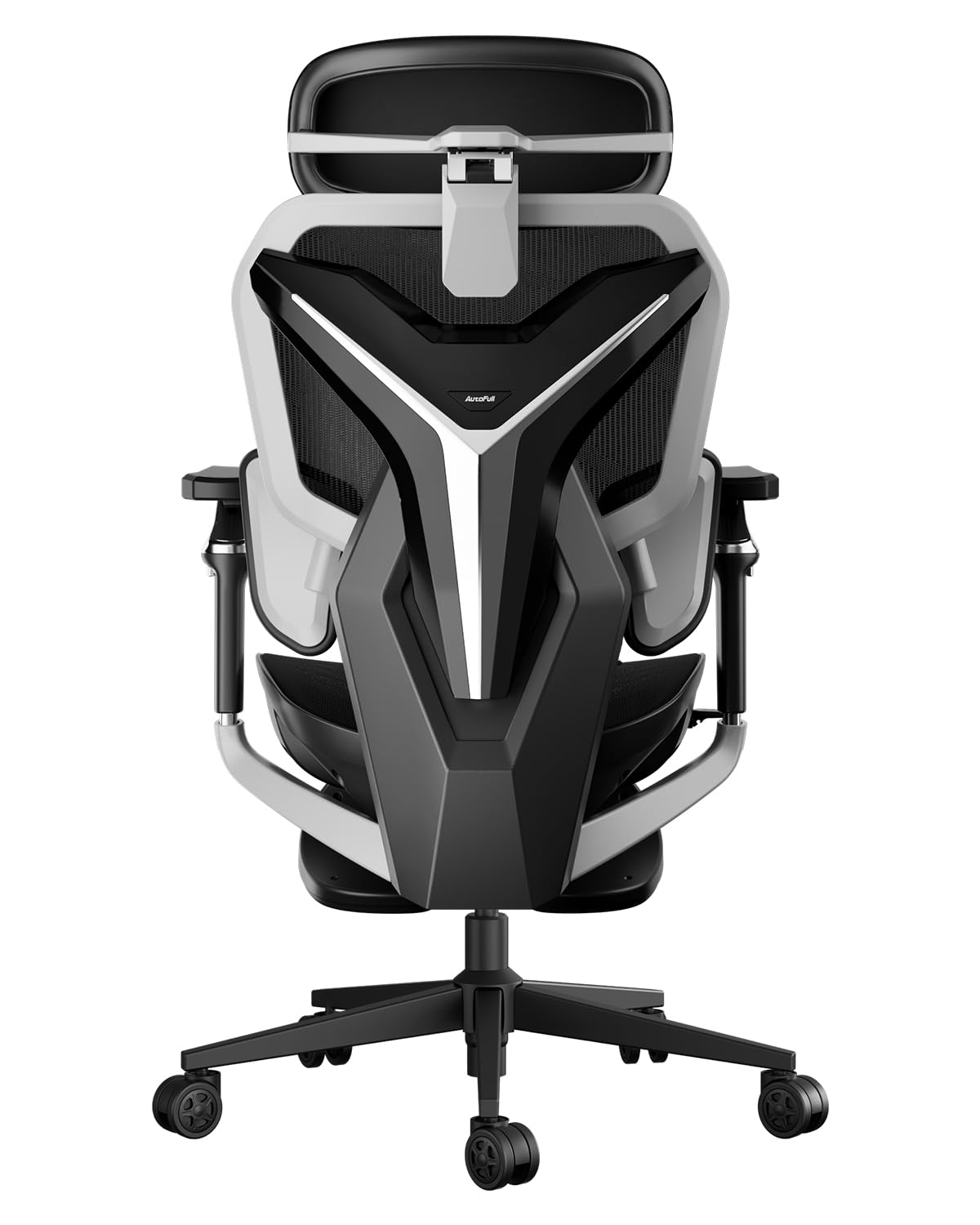


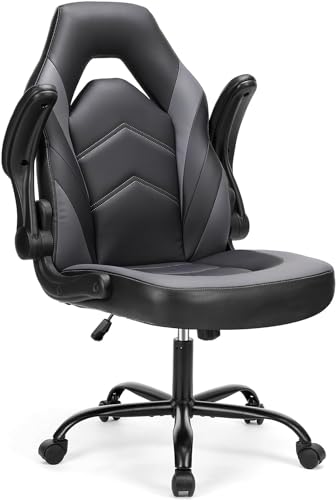
Who Should Buy a Chair Built for Streaming?
Streamers place unusual demands on a chair. Sessions run longer than a typical gaming break, your upper body stays visible, and you often lean, turn, and reach for controls without standing up. The groups below describe the needs that should shape your choice most.
Full Time Streamers Who Sit for Long Daily Sessions
If streaming is your job, your chair is work equipment. Prioritize strong lumbar support, a seat that stays comfortable in hour four, and a frame and gas lift rated well above your body weight. A mesh back helps heat escape during long sessions under bright lights. You will also benefit from a headrest, since leaning back between matches or during chat breaks takes pressure off your neck and shoulders.
Part Time Creators Working in Small Rooms
If you stream from a bedroom or a shared apartment, the chair has to fit the room before it fits anything else. Measure the floor space behind your desk and choose a narrower base and arms that slide under the desk for storage. A chair that rolls easily and turns without hitting a wall or a bed makes a small setup feel far less cramped on busy days.
Streamers Who Split Time Between Play and Desk Work
Many creators edit video, answer messages, and handle sponsorship work at the same desk where they play. You need upright support for typing and a relaxed recline for gameplay in one chair, plus armrests that move out of the way for a controller or a drawing tablet. If that mix sounds familiar, see our guide to the best office task chairs for shapes built around long keyboard work.
How to Choose a Streaming Chair
When you compare best chairs for streamers as a group, the differences that matter are fit and adjustment, not color or styling. Work through the factors below in order.
Features That Matter for Streamers
Streamers need a chair that stays quiet and steady while they move. Look for a smooth recline that does not creak, casters that roll without rattling on hard floors, and upholstery that looks clean under bright lighting. A seat edge that does not press into the backs of your thighs matters during long sessions. Bright lights also raise room heat, so breathable fabrics and mesh panels earn their place quickly.
Ergonomics and Adjustability
Start with seat height. Your feet should rest flat on the floor with your knees near a right angle, and your eyes should meet the center of your monitor without tilting your head. Lumbar support should sit in the curve of your lower back and adjust in height or depth. Adjustable armrests should reach elbow height without lifting your shoulders. A tilt lock lets you hold a slight recline instead of fighting spring tension all session.
Comfort should never involve sharp pain, numbness, or tingling in your legs, arms, or back. If you notice those signs, stop adjusting the chair as a fix and talk with a clinician about your sitting posture and personal needs. A chair can support good habits, but it cannot treat an existing condition, and persistent symptoms deserve professional advice.
Comfort and Cushioning
Seat foam decides how a chair feels in hour one and in month six. High density foam holds its shape under daily use and supports your weight without sinking to the hard base below. Softer foam feels plush at first but can flatten, which leaves you shifting around to find a comfortable spot. If you run warm, pair a foam seat with a mesh back so air keeps moving behind you while you play.
Assembly and Delivery
Most streaming chairs arrive in a large box with the back, seat, base, and hardware packed separately. Assembly usually takes one person about 20 to 40 minutes with the included tool, and a second person helps when you attach the back to the seat. Check the box weight before delivery day if you have stairs. Keep the packaging until you have sat in the chair and confirmed every adjustment works as described.
Build Quality and Frame
A steel frame and a class 4 gas lift handle daily reclining and weight shifts without wobbling. Check the stated weight capacity and leave a comfortable margin above your own weight, especially if you lean back often or share the chair. A wide five point base keeps the chair stable when you reach for a shelf or roll across the room. For a broader look at frame and finish standards, see our guide to the best quality chairs.
Warranty and Return Policy
Read the warranty in parts, because coverage often differs for the frame, the gas lift, and the upholstery. A long frame warranty signals confidence, while foam and fabric may carry much shorter terms. Confirm who pays return shipping, because a boxed chair is heavy and return costs can surprise you.
Types of Chairs for Streaming Setups
Chair types overlap, but each one favors a different mix of price, support, and room footprint. Use the product table above to see how the types compare on seat width and adjustment range, then read the group that matches your setup.
Budget Models
Budget models cover the basics: a padded seat, fixed or basic lumbar support, and simple armrests, often for under $200. They suit new streamers who sit for shorter sessions and want to spend more on a microphone or lighting first. Expect fewer adjustments and thinner foam, so plan to stand and stretch between sessions.
Premium and Executive Models
Premium and executive models add thicker foam, smoother recline mechanisms, leather or leather look finishes, and a more formal appearance on camera, often starting around $400. They suit streamers whose room doubles as an office for client calls. If that polished look appeals to you, see our guide to the best officer chairs for similar styles. The trade off is weight, since these chairs are harder to move between rooms.
Compact and Space Saving Models
Compact models use narrower seats, slimmer backs, and bases that tuck close to a desk. They fit dorm rooms, small apartments, and shared bedrooms where the chair must slide out of sight after a stream. Check seat width carefully, because a compact chair that pinches your hips will end a session early.
Ergonomic Models
Ergonomic models put adjustment first, with moving lumbar support, seat depth changes, and armrests that shift in several directions. They suit streamers with back discomfort from an old chair or bodies that fall outside average sizing. A mesh back is common in this group and keeps you cooler under stream lights. Expect a plainer look and a higher price than basic padded chairs of similar size.
Common Mistakes to Avoid
Most streaming chair regrets come from a short list of avoidable errors. Read these before you order, because returning a large chair is slow and often costly.
- Buying by looks alone, so the chair photographs well but leaves your lower back unsupported through a long stream.
- Ignoring weight capacity, so the gas lift sinks and the frame creaks within the first year of daily use.
- Skipping room measurements, so the base hits the wall and the chair cannot recline in your setup.
- Choosing a seat that is too deep, so the front edge presses your legs and your feet cannot rest flat.
- Locking your arms at one height, so your shoulders rise while you type and ache by the end of the day.
- Forgetting about noise, so every lean and roll reaches your microphone and distracts your viewers.
Setup and Care Tips for Your Streaming Chair
Good setup habits protect both your body and the chair. Set the seat height first, then place your monitor and microphone to match, rather than bending your posture to fit gear that was placed earlier. If your room centers on console play, the setup notes in our guide to the best video game chairs cover screen distance and relaxed seating angles.
- Adjust the seat height so your feet rest flat and your arms bend naturally at the keyboard.
- Check and tighten the bolts under the seat and back every few months, since daily movement loosens them slowly.
- Vacuum fabric upholstery and wipe smooth finishes with a damp cloth to lift dust and skin oils.
- Keep leather and leather look chairs out of direct sunlight, which dries the surface and fades color.
- Clear hair and dust from the casters so the chair rolls quietly and does not scratch hard floors.
- Work the gas lift through its full range now and then, and replace it if the chair starts sinking on its own.
Frequently Asked Questions
What features matter most in chairs for streamers?
Adjustable lumbar support, seat height, and armrest position matter most in chairs for streamers. Together they decide whether your posture holds up through a long session. One point buyers often miss is caster choice: soft casters protect hard floors and roll more quietly than standard hard casters, which keeps floor noise out of your recordings and helps in apartment buildings with thin floors.
How do you choose the right size streaming chair for your body?
You choose the right size streaming chair by matching seat width, seat depth, and back height to your body measurements. Sit with a small gap between the seat edge and the backs of your knees, and pick a back tall enough to support your shoulders. Check the size chart against your height and weight rather than relying on words like large or wide, since brands size chairs very differently.
Is an expensive streaming chair worth the cost?
An expensive streaming chair is worth the cost if you stream most days and your current chair causes real discomfort. Higher prices usually buy denser foam, a stronger frame, and longer warranty coverage on the parts that wear first. If you stream once a week for short sessions, a modest chair plus regular stretch breaks often serves you just as well, so match the spend to your actual hours seated.
How long should a good streaming chair last?
A good streaming chair should last about five to eight years of regular use. The gas lift and casters usually wear out before the frame, and both can often be replaced without buying a whole new chair. Foam is the harder limit: once the seat stays flattened after you stand up, support is gone even if the chair still looks fine on camera.
What features matter most in a streaming chair for long hours?
For long hours, a streaming chair needs breathable materials, deep and even cushioning, and a recline you can lock at a slight angle. Heat buildup is the quiet problem here, since stream lights add warmth that a thick padded back traps against your body. A mesh back or a fabric finish vents that heat, and a small fan behind your setup helps more than most buyers expect.
Final Thoughts
Start with fit: seat size, lumbar support, and armrest adjustment decide your comfort far more than styling does. Then check frame strength, weight capacity, and warranty terms so the chair keeps up with daily use. Compare your shortlist against the product table above, and choose the best chairs for streamers option that matches your body, your room, and your streaming schedule.
If you want a shape built purely around gameplay, see our guide to the best gaming chairs for streamers for a closer look at racing style seats and bold designs.

