Best Chinese Gaming Mouse Made Simple: A Clear Buying Guide for 2026
Disclosure: We may earn a commission when you buy through links on this page, at no extra cost to you. As an Amazon Associate I earn from qualifying purchases. Learn more

Learn how to choose the best chinese gaming mouse with plain English specs, grip and size tips, battery basics, and mistakes first time buyers can skip.
Buying your first gaming mouse from a Chinese brand can feel confusing, because listings throw around terms like DPI, polling rate, and sensor names with almost no explanation. This guide slows all of that down. By the end, you will know what each spec means, which ones change how a game feels, and how to match a best chinese gaming mouse candidate to your hand and the games you play.
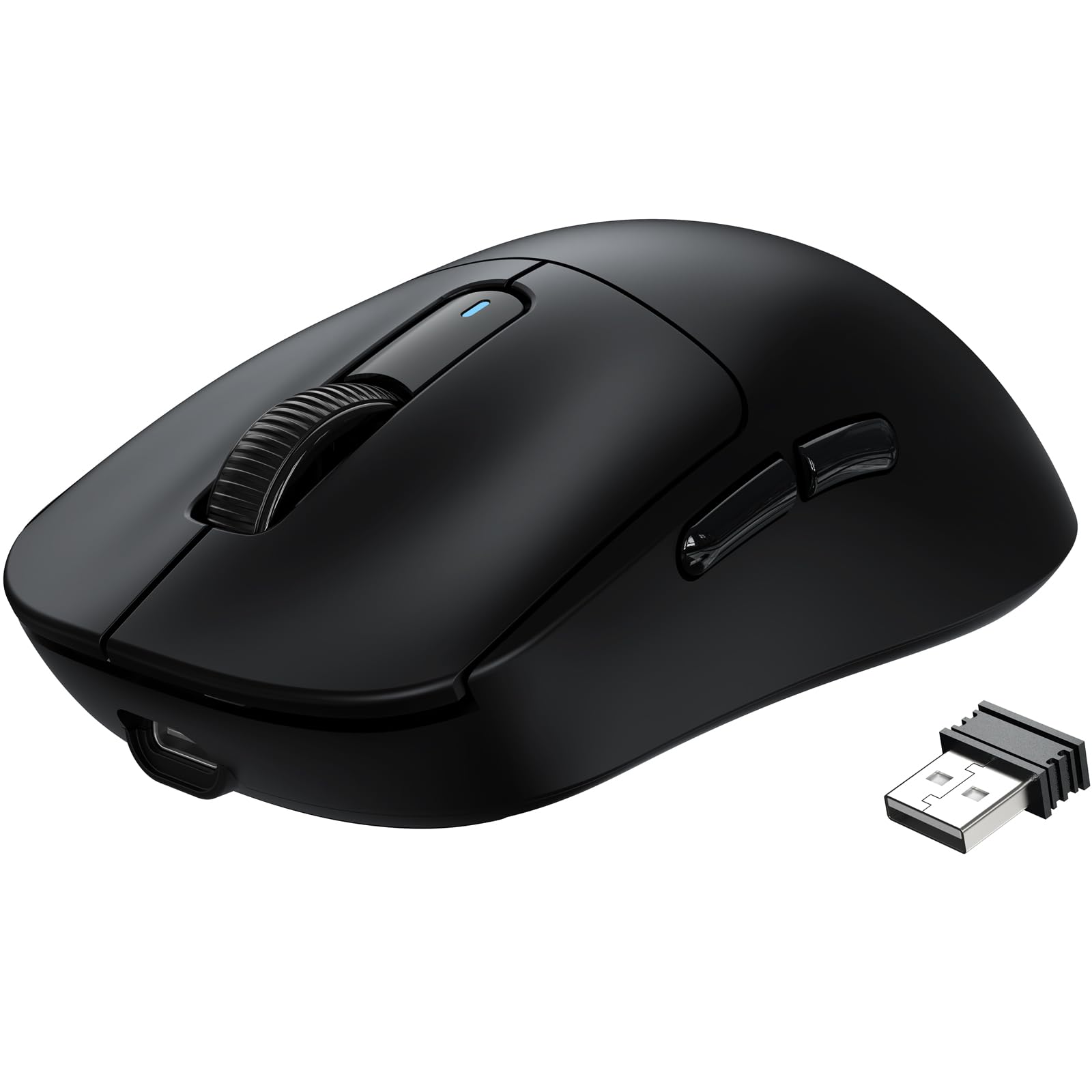
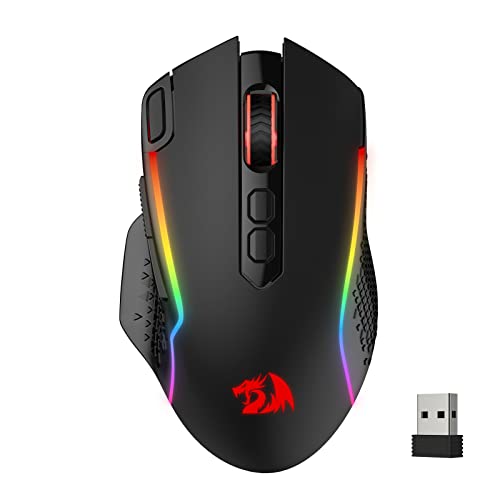
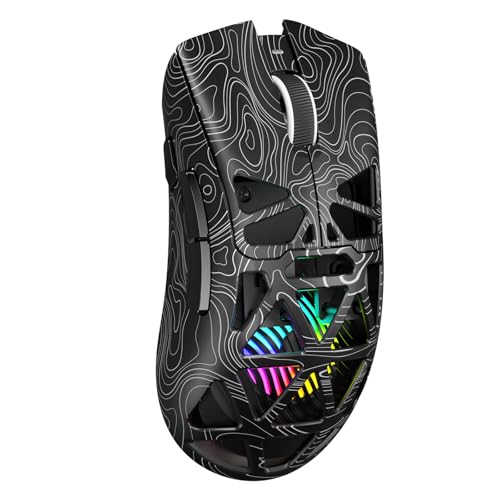
You do not need a huge budget or deep technical knowledge to choose well. You need a shape that fits, a sensor that tracks cleanly, and a connection that suits your setup. Keep those priorities in mind as you scan the comparison table below, then read on for the plain English version of every term there.




Chinese Gaming Mice 101: The Basics for New Buyers
A gaming mouse is simply a mouse built for fast, accurate movement. Compared with a basic office mouse, it uses a more precise sensor, reports its position far more often, and has buttons rated for many more clicks. The shell is also shaped for the ways gamers hold a mouse during long sessions.
Chinese brands have become a big part of this market because many sell strong hardware at prices that undercut older name brands. You often get a modern sensor, a light shell, and both wired and wireless options for under $60. When you compare best chinese gaming mouse listings side by side, the trade off is usually polish rather than performance. Software may feel rougher, manuals may be brief, and support may run through email instead of a phone line.
That trade off is fine for most first time buyers, as long as you shop by specs and shape instead of by logo. If budget is the top concern, see our guide to the best inexpensive gaming mouse for how low prices can go before quality drops.
One more basic helps. The sensor watches the surface below the mouse, the chip inside turns that movement into data, and the cable or wireless signal sends it to your computer many times per second. Every spec in the next section describes one step of that chain.
Key Specs Explained in Plain English
The product table above lists a lot of numbers, but only a handful decide whether a mouse feels good in play. Start with the sensor, DPI, and polling rate, then work through connection, fit, and the extras. For a broader view while you learn, see our guide to the best mouse for gaming and compare how these specs show up across all brands.
Sensor, DPI, and Polling Rate
DPI tells you how far the cursor moves for each inch you move the mouse. A higher setting means the pointer covers more screen with less hand movement. Most players settle between 400 and 3200 DPI for games, and many use 800 or 1600 on the desktop. Huge numbers like 26000 on a box are mostly marketing, because almost nobody plays well at settings that twitchy.
Polling rate is how many times per second the mouse reports its position, measured in hertz. A standard 1000 Hz mouse reports every millisecond, which already feels smooth in fast games. Models offering 4000 or 8000 Hz can track slightly smoother on high refresh screens, but they use more battery. Sensor quality matters more than either number, since a good sensor tracks evenly at any speed without jitter or sudden skips.
Wired vs Wireless Connections
Wired models plug in with a cable and never need charging, which makes them the simplest and often the cheapest choice. The cable can drag on the desk edge, though a flexible lightweight cable reduces that a lot. Wireless models remove the drag entirely, which is why most newer Chinese releases lead with wireless versions.
Wireless comes in two forms. A 2.4 GHz connection uses a small USB receiver and offers the lowest wireless latency, close enough to wired that most players cannot feel a gap. Bluetooth pairs without a receiver and saves battery, but it responds a little slower, so it suits casual play and compact travel models better than ranked matches. Many mice include both, plus a cable, so you can switch as needed.
Compatibility With PC, Mac, and Console
Any modern gaming mouse works on Windows and Mac for basic pointing and clicking, because both systems accept standard mouse input. The catch is the software. Many Chinese brands write their settings apps for Windows only, so Mac users may need to set DPI and buttons on a Windows computer first, then rely on onboard memory to carry those settings over.
Consoles are more limited. An Xbox or PlayStation accepts a mouse only in games that support mouse input, and support varies title by title. Button remapping inside the mouse still works, since the console just sees a normal mouse. Before buying for console play, check that your favorite game allows mouse control, because the mouse cannot add support the game lacks.
Ergonomics, Size, and Grip Style
Fit decides comfort more than any electronic spec. Measure your hand from fingertip to wrist crease, then compare it with the length listed for the mouse. As a rough guide, a mouse length near 60 percent of your hand length suits most grips. Compact travel models run shorter and lighter for small hands, while full size ergonomic shapes support the whole palm.
Grip style is how your fingers rest on the shell. Palm grip lays the full hand on the mouse and favors a taller, supportive hump. Claw grip arches the fingers and suits a shorter shell with a hump toward the back. Fingertip grip moves the mouse with the fingers alone and pairs well with light, low shells. A symmetrical shell works for any grip and either hand.
Durability and Switch Ratings
The main buttons sit on switches, and listings rate those switches by how many clicks they should survive, often 50 million or more. Treat the number as a rough durability signal rather than a promise. What you feel day to day is the click itself. Mechanical switches give a crisp, tactile press, while optical switches use light to register the click and avoid the double clicking fault that worn contacts can develop.
Shell quality matters just as much. A solid shell has no creaks when you squeeze the sides, and the scroll wheel should step cleanly without wobbling. Warranty length varies widely among Chinese brands, so check whether returns run through the seller and how long coverage lasts before you order.
Battery Life and Charging
Wireless mice list battery life in hours of use, and real results depend on your settings. High polling rates and bright lighting drain a battery much faster than standard settings. A mouse rated for 70 hours at 1000 Hz with lighting off might last only a few days at 4000 Hz with lights on. Pick capacity that lets you charge weekly rather than daily.
Most current models charge over USB C, which is convenient because the same cable likely charges your phone. Many also work as wired models while charging, so a dead battery never ends a session. What matters most is a clear battery indicator, in the software or through a small light on the shell.
Customization and Software
Companion software lets you set DPI steps, assign macros to side buttons, adjust lighting, and save profiles. Onboard memory stores those choices inside the mouse, so your settings follow you to another computer even without the app. For a first mouse, a few DPI steps, simple button remapping, and memory for one or two profiles cover almost every real need.
Lighting deserves a calm look. RGB lights make a setup look fun, but they add cost, drain battery, and do nothing for aim. Some brands offer web based settings pages that run in a browser, which helps Mac and Linux users shut out of Windows apps. If a listing brags mostly about lighting, read the sensor and shape details twice as carefully.
Rookie Mistakes to Avoid
Most first purchases go wrong in predictable ways.
- Buying by maximum DPI alone, which leads to a jittery cursor you end up lowering anyway.
- Ignoring shell size, which leaves you with cramped fingers or a mouse your hand slides off.
- Choosing Bluetooth only for fast games, which adds a small delay you will feel in close fights.
- Paying extra for 8000 Hz polling on a basic screen, which drains battery for a gain you cannot see.
- Skipping the return policy, which matters more with overseas sellers if the shape does not suit you.
- Judging a mouse before updating it, which can leave early firmware quirks looking like hardware faults.
Getting Started: Setup and First Use
Setup takes about ten minutes. Plug in the cable or the 2.4 GHz receiver, flip the power switch on wireless models, and let your computer find the mouse on its own. Then install the brand software and update the firmware before changing anything else. Updates often fix tracking or battery quirks, so doing this first saves confusion later.
Next, set your surface up properly. A consistent pad gives the sensor an even texture to read, and pairing the mouse with the right surface is why many players shop for the best gaming mouse and pad together. If you play with big arm movements, a desk sized option from our guide to the best gaming mouse mat keeps the mouse on the pad through every swipe.
Finish with three quick settings. Pick one DPI step, such as 800 or 1600, and play a few matches before touching it again, because constant changes slow down muscle memory. Turn off mouse acceleration in your system settings so pointer distance stays predictable. Finally, set the polling rate to 1000 Hz as a balanced starting point.
Keeping the mouse in shape is simple. Wipe the shell with a dry cloth, blow dust out of the sensor opening with short bursts of air, and check the feet for wear every few months. Worn feet make the glide feel scratchy, and fresh feet are cheap and easy to stick on. Store the USB receiver in the slot under the shell when you travel.
Frequently Asked Questions
Are Chinese gaming mice reliable for daily play?
Yes, most current Chinese gaming mice are reliable for daily play, because they use the same sensor families and switch types found in pricier brands. Reliability varies more by model than by country of origin. Check the click rating and the return window before ordering. One extra tip is to keep your receipt, since some brands ask for proof when you request a replacement.
Wired or wireless: which suits a Chinese gaming mouse better?
Wireless suits most buyers better, because modern 2.4 GHz links feel as responsive as a cable while keeping the desk clear. Wired still wins for simplicity, since it never needs charging and usually costs less. A practical middle path is a model that does both, so you can play wireless at home and plug in when the battery runs low.
What DPI should a beginner set on a gaming mouse?
Start at 800 or 1600 DPI, since those settings balance control and cursor speed for most screen sizes. Then adjust in small steps over several days rather than jumping around hourly. A useful check is one full swipe across your pad, which should turn your character about 180 degrees in a shooter without lifting the mouse.
Does a Chinese gaming mouse work well with high refresh monitors?
Yes, a Chinese gaming mouse pairs well with fast displays, and the pairing makes higher polling rates more noticeable. On a 60 Hz screen, extra reports from the mouse mostly go unseen, but the best gaming monitors running at 144 Hz or above show smoother cursor motion. Even then, 1000 Hz already looks smooth, so treat higher rates as a bonus.
How long does a Chinese gaming mouse battery usually last?
Most wireless models last about 50 to 90 hours of play per charge at standard settings with lighting off. Your results swing with polling rate, lighting brightness, and daily play time. A habit that helps is charging during a regular break, like lunch once a week, instead of waiting for a low battery warning mid match. Short top ups are fine for modern batteries.
Can a gaming mouse from a Chinese brand work on Mac and console?
Yes, basic pointing and clicking work on Mac and on consoles in games that accept mouse input. The limit is the settings software, which many brands release for Windows first. Work around it by saving your DPI and button choices to onboard memory on a Windows computer, and the mouse carries those choices to any device. Some models also include a Mac app, so check the download page.
Final Thoughts
Strip away the marketing and three things decide your purchase: a shell that fits your hand and grip, a clean tracking sensor, and a connection that matches how you play. Polling rate and lighting are supporting details, and battery size only matters once the first three are right. Use the product table above to shortlist models that meet those basics, then confirm size and switch type before ordering.
Chinese brands reward buyers who read spec sheets carefully, because the value hides in the details rather than the logo. Measure your hand, and pick the best chinese gaming mouse for your desk rather than the one with the loudest box. A careful first pick can serve you well for years.