
Best ATX Motherboards 2026: A Complete Buying Guide
Disclosure: We may earn a commission when you buy through links on this page, at no extra cost to you. As an Amazon Associate I earn from qualifying purchases. Learn more

Learn how to choose ATX motherboards by socket, chipset, power delivery, expansion, and case fit, with a clear guide for gaming and work builds.
The best ATX motherboards form the backbone of a standard desktop build, offering room for graphics cards, storage, memory, and cooling that smaller boards often lack. The right board matches your processor, your case, and your plans for future upgrades.
The product table below brings the main options together, so you can compare chipsets, memory support, and expansion at a glance. This guide explains each factor in plain language, so you can avoid the common trap of paying for slots you will never fill.


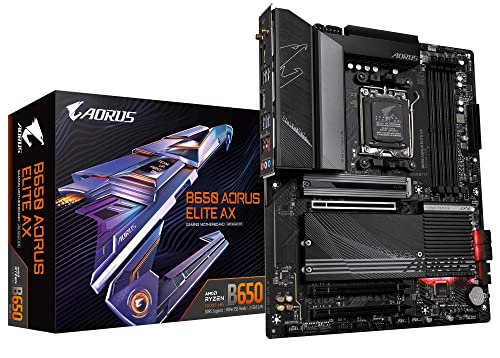
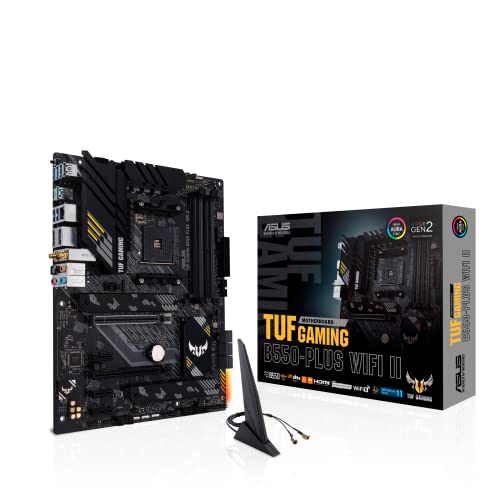
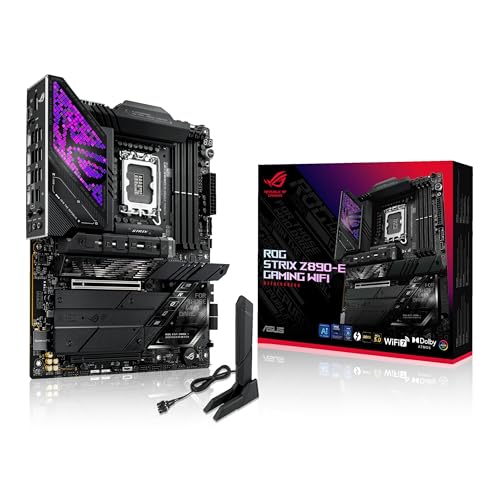


ATX is a full size standard, so case fit matters from the start. A board that fits your case, your power supply, and your cooling plan will save hours of frustration during assembly.
Write down your full parts list before you shop for a board. Processor, memory, graphics card, drives, cooler, and case each constrain the board, and a complete list prevents ordering a board that blocks one planned part.
Socket, Chipset, and Processor Fit
Start with your processor, because socket and chipset decide which boards work at all. Check the exact processor model, the socket it uses, and whether the board needs a BIOS update for newer chips in the same socket family.
Chipset decides features such as USB ports, storage lanes, overclocking support, and PCIe layout. A high end chipset adds connectivity and flexibility, but a midrange chipset often covers gaming and office work fully. Match chipset to real needs, not to prestige.
Memory support matters too. Check maximum capacity, speed ratings, and slot count, and confirm that your chosen memory kit appears on the board maker compatibility list when possible. Four slots give more upgrade room than two, even if you start with two sticks.
Power, Cooling, and Expansion
Power delivery affects stability under load, especially for high core count processors and sustained work. Look for solid heatsinks on power stages and enough fan and pump headers for your cooling plan, rather than judging by phase counts alone.
Expansion slots decide future upgrades. ATX boards usually offer a primary graphics slot plus extra slots for capture cards, sound cards, or additional storage. Map your planned cards before ordering, and check slot spacing when using a large graphics card.
Storage options include M.2 slots for fast NVMe drives and SATA ports for larger drives. Check whether M.2 slots share lanes with SATA ports or PCIe slots, since sharing can disable a port when you populate a slot. Plan drive layout early to avoid surprises.
A guide to best mini atx motherboards helps if space is tight, while best amd atx motherboards narrows the field to AMD platforms. For build planning, best cases for atx motherboards covers case fit and airflow, and best looking motherboards focuses on design. For an older platform, best motherboards am4 covers AM4 options.
Case Fit, Ports, and Everyday Use
Confirm that your case supports full ATX, not only micro ATX, and that cable routing, graphics card length, and cooler height all fit. A board that technically fits but blocks cable paths will make building and maintenance harder.
Rear ports shape daily convenience. Count USB ports by speed and type, check network speed, and confirm audio and display outputs suit your monitors and peripherals. Front panel USB support depends on internal headers, so check those too.
BIOS quality affects setup ease and long term stability. Clear fan controls, memory profiles, and update tools save time, especially for first time builders. Read setup guides for your chosen board before assembly day.
Budget, Value, and Mistakes to Avoid
Prices for ATX motherboards commonly range from about $120 to $350, with premium boards costing more. Midrange boards often cover gaming, content creation, and office work fully, while premium boards add connectivity and power headroom for extreme builds.
A common mistake is buying a board for a processor you do not own, or for overclocking you will never attempt. Another is ignoring case fit and discovering that a board blocks drive bays or cable paths. Check socket, case, and cooler fit first.
Plan upgrades honestly. If you expect to add storage, a capture card, or more memory, choose a board with spare slots and headers now. If your build is fixed, a simpler board often offers better value.
A Final Check Before You Order
Double check cooler clearance against memory height and the top PCIe slot. Large air coolers can overhang memory slots, while tall memory can block fan clips. Compatibility lists from cooler makers help avoid assembly day surprises.
Count internal USB headers for front panel ports, cooling pumps, and RGB controllers if you use them. A board with too few headers forces splitters or unused front ports, which frustrates daily use.
Check BIOS flashback options if you plan a newer processor in an older socket family. A board that updates without a compatible processor installed saves a difficult step for first time builders.
Plan cable routing before assembly, including power, SATA, and fan cables. ATX boards offer room, but poor routing still blocks airflow and makes later upgrades harder. Route cables loosely first, then tidy after a successful boot test.
Check the board outside the case when possible, with processor, memory, and graphics installed. A quick bench test catches dead parts and BIOS issues before full assembly, saving hours of troubleshooting inside a cramped case.
Keep the board box, manuals, and spare screws after building. Future upgrades, warranty claims, and resale all benefit from original packaging and documentation kept in one place.
Consider future storage growth when counting M.2 slots, since games, video projects, and photo libraries expand steadily. A board with a spare M.2 slot avoids difficult drive juggling later, while a board with only one slot forces external drives or replacements sooner.
Review fan and pump header placement against your cooler and case fan layout. Headers buried under graphics cards or near drive cages complicate cable routing, while well placed headers simplify building and later fan swaps. Layout diagrams from the maker help planning greatly.
Think about audio needs honestly, including headset, speakers, and microphone use. Onboard audio covers most gaming and office needs, while content creators may need cleaner inputs or a dedicated interface. Spend on audio only when your work genuinely demands it.
Frequently Asked Questions
What is the difference between ATX and micro ATX?
ATX is larger and usually offers more expansion slots, memory slots, and headers than micro ATX. Micro ATX suits compact builds and simpler setups, while ATX suits builders who want more cards, drives, and upgrade room. Case size decides which standard fits your build.
Do I need an expensive motherboard for gaming?
No, most gaming builds run well on a midrange ATX board with solid power delivery and the right chipset. Expensive boards add connectivity, power headroom, and premium audio, but they rarely raise frame rates on their own. Spend the savings on graphics, memory, or storage where it counts.
How do I check processor compatibility?
Match the socket exactly, then check the board maker CPU support list for your processor model and required BIOS version. Some boards need a BIOS update for newer processors in the same socket, so confirm update methods before ordering, especially for first time builds.
How many M.2 slots do I need?
One fast M.2 drive covers most gaming and office builds, while two or more suit content creators with large projects. Check lane sharing, since some slots disable SATA ports when populated. Plan your drive layout before ordering to avoid losing a port you need.
Should I care about onboard WiFi and audio?
Onboard WiFi saves a slot and suits most homes, while wired networking suits competitive gaming and large file transfers. Onboard audio covers most headsets and speakers, while dedicated sound cards suit specific recording or audiophile needs. Choose based on daily use, not on spec lists.
Should I future proof with a premium ATX board?
Moderate future proofing makes sense, such as spare memory slots and extra M.2 slots, but extreme future proofing wastes money. Processor sockets change, and a premium board cannot guarantee compatibility with distant generations. Buy for realistic upgrades within two to three years.
Do I need PCIe 5.0 on an ATX motherboard?
PCIe 5.0 benefits future graphics cards and very fast storage, but current gaming and office builds rarely need its full bandwidth. A board with PCIe 4.0 usually serves well for years, while PCIe 5.0 suits builders who upgrade graphics and storage frequently. Choose based on realistic upgrade timing, not on headline speeds alone.
Final Thoughts
The best ATX motherboards should match your processor, your case, and your realistic upgrade plans. Socket fit, power delivery, and expansion room matter more than flashy extras.
Use the product table above to compare chipsets and layouts, then confirm case fit and CPU support before ordering. A well matched board makes building smoother and upgrades easier for years.
Before ordering, recheck socket, case size, and cooler fit one last time. Those three checks prevent most ATX build problems, and they take only minutes.


