Best Case for Hard Drives: Buying Guide for 2026
Disclosure: We may earn a commission when you buy through links on this page, at no extra cost to you. As an Amazon Associate I earn from qualifying purchases. Learn more

The best case for hard drives depends on whether drives sit in a tower, run in a server or travel in a bag; compare bays, airflow and protection.
A loose stack of drives on a desk is easy to knock, hard to cool and slow to search. The best case for hard drives gives each drive a fixed home, steady airflow and protection that matches how you store, run or carry it. Use the product table to match bay counts and sizes.
Start by counting the drives you own today and those you expect to add soon, then note their size and how often they run. A tower under a desk, a server that runs all day and a padded case in a bag solve different problems, and the sections below separate those jobs.




Who Should Buy a Case for Hard Drives?
Choose by the job the drives do each week, not by the largest bay count on the box. A backup drive that spins once a month needs a different home than drives serving a whole household.
Tower Builders Who Keep Large Local Libraries
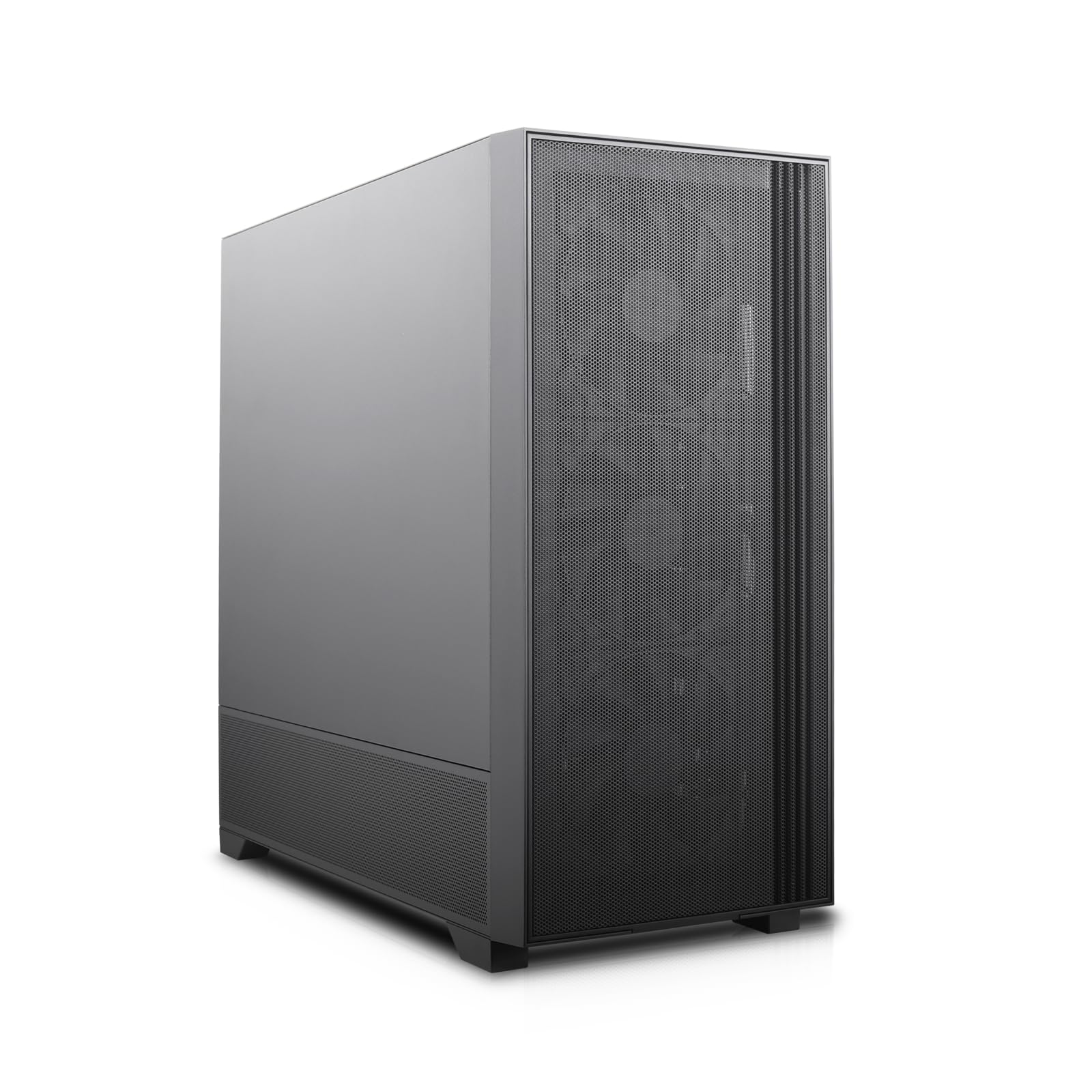
You keep photos, video projects and game libraries on several large drives inside one quiet tower. Look for six or more 3.5 inch bays, rubber mounts and a front fan path that reaches the cage. If that layout is your goal, see our guide to the best pc case for hard drives for tower focused layouts. One spare bay lets you add capacity later.
Home Lab Owners Whose Drives Run All Day
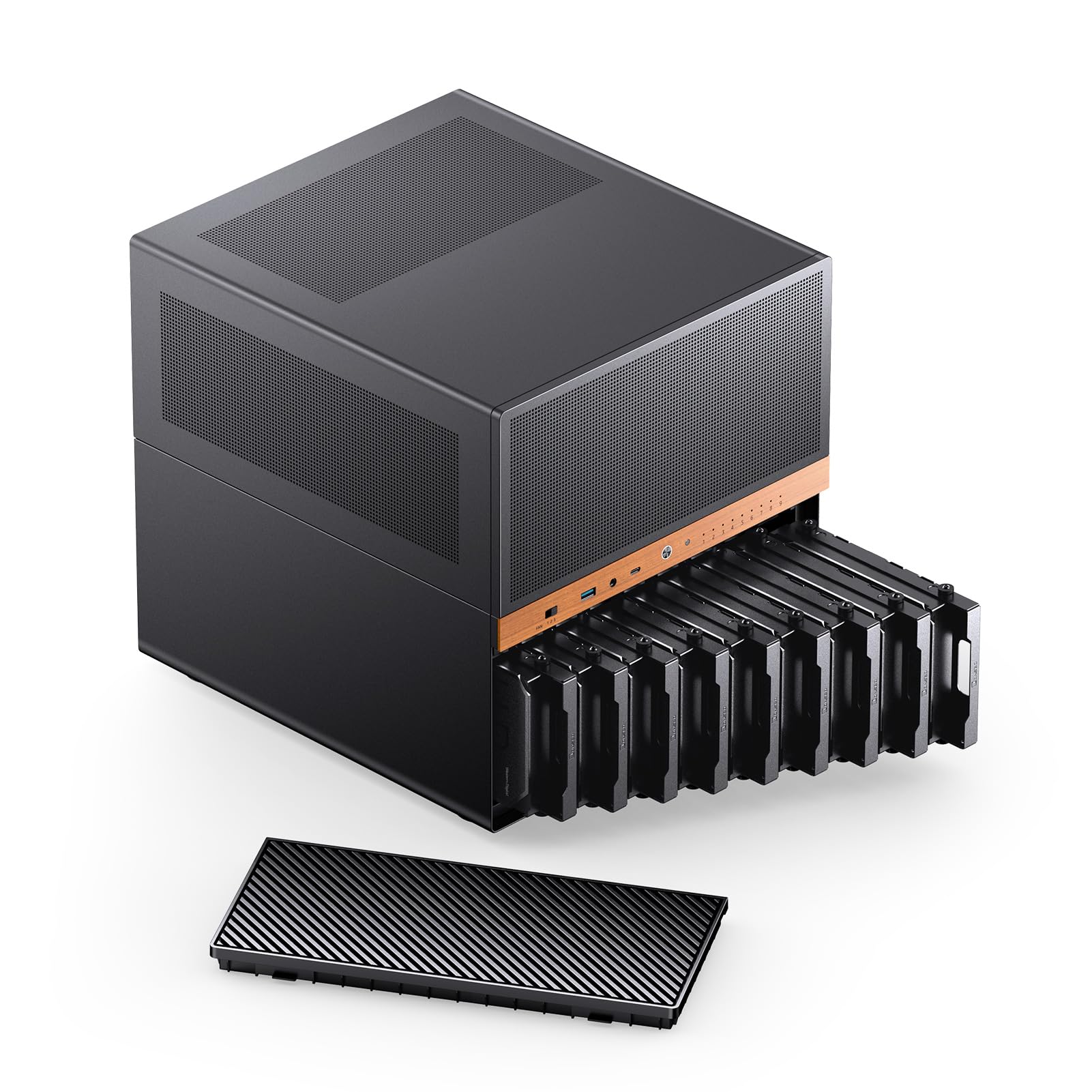
You run a small server or network storage box that stays on for weeks and serves files to other rooms. Prioritize steady airflow, fans you can replace and trays you can pull without a long shutdown. Heat and uptime matter more for you than small size.
Creators Who Carry Spare Drives to Sites
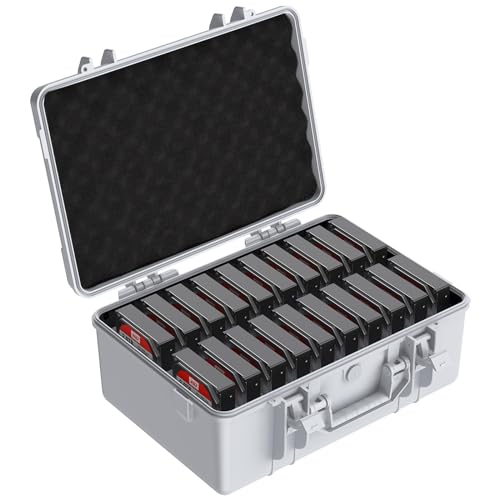
You move bare drives between home, a studio and client sites, often in the same bag as cables and cards. Choose firm foam slots that hold each drive apart, a thick padded shell and a handle that keeps the case level. If you instead carry units that plug straight in, see our guide to the best hard external hard drives and compare that simpler route first.
Key Features to Compare
Choosing the best case for hard drives starts with honest counts: how many drives, which sizes, how warm the room gets and how often you swap a drive.
Bay Count and Drive Size Fit
Most internal drives are 3.5 inch models for bulk storage or 2.5 inch models in solid state and laptop formats. Count bays by size, because a case with eight total bays may hold only two large drives, which fails a bulk archive. Check tray style, screw positions and maximum drive thickness in the maker notes. See our guide to the best quality hard drives if you still need to choose drives for those bays.
Cooling and Airflow for Stacked Drives
Drives stacked close together share warm air, so the cage needs an intake fan that blows across the bays and a clear exit path behind them. Mesh fronts and open cages cool better than solid panels with small side vents. Fan size matters less than direct coverage of every bay. Choose a case with a front fan right at the cage, and plan a quiet speed you can leave on during long copies.
Vibration Control and Physical Protection
Spinning drives dislike shaking, and a case should hold each drive firm without pressing on its circuit board. Rubber grommets, padded tray rails and foam slots soften vibration from fans and desk bumps. Carry models need a tougher answer, with a rigid shell and separate padded pockets that stop drives touching. Tower models rely on solid mounting and carry models on padding, so match the style to your risk.
Trays, Cabling and Drive Access
Tool free trays and backplane boards decide how painful a drive swap feels. A backplane lets you slide a drive home and connect power and data at once, which suits frequent swaps. Direct cables cost less when drives stay put for years. Leave slack for SATA and power leads, route them behind the cage and confirm the side panel closes without pressing on connectors.
Build Quality, Materials and Security
Steel frames feel rigid and protect bay alignment when a tower is moved, while aluminum saves weight and plastic lowers price for light duty use. Look at door hinges, tray latches and filter frames, because those parts cycle most often. A lockable front panel helps in shared spaces, though it never replaces user accounts and encryption on the drives. A warranty of at least one year is a sensible baseline.
Price and Value Across Case Types
Padded carry cases often cost about $20 to $60, tower cases with six or more bays about $70 to $180 and server style cases about $150 to $400. Pay for bay count you will use, cooling you need and trays you can replace, not for lights or glass. A mid range tower usually gives the best value for home archives.
Choosing a Case for Hard Drives by Setting
The three settings below overlap, but each one changes which feature should win when two cases look close on paper.
Best Computer Case for Hard Drives
A desktop tower should fit your space, keep front fans on the drive cage and leave room behind the motherboard tray for cables. Choose this route when the drives and the computer share one power supply and one workspace. If your count keeps growing, see our guide to the best case for multiple hard drives for layouts built around expansion.
Best Server Case for Hard Drives
A server case favors dense bays, front access for hot swap trays and fans that run under steady load. Choose front access when downtime matters more than quiet. For options with many bays, see our guide to the best pc case for multiple hard drives before you settle on a smaller layout.
Best Carry Case for Hard Drives
A carry case should close fully around each drive, hold its shape when a bag is set down hard and keep dust off contacts during travel. Measure the inside slots against your thickest drive, and leave one empty slot for the drive you are about to back up. Portability wins here, so skip tower features such as fans entirely.
Common Mistakes to Avoid
Most returns and damaged drives trace back to a short list of avoidable choices.
- Buying by outer case size alone can leave you with too few 3.5 inch bays for your drives.
- Filling every bay in a tight cage can block airflow and push drive temperatures up during backups.
- Carrying loose drives in a soft bag can let them knock together and damage connectors.
- Skipping bay labels can lead you to pull the wrong drive from a running system.
- Forcing a tray or connector that resists can bend pins and turn a swap into a repair.
- Storing a carry case in a damp closet can corrode contacts and weaken its foam.
Care and Maintenance of a Case for Hard Drives
Clean dust filters and front mesh about once a month in a dusty room, because clogged intake panels starve the drive cage of air first. Wash plain filters only if the maker allows it, dry them fully and refit them flat. Wipe carry case foam with a dry cloth and leave the case open after a wet trip.
Check tray latches, screws and fan spin during a planned shutdown twice a year, and replace a noisy fan before it fails under load. Inspect foam slots for tears and replace a carry case once padding stays compressed.
FAQ
Can a case for hard drives hold both drive sizes?
Yes, a case can hold both 3.5 inch and 2.5 inch drives when its trays have dual mounting holes or adapter brackets for smaller drives. Check the thickest drive you own, because some slim trays accept thin laptop drives but not thicker small drives. Keep one adapter on hand even if you start with large drives only, so a later addition does not wait on a small part.
How much should I spend on a case for hard drives for a home archive?
For a home archive, plan on the tower range given above and judge the spend against the cost of the drives inside. A cheap case that cooks or rattles large drives is poor value at any price. Put part of the budget toward a spare tray and a spare fan, because those small parts keep a good case useful when a fan wears out.
How can I check whether hard drives stay cool inside a case?
You can check drive temperatures with the monitoring tools built into many operating systems and drive utilities, read during a long copy rather than at idle. Readings that keep climbing under steady load signal a blocked intake or a failed fan. Leave one empty bay between hot drives when your layout allows it, because that gap gives air a path that packed bays deny.
How long does a case for hard drives usually last?
A steel or aluminum case often outlasts two or three sets of drives, because the frame itself has no parts that wear quickly. Fans, foam, filters and tray latches age first, and those parts set the real service life. Ask whether spare fans and trays remain available before you buy.
Does a padded case for hard drives protect drives during a drop?
A padded case lowers the risk from a short drop, but it does not make a drive safe to drop on purpose. Power drives down fully before travel, because a spinning drive is more fragile while it runs. Keep a second copy of vital files on a separate drive stored elsewhere, because only a backup protects the data itself.
Final Thoughts
Start with bay count and drive size, then weigh cooling and protection for the place the case will live. Tower, server and carry designs each win in one setting. Use the product table to confirm bays, dimensions and price before you order.
When those checks line up, the best case for hard drives becomes a simple, quiet home for storage you trust. Pick the case that fits your next drive as well as your current set.