Best Canon Printers For Home: Complete Buying Guide for 2026
Disclosure: We may earn a commission when you buy through links on this page, at no extra cost to you. As an Amazon Associate I earn from qualifying purchases. Learn more
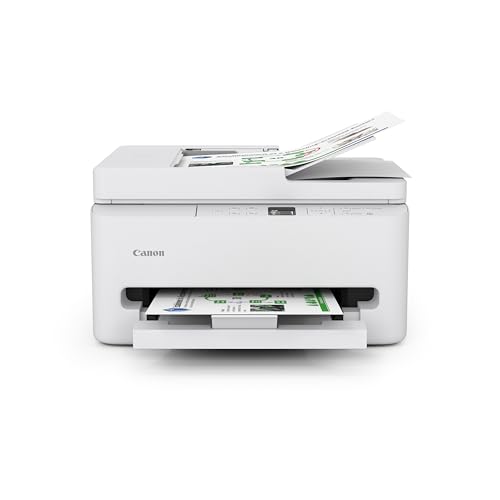
Compare the best canon printers for home by type, ink cost and features to match a printer to schoolwork, photos or a home office.
A home printer should work quietly in the background, connect to every phone and laptop in the house, and not drain your wallet in ink. Finding the best canon printers for home comes down to matching a printer type to the way your household prints: schoolwork and forms, photos, or a home office with daily documents. This guide compares the main types and the features that matter most.
The product table above lists current Canon models. The comparison table below and the sections after it explain which type fits which household, so you can narrow the list before you look at individual prices. Keep those answers in mind as you compare the best canon printers for home.

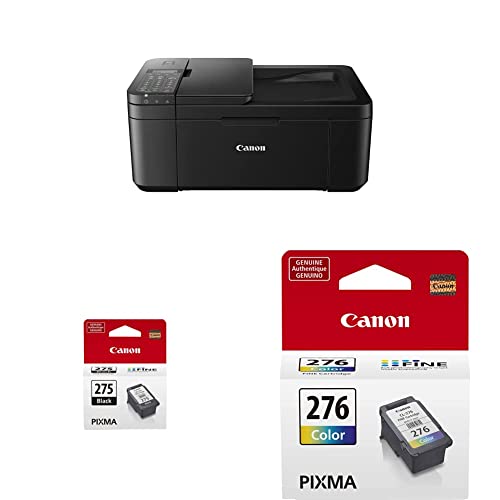



Types of Canon Printers for Home Compared
| Type | Best For | Strengths | Limits | Typical Price |
|---|---|---|---|---|
| Inkjet all in one | Families, students, mixed use | Color, photos, scan and copy, low purchase price | Higher ink cost per page, nozzles can clog if idle | about $60 to $300 |
| MegaTank all in one | Heavy printers, home offices | Very low cost per page, refillable ink bottles | Higher purchase price | about $200 to $350 |
| Monochrome laser | Documents and forms | Fast, sharp text, toner never dries out | No color, weak for photos | about $110 to $450 |
Inkjet All in One Printers
Inkjet all in one printers are the usual choice for homes. They print color documents and photos, scan, and copy, and they cost little to buy. The trade off is ink: small cartridges cost more per page than any other system, and a printer that sits idle for weeks can clog. Choose one if your household prints a mix of things at a moderate rate.
MegaTank Printers
MegaTank models use large refillable tanks and ink bottles. The purchase price is higher, but the cost per page drops sharply, so they pay back for families that print every week and for home offices. If you only print a few pages a month, a cartridge model usually stays cheaper overall.
Monochrome Laser Printers
Laser printers suit homes that print mostly black and white documents. Toner lasts a long time and does not dry out, so a laser starts cleanly after weeks of sitting idle. They are not the right choice for photos, and color laser models cost more to buy and refill.
Who Should Buy Which Canon Printer for Home
Families need a versatile printer that handles homework, permission slips, and the occasional photo from a phone. An inkjet all in one with wireless setup and automatic two sided printing covers that well. Home workers need reliable document printing and scanning, so look for a document feeder and either a laser or a tank model, depending on volume. Photo fans should compare inkjet models with extra ink colors and good photo paper support.
Key Features to Compare
Ink and Running Costs
Ink cost per page matters more over time than the printer price. Compare cartridge prices and page yields, or tank bottle yields, and divide to find the cost per page. Estimate your monthly pages honestly, then multiply across two or three years before you decide.
Print Quality
Photos need extra ink colors and the right paper, while documents need sharp text and steady alignment. Match the quality level to your main use rather than paying for strengths you will rarely use.
Connectivity
WiFi, AirPrint, and the Canon app matter in homes with phones, tablets, and laptops. A printer that rejoins your network by itself after a router restart will save you the most frustration over the years.
Size, Noise, and Paper Handling
Measure the shelf with the paper tray and output tray extended. Check that the printer handles the paper you use, from plain letter sheets to envelopes and photo paper, and look for a quiet mode if the printer sits in a shared room.
Setup, Ink, and Everyday Printing
Set the printer where it has room to load paper and open the scanner lid, then connect it to your home network with the Canon app. Print the nozzle check page right away so you can confirm every color flows. Keep spare ink or toner for the colors you use most, store it sealed, and print something every week or two so inkjet nozzles stay clear. Use draft mode for everyday documents and full quality only for photos and final copies.
Common Mistakes to Avoid
- Choosing the cheapest printer without checking how much its ink costs per page.
- Buying a laser for photo printing, or an inkjet photo model for plain text.
- Skipping a measurement, then finding that the printer does not fit the shelf with trays open.
- Forgetting that a printer which sits idle for weeks can clog if it is an inkjet.
- Ignoring wireless support when several people print from phones.
Related Guides Worth Reading
For a wider view of the market, see our guides to the best computer printers for home and the best mfp printers for home. Photo printing is covered in the best quality photo printers for home and the best picture printers for home.
Frequently Asked Questions
Are Canon printers good for home photos?
Yes, when you choose an inkjet model with good photo support and use suitable photo paper. Basic laser models are not designed for photos, so check the paper support if photos are your main use.
How much does home printing cost?
It depends on ink or toner price, page yield, and how much color you print. A cheap printer can cost more over time if its cartridges are small, so compare cost per page, not only the purchase price.
Do home printers need wireless printing?
It helps in homes with phones, tablets, and laptops, since it removes cable limits. Most current home printers offer wireless and mobile printing, so check that your devices and apps support the model.
Should I choose inkjet or laser for home?
Choose inkjet for color, photos, and mixed use, and laser for mostly black and white documents where speed and low cost per page matter. If you print mostly text, a laser is often cheaper over time.
How do I reduce ink costs at home?
Use draft mode for everyday pages, print double sided, and avoid unnecessary cleaning cycles. Buy cartridges in the sizes you actually use, and consider a MegaTank model if your printing volume is steady.
Final Thoughts
Match the printer type to your household: inkjet for mixed use, MegaTank for heavy printing, and laser for documents. Use the product table above to compare current options among the best canon printers for home, and choose the printer whose ink costs and features fit your routine for the long run.