
Best Cameras with Mic Input of 2026: Complete Buying Guide
Disclosure: We may earn a commission when you buy through links on this page, at no extra cost to you. As an Amazon Associate I earn from qualifying purchases. Learn more

Find cameras with a mic input that record clear dialogue, with guidance on jack type, manual levels, headphone monitoring, mic choice and price.
Built in camera microphones sit far from your voice and pick up room echo, handling noise and wind along with every word. The best cameras with mic input solve that problem by letting you place a proper microphone near the person speaking, so dialogue sounds close and clear. This guide explains jack types, audio controls and mic choices so you can use the comparison table below with confidence.
Think first about what you record most. A creator filming tutorials at a desk needs a different setup from a reporter who moves between quiet rooms and busy streets. The sections below match common shooting styles to the features that matter for each one.
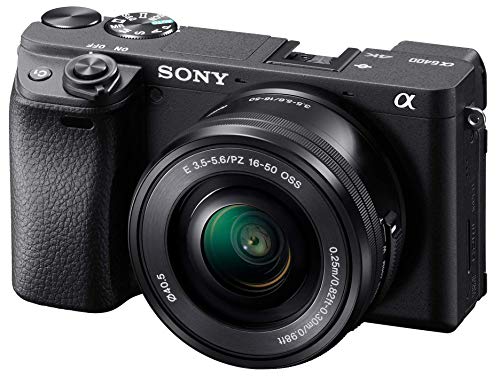


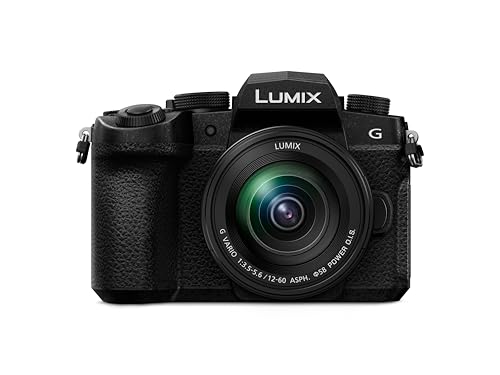


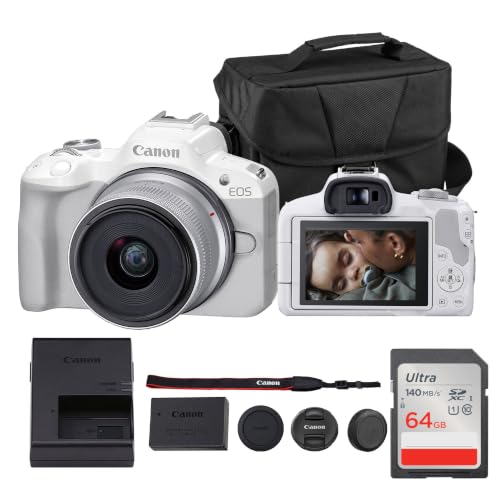

Who Should Buy a Camera with a Mic Input?
A mic input matters most when voices carry your video. Match your group below first, because your shooting style decides which features deserve your money.
Vloggers and Solo Creators Who Film Themselves
You speak to the lens at arm length or across a small room, with no helper to watch sound while you record. Choose a camera with a flip screen, steady face tracking autofocus and an input that accepts a compact shotgun mic or a wireless receiver. If filming yourself is your main work, see our guide to the best vlogging cameras with mic input for choices shaped around solo setups.
Interviewers and Documentary Makers Who Need Clean Dialogue
You record other people, often in rooms you do not control, and their answers cannot be repeated once they leave. Choose manual audio levels, clear on screen meters and support for two lavalier mics through a small adapter or a dual channel receiver. A limiter gives you protection when a quiet speaker suddenly laughs mid answer.
Wedding and Event Videographers Who Record Vows and Speeches
You move between soft vows, loud speeches and a crowded dance floor in one day, with no second chance at any of it. Choose an input that works with a wireless receiver for the officiant or speaker, plus level controls you can reach without opening deep menus. Strong battery options matter, because a camera that stops during speeches loses words no edit can replace.
Key Features to Compare
Compare the audio parts before the video bragging, because sound is where these cameras differ most. The best cameras with mic input share a proper jack, controls you can set by hand and a way to hear what the camera hears.
Jack Type and Plug In Power
Most cameras in this class use a 3.5 mm socket made for mic level signals. Check that the socket takes a TRS plug, since many phone headsets use TRRS wiring and need a simple adapter before a camera will hear them. Some inputs also supply plug in power, a small voltage that runs compact lavalier and shotgun mics with no battery of their own. If a mic needs that power, confirm your camera supplies it.
Manual Audio Levels and On Screen Meters
Auto gain raises quiet rooms until background hiss and traffic grow loud, then drops sharply when speech starts. Manual control lets you set the level once for the room and keep voices steady across a whole clip. Look for meters that stay visible while you record and a gain control you can reach fast. Peaks for normal speech should sit well below the top of the meter, leaving room for emphasis.
Headphone Socket for Live Monitoring
A mic input alone does not tell you what the camera is actually recording. A headphone socket lets you hear buzz from a loose cable, rustle from a lavalier under clothing and wind hitting the mic while there is still time to fix them. Treat this socket as close to required for paid work. Cameras without one force you to record a test clip and play it back, which fails at live events.
Preamp Quality and the Noise Floor
The preamp is the circuit that raises a weak mic signal up to recording level, and its quality sets how much hiss sits under speech. A clean preamp lets you turn the gain up for a soft spoken guest without a loud noise floor. This is why two cameras using the same mic can sound very different. A wireless system with strong output can help, because camera gain can stay lower while the receiver sends a stronger signal.
Microphone Fit, Mounting and Wind Protection
Choose the mic for the shot before you choose the camera body. A shotgun mic on the cold shoe suits one speaker facing the lens, a lavalier near the chest suits a moving presenter, and a wireless kit suits walk and talk scenes. Check the mic frequency response for voice work, favoring a smooth midrange over heavy bass boost, and allow for a shock mount in your budget. For deeper help, see our guide to the best mics for dslr cameras.
Choosing Cameras for Your Situation
Format shapes your audio options more than marketing labels suggest. If you are still weighing body styles, see our guide to the best digital cameras, then judge each case below by its input and handling.
Best Cameras with a Mic Input
This general case covers most buyers who record speech at home, at work or while traveling. Prioritize a standard 3.5 mm input, manual levels and a headphone socket over small gains in video resolution, because those three decide whether dialogue stays usable. Hybrid shooters should also see our guide to the best cameras for photography before settling on a body.
Best Video Cameras with Mic Input
Video led buyers should judge audio alongside frame rates and recording limits. Long takes need reliable power, clear meters you can glance at mid shot and a file setup that keeps sound in sync over time. A second input path, such as a digital shoe that accepts an audio adapter, helps when you record two voices at once.
Best 4K Bridge Cameras with Mic Input
Bridge cameras pair a fixed long zoom lens with a body that handles like a small system camera, and only some models add a mic input, so check the socket list with care. Their deep grips and built in zoom suit wildlife talks and school events where changing lenses is impractical. Expect fewer audio controls than on a system camera, and budget about $400 to $900 for stronger models.
Common Mistakes to Avoid
Each mistake below ruins sound in a way that editing rarely repairs.
- Trusting the built in microphones for an interview leaves voices thin and distant, and room echo cannot be removed later.
- Setting levels on auto lets gain pump up and down during pauses, so quiet words boom and loud words flatten.
- Skipping a headphone check hides a buzzing cable or a flat mic battery until the shoot is over.
- Mounting a shotgun mic without wind protection outdoors turns a light breeze into loud rumble that buries speech.
- Buying a camera for its input without checking plug fit can leave a phone style mic silent until you add an adapter.
Care and Maintenance for Cameras and Microphones
Keep the mic socket clean and dry, because dust or moisture in a small jack causes crackle that sounds like a failing mic. Use the socket cap if your camera has one, store cables loosely coiled, and never pull a plug out by its cord. Wipe the body and mic housing after outdoor shoots, and let damp wind covers dry before packing them away.
Run a short test recording at the start of each shoot day and listen back before real work begins. Check battery levels on the camera, the mic and any receiver, and carry spares for the item that drains fastest. Store everything in a padded case away from heat and damp.
Frequently Asked Questions
Does a mic input improve sound on a camera for interviews?
Yes, a mic input improves interview sound because the external mic can sit close to the speaker instead of across the room. Placement does more for clarity than any camera setting. Start with a lavalier about 6 to 8 inches from the mouth, or a shotgun just out of frame above the speaker.
Can I use a phone headset microphone with a camera mic input?
Usually yes, but most phone headsets need a small adapter before a camera socket will accept their signal. An adapter that splits the combined plug into separate mic and headphone leads also lets you monitor through the same headset. Test the pairing first, because a few headsets rely on phone controls that a camera cannot read.
What recording level should dialogue reach on a camera meter?
Dialogue should peak in the middle upper part of the meter, around minus 12 dB on cameras that show numbers. Watch the meter during a full sentence rather than a single test word, because people speak louder once a real conversation starts. If a guest laughs often, lower the level a little, since clipped peaks cannot be repaired.
Can I connect an XLR microphone to a camera with a 3.5 mm input?
Yes, an XLR microphone can feed a camera through an adapter cable or a small interface that converts the connection to the camera socket. Most 3.5 mm inputs cannot supply phantom power, so a condenser mic that needs it must use its own battery or an interface that provides power. Keep adapter cables short, because long runs pick up hum from nearby lights.
What should travel creators look for in the best cameras with mic support?
Travel creators should favor small mics, short cables and a kit that sets up in minutes at a hotel desk or a rented room. A compact wireless receiver beats a long shotgun when you film in tight spaces. Pack a spare cable and a small table stand, because travel shoots fail on missing accessories more often than on camera limits.
The Bottom Line
Judge these cameras by the socket, the level controls and the monitoring path before you judge them by video specs alone. A modest body with clean manual audio serves speech led work better than a flagship that leaves gain on auto.
Use the product table above to compare inputs, controls and price. When you choose best cameras with mic input with your main shooting style in mind, you get video that sounds as considered as it looks.


