Best Cameras to Monitor Elderly for 2026: Full Guide
Disclosure: We may earn a commission when you buy through links on this page, at no extra cost to you. As an Amazon Associate I earn from qualifying purchases. Learn more
Compare the best cameras to monitor elderly parents by two way talk, night vision, alerts and ease of use, with placement and privacy guidance for families.
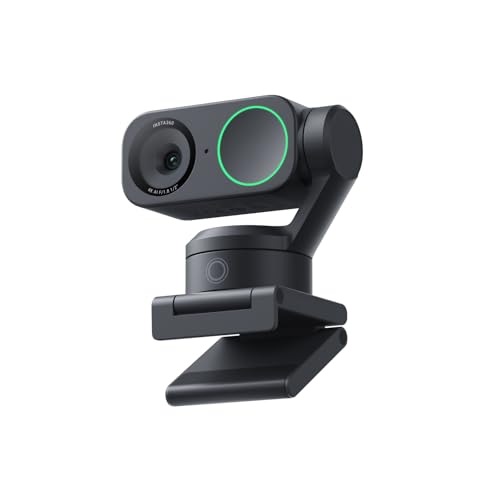
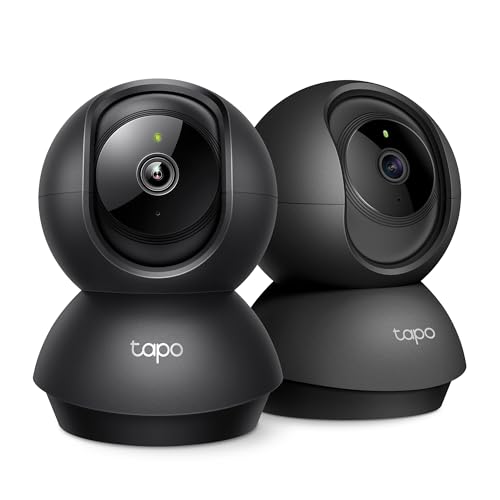
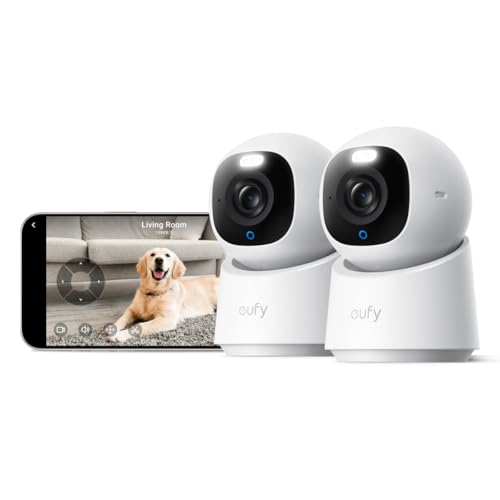
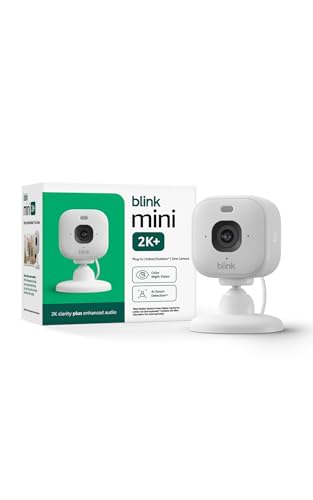
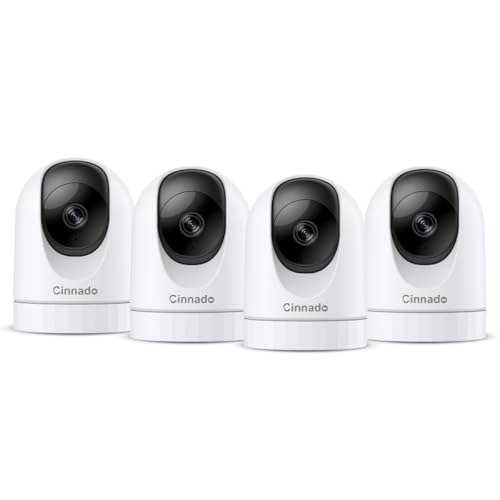
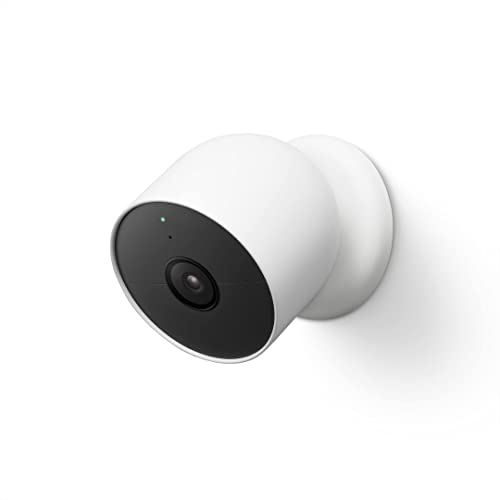
Families usually start this search after a scare: a fall nobody heard about, a stove left on, a parent who did not answer the phone. The best cameras to monitor elderly parents give you a calm way to look in, talk, and confirm all is well between visits. The comparison table below sets the main camera types side by side so you can weigh talk features, night vision, and storage at a glance.
A camera is a monitoring aid only. It cannot lift someone after a fall, and it never replaces in person care, regular visits, or a personal alarm. This guide covers what to check, where cameras belong in a home, and how to keep your parent in charge of the decision.



Begin With Permission and a Plan
Talk with your parent before anything is ordered, and let them help choose the rooms and the features. A camera installed with full consent gets used and trusted, while one installed in secret damages the relationship it was meant to protect. Agree on who can view the feed, and write that list down. Local rules on recording and consent vary, so check the rules where your parent lives, and remember that a camera offers no privacy or security guarantee against a hacked account or a determined intruder.
Who Needs Which Setup
Adult Children Who Live Far Away
If you live hours from your parent, your core need is reassurance on demand: open the app, see the living room, and hold a short conversation. Prioritize clear two way talk and fast alerts over fancy extras. A single camera in the main living space, aimed at the chair and the front door, covers most daily questions. You are checking a routine, not watching a house, so keep the setup small and respectful.
Seniors Living Alone Who Want a Safety Net
Many older adults want the camera for their own sake, as a way to call for help or prove they are fine after a minor stumble. For this group, the camera must be simple: one button to talk, a speaker loud enough to hear from the next room, and no app skills required at their end. A model with a privacy shutter they control keeps the choice in their hands. Confidence, not coverage, is the goal here.
Families Sharing Care Duties
When siblings and a home aide share care, the camera becomes a coordination tool. Look for multiple viewer accounts, a shared alert history, and time stamped clips that show when Mom took her walk or the aide arrived. Agree as a family on viewing habits so the feed does not turn into constant surveillance.
Features That Matter for Senior Monitoring
Two Way Talk That Is Easy to Hear
Two way talk is the feature families use most, so judge it first. The speaker must carry a normal voice across a room, and the microphone must pick up a reply spoken from a chair several feet away. Some cameras add a dedicated call button the senior presses to reach you, which beats any app for simplicity.
Night Vision and Low Light Clarity
Night checks are common, since falls and confusion often happen after dark. Infrared night vision shows a clear black and white picture without a lamp waking your parent. Look for a stated night range of about 20 to 30 feet for a living room. A light sensor with a short delay stops the camera switching to night mode too eagerly and giving you gray daytime pictures.
Motion Alerts and Person Detection
Alerts should tell you something useful, not buzz all day. Person detection separates a walking parent from a moving curtain or a pet, and activity zones let you watch a doorway while ignoring the television area. A daily no motion alert, set for a time your parent is normally up, is often the most valuable signal of all. Start with fewer alerts and add them slowly, because alert fatigue leads families to mute the app entirely.
Simple Controls for the Person at Home
Your parent should never need to troubleshoot the camera. The best designs need nothing from them at all: no charging, no buttons, no logins. A physical privacy shutter or a clear indicator light shows when viewing is possible, which builds trust. If the home has a spare display, guides to the best camera monitors cover simple viewing screens that avoid phone apps.
Storage Choices and Privacy Controls
Local storage on a memory card keeps clips inside the home and avoids a monthly fee, while cloud storage keeps clips safe if the camera itself is damaged. Either way, protect the account with a strong password and two step sign in, and update the camera firmware when the app offers it. Our overview of the best cameras for elderly users compares storage styles in more detail. Short clip retention, about 7 to 14 days, suits most families.
Connection Reliability and Backup Power
A monitoring camera is only useful while it stays online, so WiFi strength at the chosen spot matters more than headline resolution. Place the camera within a strong signal range of the router, and test the live view at night when networks are busy. Most indoor cameras plug into the wall and stop during a power cut, so a small battery backup keeps coverage through short outages.
Spending Levels for Home Monitoring
One Room Covered for about $30 to $80
This level buys a fixed indoor camera with night vision, motion alerts, and two way talk for a single room. It suits a first trial while your parent decides how they feel about the idea. Expect an app based setup and memory card storage at this price. Keep the receipt and the box, because a respectful trial includes the option to take it down.
Two Way Talk and Pan Coverage for about $80 to $180
Mid priced cameras add pan and tilt, so one unit follows movement across a whole living room instead of staring at one corner. Call buttons, louder speakers, and person detection usually appear here. This is the level most families settle on for a parent living alone. The wider view also means fewer cameras in the home, which most seniors prefer.
Several Rooms and Local Recording for about $180 to $400
Larger budgets cover two or three cameras with a home hub that records locally around the clock. This suits bigger homes or families sharing care who want an entry camera and a living room camera working together. Plan the positions on paper first, since more coverage is not always better for the person being watched.
Placement Mistakes That Weaken the Whole Setup
- Putting any camera in a bedroom or bathroom, which should always stay camera free.
- Aiming the camera at a bright window, which washes out faces during the day.
- Mounting it so high that you see the top of a head instead of a face.
- Skipping the talk test, then finding the speaker too quiet for real use.
- Giving the app login to relatives who were never part of the agreement.
Keeping the Camera Welcome Over Time
Wipe the lens monthly with a soft cloth, because kitchen grease and dust soften the picture slowly. Review the alert settings every few months and trim the ones nobody acts on. Revisit the agreement with your parent as needs change, and take a camera down the moment it stops feeling welcome. Check the feed after every router change or password update, since silent disconnections are the most common failure in home monitoring.
Your Questions Answered
Can a monitoring camera replace visits or a caregiver?
No, a monitoring camera cannot replace visits, a caregiver, or a personal alarm. It shows you a room at a moment in time, and it cannot help someone stand, reach medication, or call an ambulance. What it does well is shorten the gap between something happening and someone knowing. Pair it with scheduled calls, regular visits, and a worn alarm pendant for the moments when your parent cannot reach a phone or a call button.
Which rooms should never have a camera in an elderly parent's home?
Bedrooms and bathrooms should never have a camera in an elderly parent's home. Those rooms are private by any standard, and no safety argument changes that. Living rooms, kitchens, hallways, and entry doors cover the daily reassurance families actually need. If night time wandering is the worry, a hallway camera aimed away from the bedroom door, or a simple door sensor, respects privacy while still showing that your parent is up and moving.
How can families raise the topic of a camera with an elderly parent?
Start with your parent's goals, not your fears, when you raise the topic of a camera. Many older adults accept a camera framed as their tool for staying independent longer, especially when they control the shutter and the viewing list. Offer a trial of a few weeks with a firm promise to remove it if it bothers them. Letting them choose the room and test the talk feature turns a hard conversation into a shared project.
What does a monitoring camera do when the internet drops?
When the internet drops, a monitoring camera with local storage keeps recording to its memory card, but live viewing and phone alerts pause until the connection returns. Cameras that rely only on the cloud simply stop recording. For a parent whose safety matters daily, choose local recording and a camera that reconnects by itself. Ask the internet provider about outage patterns too, since frequent drops may call for a router upgrade first.
How clear does the speaker need to be for a parent with hearing loss?
The speaker needs to be clear at a normal speaking volume from across the room for a parent with hearing loss. Look for cameras that list a strong speaker output and place the unit near your parent's usual chair, not across the room. During setup, hold a real conversation at their normal hearing aid settings and adjust the position before you mount anything. A camera with a call button also helps, because your parent can start the conversation when they are ready and listening.
Final Thoughts
Consent, clear talk, and honest limits matter more than resolution or extra features. Start with one camera in a shared living space, confirm it stays welcome, and grow only if the need is real. Use the product table above to compare talk, night vision, and storage side by side, and remember that the best cameras to monitor elderly parents are the ones your family trusts enough to keep using.