
Best Cameras for Elderly in 2026: Budget, Midrange and Premium Options
Disclosure: We may earn a commission when you buy through links on this page, at no extra cost to you. As an Amazon Associate I earn from qualifying purchases. Learn more

Compare cameras for elderly users by budget, screen size, grip, zoom and stabilization, with simple controls, clear costs and tips for steady family photos.
Camera prices run from under $100 to well over $1,000, and a higher price does not always mean an easier camera to live with. The best cameras for elderly users are the ones you can hold securely, read clearly and operate without digging through menus. Use the comparison table below to match each model to your budget.
Start with your hands, your eyes and your usual subjects. A camera for garden photos and grandchildren needs different strengths than one for travel or for watching a front door, and the sections below sort those needs by price and feature.


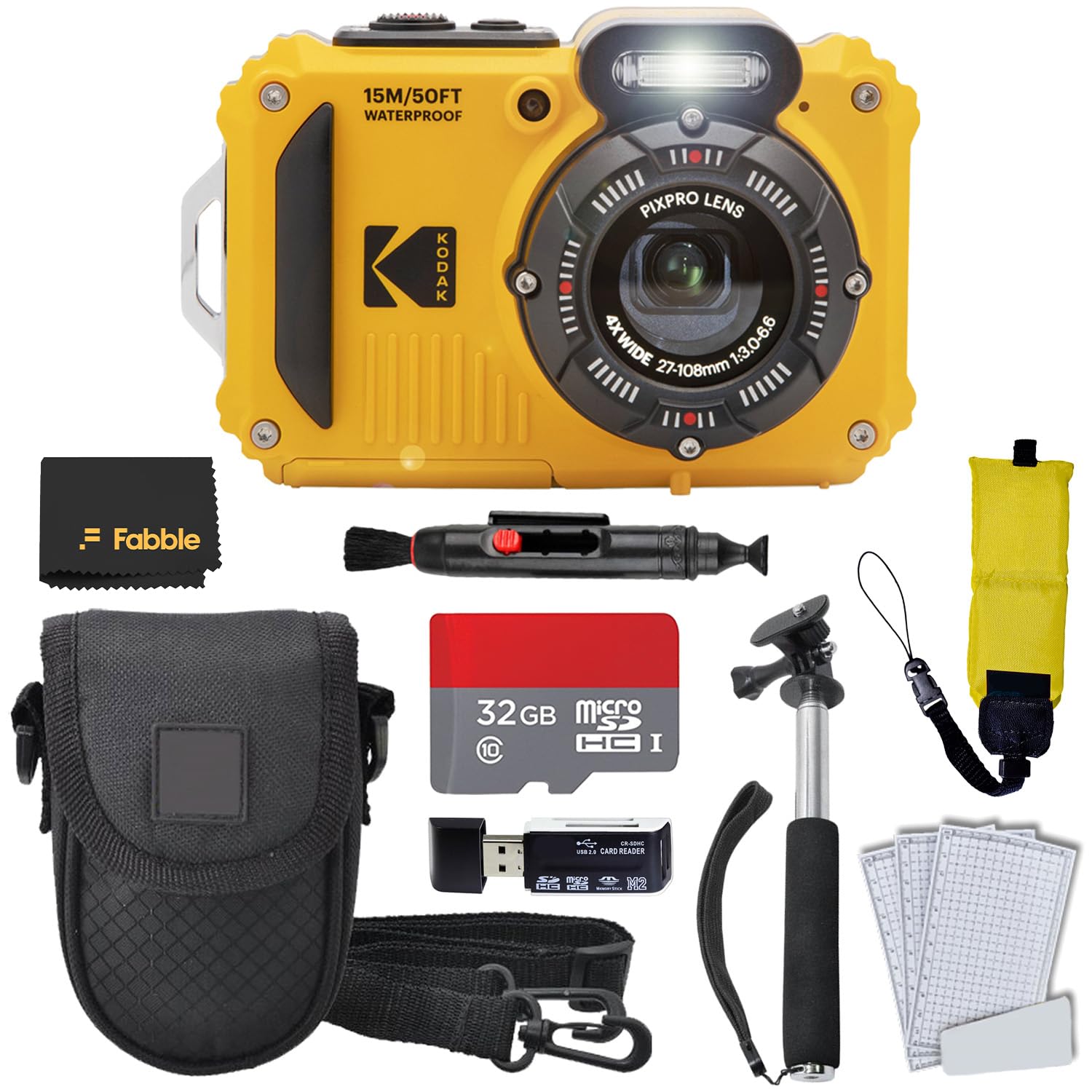
Who Should Buy Which Camera as an Older Adult?
Choose by the difficulty you most want to remove, such as small buttons, dim screens, shaky shots or a grip that tires the hand.
Grandparents Who Want Simple Family Photos
You need a camera that is ready quickly, focuses on faces on its own and gives clear results indoors. Choose a compact model with a strong automatic mode, a large rear screen and few dials to knock by accident. A modest zoom covers portraits and school events, and simple sharing to a phone helps you send photos to family the same day.
Older Adults With Stiff or Sore Hands
You need a shaped grip you can hold with relaxed fingers, large buttons that respond to a light press and stabilization that calms small hand movements. Avoid tiny flat models and heavy bodies. Persistent joint pain or swelling, a new tremor or sudden weakness in the hand needs prompt medical attention, so talk with your clinician about your personal needs.
Seniors With Low Vision Who Need Large Controls
You need the largest clear screen you can carry, big menu text and a viewfinder with diopter adjustment so the image looks sharp to your eye. High contrast icons and touch focus also help. Sudden vision loss, a rapid change in sight or new flashes of light need urgent professional care, and your clinician can advise which viewing aids suit your personal needs.
What Your Money Gets You at Each Price Level
Budget shapes what you give up, not only what you gain. If you are still comparing formats, see our guide to the best digital cameras before you settle on a price level.
Budget Level: Plain Controls and Everyday Zoom
Models at about $100 to $250 usually give you a small sensor, a useful optical zoom and simple automatic shooting for daylight and family snapshots. Screens are smaller and low light results are softer, but controls are often the least confusing at this level. This level suits occasional use and buyers who value light weight over fine detail.
Middle Level: Brighter Screens and Steadier Results
Models at about $250 to $500 often add a brighter screen, stronger stabilization, better autofocus and a 1 inch sensor that holds detail indoors. Buttons tend to be larger, and charging is often by USB C. This level suits regular family photography, travel and seniors who shoot often enough to notice small frustrations in a cheaper model.
Higher Level: Larger Sensors and Longer Reach
Models at about $500 to $900 may offer an APS C sensor, a sharp electronic viewfinder, longer optical zoom or 4K video. Low light quality is the main gain, along with faster focus on moving grandchildren or pets. If your interest grows toward a hobby, see our guide to the best cameras for photography. Choose this level only if the body still feels light in your hands.
Key Features to Compare for Senior Buyers
Judge each feature by how it feels in daily use, not by the longest list of numbers on the box.
Large Buttons, Clear Menus and a Bright Screen
Look for a screen of about 3 inches or more, menu text you can enlarge and a zoom lever you can move without looking down. A tilting screen helps at waist level, while touch focus can be easier than moving a tiny joystick.
Image Stabilization for Less Steady Hands
Image stabilization reduces blur from small hand movements, and it helps most in indoor light and at longer zoom settings. Optical stabilization in the lens or body is more useful than digital correction that crops the image. It cannot freeze a moving child, so you still need decent light.
Sensor Size and Image Quality in Dim Light
A 1 inch sensor is a strong step up from the small sensors in basic models, and APS C sensors gather still more light for evening and indoor shots. Megapixels alone do not promise better quality, because larger sensors often give cleaner color in poor light.
Optical Zoom Without Heavy Extra Lenses
Optical zoom uses the lens to bring distant subjects closer while keeping detail, and about 5x to 10x magnification covers most family, garden and travel needs. Digital zoom only enlarges the image and loses detail, so compare optical figures only. A fixed lens keeps weight and cost down, and long zoom models can be harder to hold steady.
Size, Weight and Grip for Comfortable Holding
Many easy handling compact models weigh about 7 to 14 ounces with battery and card, while larger bodies can tire sore hands on a day out. Look for a raised grip, a wrist strap and controls you can reach without stretching your thumb.
Battery Life and Simple Charging
Battery ratings of about 250 to 400 shots per charge are common, though heavy screen and flash use lower that figure. USB C charging is convenient because one cable can serve the camera and a phone, and a spare battery removes worry on travel days.
Cameras for Specific Senior Needs
Some buyers need a camera for a job beyond everyday photos, and those jobs call for different features.
Best Surveillance Cameras for Elderly
The best surveillance cameras for elderly households focus on clear alerts, two way talk and video you can check from a phone. For rooms inside the home, see our guide to the best indoor cameras for elderly, and for a wider check in setup, see our guide to the best cameras to monitor elderly. Choose weatherproof housing outdoors, night vision for halls and a clear family agreement on who can view the feed.
Costs of Owning a Simple Camera Over the Years
Budget for a memory card, a spare battery, a case and a strap you like, which together often add about $40 to $100. Surveillance models may add a cloud subscription for stored video. When you compare best cameras for elderly buyers over several years, warranty length and repair access also affect value, and a simple camera that stays in use costs less per photo than a complex model you abandon.
Common Mistakes to Avoid
- Buying the smallest camera you can find leaves you with tiny buttons and a cramped grip that sore fingers cannot use.
- Chasing the highest megapixel count wastes money when a small sensor still gives noisy indoor photos.
- Paying for a very long digital zoom gives you soft, cropped images instead of real detail.
- Ignoring screen brightness leaves you unable to frame photos outdoors on a sunny day.
- Skipping a wrist strap risks a costly drop the first time the camera slips from a relaxed grip.
- Choosing a heavy premium body for travel means it stays in the hotel room while your phone does the work.
Care and Maintenance for Your Camera
Clean the lens with a soft microfiber cloth, blow loose dust away first and keep fingers off the glass between cleanings. Store the camera in a dry case away from bathroom steam and car heat, because moisture and heat age batteries and electronics.
Charge the battery before it sits empty for months, and copy photos to a second place each month. Format the card in the camera after copying, check the strap and battery door for wear and update firmware only when a fix addresses a problem you actually have.
FAQ
What makes a camera easier for an elderly person to use?
Large buttons, a bright screen with big text and a secure grip make a camera easier for an elderly person to use. Automatic focus removes decisions, while stabilization calms small hand movements. Check the power switch too, because a clear sliding switch is easier to confirm by touch than a small recessed button you cannot feel.
Can an elderly photographer get sharp photos in low light without a flash?
Yes, an elderly photographer can get sharp photos in low light by choosing a larger sensor and stabilization over high megapixels. Rest your elbows on a table or chair back for support, because your body can act as a steady rest. Raise the ISO setting only as far as needed, since very high settings add grain that softens faces.
Is a smartphone enough instead of a camera for a senior?
A smartphone is enough for many seniors who already use one with confidence and take casual photos. A dedicated camera helps when you want a real grip, optical zoom and buttons you can feel without looking. It also keeps photo taking separate from calls and messages, which some older users find calmer and easier to learn.
How much should an elderly buyer spend on a first camera?
An elderly buyer should expect about $150 to $350 for a first camera that is easy to hold and clear to read. Spending less often means a dim screen and weak indoor results, while spending far more adds menus you may never use. Set part of the budget aside for a case and spare battery instead of putting every dollar into the body.
Final Thoughts
Put grip, screen clarity and stabilization first, then choose a price level that adds sensor size or zoom only where you will feel the gain. Use the product table above to compare weight, screen size and battery claims side by side.
When you choose best cameras for elderly buyers by comfort and clarity rather than by the longest feature list, photography stays enjoyable. Pick the camera you can operate with confidence today, and let family moments, not menu screens, fill your time.


