Best Cameras to Install at Home for 2026: The Buyer Checklist We Use
Disclosure: We may earn a commission when you buy through links on this page, at no extra cost to you. As an Amazon Associate I earn from qualifying purchases. Learn more

Choose home cameras with confidence using a placement, night vision and storage checklist for the best cameras to install at home indoors and out.
A camera only helps if it watches the right place, records clearly at night, and keeps working when your WiFi is busy. The best cameras to install at home are not the ones with the longest spec list, but the ones that fit your entry points, your power options, and your storage habits. This guide turns those choices into a simple checklist you can use with the comparison table below.
Start by naming what each camera must show. A front door camera needs faces and packages, a backyard camera needs wide coverage in the dark, and an indoor camera needs a clear view without recording private rooms. The sections below match each job to placement, image quality, power, and cost.


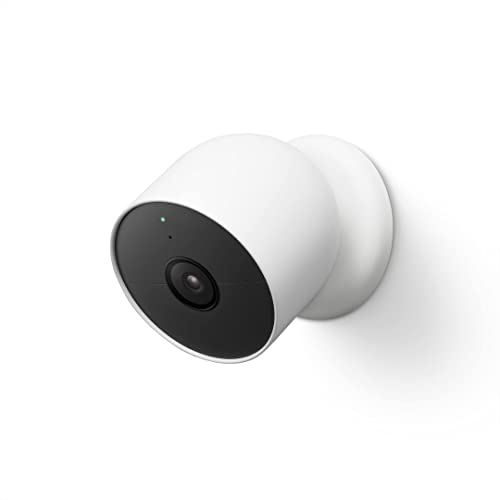

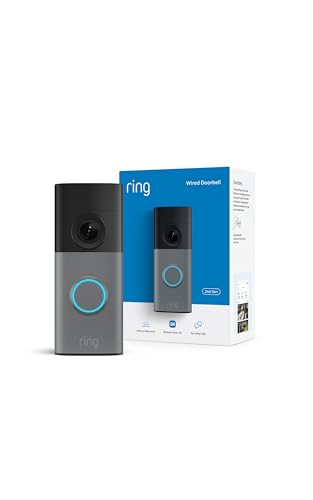
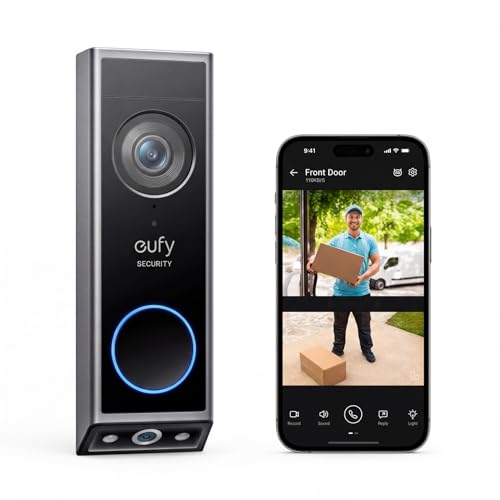
Who Should Buy Which Home Cameras?
Your layout decides how many cameras you need and where each belongs. Buy for the views you will check most often, not the largest system you can find.
Homeowners Watching Doors, Driveways, and Yards
You need outdoor coverage first, at the front door, driveway, and one side yard or back door. Choose weather resistant models with strong night vision and plan power for each spot before you order. If your main goal is deterring theft and recording visitors, see our guide to the best home cameras for security for a security first view of the same choices.
Parents and Pet Owners Checking In Indoors
You need indoor cameras that show a living room or pet area clearly without filling your phone with alerts all day. Look for person and pet detection, two way audio so you can speak through the camera, and a privacy mode for when everyone is home. If watching a dog is the main job, see our guide to the best cameras for dogs at home for features shaped around pets alone at home.
Renters Who Cannot Drill or Run New Wiring
You need cameras you can place on a shelf or run from a battery so you leave no holes behind. Confirm your lease rules before mounting anything outdoors, and favor indoor views that need no ladder work. One or two cameras often cover an apartment well, because short hallways narrow the views that matter.
Key Features to Compare
Compare each model against the spot where it will live. Great video cannot make up for a weak fit, such as no power outlet nearby.
Placement, Field of View, and Coverage at Home
Field of view tells you how much of a room or yard one camera can show, and most home models cover about 110 to 130 degrees. A wide view suits a backyard, while a narrower view gives larger faces at a front door because less of the frame is spent on walls and sky. Plan overlap at key entries only, since doubling coverage everywhere raises cost and alerts without adding detail.
Resolution and Night Vision for Installed Home Cameras
Resolution shapes how well you can identify a face or read a plate. Many homes do well with 2K video, while 4K helps on long driveways where the subject stays far from the lens. At night, infrared gives clear black and white video, and some models add a small spotlight for color video after dark. Judge night range by your actual yard depth, because range well beyond your fence line adds little.
Power Source and WiFi Reliability for Home Cameras
Each power choice suits a different spot. Plug in cameras run without charging and suit rooms and covered porches with an outlet nearby. Battery cameras install almost anywhere but need recharging every few months, so place them where you can reach them safely. Wired cameras give steady power for busy outdoor views. Test WiFi strength at the exact mounting spot first, since a weak signal causes missed clips and delayed alerts.
Local and Cloud Storage for Home Camera Video
Storage decides how long clips stay available and what you pay each month. Local storage on a memory card or home hub has no monthly fee and keeps video in your home, but the card can fill or fail. Cloud storage keeps clips safe if a camera is stolen, but longer history needs a subscription. Many buyers mix both, and readers comparing recording plans can see our guide to the best home surveillance cameras for a fuller look at continuous recording.
Motion Alerts, Two Way Audio, and Smart Home Links
Good detection saves your attention for events that matter. Person and vehicle detection cut alerts from shadows and pets, and activity zones let you ignore a busy street while watching your porch. Two way audio lets you greet a visitor or warn a stranger from your phone. If you use a voice assistant or smart display, check compatibility before you buy, because live viewing on a TV is often the feature families use most.
A Placement and Installation Checklist Before You Mount
The best cameras to install at home still fail when they are mounted in the wrong spot, so work through this list at each location before you drill or charge a battery.
- Can the camera see faces at door height level, rather than only the tops of heads from high above?
- Is the mounting height about 7 to 9 feet outdoors, high enough to resist tampering but low enough for detail?
- Does the view avoid direct sun and bright porch lights that can wash out the image at certain hours?
- Is there a power outlet, safe battery access, or a wired route that reaches the spot without strain?
- Did you test live view and WiFi strength from that exact spot with the door closed?
- Does the camera avoid views into a neighbor home or yard, and have you checked local rules on audio recording?
- Can you reach the camera later to clean the lens, change a card, or adjust the angle?
Mount one camera first and live with it for a few days. Watch day and night clips, walk the view yourself, and confirm alerts arrive when they should. Adjust the angle based on real clips, then repeat that proven pattern at other spots.
Common Mistakes to Avoid
Most weak results come from placement and setup choices, not from the camera itself.
- Mounting a camera too high turns faces into hats and shoulders, so identification becomes guesswork.
- Pointing a camera straight at the sun or a bright light leaves the rest of the frame too dark to use.
- Installing a battery camera above a busy street drains the battery fast and floods your phone with alerts.
- Skipping a WiFi test at the mounting spot leads to frozen live views and missing motion clips.
- Recording bedrooms and bathrooms with indoor cameras damages trust in your home and creates privacy risk.
- Using one shared password for every camera account leaves all of your video exposed if that password leaks.
Care and Maintenance for Installed Home Cameras
Clean each lens with a soft, dry cloth every few months, and more often near dust, pollen, or kitchen grease. Clear spider webs from around the lens because webs glow under infrared light and trigger false alerts, and check that mounting screws still feel firm after storms.
Update camera software when the app offers it, since updates often fix security flaws and detection bugs. Check battery levels on a set schedule, review saved clips monthly so storage does not fill silently, and inspect outdoor seals once a year for cracks that could let water in.
FAQ
How many cameras does a typical home need installed?
Most homes need about two to four cameras, covering the front door, back door, driveway, and one main indoor area. Start with the entries a stranger would try first, then add views only where you have a clear reason. Package theft and pet checks often justify one more camera, while a spare view of an empty hallway does not.
Which night vision matters most for cameras installed at home?
Clear infrared range that matches your yard matters most, because most incidents you care about happen after dark. Test night clips from your own porch and driveway rather than trusting a showroom style sample. A model with a small spotlight can add helpful color detail on faces near a door, but it also draws attention to the camera, which some homeowners like and others prefer to avoid.
How much should you spend on a first home camera system?
A sensible first system often costs about $100 to $300 for two or three cameras, before any optional cloud plan. Spend first on the front door view and reliable alerts, then add coverage once you know your WiFi and storage habits. Saving money by skipping a needed outdoor rating is a poor trade, because one rain damaged camera costs more than the price gap you avoided.
Can a smartphone replace a camera installed at home?
No, a smartphone cannot replace a fixed home camera, because it moves with you and stops watching the house when you leave. An old phone can work as a short term indoor check in tool, but it lacks weather resistance, steady power, and proper mounting for daily use. A fixed camera also records on motion while you sleep, which a phone on a shelf rarely does reliably for long.
Do cameras installed at home work during a power outage?
Battery cameras can keep recording during a power outage, but they lose live view if your router also goes dark. Plug in and wired cameras stop unless they have a battery backup or your home has backup power. If outage coverage matters, write down which views must stay live and plan battery or backup power for those cameras and for the router that connects them.
The Bottom Line
Choose by spot, not by spec sheet. Match each camera to one clear job, confirm power and WiFi at that spot, and pick storage you can live with month after month. Use the product table above to compare your short list against the checklist in this guide, and start with your main entry before expanding.
When you judge best cameras to install at home by placement, night clarity, and reliable alerts, the right system is usually a small one placed well. Add cameras slowly and review real clips. For a broader starting point, see our guide to the best home cameras.