
Best Cameras for Videography of 2026: Complete Buying Guide
Disclosure: We may earn a commission when you buy through links on this page, at no extra cost to you. As an Amazon Associate I earn from qualifying purchases. Learn more

Compare the best cameras for videography by recording limits, heat, audio inputs, log color and total rig cost, then choose the class that fits your work.
A camera bought for stills can disappoint quickly once the work turns into paid video: takes stop early, audio disappoints, and files fight your editing software. Choosing the best cameras for videography starts with the demands of the job itself, from recording limits to microphone inputs. This guide walks through the classes working shooters actually buy, the features that decide a long shooting day, and the hidden kit costs that surround the body. The comparison table below gives a quick class overview before the detail.
Price is a poor first filter here, because a cheaper body with the wrong recording limit costs more in missed moments than a stronger body costs in money. Read the classes first, then the feature sections in the order your work demands: long events put heat and media first, interview work puts audio first, and solo creators put autofocus first. By the end you will know which class fits your jobs and what the full kit around it really costs.


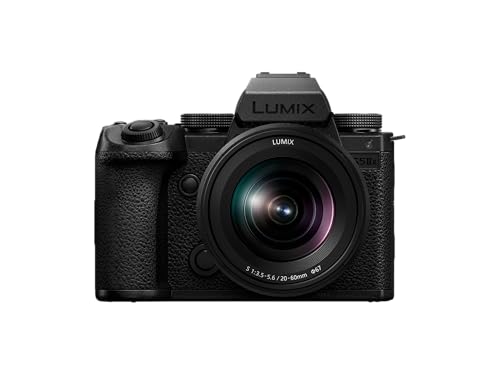
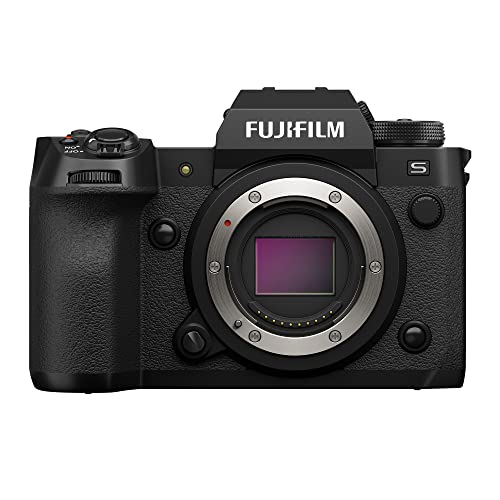
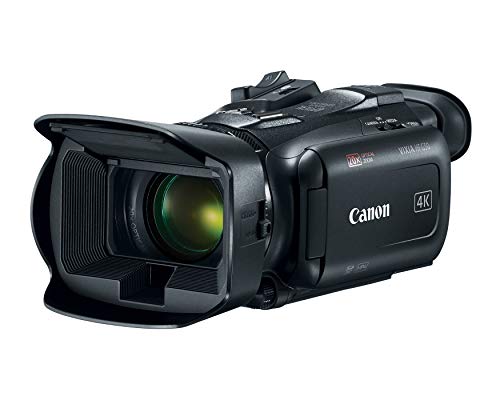


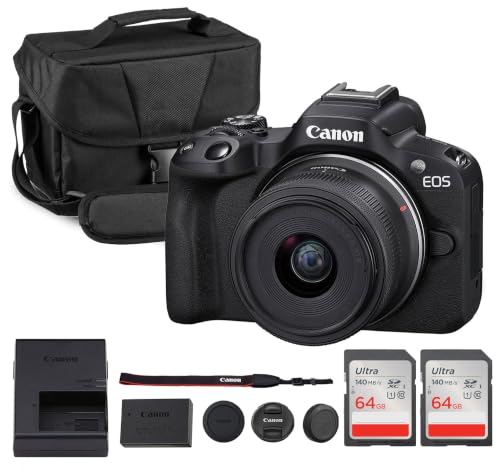

Three Camera Classes Working Shooters Choose Between
Nearly every serious video job is covered by one of three classes, and the class decision matters more than any single specification inside it.
Mirrorless Hybrid Cameras
Mirrorless hybrids are the default starting point for paid video because they pair interchangeable lenses with strong autofocus and compact rigs. Bodies in this class commonly run about $800 to $2,500, with lenses deciding the rest of the budget. They shoot weddings, brand films, real estate walkthroughs and most online content comfortably. Their weakness is endurance: many models cap a single take or overheat in warm rooms at high resolutions, so check the recording section below before trusting one with a ceremony.
The same body also covers stills work, which keeps one kit earning money on mixed jobs. For a shooter building a first paid rig, this class offers the widest used market and the deepest lens catalogs at every price. Rent the class for one real job before buying if you can, because menu layouts and color handling differ enough between makers to change how fast you work.
Dedicated Cinema Cameras
Cinema cameras are built around the take rather than the photograph: cooling fans, vents, generous audio connectors and bodies shaped for rails and matte boxes. Prices commonly run about $2,000 to $6,000 before lenses, and the rig around the body often adds half as much again. The payoff is predictability on long days, with recording that continues through a full event and files made for heavy color grading. The trade offs are size, weight and a slower, more deliberate way of shooting that suits planned productions far better than fast moving coverage.
Autofocus on many cinema bodies trails the hybrid class, so these cameras reward crews and practiced focus pullers. If your work is scripted, lit and scheduled, this is the class built for it.
Camcorders for Long Events
Camcorders keep a fixed lens, a deep zoom range and a body designed to record for hours without drama. Expect about $700 to $3,000, with the money buying servo zoom lenses, built in neutral density filters on many models and cooling that rarely limits a take. Their smaller sensors give up the shallow depth of field look that hybrids sell, and low light footage is noisier. For ceremonies, stage shows, council meetings and sports from the stands, that trade is usually worth it, because the shot that matters is the one still recording at the end.
Top handles and balanced bodies make them the easiest class to operate on a shoulder or a monopod all day. They also tend to include the audio connections and headphone monitoring that event work needs, without a cage built around them.
Key Features to Compare
Recording Limits and Heat Management
Ask one question before any other: how long will this camera record at the settings you actually use? Many stills first bodies stop a take at around 30 minutes, and some overheat sooner in 4K on a warm day, which ends coverage no matter how good the image looks. Fan cooled bodies and cinema classes remove most of that risk, at the price of size and a faint fan sound near quiet microphones. Match the rated continuous record time to your longest real take, with margin for a hot room.
External recorders can extend some bodies, but they add cost, cables and another battery to manage. Treat them as a planned part of the rig rather than a rescue bought the week of a wedding.
Sensor Size, Log Profiles and Color Depth
Sensor size shapes depth of field and low light cleanliness: 1 inch sensors sit in compacts, APS C balances cost and look, and full frame gives the shallowest focus and usually the cleanest high ISO footage. For paid grading work, the bigger divider is color depth and log recording. Log profiles capture a flat image that holds highlights for correction later, and 10 bit color keeps skies and skin tones smooth where 8 bit files can band. Megapixels barely matter for video, since even 4K needs only about 8 megapixels per frame.
Choose the sensor class for your lenses and your light, then confirm the file types your editing setup handles comfortably. A body whose files choke your computer costs time on every single job.
Autofocus Reliability and the Manual Focus Tradition
Modern eye tracking autofocus lets a solo shooter hold a moving interview subject sharp without riding the focus ring, and for weddings and events that reliability is worth real money. Cinema work still leans on manual focus, follow focus units and rehearsed marks, because a planned scene rewards control over speed. Judge autofocus by subject type: faces are easy for current systems, while players crossing a field are not, which is why our guide to the best cameras for sports videography treats tracking separately. Whichever style you choose, judge it at your working apertures, since focus gets harder to hold as depth of field thins.
Audio Inputs and Headphone Monitoring
Audio is the clearest line between consumer and professional video bodies. A 3.5 mm microphone input is the minimum for paid work, because camera microphones pick up handling noise and room echo along with voices. Higher classes add XLR inputs through a handle or adapter, with proper gain control and phantom power for broadcast microphones. Just as important, a headphone jack lets you hear problems while recording instead of discovering them in the edit.
If a body lacks either socket, plan on a separate audio recorder and the syncing time that comes with it. Budget for the microphone itself as well, since a modest camera with clean audio beats a flagship recording echo.
Stabilization, Cages and Rigging
In body stabilization smooths walking shots and handheld interviews, and it matters most on hybrid bodies used without support. Gimbals go further but add weight, setup time and another battery, so many shooters rent them per job instead of owning. Almost every paid rig grows a cage for mounting microphones, monitors and handles, plus rails when a matte box or follow focus joins. Price the rig honestly when comparing bodies: a cheaper camera inside a cage and monitor setup that costs around $400 is not cheaper anymore.
Tripods, lights and basic sound treatment for your usual room often improve footage more than the next body tier. Spend there before chasing stabilization headlines.
Media Cards and the Battery Budget
Video eats storage and power at rates stills shooters underestimate. High quality 4K can fill a 256 GB card in a few hours, and cards for the fastest modes need sustained write ratings, not just peak speed numbers on the box. Dual card slots with backup recording protect paid work against a failed card, and that feature alone justifies a body step for many event shooters. Plan on three to five batteries for a full day, a charger that keeps up overnight, and a labeled rotation so a flat pack never reaches the bag.
For most buyers the body is only about half the working kit cost. Cards, batteries, a cage and audio gear make up the rest, and they follow you across body upgrades.
Camera Types at a Glance
The classes above describe how cameras are built for work. The types below describe the shapes you will actually meet in a shop, and several types appear inside more than one class.
Point and Shoot Compacts
Compacts with 1 inch class sensors give travelers and casual creators real video quality in a pocket, with simple controls and no lens decisions. They suit travel diaries, family events and behind the scenes clips. Limits arrive quickly: fixed lenses, small batteries and modest audio inputs cap serious work, and heat can shorten long takes. Treat one as a second camera or a learning tool rather than the core of a paid kit.
DSLR Cameras
DSLR bodies built their video reputation on earlier hybrid work, and plenty still shoot clean footage with deep lens catalogs behind them. Their screen based autofocus generally trails current mirrorless systems, and most lack the video focused screens and tools newer bodies treat as standard. Buyers with a shelf of DSLR lenses can still start here cheaply, and our guide to the best dslr cameras for videography covers which features to check first.
Mirrorless Cameras
Mirrorless is where video development now concentrates: fast eye autofocus, strong stabilization and recording specifications that climb every generation. Hybrid shooters who split the week between stills and motion should compare the best cameras for photography and videography as one combined shortlist, because the same body often covers both jobs. Watch recording limits and card costs, which vary more inside this class than headline resolutions suggest.
Vlogging Cameras
Vlogging models trade ruggedness for creator convenience: screens that flip toward the lens, face priority autofocus and modes that keep a product held up to the camera in focus. They excel for solo presenters, reviewers and teachers recording at a desk or on the move. Most give up weather sealing, viewfinders and the deeper recording endurance of larger bodies, so treat them as specialists rather than all round work cameras.
Action Cameras
Action cameras are the mounted specialists: tiny, tough and wide, made for handlebars, helmets and dashboards. Their fixed focus and small sensors limit interviews and low light work, but nothing else survives their mounting points. Working shooters use them as extra angles on events, feeding clips into a main camera timeline rather than carrying a production alone. Battery swaps are quick and cheap, which suits their role as spare viewpoints on risky shots.
Choosing Cameras for Your Situation
Best Digital Cameras for Videography
Digital is now the default, so the real choices sit inside the digital classes above. Judge a digital body by the files it writes and the workflow behind them: compressed formats edit easily on modest computers, while larger intraframe and raw style files demand fast storage and stronger machines. Confirm your editing software opens the formats natively before buying, and count card readers and drive upgrades in the budget. Favor bodies whose menus and phone apps match how your team already shares and backs up footage on set.
Best Used Cameras for Videography
Used bodies are how many working shooters afford the class above their budget, and video gear ages gracefully when it has been cared for. Check the sensor for dust spots visible at small apertures, listen for fan noise on cooled bodies, and ask about hours rather than shutter counts, since video work wears fans, ports and mounts more than shutters. Buy from sellers who accept returns, test every port and slot on arrival, and price in fresh batteries, because included packs are often near the end of their useful life.
Best Inexpensive Cameras for Videography
A tight budget rewards order: lens and light first, body second. A previous generation hybrid with a fast prime lens and one decent microphone will outshoot a newer body with a slow kit zoom in most rooms. Keep the non negotiables even at this level: a microphone input, a headphone jack if interviews matter, and recording limits that cover your longest take. Skip resolution headlines you cannot use, and put the savings into the tripod and audio gear you will keep through the next two body upgrades.
Cameras for Students and Course Work
Searches for "best cameras for videography student" usually mean a camera a course accepts, a student budget can replace, and editing labs can open without conversion headaches. Courses often standardize on common file formats and expect manual exposure control for assignments, so confirm the syllabus before spending. Durability and cheap batteries matter more than prestige here, and a used hybrid from a seller who accepts returns is the classic student answer. Our guide to the best beginner cameras for videography lists the starter features that carry through a full program.
One Maker Ecosystems and Lens Commitment
Searches that name one camera maker point at a wider truth: buyers often shop a maker first and a camera second, because lenses commit you for years. A deep lens catalog, plentiful used glass and a local service network are real advantages that specification sheets miss. Color handling differs between makers in ways shooters describe as taste rather than quality, so download sample files shot in your kind of light before deciding. What matters is that the mount you choose today still serves the bodies you will want in five years, whichever badge it carries.
Setup and Care Tips
Small habits protect a video kit better than careful storage alone. Work through this list when a new body arrives, and most of it becomes routine within a month.
- Charge batteries in a labeled rotation, and retire packs that swell, run hot or drop charge far faster than their siblings.
- Clean lenses with a cloth made for glass, never a shirt, and use a blower around the sensor instead of touching the sensor itself.
- Format memory cards in the camera after every backed up shoot, not on a computer, to keep the file system the camera expects.
- Update firmware when makers release autofocus and recording improvements, after checking the release notes for your lenses as well.
- Carry the kit in a padded, dry bag, and let cold gear warm up inside a sealed bag before opening it in a warm room, so condensation stays outside.
- Inspect mount contacts, cage screws and tripod plates monthly, because vibration on location loosens hardware slowly.
Cameras for Videography: Your Questions Answered
What features matter most in cameras for videography?
Recording reliability matters most, followed by audio inputs and autofocus you can trust. The order then bends to the job: interviews rank the microphone input first, while ceremonies rank continuous recording first. One factor buyers rarely weigh is rental depth. A common body class is easy to rent as a second unit on big days, which can matter more than a small specification edge when a production grows beyond one camera.
How much should I spend on my first videography camera?
Plan the kit, not the body: many first paid setups land around $1,200 to $2,500 once the lens, microphone, cards and batteries are counted. Reserve roughly a third of that for audio and lighting, because viewers forgive soft images sooner than echoing sound. A smaller body bought outright teaches more than a flagship bought on payments, and the skills transfer when you upgrade.
Which camera type is better for low light video?
Full frame hybrids lead low light work because their larger sensors gather more light per frame, and a fast lens widens that lead further. Aperture matters as much as sensor size: a fast prime on a smaller sensor can beat a slow zoom on a bigger one. Remember that noise reduction in editing costs detail and render time, so light the scene when you can instead of rescuing it later.
What specs matter most for beginners in videography?
Beginners should rank a microphone input, a screen you can see while standing in front of the camera, and simple menus above resolution numbers. Weight matters more than brochures admit, because a camera that tires your arm in twenty minutes changes how you shoot. Ignore 8K headlines entirely at this stage. No starter workflow, screen or client needs those files, and they punish cards and computers.
Is a smartphone enough instead of a videography camera?
For casual clips and early practice, yes: current phones record clean video and teach framing for free. The limits appear with paid work, where long zooms smear, separate audio needs extra rigging, and a phone tied up recording cannot take calls or run the day. Clients also read a dedicated camera as a professional signal, which quietly affects the rates a shooter can charge.
How long can a videography camera record in one take?
It depends on the class: camcorders and cinema bodies are built for hours, while many stills first hybrids stop around 30 minutes or sooner when heat builds. Some bodies split long recordings into seamless file chunks, which is normal and not a fault. For ceremonies and stage work, power the camera from the wall or a large external battery as well, since a single take can outlast several internal packs.
Final Thoughts
Strip the decision down and three things decide a videography purchase: a class that records your longest take without drama, audio you can monitor while you work, and a kit budget that survives lenses, cards and batteries. The product table above shows how the classes compare at a glance. Everything else, from color profiles to stabilization styles, refines a choice those three already made. Choose the class that fits your real jobs, keep the audio chain honest, and the best cameras for videography for your work will be the one still recording, in focus and in budget at the end of the day.


