
Best Cameras for Monitoring Elderly: A First Time Buyer's Guide for 2026
Disclosure: We may earn a commission when you buy through links on this page, at no extra cost to you. As an Amazon Associate I earn from qualifying purchases. Learn more
A first time buyer guide to cameras for checking on elderly parents at home, covering two way talk, night vision, privacy, placement, and setup basics.
Buying a camera to keep an eye on an aging parent can feel daunting when you have never shopped for one before. This guide explains the best cameras for monitoring elderly options in plain language, starting with the basics and moving step by step toward a purchase you can set up with confidence.
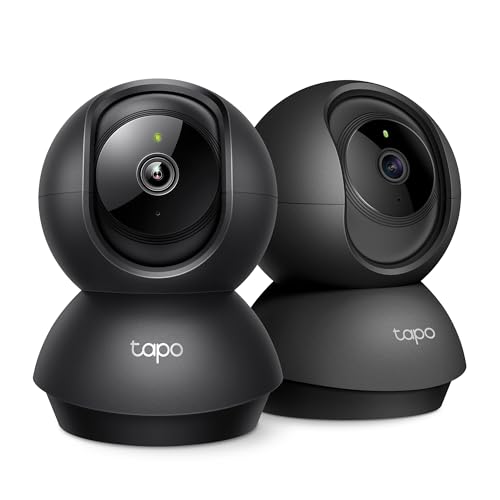
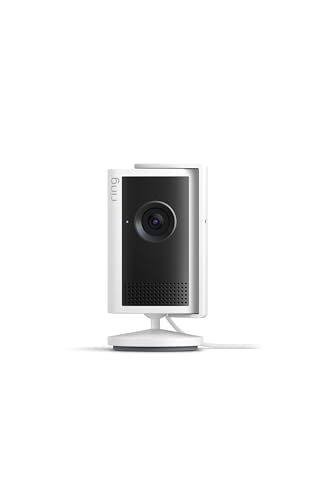
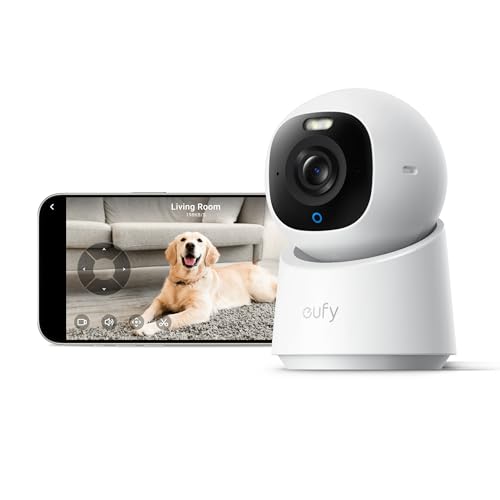
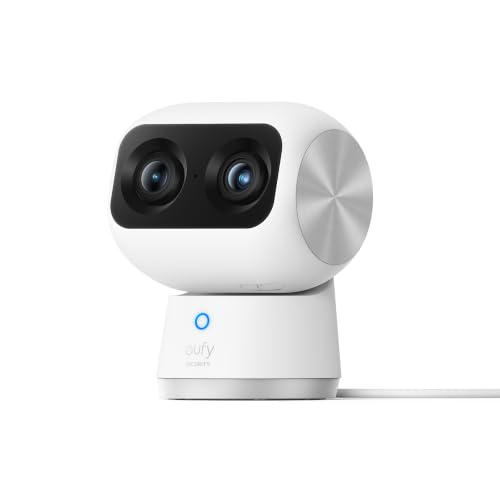
A camera like this is a helping hand, not a replacement for visits, phone calls, or paid care. Used with your parent's knowledge and agreement, it can confirm they are up and moving, show whether a nurse or delivery driver has arrived, and let you speak to them when they cannot reach a phone. The comparison table below sums up the main camera types, and the sections after it explain what each feature really means.




Cameras 101: The Basics
A home monitoring camera is a small camera that connects to the home WiFi network and sends live video to an app on your phone or tablet. You open the app to see the room in real time, and the camera can send an alert when it detects movement. Most models record short clips when motion happens, saving them either on a small memory card inside the camera or in an online cloud account.
The goal here is different from outdoor security. You are not guarding against intruders so much as confirming that daily life is on track: your parent is out of bed, moving around the kitchen, and answering when you call through the camera speaker. Most families start with one or two indoor models, and our guide to the best indoor cameras for elderly readers covers room by room placement in more depth. One camera in the main living space answers most questions a family has.
Key Specs Explained in Plain English
Spec sheets for these cameras are short, and only a handful of items decide whether a camera works well for this job. The five points below are the ones worth understanding before you compare prices.
What Seniors Should Look For
The senior in front of the camera usually does nothing at all, and that is the point. Look for a camera that stays put once it is placed, with no batteries to swap every few weeks and no buttons your parent must learn. The live picture on your side should be large and clear on a phone or tablet screen, with simple app menus. If your parent will use the camera to call you, a model with a single call button or clear two way talk matters more than extra recording modes. Shoppers comparing general models can also read our overview of the best cameras for elderly users to see how senior focused features differ from standard ones.
Features That Matter for Monitoring
Monitoring asks for a different feature mix than general home security. Two way talk comes first, because seeing a problem is only half the job; you also need to ask if everything is all right. Motion alerts should be adjustable, so a passing cat does not buzz your phone all day. A wide view or a pan and tilt head lets one camera cover a whole room, and a physical privacy shutter or an app based privacy mode lets your parent switch the camera off when visitors come. For a wider look at these features across camera types, see our guide to the best monitoring cameras for home use.
Sensor Size and Image Quality
Image quality decides whether you can actually tell what is happening in the room. A resolution of 1080p is the sensible floor, and 2K gives a clearer picture when you zoom in on a phone screen. The sensor inside matters as much as the headline number, because a larger sensor gathers more light and keeps faces recognizable at normal room distances. Do not pay extra for the highest megapixel count alone. A modest camera with a decent sensor and a well placed lens beats a high resolution camera pointed at the back of a sofa.
Low Light Performance
Many of the moments families worry about happen early in the morning or after dark, so night performance counts. Most indoor cameras switch to infrared night vision when the room goes dark, giving a black and white picture over a range of about 15 to 30 feet. That is enough for a living room or hallway. A small night light in the hallway helps the camera and helps your parent move safely. A few models add a soft built in light for color pictures at night, which can make faces easier to recognize.
Ease of Use for Your Skill Level
If this is your first camera, favor a simple setup over a long feature list. Good beginner models connect through a step by step app process, update themselves, and let you share viewing access with a brother or sister so more than one person can check in. Automatic recording modes mean you do not have to remember to start anything. Avoid systems that need a separate hub or a computer for setup unless you are comfortable with that work. The best first camera is the one you finish installing the same day it arrives.
Rookie Mistakes to Avoid
- Putting a camera in a bedroom or bathroom. These rooms stay camera free, because privacy matters more than coverage and your parent must be able to relax at home.
- Skipping the consent conversation. A camera installed without agreement damages trust and may break local recording rules, so agree on rooms, hours, and who can watch before anything is plugged in.
- Buying on resolution alone. A sharp picture of the wrong corner helps nobody, so placement and viewing angle matter more than a bigger spec number.
- Leaving every alert switched on. Constant false alerts train you to ignore the app, and then a real alert gets missed on a busy day.
- Placing the camera where the WiFi signal is weak. A camera at the far end of the house may drop its connection often, leaving gaps exactly when you want to check in.
Getting Started: Setup and First Use
Start by picking the room your parent uses most during the day, usually the living room, and set the camera on a shelf or mount it about 5 to 7 feet high, angled slightly down toward their usual chair and the doorway. Plug it in, connect it to the home WiFi through the app, and stand in the room while a family member watches the live view and confirms faces are clear. Turn on motion alerts, then spend a day tuning the sensitivity before adding a second camera anywhere else.
Two safety points belong in this first setup. A camera is a monitoring aid only; it never substitutes for in person care or supervision, and it cannot guarantee that a fall or emergency will be seen in time. If the live view ever shows your parent on the floor or unresponsive, call local emergency services or a nearby neighbor at once rather than relying on the camera speaker. Finish by wiping the lens with a soft lens cloth, not your shirt, and note the app login details somewhere a trusted family member can find them.
Cameras: Your Questions Answered
Where should a camera for monitoring an elderly parent be placed?
The best spot is the room your parent uses most while awake, usually the living room near their usual chair, with the doorway in frame. A hallway camera aimed at the front door can confirm arrivals and departures. Keep cameras out of bedrooms and bathrooms entirely. Mounting about 5 to 7 feet high and angled slightly down avoids ceiling heavy views and shows the floor area where a fall would happen, which is the view families actually need.
Do monitoring cameras for elderly parents need a subscription?
No, a subscription is optional on most indoor cameras. Models with a memory card slot record motion clips locally at no monthly cost, which covers basic check ins well. A cloud plan, usually about $3 to $10 per month, stores copies away from the home and keeps a longer history, which helps if the camera is unplugged or damaged. Choose local recording first, live with it for a month, and add a plan only if you find yourself wishing for older footage.
Can a monitoring camera replace regular visits and check ins with an elderly parent?
No, and it should never be treated that way. A camera shows movement and broad activity, but it cannot show mood, appetite, whether food in the fridge is fresh, or how your parent is coping day to day. Keep visits, calls, and any paid care in place, and use the camera to fill the gaps between them. Think of it as a quick glance through the window, useful and reassuring, but never a substitute for being there in person regularly.
What should families do when an elderly parent objects to a camera?
Respect the objection and talk it through rather than installing anything in secret. Many parents accept a camera once they control the terms: one room only, a privacy mode they can switch on, and a named list of who can view the feed. Offer a trial of two or three weeks with a firm promise to remove the camera if it still feels intrusive. If your parent refuses outright, alternatives such as scheduled phone check ins and a wearable alert button may suit everyone better.
How can families cut down false motion alerts from a monitoring camera?
Start by aiming the camera away from windows, curtains, and busy pet routes, since sunlight changes and animals trigger most false alerts. Next, draw an activity zone in the app so only the doorway and chair area count, and lower the sensitivity one step at a time until daytime alerts match real movement. Many apps also offer person only alerts, which ignore pets and shadows. Review the settings after the first week, because one small angle change often removes most of the noise.
Final Thoughts
For a first purchase, keep the priorities simple: a clear picture, two way talk you can use without fuss, alerts you can tune, and placement your parent fully agrees to. Compare your shortlist against the product table above, start with one camera in the main living space, and add coverage only where a real gap appears. Chosen that way, the best cameras for monitoring elderly setup is the one your parent accepts, your family can operate, and everyone trusts.


