
Best Cameras for Dance Videos: What Actually Matters Before You Buy for 2026
Disclosure: We may earn a commission when you buy through links on this page, at no extra cost to you. As an Amazon Associate I earn from qualifying purchases. Learn more

A checklist for choosing the best cameras for dance videos, from autofocus and frame rates to flip screens and battery life.
Dance is hard to film well. A dancer crosses the floor in seconds, spins blur faces, and stage light changes from one count to the next. This guide gives you a clear checklist for choosing best cameras for dance videos without paying for specs you will never use. You will learn which features protect sharp focus, clean motion, and usable sound, and you can compare the shortlisted models in the comparison table below.
The checklist suits studio classes, stage recitals, social clips, and tutorial filming. It favors cameras that track a moving subject, handle dim light, and stay simple enough to set up between routines.



Key Features to Compare for Dance Videos
Shops tend to sort best cameras for dance videos by sensor and price first, but dance adds demands a spec sheet alone does not show. Use the factors below as your scoring sheet, and weight autofocus and frame rates highest, since those two decide whether movement looks sharp or falls apart.
Features That Matter Most for Dance
Dance filming puts unusual pressure on a camera. Your subject travels across the whole frame, changes direction without warning, and often shares the floor with other dancers who can confuse focus systems. You need room above the head and below the feet in every shot, and a lens with useful zoom magnification helps you hold that loose framing from the back of a studio, about 20 to 30 feet away.
Autofocus That Tracks a Moving Dancer
Autofocus is the feature that makes or breaks dance footage. Look for continuous eye detection and subject tracking that locks onto one dancer and holds that lock while other people cross in front. Notice how the camera behaves when a dancer turns away, because some systems drop the face and hunt for a second before settling again. Touch tracking on the rear screen helps you tap the lead dancer at the start of a routine, and a smaller focus area beats wide area tracking in group numbers.
Sensor Size and Image Quality
Sensor size shapes image quality more than the megapixel count on the box. A 1 inch sensor suits compact bodies and bright studios, while APS C sensors gather more light for cleaner footage under stage lighting. Full frame sensors gather the most light and offer the shallowest focus, but they cost more and demand careful focusing because the sharp zone is thin. If still photos for posters and thumbnails matter as much as footage, see our guide to the best digital cameras for models built around still image quality.
Video Capabilities and Frame Rates
Resolution and frame rate decide how much freedom you have in editing. 4K video at 30 frames per second gives crisp detail for wide stage shots, while 4K at 60 frames per second keeps spins and jumps smooth and lets you slow footage slightly without stutter. A 1080p mode at 120 frames per second is the real prize for slow motion breakdowns of footwork, and a microphone input matters because music and spoken cues rarely sound clean through a built in mic. If your projects stretch into interviews and events too, see our guide to the best cameras for video for a wider look at recording features.
Image Stabilization and Support
Image stabilization smooths the small shakes that creep in during handheld filming at the edge of the floor, with body based systems helping a steady stance and lens based systems helping at longer zooms. Neither replaces a tripod for a fixed wide shot, though a gimbal suits walk around footage of warmups and backstage moments. Watch for a crop warning, since strong stabilization can trim the frame, so plan extra room on every side.
Ease of Use for Your Skill Level
Your skill level should shape how much control you want on the body. Newer creators do well with a guided auto mode, clear menus, and a phone app that moves clips to social apps in minutes. Vlogging cameras built for solo creators often add face priority exposure. If you also talk to the camera between routines, see our guide to the best cameras for video blogging for flip screen and audio focused options.
Size, Weight, and Ergonomics
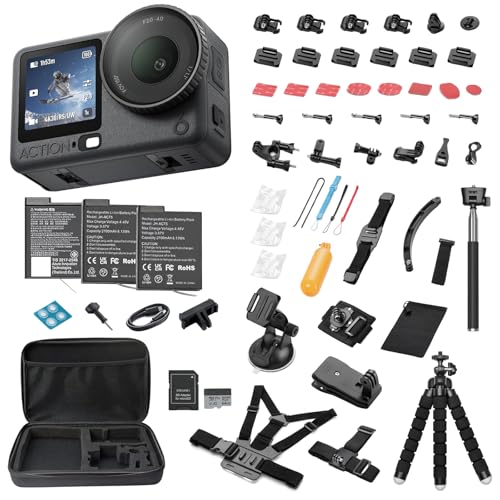
Weight decides whether the camera actually travels with you. A compact body with a short zoom fits in a dance bag and sets up fast between classes, while a larger body balances better with long lenses and gives a deeper grip for long handheld takes. Check button reach with the camera raised, and look for a weatherproof body if you often shoot outdoors. For travel days and outdoor rehearsals where a tiny rugged second camera helps, see our guide to the best action video cameras.
Battery Life and Charging
Dance events rarely follow a tidy schedule, so battery planning matters. Look for a rating of at least 300 shots or about 60 to 90 minutes of video per charge. USB C charging lets you top up from a power bank between acts instead of hunting for a wall outlet near the stage, and a simple two battery kit removes most of the remaining stress.
How to Choose the Right Setup for Your Style and Budget
No single body suits every dancer, so match the camera to the room, the routine, and the way you share footage. The three paths below cover the most common buying situations.
Studio Classes and Tutorials
Studio filming rewards consistency more than raw power. Park the camera on a tripod at the front corner, frame the full floor, and leave it there for the whole class, using a wide lens in the 16 to 24 mm range to cover most rooms without swallowing the back row. Prioritize a flip screen so you can check framing alone, and plug in a small wireless microphone so your voice stays clear over the music.
Stage Recitals and Competitions
Stage work is the hardest test on this list, since you film from a fixed seat under light that shifts color and brightness between numbers. Reach matters, so favor a longer zoom or a brighter lens over extra resolution, and value strong autofocus and clean high sensitivity footage above all, because you cannot ask the cast to repeat a number. Arrive early and set white balance from the stage light instead of leaving it on auto. Record a short test clip to check exposure before the house lights drop.
Travel, Outdoor, and Social Clips on a Budget
If dance is one part of a busy travel or social schedule, portability and price move to the front, and a compact camera you carry daily will capture more usable clips than a larger body that stays home. Spend first on the camera, then add a mini tripod and a spare battery before any fancy lens. If your total budget sits under $500, see our guide to the best inexpensive video cameras for options that keep the core video features and skip the costly extras.
Quick Buyer Checklist
You have seen the options in the comparison table above, so now run through this short list before you order. Every yes means the camera fits dance work a little better.
- Does the autofocus track one dancer while others cross the frame?
- Can it record 4K at 60 frames per second, or 1080p at 120 for slow motion?
- Does the screen flip forward for solo filming and framing checks?
- Is there a microphone input for music and spoken cues?
- Will the lens zoom far enough to frame the full body from your usual seat?
- Can you charge it over USB C and buy spare batteries at a fair price?
- Does the body feel balanced in your hands for a full routine?
Red Flags to Watch For
Some listings look strong until you read them closely. Slow down, or walk away, when you spot these warning signs on a camera you are about to buy.
- Video specs that hide the frame rate, since a camera sold as 4K may only reach that resolution at a choppy 24 frames per second.
- Digital zoom sold as real zoom, because the camera simply crops the image and softens every detail in your footage.
- No microphone input on a camera aimed at creators, which locks you into thin built in sound for music and voice.
- Stabilization claims with no mention of a frame crop, so your wide shots quietly lose their edges.
- Very short warranty cover or a seller with no clear returns path, leaving you stuck if focus problems show up in week one.
Tips to Get the Most From Your Camera
Small habits protect image quality and keep the camera ready. Clean the front lens element with a lens cloth, never your shirt, since fabric grit can leave fine scratches that flare under stage light. Keep a blower in your bag for dust on the sensor cover glass, and never touch that glass with cloth or fingers.
Store the camera in a dry padded bag with the lens cap on, and keep spare batteries at room temperature. Format cards in the camera at the start of each event, after you have backed up older clips, and check focus accuracy on a still subject before big shows. A strap you trust and a quick check of tripod screws before each routine will prevent most drops and wobbles.
Frequently Asked Questions
What features matter most in a camera for dance videos?
Sharp and steady footage starts with tracking autofocus, a useful frame rate, and a lens that frames the full body. The best cameras for dance also record without a short time limit, since many bodies stop a single clip at about 30 minutes and a full class runs longer. Check the limit before you buy, and use wall power for long classes.
Is a smartphone enough instead of a camera for dance videos?
A recent smartphone is enough for casual clips, quick posts, and practice reviews in bright rooms. Its limits show up fast in dim studios, at long distances, and during long sessions that drain the battery you need for the rest of the day. A dedicated camera pulls ahead with real optical zoom, swappable batteries, and better microphone options.
How much should you spend on a first camera for dance videos?
Plan on about $400 to $900 for a first camera and kit lens that cover the core needs in this guide. Below that range you usually give up the flip screen, the microphone input, or reliable tracking focus. Reserve a small share of your budget for a tripod, cards, and a spare battery, since those extras shape daily use more than a small spec jump.
What frame rate is best for slow motion dance videos?
A rate of 120 frames per second at 1080p is best for most slow motion dance work. It stretches a one second jump into about four seconds of smooth playback at 30 frames per second, plenty for checking landings and foot placement. Keep the shutter speed near double the frame rate for natural motion blur, and add light when you can, because high frame rates give each frame less time to gather it.
Which camera sensor size is best for dance videos in low light?
Full frame sensors are best in low light, with APS C bodies a close and cheaper second. Larger sensors gather more light at the same settings, so footage stays cleaner when you raise sensitivity for dark stages, and a lens that opens to f/2.8 or wider adds another clear step in quality. If your budget forces a smaller sensor, move closer and add light where the venue allows.
Final Thoughts
Dance footage rewards cameras that hold focus, keep motion smooth, and stay easy to run when the music starts. Return to the scores in the product table above, weigh autofocus and frame rates first, and let your room and routine settle the rest. Choose the body that fits how you actually film, and your best cameras for dance videos shortlist will shrink to one clear choice you can buy with confidence.
Prices and availability can change, so check the product page before ordering.


