
Best Cad Graphics Cards: A First Time Buyer's Guide for 2026
Disclosure: We may earn a commission when you buy through links on this page, at no extra cost to you. As an Amazon Associate I earn from qualifying purchases. Learn more

Shopping for the best cad graphics cards for the first time? Learn the driver, memory, and fit terms that matter and compare classes with confidence.
Buying a workstation card for the first time is confusing because spec sheets borrow gaming language that means little for design work. This guide explains the terms in plain English, moving from the basics to a confident purchase. Start from this fact: the best cad graphics cards are chosen for certified drivers and steady viewport performance, not for frame rates.
We will cover what the card actually does, the specs that decide your purchase, the mistakes new buyers make, and the first steps after the box arrives. The comparison table below gives a quick overview of the classes, and the sections after it show how to read each class against your own software and models.


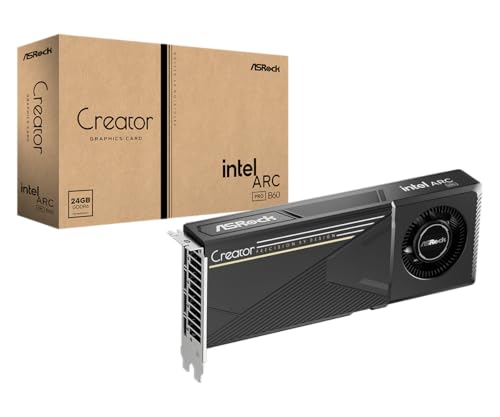
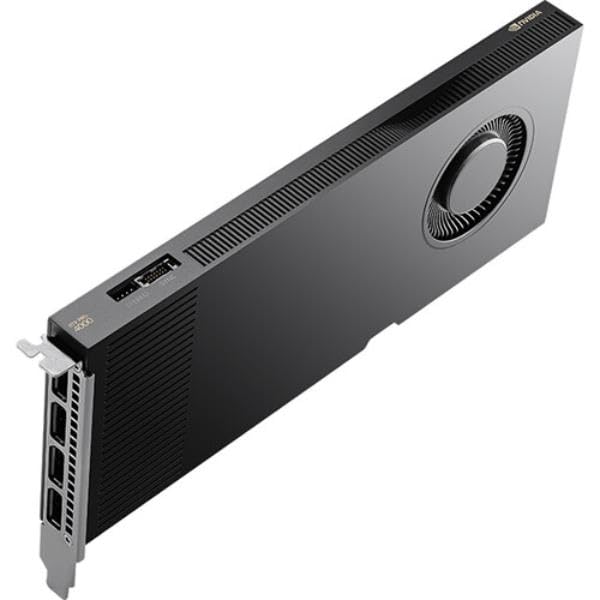
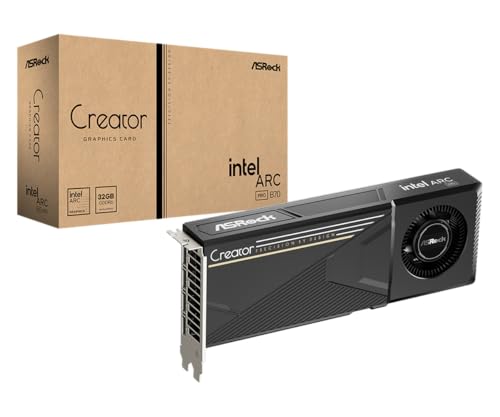


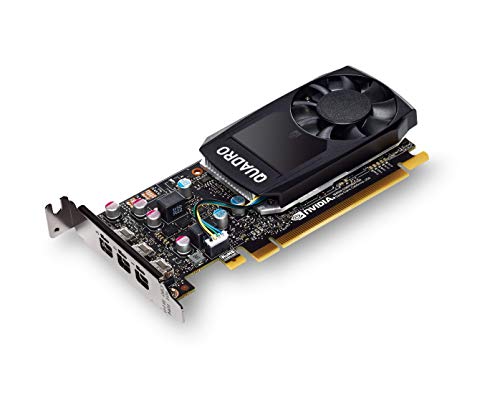
Cad Graphics Cards 101: The Basics
Read a CAD card by its drivers first. Workstation cards ship with drivers that design software vendors test and certify against their own programs, and that certification is the main reason this class of card exists. A card built for play answers a different question entirely: guides to best graphics cards for gaming rank cards by frame rates in games, while your question is whether a large model pans, rotates, and zooms without errors or stutter.
The card draws everything you see in the viewport while you model: shaded views, edges, shadows, and section cuts. It also speeds up photorealistic rendering in programs that offload that work to the graphics processor. It does not rebuild geometry, solve constraints, or run simulations, because those tasks sit with the main processor. Knowing this split keeps you from paying for card power your software cannot use.
Prices fall into three rough classes. Entry cards cost about $150 to $350 and suit drafting, small parts, and learning. Midrange cards run about $400 to $800 and cover assemblies with hundreds of parts plus two or three displays, while upper cards cost about $900 to $2,000 and target very large assemblies and heavy rendering. Shoppers stretching a tight budget can compare the classes in our guide to best affordable graphics cards, keeping in mind that the lowest priced cards often trade away certified drivers, which are the point of this purchase.
Key Specs Explained in Plain English
The classes in the product table above map to the spec groups explained in this section. Read them in the order given, because a card that fails the first test rarely deserves a closer look on the rest.
Video Memory Sized to Your Models
Memory is the second decision after drivers. While you work, the card holds your model, its textures, and the data for every display in its own memory, so a large assembly fills a small memory bank fast. When the bank runs out, the card borrows system memory and the viewport stutters at the worst moment. As a working rule, drafting and single parts fit modest memory, assemblies with hundreds of parts call for a midrange bank, and very large assemblies or several high resolution displays call for the largest banks you can afford.
Pairing the Card With Your Main Processor
Modeling commands such as sketching, extruding, and rebuilding a feature tree run mostly on one processor core, so a slow main processor holds back even a strong card. Rendering and viewport display lean on the card instead. Balance the two: pair a midrange card with a recent midrange processor rather than bolting an upper card onto an aging machine. If your current computer already handles rebuilds well but the view stutters when you rotate a model, the card alone is the right upgrade.
Slot, Power, and Case Fit
A graphics card is a component, and fit is a physical question before it is a performance one. Check the card length against your case, because long cards foul drive cages in compact towers, and check the slot width, since most workstation cards occupy the space of two slots. Check the power supply for the wattage the card demands and for the extra power connector many models need. Small form factor cases add one more limit: only short, low height card classes fit, and they cap the memory you can buy.
Display Outputs and Multiple Monitors
Count the outputs before you count anything else if you work on more than one screen. Most CAD desks run two or three displays, and each display needs its own port on the card. Check the resolution and refresh rate each port supports, because an older port standard can cap a newer monitor below its best settings. Adapters can rescue a mismatch, but every adapter is one more part to fail, so a card whose ports match your monitors directly is the cleaner purchase.
Noise, Cooling, and Driver Support Over Time
Under a long render, cooling fans are the loudest part of most workstations, and a card that whines or drones will annoy you daily. Smaller cards with a single blower style fan push hot air out of the case and suit tight towers, while larger multi fan cards run quieter in roomy cases. Also check how long the maker supports the card with certified driver updates, because a card dropped from the certification list becomes a risk at your next software upgrade. Standard slot and power fittings matter here too: a card built to common standards moves to your next machine, while odd proprietary fittings strand it.
Rookie Mistakes to Avoid
- Treating a ranked list as a verdict. Pages that collect best graphics cards ranked blend game scores and workstation scores into one order, so use any ranking as a reading list and confirm driver certification for your own software before you buy.
- Buying by gaming benchmarks. A card that tops game charts may carry drivers your design program never certified, which shows up as glitches in shaded views and crashes in large models.
- Ignoring the power supply. A card that needs more wattage or a connector your supply lacks will not run at all until you replace the supply as well.
- Skipping the fit check. Measuring after delivery turns a simple install into a return, so compare card length and height against your case before ordering.
- Expecting the card to fix slow rebuilds. Feature rebuilds run on the main processor, so a new card leaves them exactly as slow as before.
Getting Started: Setup and First Use
Shut the computer down, unplug it, and ground yourself on the case before touching the card. Seat the card firmly in the main expansion slot until the latch clicks, connect the power lead if the card needs one, and only then reconnect your monitors to the new card rather than the motherboard ports. If the card is part of a whole new machine rather than an upgrade, the wider classes in our guide to best computer graphics cards show how this single part sits inside a full build budget.
Install the certified driver branch your software vendor lists, which is often one release behind the newest driver, and skip launch day gaming drivers entirely. Open your design program, confirm it reports the new card as the active display device, then open your largest model and rotate, zoom, and section it. Smooth motion with no flicker means the setup is right. Every few months, blow dust from the card fans and case filters with the machine off, because dust raises temperatures and fan noise together.
Frequently Asked Questions
Do CAD graphics cards also work for playing games?
Yes, CAD graphics cards run games, but they are poor value for that job alone. Their drivers are tuned for stability and accuracy in design software rather than peak frame rates, so a game often runs a little slower than it would on a gaming card at the same price. If design work pays for the machine and games are an evening extra, the trade is fine. If games come first, buy the gaming class and accept that its drivers are not certified for design programs.
How much video memory does a CAD graphics card need?
Most single part and small assembly work runs well on the memory found in entry and midrange cards, while assemblies with thousands of parts need the larger banks. Count your displays as well as your models, because each extra high resolution screen reserves its own share of memory before you open a file. A practical habit is to open your biggest real project, watch how the view behaves as you zoom, and let that test, rather than a spec sheet, tell you when to step up a class.
Can a CAD graphics card fit in a small form factor PC?
Yes, a dedicated class of short, low height workstation cards exists for small form factor cases, but the class caps your memory and cooling headroom. Measure the slot length and the clearance above the slot before ordering, and check that the power supply meets the card rating, because compact supplies often sit near their limit already. If your models keep growing, a larger case is often the smarter first purchase, since it removes the size ceiling on every card you buy afterward.
How often should CAD graphics card drivers be updated?
Update CAD graphics card drivers when your software vendor certifies a new branch, not the day a new driver appears. Certification testing lags release by weeks or months, and installing an untested driver can trade a stable setup for viewport glitches. Keep a copy of the driver version that works, so you can roll back in minutes if an update misbehaves. Many firms settle on one or two updates a year, timed between projects rather than in the middle of one.
Is a used CAD graphics card a sensible buy?
A used CAD graphics card can be sensible when the seller offers a return window and the card still appears on your software vendor certification list. Workstation cards often come out of office machines with gentle histories, but fan bearings wear and warranties rarely transfer to a second owner. Ask for a photo of the card running with its details on screen, and avoid any card sold without returns. If the price gap to a new entry card is small, the new card with its full warranty is the safer spend.
Wrapping Up
Three checks decide this purchase: certified drivers for your software, enough video memory for your largest models, and a physical fit your case and power supply accept. Match those first and the price classes sort themselves. When you are ready, the best cad graphics cards for your desk are the ones that pass all three, so compare your shortlist against the product table above and buy the class your models actually demand.


