
Best Cables for Krk Monitors 2026: Types Compared and How to Choose
Disclosure: We may earn a commission when you buy through links on this page, at no extra cost to you. As an Amazon Associate I earn from qualifying purchases. Learn more

Compare cable types for KRK monitors, match XLR, TRS and RCA connectors to your source, choose the right length, and keep studio sound clean and quiet.
KRK powered monitors accept more than one kind of input, and that choice confuses many buyers. XLR, TRS, and RCA cables can all carry sound to the speakers, yet they differ in noise protection and source fit. The best cables for krk monitors match your source outputs first. Use the comparison table below to check each type before you order a pair.
This guide compares cable types rather than naming products. You will learn who should choose balanced or unbalanced links, which features change what you hear, and how length and routing affect hum.



Who Should Buy Which Cable for KRK Monitors?
Your source decides the cable more than the speaker does. Pick your group below, then confirm the details in the features section.
Home Producers With a Balanced Audio Interface
You record and mix through an interface with balanced outputs on XLR or TRS jacks. Choose balanced cables that match those outputs, one for the left speaker and one for the right. This link gives the strongest protection against hum along the run. Buy a matched pair in the same length for neat routing.
Listeners Connecting a Computer, Phone, or DJ Controller
You play music from a device with only unbalanced outputs, often RCA jacks or a small headphone socket. Choose RCA cables, or a cable that splits a stereo headphone output into two mono plugs. Keep these runs short, because unbalanced links collect more noise over distance. Place the speakers close to the source.
Mixers and Performers With Longer Runs
You run sound from a mixer or controller placed well away from the speakers, across a room or small stage area. Choose balanced XLR cables, which stay quiet over longer distances and lock at the mixer end. The latch matters when people move around the gear. Allow extra length for safe routing along walls.
Key Features to Compare
Compare these factors in order. Connector fit comes first, because a cable that cannot plug in correctly will never sound right.
Balanced Versus Unbalanced Signal Paths
A balanced cable carries the signal on two inner wires plus a shield, and the input subtracts noise that both wires picked up. That design keeps hum low near power supplies and screens. An unbalanced cable uses one inner wire plus the shield, so noise on that wire reaches the speaker. Choose balanced links when both source and speaker allow them, and keep unbalanced links short.
Connector Fit for KRK Inputs
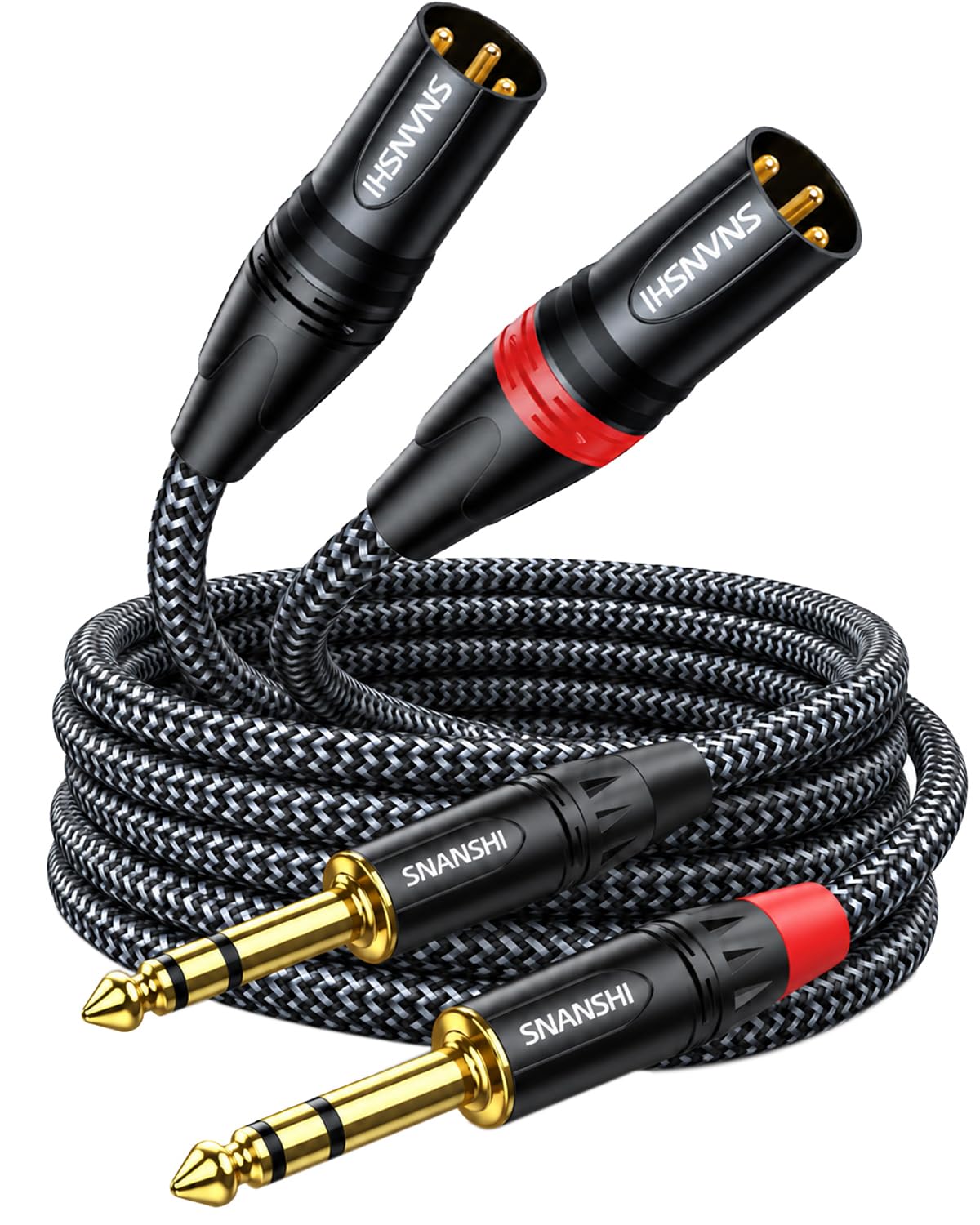
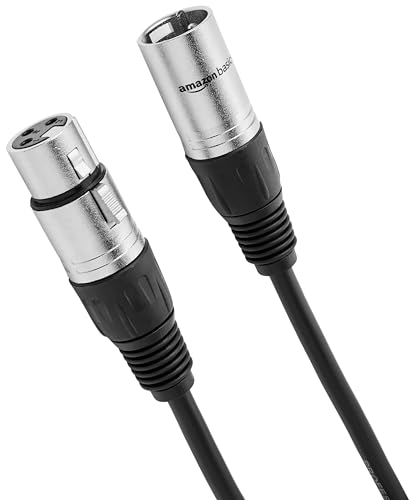
Most KRK powered monitors offer a combination input that accepts an XLR plug or a quarter inch TRS plug, plus a separate RCA input. XLR is a three pin plug that latches, TRS is a quarter inch plug with tip, ring, and sleeve contacts, and RCA pushes on with a single pin. Match each end to the jack it must serve. A cable cannot turn an unbalanced output into a balanced one.
Cable Length and Room Layout
Buy the shortest length that reaches with a gentle curve at each end and a little slack for moving the speaker. Common choices run about 3 to 10 feet for a desk and about 10 to 25 feet for a larger room. Extra cable coiled beside a speaker can sit near power bricks and collect noise. Measure the real route along the desk edge or wall, not the straight line.
Shielding and Noise Rejection
Shielding is the metal layer around the inner wires that drains interference away before it reaches the signal. Braided shields cover well and stay flexible, while foil shields cover fully but can stiffen the cable and wear sooner when bent often. Dense coverage matters in busy rooms. Good shielding supports a balanced link rather than replacing it, so shield alone cannot make a long unbalanced run quiet.
Build Quality, Strain Relief, and Flexibility
Cable ends fail more often than the middle, so look for firm strain relief where the cable leaves each plug and for metal plug bodies that resist bending. Contacts should sit tight with no wobble. A flexible jacket lies flat around a desk and coils without kinks. Expect to pay about $15 to $40 for a solid pair at desk lengths.
Types of Cables Compared
Three cable families cover nearly every KRK setup, each suiting a different source, distance, and budget. Choosing the best cables for krk monitors starts with your source outputs, not with price.
XLR Cables for Balanced Connections
XLR cables link balanced outputs to the XLR input and are the usual choice for interfaces and mixers. They reject noise well, latch securely, and stay reliable over long runs. Their plugs are large, so leave rear clearance behind each speaker. A pair at desk length often costs about $20 to $45. Choose this type when your source offers XLR outputs.
TRS Cables for Balanced Quarter Inch Links
TRS cables carry the same balanced signal as XLR cables but use slimmer quarter inch plugs. They suit interfaces whose balanced outputs are TRS jacks. The plugs do not latch, so route them where nothing will tug them loose. A pair often costs about $15 to $35. Do not confuse TRS with a TS instrument cable, which lacks the ring contact and carries an unbalanced signal.
RCA and TS Cables for Unbalanced Sources
RCA cables connect controllers, media players, and other gear with unbalanced RCA outputs, while TS cables serve some mixers and instruments. Both are simple, with a pair often at about $10 to $25. Their weakness is noise over distance, so keep them short. Choose this family only when your source has no balanced output.
Picking the Right Cables for Different Uses
The same speakers can serve mixing, practice, and plain listening, yet each use points to a slightly different cable choice.
Best Audio Cables for Krk Monitors: Which Type Works Best
For mixing, the best audio cables for krk monitors are balanced XLR or TRS links from your interface, because quiet playback helps you judge low level detail. For DJ practice, use balanced links if the controller offers them and RCA only for unbalanced outputs. For plain listening from a phone or computer, a short unbalanced cable is acceptable, which suits casual listening.
Common Mistakes to Avoid
Most cable problems come from a small mismatch at one end of the link.
- Using a TS instrument cable in a balanced TRS input leaves the link unbalanced and open to hum.
- Buying one stereo cable for two powered speakers leaves one monitor silent, because each speaker needs its own mono feed.
- Choosing a cable far longer than the route needs leaves coils near power bricks that add buzz.
- Forcing a plug into the wrong input damages the socket and makes the connection crackle.
- Running audio cables bundled tightly with power cables for a long distance invites steady hum.
- Judging a cable only by thickness ignores shielding and plug quality, which matter more.
Care and Maintenance of KRK Monitor Cables
Coil cables in loose loops using an over and under motion, and secure each coil with a soft tie. Sharp bends break inner wires over time, and damage often appears as sound that cuts out when the cable moves. Store spares in a dry drawer away from heavy gear that can crush the plugs.
Route audio cables away from power cables, and cross the two at a right angle when crossing is unavoidable. Wipe plugs with a dry cloth, and check connections every few months for looseness or crackle. Replace a cable that still crackles after you reseat both ends. For wider context, see our guide to the best cables for studio monitors once your own setup is clear.
Frequently Asked Questions
What features matter most in cables for KRK monitors?
Connector fit and a balanced signal path matter most. Start there, then check that the length suits your room without large spare coils. One point many buyers miss is source output level, which can make a good cable seem noisy when a weak signal forces you to raise the speaker volume very high.
Should KRK monitor cables be balanced or unbalanced for a home studio?
KRK monitor cables should be balanced in a home studio whenever your interface or mixer offers balanced outputs. Balanced links reject hum from the chargers and screens that crowd home desks. If your source is unbalanced, keep the run under about 10 feet and move power bricks away from the cable path to lower the remaining buzz.
How long can a cable for KRK monitors run before noise becomes a problem?
A balanced cable for KRK monitors can run about 25 to 50 feet in most rooms before noise becomes a real concern. Unbalanced runs become risky much sooner, often past about 10 to 15 feet near other electronics. A quiet room may allow more. For long runs, balanced cable routed away from lighting gear gives the best margin.
Do KRK monitors need one cable or two cables for a stereo pair?
A stereo pair of KRK monitors needs two cables, one feeding the left speaker and one feeding the right speaker. Each powered speaker has its own amplifier and input, so one cable cannot serve both. Label the free ends left and right before routing them behind furniture, to save tracing them later.
Can a speaker cable be used to connect KRK powered monitors?
No, a speaker cable cannot be used to connect KRK powered monitors, because these speakers take a line level signal rather than amplified power. Speaker cable has no shielding and ends in plugs for amplifier terminals, not monitor inputs. If you are still choosing speakers, see our guide to the best krk monitors for the range, and our guide to the best krk studio monitors for studio focused options.
The Bottom Line
Match the cable to your source outputs first, choose balanced XLR or TRS links when you can, and buy only the length your room needs. Check the product table above to compare types, lengths, and prices for your setup.
With those points settled, the best cables for krk monitors for your room become a simple, confident purchase. Order a matched pair, route them away from power cables, and enjoy the quiet background your mixes deserve.


