Best Budget Keyboard Made Simple: A Clear Buying Guide
Disclosure: We may earn a commission when you buy through links on this page, at no extra cost to you. As an Amazon Associate I earn from qualifying purchases. Learn more

The best budget keyboard explained: layouts, membrane vs mechanical, wired vs wireless and value picks.
You do not need to spend a lot to get a comfortable, reliable keyboard. Plenty of keyboards under about $60 handle everyday typing, homework, office work and casual gaming, and some even add RGB lighting, mechanical switches or wireless connections. The trick is knowing what you can realistically expect at budget prices and which features are worth paying a little more for. This guide to the best budget keyboard options explains the basics, the key specs and smart tips so your first purchase is the right one.
We cover keyboard basics, the key specs, rookie mistakes, setup and first use and answers to common questions. Every keyboard in the table above is sold new on Amazon US. Take regular breaks when typing for long periods, keep your wrists straight and talk to a doctor if you develop ongoing hand or wrist pain.





Keyboards 101: The Basics
Keyboards come in a few main layouts. Full size keyboards include a number pad, which suits spreadsheets and data entry. Tenkeyless or 87 key keyboards, like the Redragon K552, drop the number pad to save space and give more room for a mouse. Compact 65% keyboards, like the GEODMAER 68 key model, are even smaller.
Keyboards also differ by switch type. Membrane keyboards use rubber domes under the keys, which are quiet and affordable. Mechanical keyboards use individual switches for a crisper feel and longer life. Budget keyboards in the table above range from about $12 for the Logitech K120 to about $60 for the Redragon K745 PRO wireless mechanical keyboard.
The best budget keyboard for most people is a comfortable full size or tenkeyless model from a reliable brand. Spending a little more mainly buys wireless freedom, lighting, mechanical switches or better build quality rather than faster typing.
Low profile keys, like those on many slim office keyboards, feel similar to a laptop, while taller keys, like the K120's deep profile keys, offer more travel and a classic desktop feel.
Key Specs for the Best Budget Keyboard, Explained
The key specs are what you get on a budget, connection type, build quality, compatibility, durability and software. Here is what each means.
Start by deciding where the keyboard will live and what you will do most, then compare connection, size and comfort before looking at lighting and extras.
What You Can Realistically Get on a Budget
Under about $20, expect basic full size keyboards like the Logitech K120, which Logitech lists with deep profile keys, a full size layout with number pad, plug and play USB, a spill resistant design and anti fade keys. Between about $20 and $40, you can find wireless keyboards like the Logitech K270, RGB membrane gaming keyboards like the TECKNET and Redragon K515 and entry mechanical keyboards like the Redragon K552. Around $50 to $60 buys features like tri mode wireless and gasket mounting on the Redragon K745 PRO.
What you usually give up at low prices is premium materials, like PBT keycaps and aluminum cases, along with advanced software and hot swappable switches. For everyday typing, those trade offs rarely matter.
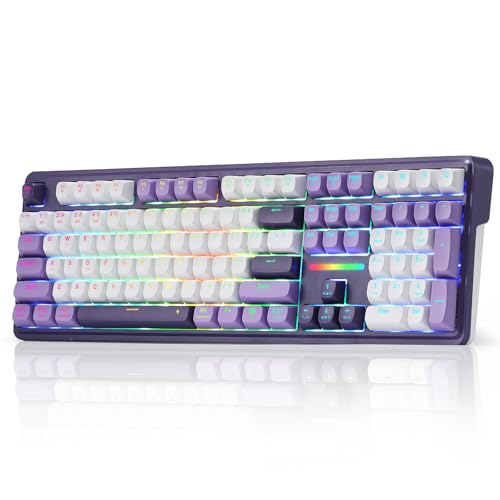
The GEODMAER 65% keyboard, at around $17, shows how much you can get for very little: backlighting, 11 media keys and a detachable Type-C cable in a compact layout.
Wired vs Wireless (2.4GHz, Bluetooth)
Wired keyboards, like the K120, Corsair K55 CORE and TECKNET, need no batteries and have no lag. Wireless keyboards cut cable clutter.
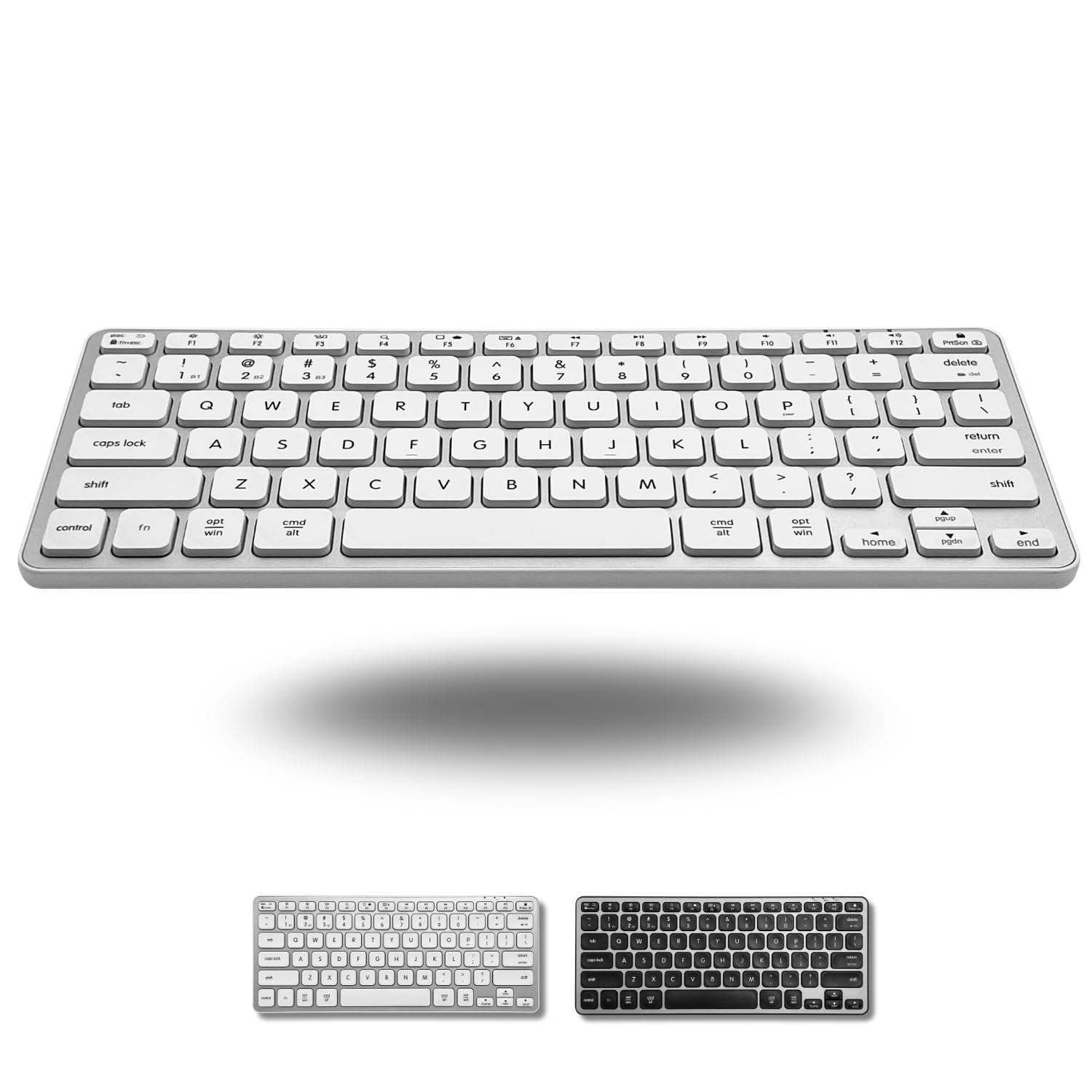
The Logitech K270 uses a USB receiver with up to 33 feet of range and lists 24 months of battery life. Bluetooth keyboards, like the Macally for Mac and Logitech K780, connect to computers, tablets and phones. Tri mode keyboards, like the K745 PRO, switch among USB-C, Bluetooth and 2.4GHz.
If your laptop only has USB-C ports, a Bluetooth keyboard or a keyboard with a USB-C cable avoids adapters. GEODMAER, for example, uses a detachable Type-C cable.
Wireless keyboards with auto sleep save battery.
Weight and Build Quality
Metal top plates, like the Redragon K552's, add rigidity and durability. Plastic bodies are lighter and cheaper. Adjustable tilt legs, found on the K120 and TECKNET, let you change typing angle. Detachable wrist rests, like the Redragon K515's magnetic rest, add comfort.
Keycap material affects feel over time. Redragon says the K745 PRO uses PBT keycaps that resist the greasy shine ABS keycaps develop, while most budget keyboards use ABS.
A heavier keyboard with rubber feet stays put during fast typing and gaming, while light keyboards are easier to carry between rooms.
Compatibility (PC, Mac, Tablet, Console)
Most budget keyboards work with Windows. Logitech lists Windows 7 and later for the K120 and K270.
TECKNET lists Windows and Mac OS. Mac users may prefer keyboards with Mac layouts, like Macally's. Console support varies, so check before buying for a game console.
Multi device Bluetooth keyboards, like the Logitech K780 and Lenovo's multi device keyboard, switch between a computer, tablet and phone with a button, which helps people who work across devices.
Check the listing for your system before ordering.
Durability and Warranty
Spill resistance protects against coffee accidents; Corsair lists 300ml of spill resistance on the K55 CORE, and TECKNET adds drainage holes. GEODMAER lists over 10 million keystrokes of lifespan. Brands like TECKNET offer lifetime support with registration.
Logitech says its K120 uses 51% certified post consumer recycled plastic, which appeals to shoppers looking for lower impact products.
Logitech also highlights anti fade keys on the K120, so letters stay readable after years of use.
Customization and Software
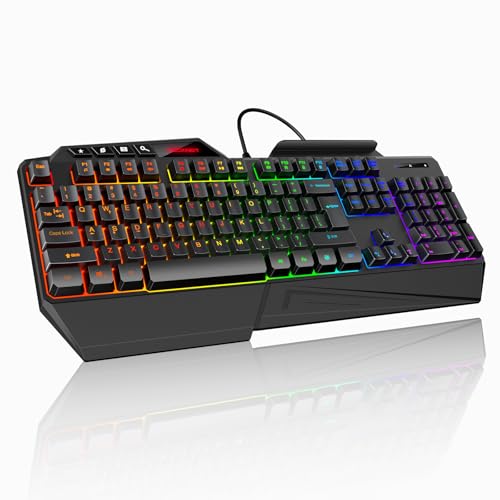
Gaming keyboards often support lighting and macro software. The Redragon K515 includes 4 onboard macro keys that work without software, and the K745 PRO lets you reassign hotkeys and program macros. Corsair's K55 CORE adds ten zone RGB lighting. Basic office keyboards skip software entirely.
Anti ghosting matters for gaming. TECKNET and Redragon list 26 anti ghosting keys, and Corsair lists 12 key rollover with 1,000Hz polling on the K55 CORE.
Dedicated media keys, like the Corsair K55 CORE's four buttons and the K270's eight hotkeys, save time on volume and playback without software.
Onboard memory keeps settings when you move the keyboard to another computer.
Rookie Mistakes to Avoid
The most common mistake is choosing a layout that does not fit your work, like a compact keyboard when you need a number pad. Another is buying a loud mechanical keyboard for a shared office.
Many people overlook connection type and end up with a keyboard that needs a USB port their laptop lacks. Ignoring Mac or Windows layouts causes key confusion. Finally, chasing RGB lighting over comfort leads to buyer's remorse.
Some buyers also forget to check key layout. Some compact keyboards move or remove keys like Home, End and Delete, which can slow down office work.
Finally, buying the cheapest keyboard without spill resistance can mean replacing it after one coffee accident; many budget options include it at no extra cost.
Read the size and layout details carefully.
Getting Started: Setup and First Use
Plug in wired keyboards or insert batteries and the receiver for wireless ones. For Bluetooth, put the keyboard in pairing mode and select it in your device's settings.
Adjust tilt legs for comfort. Install optional software if you want custom lighting or macros. Position the keyboard so your elbows rest at about 90 degrees and your wrists stay straight.
Keep the keyboard clean with compressed air and a damp cloth, and store wireless keyboards with the power switch off when not in use for long periods.
For gaming keyboards, set up lighting and macros once, then save profiles so you do not lose them.
Keyboards: Your Questions Answered
Membrane or mechanical on a budget?
Membrane keyboards are quieter and cheaper, which suits offices and casual use. Budget mechanical keyboards, like the Redragon K552, offer crisper feel and durability for gamers and typists who like tactile feedback.
Mechanical feel membrane keyboards, like the Redragon K515, sit in between with a smoother press at a membrane price.
Try typing on both types in a store if possible.
Are mechanical keyboards worth it?
Mechanical keyboards are worth it if you type or game a lot and enjoy a precise feel. They last longer and can often be customized, though they are louder than membrane keyboards.
Linear red switches, like those on the K552, feel smooth and quiet for mechanical keys, while clicky switches are louder.
Budget mechanical options make trying one easy.
Wired or wireless: which is better for gaming?
Wired keyboards guarantee zero lag and no battery worries, which many gamers prefer. Modern 2.4GHz wireless keyboards perform very well for most players.
Tri mode keyboards let you use wired mode for games and wireless for everyday tasks.
Keep a cable handy for charging.
Does a budget keyboard work with Mac and consoles?
Many work with Mac, though some keys may be labeled for Windows. Mac specific keyboards, like Macally's, match Mac layouts. Console compatibility depends on the console and game.
On Mac, you can remap Windows and Alt keys in system settings if the layout differs.
Our Verdict
The best budget keyboard fits your desk, work and typing style. The Logitech K120 is a reliable wired basic, the Logitech K270 adds wireless freedom, the Redragon K552 brings mechanical feel at a low price and the Corsair K55 CORE and TECKNET add RGB for gamers. Pick the right layout and connection first.
A comfortable, reliable keyboard does not have to cost much, so spend your money on the features you will use every day.
For more desk guides, see the best wireless keyboard and mouse, the best wireless gaming mice, the best desk lamp and the best laptop stands. Then compare current prices in the product table above.