
Best Bluetooth Headsets for Android of 2026: Complete Buying Guide
Disclosure: We may earn a commission when you buy through links on this page, at no extra cost to you. As an Amazon Associate I earn from qualifying purchases. Learn more

Match the best bluetooth headsets for android to your phone with this buying guide covering codecs, battery life, fit, and call quality.
Choosing a headset for an Android phone looks simple until you compare codecs, battery claims, and fit options side by side. The best bluetooth headsets for android pair quickly, sound balanced on calls and music, and stay comfortable through a full workday. This guide explains the specs that actually change your daily experience.
Start with the comparison table below to see how models differ on battery life, Bluetooth version, and water resistance. Then use the sections that follow to match those numbers to your routine.


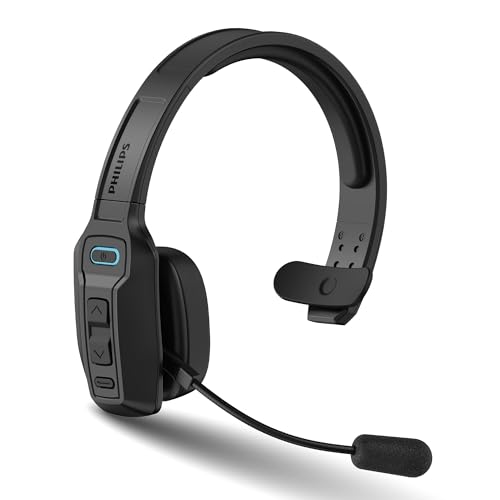

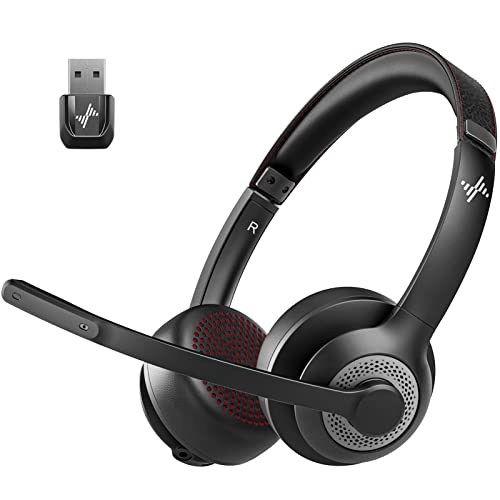

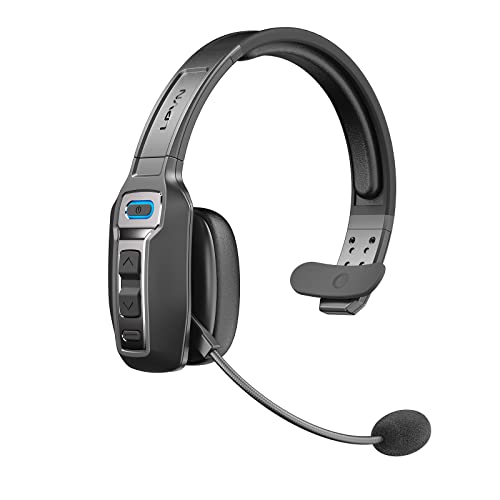
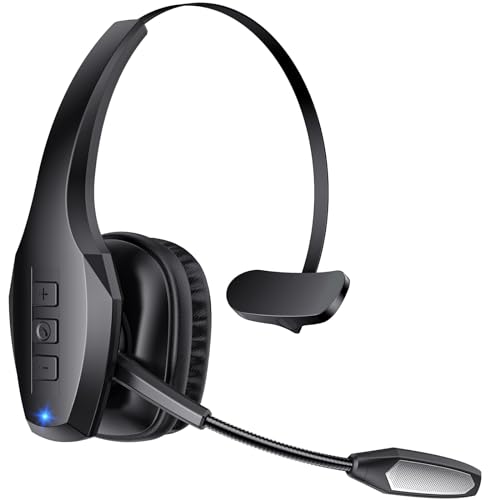
Who Should Buy a Bluetooth Headset for Android?
Android covers phones, tablets, and Chromebooks, so the right headset depends on how you spend most of your listening time. Note which group below sounds most like your routine.
Remote Workers and Frequent Callers
You take calls from home, from a shared office, or from the road, and people need to hear you clearly the first time. Prioritize microphone quality, multipoint pairing, and a fit you can wear for hours. A headset that connects to your phone and laptop at once saves constant repairing when a meeting starts. If your days are call heavy, see our guide to the best bluetooth headsets for calls.
Commuters and Frequent Travelers
You listen on trains, buses, and planes, often in loud surroundings. Active noise cancelling, usually shortened to ANC, matters most for you because it reduces steady low sounds like engine hum. Battery life matters too, since a long travel day can include delays.
Music and Media Listeners
You care most about how songs, podcasts, and videos sound, and you may listen for long stretches at home or at the gym. Look for larger drivers, a tuning you enjoy, and support for higher quality codecs if your phone offers them. Comfort details like soft ear pads or several ear tip sizes will shape your experience more than a long list of extra modes.
How to Choose a Headset That Works Well With Android
The product table above gives you a quick view of headline specs, but those numbers alone do not tell you how a headset will feel day after day. The factors below explain what each spec means and what range to look for.
Android Specific Features and Fast Pairing
Android phones support features that only help if your headset supports them too. Google Fast Pair lets a headset connect with a single tap and then reconnect automatically, and it can show battery levels for the case and each earbud. Check that any companion app is on the Play Store and lets you adjust the equalizer, update firmware, and change controls.
Sound Quality and Tuning
Sound quality starts with the drivers, the small speakers inside each side that move air to create sound. Larger drivers, often around 10 to 12 mm in earbuds, can deliver fuller bass, while smaller drivers can sound clear when tuned well. Frequency response describes the range of low to high tones a headset can reproduce. Tuning matters as much as size. A bass heavy tuning suits workouts, a neutral tuning suits podcasts, and an adjustable equalizer lets you soften harsh highs or lift voices. If sound quality is your top priority, see our guide to the best quality bluetooth headsets.
Battery Life and Charging
Battery life claims need careful reading because brands test under different conditions. A single charge figure tells you how long the headset plays before it needs the case or a cable, while a total figure includes recharges from the case. For most buyers, about 6 to 8 hours per charge for earbuds or 30 hours or more for over ear models covers a full day. Quick charging helps too, since many models add about 1 to 2 hours of playback from a charge of around 10 minutes.
Connectivity, Bluetooth Version, and Codecs
Bluetooth 5.3 is common on current headsets and gives stable connections and better power use. The codec is the method used to send audio from your phone to the headset. SBC works everywhere, AAC suits many listeners, and LDAC or aptX can carry more detail on phones that support them, though at a small cost in battery use. Check your phone settings to confirm which codecs your model offers before paying extra for one you cannot use. Multipoint pairing is worth confirming if you switch between a phone and a computer. For phone focused pairing notes, see our guide to the best bluetooth headsets for android phones.
Fit, Comfort, and Controls
Fit decides whether good sound stays enjoyable after the first hour. Earbuds should include at least three sizes of ear tips so you can get a gentle seal without pushing them deep, and that seal is what lets bass sound full and outside noise stay low. Over ear models rely on clamping force and pad softness instead, so look for plush pads and a headband that spreads weight evenly. Physical buttons are easier to find with gloves, while touch panels can trigger by accident.
Microphone Quality for Calls and Meetings
A headset microphone has to pick up your voice while ignoring wind, traffic, and room echo. Models with several microphones per side can compare the sound each one hears and favor the one closest to your mouth, which helps your voice stay clear outdoors. If you join video calls often, look for a sidetone option that plays a little of your own voice back to you. A clear mute control you can use without looking is essential in shared spaces.
Types of Bluetooth Headsets Explained
Headsets fall into a few broad styles, and each style trades sound, comfort, and portability in a different way. Knowing your style will narrow the product table above far faster than comparing minor spec differences.
Noise Cancelling Models
Noise cancelling models use microphones to listen to the sound around you and then create an opposing signal that reduces it before it reaches your ears. They work best on steady sounds like plane engines and bus rumble, and less well on sudden sounds like a door slamming. They suit commuters and office workers who need focus. The trade off is a higher price and higher battery use while cancelling is on, so look for a transparency mode that lets announcements back in.
Standard Wireless and Bluetooth Models
Standard wireless models skip active cancelling and focus on sound, fit, and value. Without the extra processing, they often run longer on a charge and cost less. They suit listeners at home, in quiet offices, or on walks in calm areas. If your listening spots are mostly quiet, this type gives you the most audio quality for your budget.
Gaming Models
Gaming models focus on low delay, clear team chat, and long session comfort. Low latency modes reduce the gap between action on screen and sound in your ears, which matters in fast games where footsteps and cues guide your decisions. A detachable microphone boom usually captures voice more clearly than small built in microphones. If gaming is a big part of your routine, see our guide to the best bluetooth gaming headsets.
Pairing, Setup, and Compatibility Checks
A few quick checks will prevent most returns. Confirm your phone runs a recent version of Android, since an outdated system can cause pairing drops that look like a headset fault. Charge the headset fully before the first pairing, because many models ship with a partial charge. To pair, open Bluetooth settings, put the headset into pairing mode, and select its name when it appears. After pairing, play music, take a short call in a mildly noisy room, and walk about 20 to 30 feet from your phone to confirm the connection stays stable.
Common Mistakes to Avoid
- Buying for a codec your phone does not support, so you pay extra for LDAC or aptX and never hear any benefit.
- Judging battery life by the total case figure alone, so the headset runs flat midway through a day away from the case.
- Choosing ear tips by habit instead of testing each size, so a poor seal makes the bass sound thin and the fit feel loose.
- Ignoring the IP rating before workouts or rainy walks, so sweat or rain reaches parts never protected against water.
- Skipping the companion app, so you miss firmware updates and equalizer settings that would have fixed your main complaint.
- Wearing noise cancelling models with awareness off in traffic, so you miss horns and warnings you needed to hear.
Care and Maintenance Tips for Your Headset
Simple habits will keep your headset sounding clear for years. Clean ear tips and ear pads regularly with a soft dry cloth, and use a slightly damp cloth only where the maker allows it. Let everything dry fully before you put the headset back in its case.
- Store the headset in its case or on a stand instead of loose in a bag, where keys can scratch housings and bend hinges.
- Keep firmware updated through the companion app, because updates often improve pairing stability and call quality.
- Charge before the battery sits empty for long periods, and top up the case every few weeks during storage.
- Avoid listening at maximum volume for long sessions, since very high volume strains the drivers and your hearing.
- Wipe charging contacts gently if charging becomes unreliable, because pocket lint can block a clean connection.
Frequently Asked Questions
What features matter most in a Bluetooth headset for Android?
Codec support, Fast Pair, and a good companion app matter most in a Bluetooth headset for Android. Confirm that the headset supports a codec your phone can send, since that pairing decides how much audio detail reaches your ears. One point many buyers miss is notification reading. Some headsets can announce incoming messages through Google Assistant, which is handy when your phone stays in a bag.
How long should the battery last on a Bluetooth headset for Android?
The battery on a Bluetooth headset for Android should last about 6 to 8 hours per charge for earbuds and 30 hours or more for over ear models. Total listening time rises when you count recharges from the case, so check both figures before you compare models. Real life results run shorter with ANC, high volume, or high quality codecs. Choose a model that beats your longest typical day by at least two hours.
What IP rating does a Bluetooth headset need for outdoor use?
A Bluetooth headset needs at least an IPX4 rating for outdoor use in light rain and during sweaty workouts. The first digit after IP covers dust and the second covers water, so a rating like IP67 means strong protection on both counts. Ratings apply to the headset itself and often not to the case, so dry the headset before casing it. Rinse nothing unless the maker says washing is safe.
Is ANC worth the extra cost on a Bluetooth headset?
ANC is worth the extra cost on a Bluetooth headset if you regularly listen in places with steady background noise. It reduces engine hum, cabin drone, and office chatter so you can listen at lower and safer volumes. It adds little on quiet streets or at home, where a good seal already blocks plenty of sound. If you often raise the volume to cover outside noise on your commute, cancelling will likely help you most.
Can a Bluetooth headset connect to an Android phone and a laptop at the same time?
Yes, a Bluetooth headset with multipoint can connect to an Android phone and a laptop at the same time. It stays paired to both and switches to whichever device starts playing audio or receives a call. Not every model includes multipoint, and some enable it only through the companion app, so confirm the setting before you rely on it for work. High quality codecs sometimes switch to a basic codec while multipoint is active.
Final Thoughts
Focus on the few factors that shape your daily use. Match the codec to your phone, choose a fit you can wear for hours, and pick battery life that covers your longest day with room to spare. Then confirm microphone quality if calls matter to you and ANC if your surroundings are loud. Use the comparison table above to check your shortlist against those priorities, and you will land on the best bluetooth headsets for android for your routine without overpaying for features you will never use.


