Best Bluetooth Gaming Keyboards 2026: How to Pick the Right One
Disclosure: We may earn a commission when you buy through links on this page, at no extra cost to you. As an Amazon Associate I earn from qualifying purchases. Learn more

Learn how to choose a bluetooth gaming keyboard by switch type, latency, battery life, and layout, with guidance for PC gaming, multi device use, and travel.
The best bluetooth gaming keyboards balance wireless freedom with the responsiveness gamers expect, and that balance is where many buyers go wrong. The comparison table below compares switch and layout options side by side, while this guide explains latency, battery, and comfort in practical terms.
Bluetooth gaming keyboards connect without a cable, which keeps a desk tidy and makes it easy to switch between a PC, a tablet, and a console. The trade off is that bluetooth can add a small amount of latency compared with a wired connection, and battery life depends on backlighting and polling. Some keyboards offer both bluetooth and a wired mode, which gives you flexibility for competitive play and casual use.





The Basics
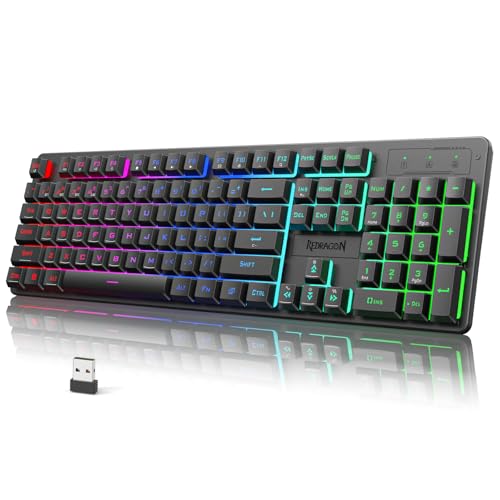
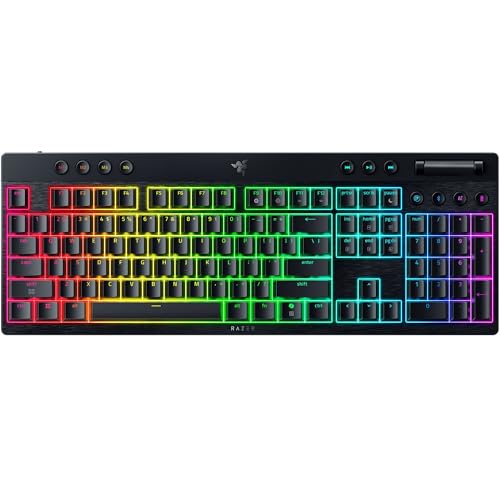
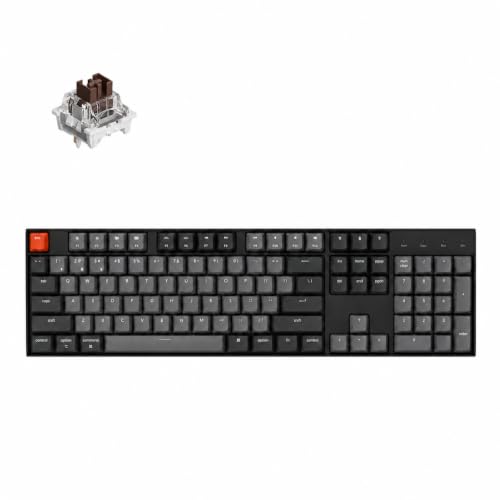
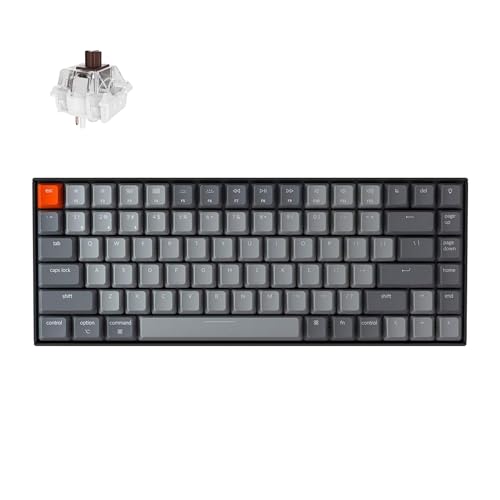
Switch type affects feel, sound, and speed. Mechanical switches offer a tactile or clicky feel and are popular with gamers, while membrane and scissor switches are quieter and often thinner. Switch choice is personal, so try different switches if you can before committing. Layout matters too: a full size keyboard includes a number pad, a tenkeyless layout drops the number pad for more mouse room, and a compact layout saves even more desk space.
Battery life is quoted in very different ways, so check whether the figure assumes backlighting on or off. A keyboard that lasts weeks with backlighting off may last only days with bright RGB lighting on. Charging via USB C is now common and convenient, and a keyboard that works while charging avoids downtime during a gaming session.
Key Features to Compare
Switch Type and Feel
Mechanical switches come in linear, tactile, and clicky varieties, each with a different feel and sound. Linear switches feel smooth and fast, tactile switches give a bump at the actuation point, and clicky switches add an audible click. For shared rooms, a quieter linear or tactile switch may be more considerate than a loud clicky switch, even if you prefer the clicky feel.
Latency and Connection Modes
Latency is the delay between pressing a key and the action appearing on screen. Bluetooth latency is usually fine for casual and single player games, but competitive players may prefer a wired connection or a dedicated wireless receiver. A keyboard with multiple connection modes lets you use bluetooth for everyday work and a wired connection for fast paced games.
Battery Life and Backlighting
Battery life depends heavily on backlight brightness and whether RGB effects are running. A keyboard with a large battery and adjustable backlighting will last longer in practice than a keyboard with a small battery and always on lighting. Look for a battery indicator or a low battery warning, so you are not caught out mid game.
Layout and Desk Space
A full size layout suits gamers who use the number pad for macros or work, while a tenkeyless layout gives more room for mouse movement, which helps in fast paced games. A compact 75 percent or 65 percent layout saves even more space but moves or removes some keys. Choose a layout that keeps your most used keys within easy reach without crowding your mouse hand.
Build, Keycaps, and Comfort
A sturdy frame reduces flex during intense typing, and quality keycaps resist shine and wear over time. Check keycap material and whether keycaps are easy to replace, because worn keycaps affect feel. A detachable wrist rest or a keyboard with a comfortable height can reduce wrist strain during long sessions, but comfort is personal, so test height and angle if possible.
Who Should Buy Which Type
For PC Gamers
PC gamers need responsive switches, a layout that leaves room for the mouse, and a connection mode for competitive play. A tenkeyless or full size keyboard with mechanical switches and a wired option is a strong starting point. Prioritise switch feel and latency over RGB effects, because effects do not improve gameplay.
For Multi Device Users
If you switch between a PC, a tablet, and a phone, bluetooth multi device pairing is a major advantage. Look for a keyboard that pairs with three or more devices and switches between them with a single key press. A compact layout is easier to carry between devices, and a long battery life means less frequent charging.
For Travel and Small Desks
For travel or a small desk, a compact bluetooth keyboard with a slim profile and a protective case is practical. A shorter layout saves bag space, and a keyboard that charges via USB C can share a charger with other devices. Accept a smaller layout in exchange for portability, but check that essential keys are still easy to reach.
Related Choices to Compare
If you are also weighing a nearby option, compare the best gaming keyboard, the best bluetooth gaming keyboard and mouse sets, the wider best bluetooth keyboards, or the best affordable gaming keyboards. Each one changes the balance between switch feel, price, and connection options.
Common Mistakes and Care
A common mistake is buying a keyboard for its lighting alone and discovering the switches feel wrong or the layout crowds the mouse. Another mistake is assuming bluetooth battery figures apply with full backlighting on, which can lead to frequent charging. Test switches and layout first, then check battery life with your usual lighting settings.
Keep keycaps clean with a soft brush or compressed air, wipe the frame gently, and avoid eating over the keyboard to reduce debris. Charge before the battery runs flat, update firmware as the maker suggests, and store a travel keyboard in a case to protect keycaps. Simple care will keep switches feeling consistent for longer.
Frequently Asked Questions
Is bluetooth fast enough for gaming?
Bluetooth is fast enough for casual, single player, and many multiplayer games, where a small delay is rarely noticeable. For highly competitive play, a wired connection or a dedicated wireless receiver may feel more responsive. A keyboard with both bluetooth and wired modes gives you the best of both worlds for different game types.
What switch type is best for gaming?
There is no single best switch, because feel is personal. Linear switches are smooth and fast, tactile switches give feedback at actuation, and clicky switches are loud but satisfying for some players. Try switches in a shop or with a switch tester if possible, and consider noise if you share a room.
How long does a bluetooth gaming keyboard battery last?
Battery life varies from days to months depending on battery size, backlighting, and use. With backlighting off, many keyboards last weeks, while bright RGB lighting can reduce that to days. Check whether quoted figures assume backlighting on or off, and choose a model with a battery indicator. A clear indicator helps you charge before a long session rather than losing power mid game.
Should I choose a full size or tenkeyless keyboard?
A full size keyboard suits players who use the number pad often, while a tenkeyless keyboard gives more mouse room and a more compact desk setup. Many gamers prefer tenkeyless for fast mouse movement, but the choice depends on your games and work. If you rarely use the number pad, tenkeyless is often the better fit.
Can I use a bluetooth gaming keyboard with a console?
Many bluetooth keyboards work with consoles that support bluetooth input, but compatibility varies by console and game. Check the console maker guidance and the keyboard specifications before buying for console use. For PC gaming, compatibility is usually broader, especially with a wired mode as a fallback. Test console pairing before a long session, because game support can differ from system menus.
Final Thoughts
Prioritise switch feel and layout, then check latency modes and battery life with your usual lighting. A keyboard that feels right and connects reliably will improve gaming far more than extra lighting effects. The comparison table above can help you compare switch and layout options.
For most gamers, best bluetooth gaming keyboards come down to switches you enjoy, a layout that suits your desk, and a connection mode for both casual and competitive play. Get those right and wireless gaming will feel natural.