
Best Bed Bug Monitors in 2026: Everything to Know Before Your First Purchase
Disclosure: We may earn a commission when you buy through links on this page, at no extra cost to you. As an Amazon Associate I earn from qualifying purchases. Learn more

Shopping for the best bed bug monitors for the first time? Learn the terms, compare options, and avoid rookie mistakes with this easy guide.
Finding one bug near a bed raises a hard question: is it a lone traveler, or is there a hidden group nearby? The best bed bug monitors help you answer that question with evidence instead of guesswork. This guide explains the main types and shows you how to place and check them. Use the product table to match each type to your rooms.
A monitor does not treat an infestation. It catches bugs as they travel toward a sleeping person, so you can confirm activity early and decide your next step. That simple job makes fit, placement, and steady checking more important than fancy claims.




Who Should Buy Which Bed Bug Monitors?
Your situation decides whether you need simple leg traps, flat passive monitors, or active models that use a lure.
Renters Who Need Proof Before Calling a Landlord
You need clear evidence you can show in a photo and describe in a dated note. Interceptor traps under bed legs suit you well, since a caught bug is easy to see and hard to dispute. Place them on every leg, keep a simple log of dates and counts, and share the log when you request help. Avoid moving the traps, because a steady record is more convincing than scattered finds.
Travelers Checking a Room After a Trip
You want a quick check at home rather than a full treatment. Passive monitors beside a suitcase stand or along the wall near your bed can catch bugs that rode home in luggage. Keep luggage away from the bed and check the monitors weekly. If counts rise instead of staying at zero, treat the problem as active and get professional advice.
Homeowners Watching a Home After Treatment
You need proof that treatment worked and a warning if bugs return. Interceptors on beds and sofas give you an ongoing record where people rest. Pair the traps with our guide to the best bed bug covers for mattresses to close off a common hiding place while you monitor.
Key Features to Compare
Compare these factors in order. Fit and easy inspection matter more than pack size.
Monitor Type and How Each Type Works
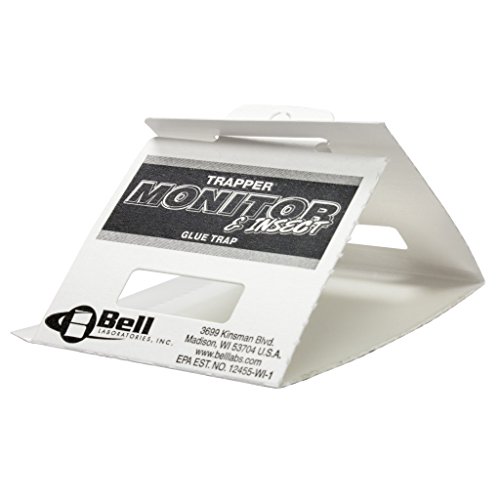
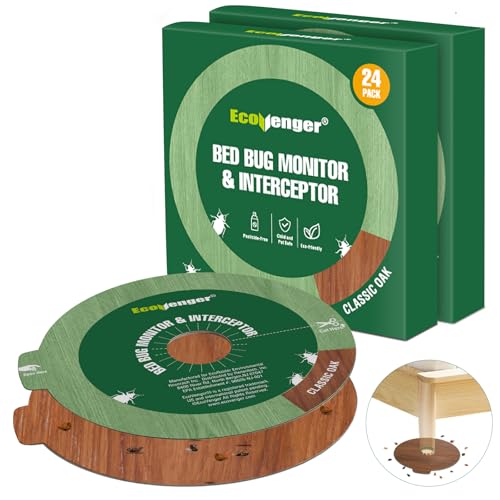
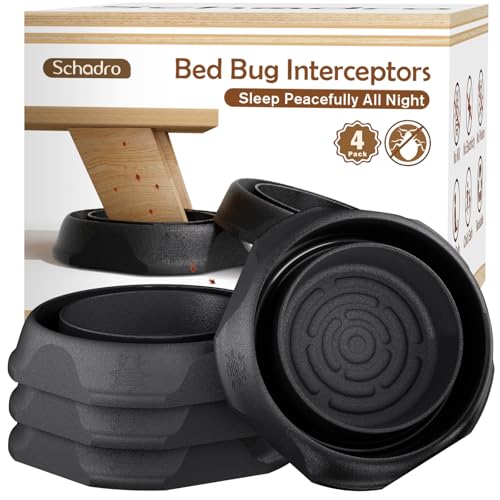
Interceptor traps are cups under furniture legs, with a rough outer wall bugs can climb and a smooth inner wall. Bugs fall into the ring between the walls and cannot climb back out. Passive monitors are flat folders that give bugs a dark, tight hiding place you open to inspect. Active monitors add heat, carbon dioxide, or a scent lure, and they cost more and need refills. Choose interceptors for beds, passive styles for travel checks, and active models only for faster answers in an empty room.
Fit Around Bed Legs and Furniture Legs
An interceptor only works when the leg sits fully inside the center well and the cup carries the weight without cracking. Measure each leg at its widest point, including casters and square posts, then compare that size with the well size the maker lists. Round wells suit most round legs, while wide posts may need a larger or rectangular style. If a leg is too wide, the cup tilts and bugs can bypass it.
Pitfall Walls, Texture, and Escape Resistance
Good pitfall design depends on contrast. The outer surface should feel slightly rough so bugs gain grip as they climb toward the bed. The inner walls of the capture ring should feel smooth and steep, so a trapped bug slides back when it tries to leave. Some models use a light dusting of talc to make walls slicker, and you must keep that coating dry. Dust, carpet fibers, and pet hair inside the ring create tiny ladders, so an open ring you can wipe clean holds its edge longer.
Inspection Ease and Visibility of Caught Bugs
You will check these devices many times, so easy reading matters. Light colored plastic makes dark bugs and shed skins stand out at a glance. A wide, open ring lets you count without picking the cup up and disturbing the bed. Passive monitors should open flat without tearing, so you can see into every fold. If a monitor needs tools for every check, you will skip checks, and gaps in your record can hide a growing problem.
Count per Room, Durability, and Total Cost
One bed with four legs needs four interceptors, and a sofa used for sleeping needs its own set. Count every sleeping spot before you buy, then add spares for breakage. Thick plastic that survives a vacuum bump is worth more than a thin cup that cracks in week one. Simple interceptors often run about $15 to $40 for a multipack, while active monitors can cost about $50 to $150 plus refills. When you compare the best bed bug monitors for a whole home, the honest price is the cost to cover every leg, not one pack.
Your First Setup: Placing Bed Bug Monitors Step by Step
Start by preparing the bed. Pull it a few inches from walls and nightstands, so every route to the mattress runs through a leg. Wash and dry bedding on high heat, and see our guide to the best bed sheets if you need spare sets to rotate during weekly laundry. Tuck in loose blankets so nothing drapes to the floor.
Lift one corner at a time and set each leg squarely in the center of its interceptor. Work with a partner for heavy frames, and keep fingers clear as you lower the leg. Check that each cup sits flat and that the leg does not touch the outer ring. On thick carpet, place a firm board under each cup only if the maker allows it, since a tilted cup can crack under load.
Place passive monitors where bugs travel but people do not step: along baseboards near the bed, behind the headboard, and beside luggage storage. Write the date and location on each one. Then inspect weekly and note counts by location. A catch that keeps growing in one corner points to a hiding place, which a pest professional will ask about. If bites cause swelling that spreads fast, trouble breathing, or fever, seek medical care promptly and talk with your clinician about your symptoms.
Common Mistakes to Avoid
- Placing monitors on only two bed legs leaves open routes, so bugs reach the bed without ever meeting a trap.
- Letting blankets or cords touch the floor creates a bridge that bypasses every interceptor you installed.
- Checking once and removing the traps misses late hatching eggs, so early calm can hide a returning group.
- Using a monitor as your only response to heavy activity delays treatment while the group keeps growing.
- Moving traps between rooms each week breaks your location record, so you lose the pattern that shows where bugs hide.
Care and Maintenance of Bed Bug Monitors
Empty interceptor rings into a sealed bag, then wash the cups with soap, dry them fully, and reset them the same day. Inspect plastic monthly for cracks at the base of the well, and replace any cup that flexes or leaks talc onto the floor.
Replace passive monitors when the folds fill with dust or the cardboard softens, since a dirty harborage stops looking sheltered to bugs. Active models need fresh lures on the schedule the maker states. Keep spare cups and refills near your log, so a broken trap never waits for a replacement.
FAQ
How long should bed bug monitors stay in place after setup?
Bed bug monitors should stay in place for at least eight to twelve weeks of weekly checks. Eggs hatch over time, and hungry bugs may wait before traveling, so a short watch can end too soon. After treatment, many homeowners keep interceptors for six months as an early warning. Keep your dated log, since a single catch in month three changes the advice a professional will give you.
Can bed bug monitors stop an infestation on their own?
No, bed bug monitors cannot stop an infestation on their own. They catch bugs that cross them, but groups hiding in a headboard seam can keep breeding away from the traps. Think of monitors as evidence tools that guide treatment. When activity is confirmed, compare next steps such as our guide to the best bed bug sprays and our guide to the best bed bug vacuums, and weigh professional help for larger problems.
Are bed bug monitors safe around children and pets?
Plain interceptor and passive monitors are safe around children and pets because they use no poison. The risk points are small parts, talc coatings, and lures in active models, so place those out of reach and follow label directions. Check cups after rough play nearby, since a cracked trap stops working. If a child or pet swallows a lure packet, call a doctor, a veterinarian, or a poison helpline right away.
What should you do when a bed bug monitor catches one bug?
Save the bug in a sealed jar or take a clear photo when a monitor catches one bug. Note the date, the room, and which location produced the catch. One bug can be a lone arrival from travel, but it can also be the first sign of a hidden group. Inspect seams and screw holes on that bed the same day, and keep monitoring for the full watch period before deciding it was a single visitor.
Do bed bug monitors work on sofas and recliners?
Yes, bed bug monitors work on sofas and recliners when each leg or base point sits inside a trap. Wide bases and glides are harder to fit than plain legs, so measure first and count every contact point with the floor. Sofas used for naps deserve the same weekly checks as beds. A catch on a sofa leg often points to a hiding place in the nearest seam, so inspect there first.
Final Thoughts
Begin where people sleep, fit each trap to its leg, and commit to weekly checks with a dated log. Type, fit, and inspection ease matter more than pack size or bold claims. Use the product table to confirm well size and count per pack before you order.
Chosen with those points in mind, the best bed bug monitors turn a worrying guess into a clear record you can act on. Start with one bed and extend coverage room by room.


