
Best Battery Video Doorbell: Types and Buying Tips (2026)
Disclosure: We may earn a commission when you buy through links on this page, at no extra cost to you. As an Amazon Associate I earn from qualifying purchases. Learn more

Battery design, WiFi at the door and storage fees decide the fit. Compare three types to find the best battery video doorbell for your home.
A battery doorbell sounds simple until you start comparing charge life, alert accuracy, and storage costs. The best battery video doorbell for your home depends on how busy your porch is, how strong your WiFi signal is at the door, and whether you want clips stored in the cloud or inside your home. This guide compares the three main battery designs by reliability, smart home compatibility, and ease of installation.
This guide groups battery doorbells by type, so you can see which design fits your door before you shop, and the comparison table below lists current options. If you are still weighing doorbell cameras in general, start with our guide to the best video doorbell.
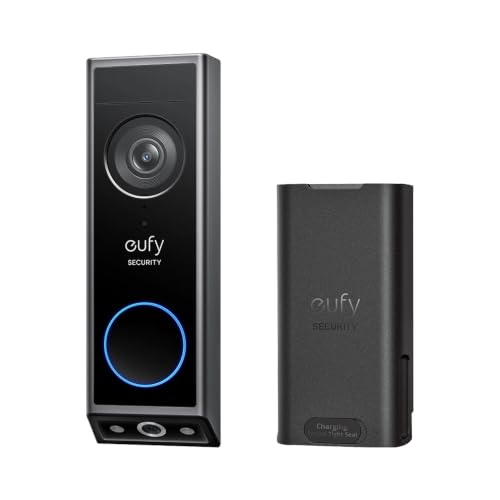
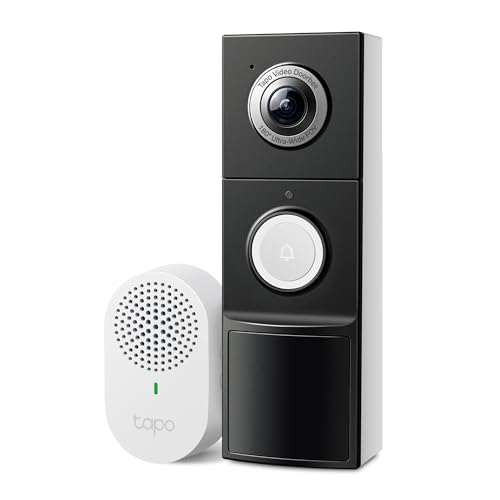
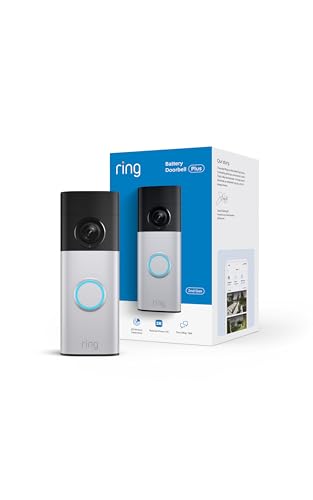


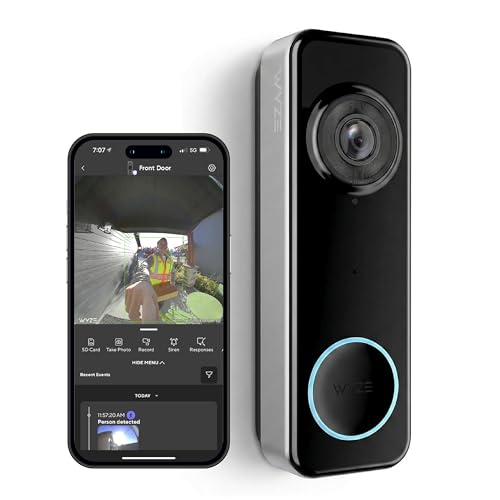

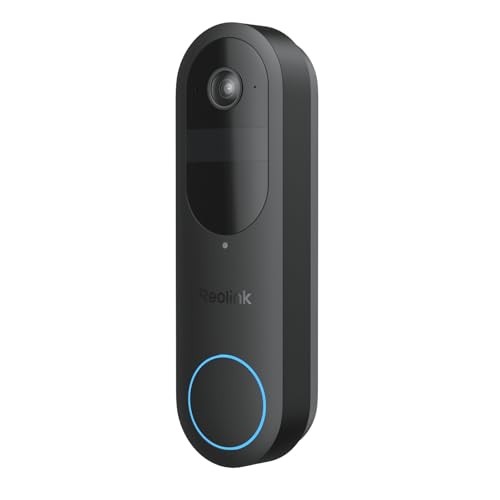
Battery Doorbell Types at a Glance
Battery doorbells fall into three broad designs. Removable pack models let you swap in a charged spare in seconds. Built in battery models charge as one whole unit that comes off the mount. Dual power models run on a battery but can also connect to existing wiring, which keeps the battery topped up.
Three Battery Doorbell Types Compared
Removable Battery Pack Models
A removable pack is the most forgiving design for a busy door. When the app warns you about a low charge, you release the pack, charge it indoors, and click it back in, and many owners keep a spare pack so the doorbell never sits offline. The pack adds a little bulk, and the release latch should be easy for you to reach but not exposed to casual tampering.
Built In Battery Models
With a built in battery, the whole doorbell slides off its bracket and charges through a cable, usually for several hours. These models often look slimmer because there is no separate pack compartment. The tradeoff is downtime, since your door has no camera or chime while the unit charges indoors. This design suits a quiet door where charges are rare and planned.
Dual Power Models
Dual power doorbells run on an internal battery but accept a connection to your existing doorbell transformer wiring. That wiring supplies a slow trickle charge, so the battery drains far more slowly and can also ring your mechanical indoor chime. You give up some placement freedom, because the unit must sit where the wires already are. For a home with working wiring, this is often the lowest effort option.
What Matters Most When You Compare Battery Doorbells
Judge every model against the same five points. Alert reliability and accuracy come first, because a doorbell that misses visitors or cries wolf daily will frustrate you fast. Next check compatibility with Alexa, Google Home, Apple Home, and Matter, then how simple the mounting and charging routine really is. Finish with the subscription cost and the privacy controls.
Who Should Buy a Battery Video Doorbell?
Renters and Apartment Residents
If your lease bans drilling into wiring or replacing the existing bell, a battery model on screws or a no drill bracket is usually the easiest path to a camera at your door. Renters should also read our guide to the best video doorbell for apartments, which covers landlord rules and shared hallway concerns.
Homes Without Working Doorbell Wiring
Many older homes have a painted over bell button, a dead transformer, or no wiring at all. A battery doorbell skips the electrician visit and the hunt for a transformer in the attic or garage. You mount it, pair it with the app, and add a plug in chime if you want an audible ring indoors. Just confirm your WiFi reaches the door.
Households That Want Flexible Placement
Sometimes the best camera angle is not where the old bell sits. A battery model can go on a side post, a gate, or a few inches higher for a clearer view of faces and packages. Test the angle before you commit, and keep the unit within easy reach for charging.
How to Choose the Right Video Doorbell
Type and Video Format
Start with the format that matches your door. Standard single camera models cover most porches, while dual camera designs add a second downward lens aimed at the ground where packages land. Resolution runs from basic high definition up to 2K and 4K, and a tall field of view often matters more than raw pixels, because it shows a visitor head to toe.
Features Worth Paying For
Pay for an indoor chime if your phone is not always in your pocket, and for package detection if deliveries drive your purchase. Person detection that filters out passing cars and swaying branches saves battery and your patience. Local storage is worth a premium if you dislike monthly fees. You can skip very high resolution if your WiFi at the door is weak.
Ecosystem Compatibility
Pick a doorbell that speaks to the platform you already use. Alexa and Google Home support is common, while Apple Home support is less common among battery models and Matter support is still spreading. Check the exact model listing rather than assuming a brand supports every platform. Viewing a live feed on a smart display can also vary by ecosystem.
Wired Versus Battery Power
Battery life claims assume light use, so a door on a busy street with constant motion can drain a pack in weeks rather than months, and cold weather shortens runtime further. Wired power removes that worry but fixes the camera position and may need a transformer upgrade. If your wiring works, our guide to the best wired video doorbell explains when staying wired is smarter.
Subscriptions and Local Storage
Most battery doorbells save motion clips to a cloud plan, and without the plan you may get only live view and still photos. Plans usually cost a few dollars a month per doorbell or a higher flat rate for a whole home. Local storage models record to an indoor hub or a memory card, which removes the fee but puts recordings at risk if the hub is stolen.
Privacy and Security
Turn on two factor authentication for the doorbell account and keep sharing limited to people who live in the home. Look for encrypted video transfer and storage, clear controls for deleting clips, and the option to mute audio recording where local rules restrict it. Motion zones and privacy zones help you avoid recording a neighbor yard.
How Much Should You Spend?
Models under $50 cover basic video and motion alerts and suit a quiet door. Spending about $50 to $100 usually adds better detection and longer battery life. In the about $100 to $200 range you gain sharper video, dual cameras, or local storage hubs. Above about $200, expect premium build and longer support. Budget for a chime and a possible spare pack too.
Battery Versus Other Video Doorbells: Pros and Cons
The strengths are clear. Installation takes minutes with no wiring skills, placement is flexible, and the unit moves with you when you relocate. For shoppers comparing connection styles, our guide to the best wireless video doorbell explains how battery models overlap with the wider wireless category. Battery doorbells also keep working during a short power cut, as long as your router stays up.
The weaknesses are just as real. Every battery model needs periodic charging, so a neglected charge means a dead camera at the worst moment. Cold snaps, busy sidewalks, and long clip settings all shorten the time between charges. Battery models also limit some always on recording features that wired models handle easily.
Installing and Setting Up a Battery Doorbell
Mount the bracket at about chest height, use the wedge included with many models to angle the camera toward visitors, and test the live view before you tighten the final screws. Our step by step guide on how to install a video doorbell walks through tools, mounting surfaces, and angle checks.
Charge the battery fully before the first pairing, connect the doorbell to your home WiFi in the app, and set your motion zones before you judge alert quality. The companion walkthrough on how to set up a video doorbell covers app accounts, chime pairing, and notification settings.
Common Mistakes to Avoid
- Mounting the doorbell where afternoon sun hits the lens directly, which washes out faces and overheats the battery.
- Leaving motion sensitivity at the highest setting on a busy street, which drains the pack and floods your phone with alerts.
- Skipping the WiFi signal check at the door, which leads to choppy live view and delayed notifications.
- Forgetting to budget for the cloud plan, which leaves you without saved clips after the trial ends.
- Placing the unit too high to reach for charging, which turns a simple task into a ladder job every time.
Care and Maintenance
Recharge on a schedule instead of waiting for a dead battery warning, since a pack charged before it runs flat wears less than one drained fully each cycle. Check that the mounting bracket and security screw stay snug when you handle the unit. Keep the spare pack indoors at room temperature rather than in a cold garage.
Install firmware updates when the app offers them, because updates often improve motion detection and patch security issues. Once or twice a year, inspect the charging contacts for dirt or corrosion and clean them gently with a dry cotton swab. If runtime drops sharply even in mild weather, the pack is aging, so price a replacement before it fails.
FAQ
What is the best battery video doorbell for a door that faces the street?
The strongest choice for a street facing door is a model with precise motion zones, person detection, and a removable or dual power battery, because constant passing traffic punishes weak filtering and short runtime. Angle the camera slightly away from the road so cars stay outside the main detection area. Also check how the porch light falls at night, since glare can fog faces.
Are battery video doorbells worth it compared with wired models?
Yes, if your home lacks working wiring or you cannot modify the door area, because a battery model gives you video, alerts, and two way talk without an electrician visit. The value fades if your door is extremely busy, since frequent charging becomes a chore. Count the full cost over a few years, including a cloud plan and a possible spare pack.
How long does a battery video doorbell last before it needs replacing?
The doorbell itself can serve for several years, while the battery is the part that wears out first. Expect the charge per cycle to shrink gradually as the pack ages through hundreds of charges. Models with a removable pack gain extra life because you can replace just the pack. Keeping the battery off a sun baked wall also slows that wear.
Is a video doorbell worth it if you already have a porch light and a lock?
It adds something neither of those provides, which is a record. A doorbell camera logs delivery times, shows who came to the door while you were out, and lets you speak to a visitor from work or vacation. That record helps settle delivery disputes and lets you screen unexpected callers without opening the door.
How do you clean a battery video doorbell without damaging it?
Start by switching the doorbell to its off or privacy mode in the app so handling it does not trigger a stream of alerts. Wipe the lens with a clean microfiber cloth using light pressure, and use a cloth barely dampened with water only if dust will not lift. Never spray cleaner directly on the unit or use abrasive pads, because lens coatings scratch easily.
What is the most reliable battery video doorbell brand?
No single brand wins for every home, because reliability depends as much on your WiFi strength at the door and your charging routine as on the maker. A more useful check is how long the maker supports a model with firmware updates and whether replacement batteries and mounts stay available. Read the warranty terms before you buy.
Final Thoughts
Match the battery design to your door first, then compare detection quality, storage costs, and platform support within that type. The product table above pulls those tradeoffs together so you can shortlist with confidence. Whichever route you take, the best battery video doorbell is the one whose charging routine fits your habits, because a doorbell that stays charged is the one that is there when it matters.

