
Best B&W Photo Printers 2026: Inks, Papers and Sizes
Disclosure: We may earn a commission when you buy through links on this page, at no extra cost to you. As an Amazon Associate I earn from qualifying purchases. Learn more

Choose the best b&w photo printers by gray tone quality, ink system, paper, print size and running cost for neutral monochrome prints.
Black and white prints reward a printer with good grays, and the best b&w photo printers are the ones that keep neutral tones free of color casts while preserving detail in deep shadows. A model that produces lovely color photos can still struggle with a tinted gray, so black and white work has its own checklist.
This guide explains the ink systems, paper, size and running costs that matter, so you can match a printer to the kind of monochrome prints you want to make.
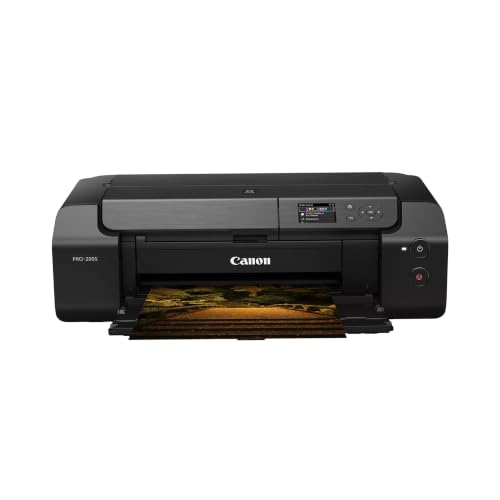
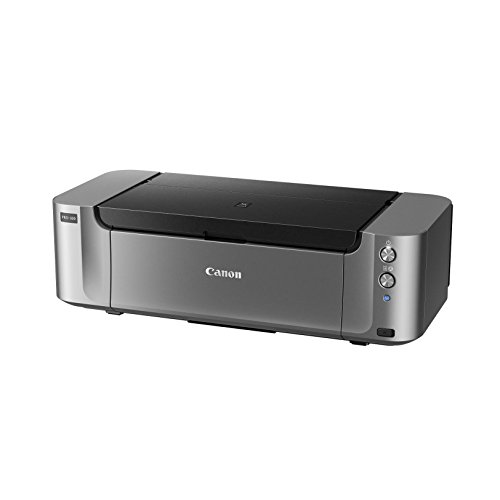
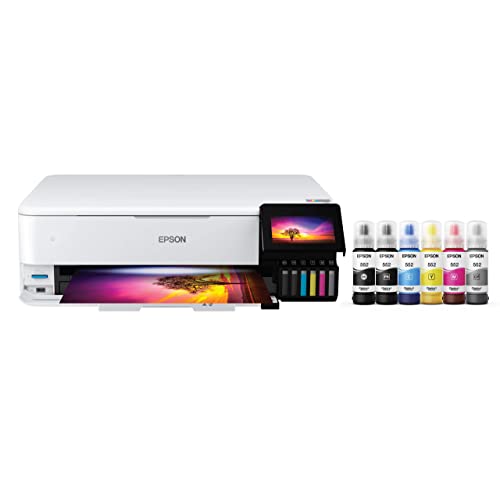

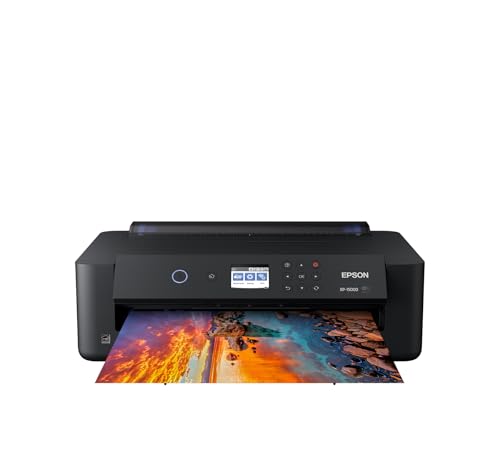
Why Black and White Prints Need Special Attention
In color photography small tint errors hide inside the image. In a monochrome print every shade of gray is visible, so a slight green or magenta cast stands out. Printers with extra black and gray inks can place tones more smoothly, which reduces that cast and lifts shadow detail.
That is why photographers who focus on monochrome work look for printers with photo black, matte black and several gray inks, rather than a basic home inkjet with a single black cartridge.
Ink Systems and Gray Tones
Pigment inks resist fading and smearing and suit fine art papers, while dye inks can give vivid color on glossy paper. Professional photo printers usually combine pigment inks with multiple gray channels, which gives smooth transitions from highlights to shadows.
Supertank photo printers use refillable tanks and can lower the cost per print for people who print often. Cartridge models cost more per page but are simple and compact. Choose the system that suits the volume you expect.
Paper and Finish
Paper changes the character of a black and white print as much as the printer. Matte and fine art papers give a soft, gallery look, while glossy and luster papers give deeper blacks and a crisp feel. Baryta style papers add a classic darkroom feel.
Use paper that the printer maker supports, and install the correct profile so the printer driver handles the ink and paper pairing properly. Mismatched profiles are a common source of color casts in gray prints.
Print Size and Format
Decide your largest regular print. Compact models handle 4x6 and 5x7 inch prints, desktop 13 inch printers make 13x19 inch prints, and wide format models go beyond. Larger machines cost more, use more ink and need more space.
If you mainly share small prints, a compact model keeps costs low. If you frame or sell prints, a 13 inch printer is a practical standard.
Running Cost and Maintenance
Ink costs add up quickly with a multi ink photo printer. Compare cartridge prices and expected yields, and remember that deep black and white images use more black and gray ink than light snapshots.
Print regularly to keep nozzles clear, run the maintenance routine when a nozzle check pattern shows gaps, and store paper flat in a dry place. Following the maker guidance on cleaning and storage keeps prints consistent.
Choosing Among the Best B&W Photo Printers
Start with how you present your work. If you share prints with friends and family, a compact photo printer or a supertank all in one is enough. If you make exhibition prints, a pigment based 13 inch printer with several grays is worth the extra money.
Next, think about running costs and how often you print. Heavy users benefit from refillable tanks, while occasional printers may prefer cartridges that do not dry out as easily. Finally, check software support for your computer and the paper types you want to use.
When you narrow the list, compare reviews from photographers who print monochrome, since their experience with grays and papers tells you more than a general speed or price comparison.
Software and Color Management
Many photo printers offer a dedicated black and white mode in the driver or companion software. These modes print using the black and gray inks only, which avoids color casts. Use a calibrated monitor if you can, and soft proof your image with the paper profile before printing.
Start with a small print to check tone and contrast, then adjust the image rather than the driver settings until the print matches what you expect.
Storing and Displaying Your Prints
Let fresh prints dry flat before stacking them, especially on matte paper where pigment ink needs time to settle. Store finished work in archival sleeves or boxes, away from heat, humidity and direct sun, and handle prints by the edges with clean hands.
When you frame a print, use mats that keep the surface off the glass and choose materials made for photographs. Good storage and framing protect the effort you put into every print.
Mistakes to Avoid
- Choosing a basic color inkjet for demanding monochrome work.
- Using the wrong paper profile and getting a tinted gray.
- Ignoring ink cost on a large format printer you will print on rarely.
- Letting the printer sit unused for months with clogged nozzles.
- Buying more print size than your space or workflow needs.
Related Guides
For broader options, read our guides to the best photo quality printers, the best printers for photo printing and the best printers to print photos. For smaller prints, see the best compact photo printers, and for everyday documents, the best b&w printers.
Frequently Asked Questions
Do I need a special printer for black and white photos?
You can print monochrome on any photo printer, but models with extra black and gray inks give smoother tones and fewer color casts.
Is a laser printer good for photos?
Laser printers are great for text, but inkjet photo printers produce smoother gradients and better detail for photographs.
Which paper is best?
It depends on the look you want. Matte and fine art papers give a soft finish, while luster and glossy papers give deeper blacks.
How can I avoid color casts?
Use the right paper profile, choose the black and white mode in the driver and print a small sample before a large print.
How often should I print?
Printing every week or two helps keep nozzles clear. Run the maker maintenance routine if lines appear.
Final Thoughts
The best b&w photo printers combine extra gray and black inks, support for good paper and a print size that matches your workflow. Compare the models in the product table above, think about ink cost, and choose a printer you will enjoy using for years.

