ASUS
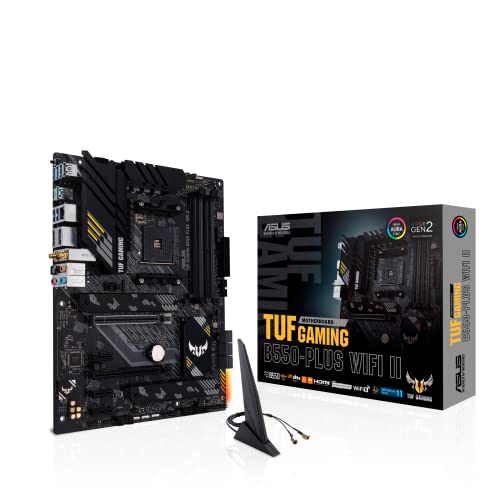
ASUS TUF Gaming B550-PLUS WiFi II AMD AM4 (3rd Gen Ryzen™) ATX DDR4 Gaming Motherboard (PCIe 4.0, WiFi 6, 2.5Gb LAN, BIOS Flashback, USB 3.2 Gen 2, Addressable RGB Header and Aura Sync)
Disclosure: We may earn a commission when you buy through links on this page, at no extra cost to you. As an Amazon Associate I earn from qualifying purchases. Learn more
Highlights
- AMD AM4 Socket and PCIe 4.0: The perfect pairing for 3rd Gen AMD Ryzen CPUs.Bluetooth v5.2
- Robust Power Design: 8+2 DrMOS power stages with high-quality alloy chokes and durable capacitors to provide reliable power for the last AMD high-count-core CPUs
- Optimized Thermal Solution: Fanless VRM and PCH heatsink, multiple hybrid fan headers and fan speed management with Fan Xpert 4 or the UEFI Q-Fan Control utility
- High-performance Gaming Networking: WiFi 6 (802.11ax), 2.5 Gb LAN with ASUS LANGuard
- Best Gaming Connectivity: Supports HDMI 2.1 (4K@60HZ) and DisplayPort 1.2 output, featuring dual M.2 slots (NVMe SSD)—one with PCIe 4.0 x4 connectivity, front panel USB 3.2 Gen 1 connector, USB 3.2 Gen 2 Type-C & Type-A ports and Thunderbolt 3 header, 1 x SPI TPM header
Why You'll Love It
- Connects third-generation AMD Ryzen processors using the AM4 socket and fast PCIe 4.0 bandwidth
- Maintains smooth electricity delivery to multi-core processors with an 8+2 DrMOS power design
- Dissipates heat without extra noise using dedicated fanless heatsinks for the VRM and chipset
- Provides quick wireless connections and wired internet through integrated WiFi 6 and 2.5Gb LAN
- Offers versatile high-speed storage configurations via dual M.2 solid-state drive slots
- Simplifies firmware maintenance without hassle using the integrated rear BIOS Flashback feature
Pros
- +Integrated WiFi 6 and fast 2.5Gb LAN networking
- +Built-in PCIe 4.0 support for fast M.2 drives
- +Rear BIOS Flashback button for quick updates
- +Quiet fanless heatsink cooling layout
- +Multiple high-speed USB 3.2 Gen 2 ports
Cons
- -Only one M.2 slot supports PCIe 4.0 speed
- -Uses DDR4 memory instead of newer DDR5
Detailed Review
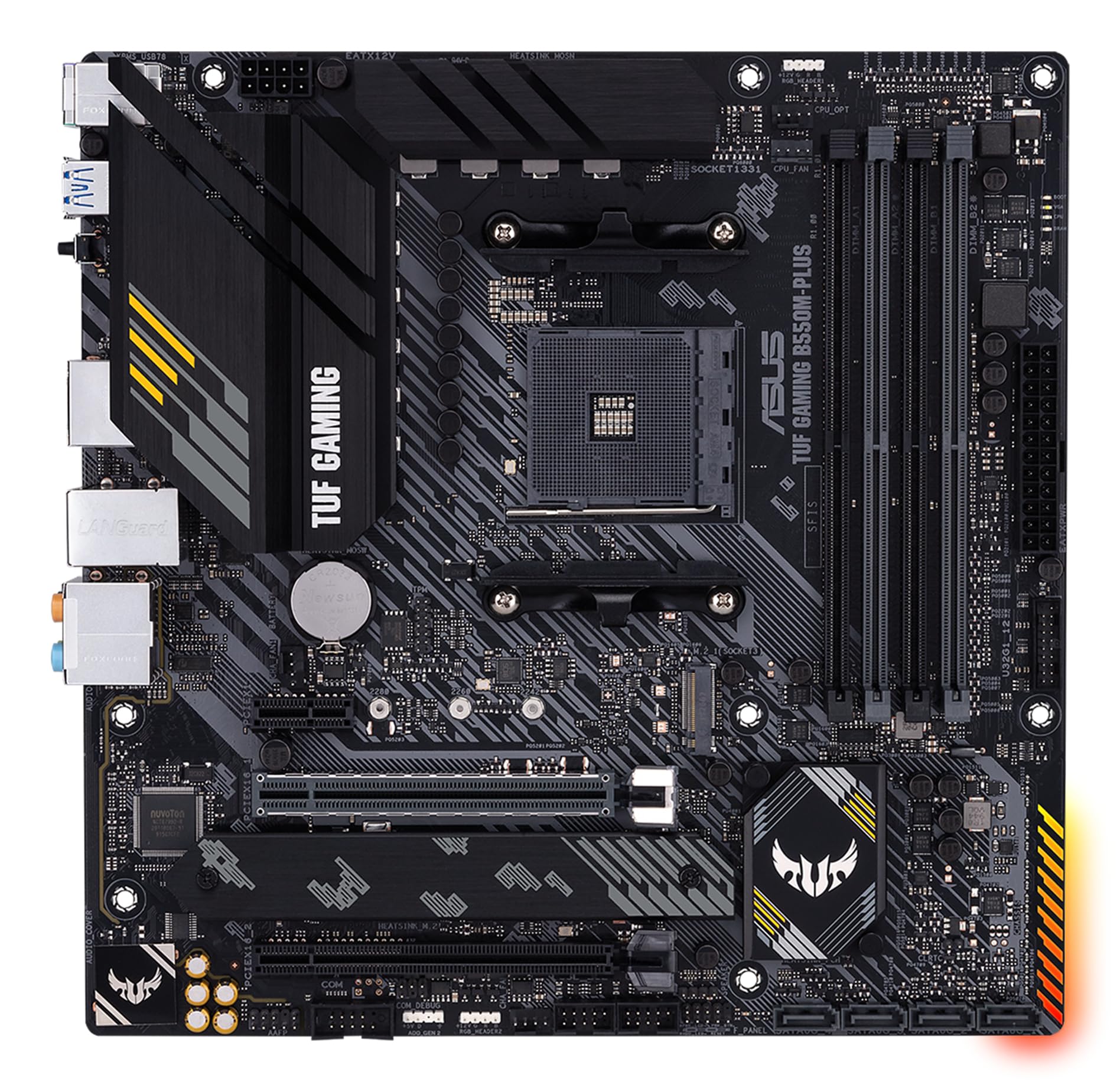
Building a dependable desktop system around a third-generation AMD Ryzen processor starts with picking a solid foundation, and this gaming motherboard provides exactly the core connectivity modern builders need. Built in the standard ATX form factor around the AMD AM4 platform, the ASUS TUF B550-PLUS WiFi II focuses on stable system power, comprehensive cooling management, and up-to-date networking without unnecessary complexity.
Clean power delivery is handled by an 8+2 DrMOS power stage configuration paired with durable alloy chokes and capacitors. This setup is built specifically to deliver reliable juice to demanding high-count-core AMD chips under sustained workloads. Keeping those parts cool does not introduce unnecessary mechanical noise either, thanks to fanless heatsinks on the voltage regulator module (VRM) and platform controller hub (PCH). Builders also get multiple hybrid fan headers that work directly with either the Fan Xpert 4 software utility or the UEFI Q-Fan Control system to tune acoustics and airflow precisely.
For expansion and storage, the board features dual M.2 slots for NVMe solid-state drives, with one slot wired directly for fast PCIe 4.0 x4 transfer speeds. External connectivity is equally broad, giving you rear USB 3.2 Gen 2 ports in both Type-A and reversible Type-C formats, a front-panel USB 3.2 Gen 1 connection, and onboard video outputs including HDMI 2.1 capable of 4K output at 60Hz alongside a DisplayPort 1.2 port. You also get specialized headers for a Thunderbolt 3 add-in card, an SPI TPM module, and an Addressable RGB header compatible with Aura Sync software.
Networking is thoroughly modern thanks to the inclusion of built-in WiFi 6 (802.11ax), Bluetooth 5.2, and a 2.5Gb Ethernet port protected by ASUS LANGuard hardware safeguards. There are a few platform limitations inherent to the design, however. While one M.2 drive can take advantage of rapid PCIe 4.0 speeds, the second M.2 connector does not run at PCIe 4.0 bandwidth. Builders are also committed to DDR4 system memory and third-generation Ryzen processors, so those wanting newer memory formats will need an entirely different platform.
Verdict: The ASUS TUF B550-PLUS WiFi II is a practical, well-equipped gaming motherboard for builders assembling a third-generation Ryzen rig who want modern networking and solid power delivery. It balances quiet thermal design with practical expansion features, though shoppers aiming for complete PCIe 4.0 support across every storage slot should evaluate alternative configurations.
Who Should Buy It
A great fit if you:
- Plan to assemble a custom desktop using a 3rd Gen AMD Ryzen processor that relies on the established AM4 CPU socket.
- Need fast wireless connectivity straight out of the box using integrated WiFi 6 and Bluetooth 5.2 without buying add-in cards.
- Value quiet operation in your chassis and prefer fanless VRM and chipset heatsinks over small motherboard-mounted cooling fans.
- Rely on 2.5Gb wired networking for transferring data quickly across a modern home or office network.
Consider something else if you:
- Require multiple PCIe 4.0 M.2 storage drives running simultaneously at full bandwidth, which calls for an X570-based motherboard.
- Plan to build around newer DDR5 system memory or a different processor socket entirely.
- Need an ultra-compact chassis build that requires a micro-ATX or mini-ITX motherboard size rather than a full ATX layout.
Before You Buy
Confirm on the listing:
- Check whether your chosen PC case has proper standoffs and clearance to house a standard ATX form factor board.
- Check whether your specific AMD processor is a 3rd Gen Ryzen CPU that matches the listed AM4 socket compatibility.
- Verify if your planned storage configuration fits the dual M.2 NVMe layout and note which slot you plan to use for your primary drive.
- Confirm the exact video cables you plan to use if running integrated graphics, noting the HDMI 2.1 and DisplayPort 1.2 ports.
How to compare your options: Motherboard comparisons generally hinge on network speed, power phase counts, and expansion slot generations. This board provides a strong baseline with its 8+2 DrMOS power stages, WiFi 6, 2.5Gb LAN, and dedicated PCIe 4.0 support on the first M.2 slot. When looking across different options, decide whether you need full PCIe 4.0 capability across every expansion slot or if a single high-speed M.2 drive alongside standard interfaces suits your intended build.
Getting the Most From It
Take advantage of the built-in thermal management features right after completing your hardware assembly. Use either the UEFI Q-Fan Control interface or the Fan Xpert 4 software to configure your hybrid fan headers, balancing component cooling against overall system fan noise.
When installing your primary operating system drive, place your fastest NVMe solid-state drive into the primary M.2 slot to take full advantage of its dedicated PCIe 4.0 x4 connectivity. If you have a second drive, install it in the complementary M.2 slot.
Keep firmware maintenance simple by familiarizing yourself with the rear BIOS Flashback feature. This hardware tool allows you to update or restore the motherboard firmware easily if system changes require a BIOS refresh. For lighting customization, connect your lighting components to the onboard Addressable RGB header and manage your color profiles through Aura Sync.
FAQ
Does this motherboard have built-in wireless networking?
Yes, it comes equipped with integrated WiFi 6 (802.11ax) as well as Bluetooth v5.2 for wireless peripherals.
What kind of processor does this board support?
It features an AMD AM4 socket designed specifically for 3rd Gen AMD Ryzen CPUs.
Are both M.2 drive slots rated for PCIe 4.0?
No, the board features dual M.2 slots for NVMe SSDs, but only one of those slots offers PCIe 4.0 x4 connectivity.
Can I update the motherboard firmware without a complex setup?
Yes, the board includes a dedicated BIOS Flashback feature to simplify firmware updates.
What display connections are available on the rear panel?
It provides an HDMI 2.1 port capable of 4K at 60Hz and a DisplayPort 1.2 connection for monitors.
Product Details
| Brand | ASUS |
| ASIN | B09K4QMPL9 |