Best At Home Computer Monitors for 2026: A Guide by Price Tier
Disclosure: We may earn a commission when you buy through links on this page, at no extra cost to you. As an Amazon Associate I earn from qualifying purchases. Learn more

The best at home computer monitors fit your desk, room light, and household tasks. Compare tiers, panels, sizes, and ports before you buy.
Home monitors span a wide price range, and the gap between cheap and costly screens can look hard to justify. The best at home computer monitors match your desk, your room light and the tasks your household runs each day. This guide shows where extra money changes daily use and where it does not, so you can read the comparison table below with confidence.
A home screen rarely serves one job. It may carry paid work in the morning, homework in the afternoon and films at night, often for more than one person. Size, panel type and ports matter more than any single headline spec.



Who Should Buy Which Home Computer Monitor?
Start with the main user, then check the needs of everyone else who shares the screen.
Remote Workers and Students Sharing a Family Desk
You read documents, join video calls and keep several windows open for long stretches, sometimes at a desk others use after you. Prioritize sharp text, height adjustment and a matte surface that stays readable near windows. USB C charging simplifies the handoff between laptop users. For setups built around paid work, see our guide to the best computer monitors for home office.
Households That Mix Films, Photos and Casual Play
Your screen doubles as the entertainment display, so contrast, color and viewing angles matter more than raw speed. A panel that holds its picture off center suits a sofa or a second chair beside the desk. Speakers built into the frame help where separate speakers crowd the surface. For faster games at home, see our guide to the best computer monitors for gaming.
Compact Homes and Small Desk Owners
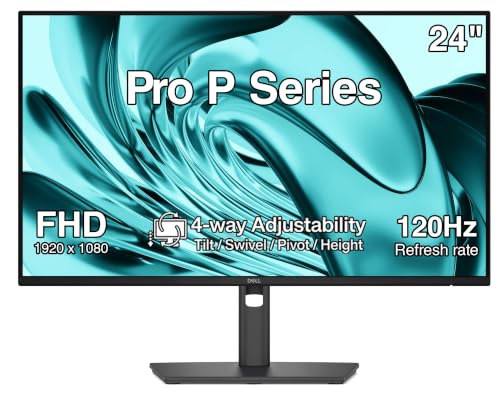
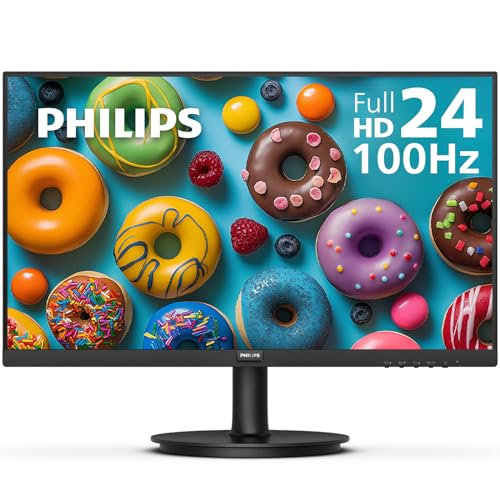
Your limiting factor is space, not performance. A 24 inch screen with slim bezels and a shallow stand leaves room for a keyboard, notebook and lamp on a narrow desk. Measure stand depth as carefully as screen width, because a deep foot pushes your keyboard too close. A VESA mount pattern keeps the option of an arm open if the desk later changes.
What Each Price Tier Buys You in a Home Monitor
Price tiers here track panel quality, resolution and stand design more than brand names. The best at home computer monitors for most households sit in the middle tier, and you can compare the wider market in our guide to the best home computer monitors before settling on a budget.
Budget Tier: Clear Everyday Screens Under About $150
Expect a 24 inch panel at 1080p, tilt only stands and one or two video inputs. That is enough for email, web work, school tasks and streaming at a normal desk distance. Trade offs show in dimmer brightness, narrower color coverage and wobbling stands. Choose this tier for a second screen, a child study desk or a spare room, and spend the savings on a better desk lamp.
Value Tier: Sharper Text and Better Stands at About $150 to $300
This tier adds 27 inch panels at 1440p, height adjustment, slimmer bezels and USB C input on many models. Text looks crisper with two documents side by side, and better stands suit shared desks where each user sits at a different height. Brightness and color step up enough for photo sorting. For a main family screen, most buyers get full value here.
Premium Tier: Large Vivid Screens Above About $300
Higher prices buy 4K resolution, wide color coverage, HDR support and, at the top, OLED panels with deep contrast. These screens suit large desks, creative work and film lovers who sit close enough to see the extra detail. You also get more ports and stronger stands. Skip this tier if your computer has modest graphics power, because driving 4K in games asks more of the machine than of the monitor.
Key Features to Compare
Compare these factors in order, because the first two decide daily comfort.
Resolution and Screen Size for Your Viewing Distance
Resolution sets detail and workspace, and must match panel size and sitting distance. At 24 inches, 1080p looks fine from about two to three feet away. At 27 inches, 1440p keeps text smooth at that distance and fits two windows side by side. Choose 4K at 27 inches or larger only if you value very sharp text or detailed images, and use system scaling to keep text readable at that density.
Panel Technology: IPS, VA and OLED
Panel type shapes color, contrast and viewing angles. IPS panels hold color well when you lean or share the screen, suiting family use and photo work. VA panels give deeper blacks for films in a dim room, though the picture shifts at wide angles and fast motion can smear. OLED panels deliver the strongest contrast and fastest pixel response, but cost the most and need care with static images. Mini LED backlights raise local contrast without OLED pricing.
Refresh Rate, Response Time and Adaptive Sync
Refresh rate, in hertz, sets how often the image redraws. A 60 to 75 hertz screen feels fine for office tasks and video, while 120 to 165 hertz makes scrolling and games smoother if your computer can supply those frame rates. Response time affects motion blur. Adaptive sync matches the redraw to game output and reduces tearing, with FreeSync and G Sync as the two common systems. HDMI 2.1 matters mainly for consoles that output 120 hertz at 4K.
Connectivity and Ports for Home Computers
Ports decide how easily the screen fits your household machines. HDMI suits almost every laptop, desktop and console, while DisplayPort often carries the highest refresh rates from a graphics card. USB C with power delivery charges a laptop and carries video on one cable, which keeps a shared desk tidy. A USB hub lets a keyboard stay plugged in when laptops swap. Count your machines now, and leave one input spare.
Stand Design, Brightness and Eye Comfort at Home
Height and tilt adjustment lets each user set the screen top near eye level, reducing neck strain in long sessions. Brightness around 250 to 350 nits handles most home rooms, and a matte coating limits reflections from windows and lamps. Flicker free backlights and low blue light modes can feel easier for evening reading, though regular breaks matter more than any single mode. If you notice persistent eye pain or headaches, talk with an eye care professional about your setup and vision. Set the screen an arm length away and route cables behind the desk so tilt never pulls a plug loose.
Common Mistakes to Avoid
- Buying a 32 inch screen for a shallow desk leaves you turning your head all day.
- Paying for a 240 hertz panel with a computer that outputs 60 frames per second wastes money better spent on resolution.
- Ignoring USB C charging on a laptop desk means extra bricks and cables crowd a shared family surface.
- Choosing a glossy panel opposite a bright window fills films and documents with reflections you cannot remove.
- Skipping height adjustment on a shared desk forces shorter and taller users into the same poor posture.
- Forgetting to count console and laptop inputs leads to daily cable swapping that loosens ports.
Care, Maintenance and Long Term Costs at Home
Wipe the panel with a dry microfiber cloth, dampened with plain water only if marks remain. Never spray liquid on the screen, because moisture can run into the lower bezel and damage the electronics. Dust the rear vents each month so heat escapes freely, and keep the monitor out of direct sun, which ages the panel.
Costs beyond the price are modest. A typical monitor draws about 20 to 50 watts, so power adds little to a household bill. Budget instead for a cable, a monitor arm or a longer warranty if this is the main family display. A surge protector is cheap insurance in homes with frequent storms.
At Home Computer Monitors: Your Questions Answered
Does refresh rate matter for non gamers using a home computer monitor?
Yes, a higher refresh rate can matter for non gamers, though the gain is smaller than in play. Pages scroll with less blur, windows drag more steadily and reading can feel calmer at 120 hertz than at 60 hertz. Faster panels do draw a little more power. If your budget forces a choice, put resolution and stand quality first.
Is 4K worth it for a computer monitor used at home?
4K is worth it at home if you sit close to a 27 inch or larger screen and value crisp text or detailed photos. One point buyers miss is data load, because 4K streams use far more of a home connection than 1080p does. On a 24 inch desk limit, 1440p gives most of the sharpness gain for less money.
How long do at home computer monitors usually last?
Most at home computer monitors last about five to eight years of daily use. Backlight output fades slowly, so an older screen may look dimmer beside a new one even when nothing has failed. A bright stuck pixel early in ownership is usually a warranty matter, so inspect the panel during the return window.
What monitor size fits a small home desk best?
A 24 inch monitor fits most small home desks best, especially desks under about 40 inches wide. Depth matters as much as width, because a stand foot of eight inches pushes the screen toward you. Wall mounting or a clamp arm returns that lost depth for paperwork. Leave a few inches on each side for a lamp or ventilation.
IPS or OLED: which panel suits a bright home room better?
An IPS panel suits a bright home room better, because LCD brightness and matte coatings hold up well against daylight. OLED contrast shines in dim rooms, yet daylight washes out some of that advantage and glossy OLED surfaces reflect more. Home use also leaves static taskbars on screen for hours, and varied content plus panel care settings reduce the burn in risk those habits create.
The Bottom Line
Match size and resolution to your desk first, then pick the panel for your mix of work, films and play, and let the price tier follow. Check the product table above for models in your tier, and confirm ports against every machine at home before ordering.
Chosen this way, the best at home computer monitors become a comfortable fit for your room and daily routine.