Best Apple Compatible Printers 2026: Print From Mac and iPhone
Disclosure: We may earn a commission when you buy through links on this page, at no extra cost to you. As an Amazon Associate I earn from qualifying purchases. Learn more

Find printers that work smoothly with Mac, iPhone, and iPad: AirPrint support, wifi setup, driver needs, and running costs explained in plain language.
Finding the best apple compatible printers is mostly about removing friction: a printer that appears on your Mac, iPhone, and iPad without driver hunts or cable swaps. Apple devices favor wireless printing through AirPrint, and a printer with solid AirPrint support will usually print from any Apple device on the same wifi network. This guide explains what to check before you buy, so setup stays simple.
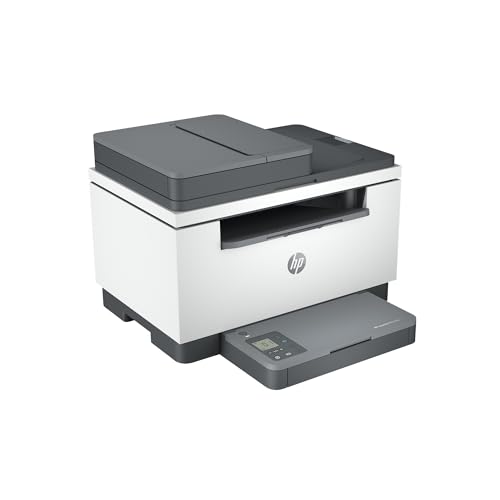
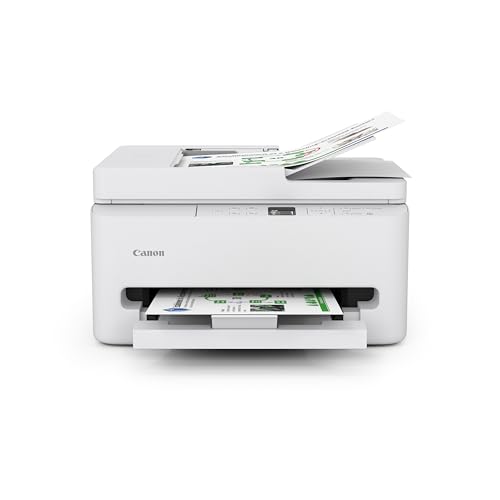
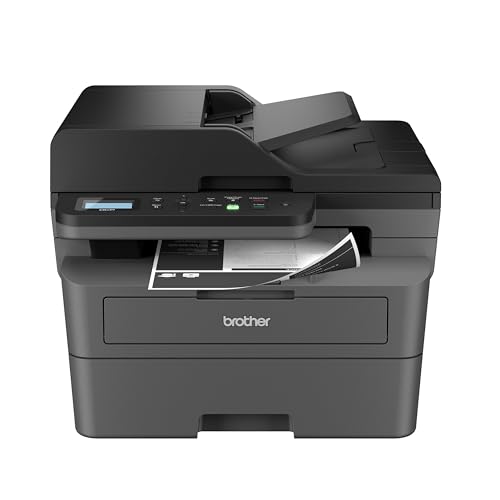
The comparison table below lists printer types, connection options, and running cost factors side by side. Use it to match a printer to your real printing habits, whether that means occasional documents, school work, photos, or a small home office. A cheap printer with costly ink can cost more over two years than a pricier model with efficient cartridges or tanks.








AirPrint and Why It Matters
AirPrint is Apple's wireless printing system, built into macOS and iOS. When a printer supports AirPrint, your Apple devices can find it on the network and print without installing extra software. You open the document, choose print, pick the printer, and go. That simplicity is the main reason to put AirPrint at the top of your checklist.
Check the printer maker's current AirPrint list rather than trusting a shop label, since support varies by exact model. Some printers support AirPrint only over wifi, not over USB, and some older models lost support after updates. If you print from an iPhone or iPad often, confirm AirPrint support in writing before you buy, and test it during the return period.
Wifi Setup and Network Tips
Most Apple friendly printers connect over wifi, and a stable network matters more than headline speed. Place the printer within good range of your router, and prefer the 5 GHz band only if the signal is strong, since 2.4 GHz reaches further through walls. If your home uses a mesh network, check that the printer stays visible to phones that roam between nodes.
If wifi proves unreliable, a wired Ethernet connection to the router keeps the printer visible to every device on the network. USB printing from a Mac remains a fallback, but it will not help an iPad on the sofa. Keep the printer firmware updated, since updates fix AirPrint quirks and security issues, and restart the router and printer together when a printer vanishes from the list.
Inkjet, Laser, and Tank Printers
Inkjet printers suit mixed home use, especially color documents and photos, and they cost less upfront. Standard cartridge inkjets can cost more per page, while tank models carry larger ink reservoirs that you refill from bottles, cutting the cost per page sharply. Tank printers suit homes that print regularly, while occasional printers may prefer cartridges that do not sit unused for months.
Laser printers use toner rather than ink, and they excel at crisp black text and fast document printing. A mono laser is often the cheapest way to print homework, forms, and office papers, while color lasers suit offices that need charts and presentations. Laser output resists smudging and water better than inkjet, but photo quality on plain paper usually favors inkjet.
Features Worth Paying For
Automatic double sided printing saves paper and suits school and office work. A document feeder speeds up multi page scanning and copying, while a flatbed scanner handles books and fragile pages. Check paper sizes too, since some compact printers handle only A4 and letter, while others accept envelopes, photo paper, and larger sheets.
Consider duty cycle, meaning the monthly page volume the maker designs for. A printer rated for light home use may wear quickly in a busy household, while a small office model handles higher volumes with larger trays. Also check ink or toner availability for the exact model, since a bargain printer with scarce supplies becomes a burden within a year.
Running Costs and How to Compare Them
Compare cost per page by dividing cartridge or toner price by its rated page yield, then add paper costs. Maker yields assume light coverage, so real costs run higher, but the comparison still reveals big differences between models. Subscription ink plans can suit steady printers, yet they make little sense if you print rarely, since monthly fees continue during quiet months.
Watch for starter cartridges with lower yields than standard ones, since the first replacement arrives sooner than expected. Third party cartridges may save money but can affect quality and warranty terms, so read the maker policy before switching. Keep a simple log of pages and cartridge changes for a few months to learn your true cost per page.
Photos, School, and Home Office Use
Photo printing needs good color ink, suitable photo paper, and realistic expectations about size. A general home printer produces pleasant 6 by 4 inch prints, while larger exhibition quality photos suit a dedicated photo printer or a print service. For school work, reliability, quiet operation, and cheap black printing matter more than photo finesse.
A home office adds scanning, copying, and occasional fax style needs, plus a preference for fast warm up and a larger paper tray. If two adults share the printer, check that it handles multiple Apple devices without fuss and that its control panel is easy to use without a manual. Test printing from each device you own during the first week, while returns remain simple.
For a focused shortlist, the guide to apple airprint compatible printers lists models by AirPrint support and connection type. best apple airprint compatible printers
The broader guide to apple printers compares inkjet, laser, and tank models for Apple households in general. best apple printers
If you print mainly from a Mac, the guide to printers for apple computers covers driver free setup and macOS features. best printers for apple computers
For homes with several Apple devices, the guide to printers for apple products looks at sharing one printer across Mac, iPhone, and iPad. best printers for apple products
Mac only buyers can compare macOS specific features in the guide to mac compatible printers, including scanning and software support. best mac compatible printers
Frequently Asked Questions
Do I need to install drivers for an AirPrint printer?
No extra driver is usually needed, since macOS and iOS include AirPrint support for compatible printers. Your device finds the printer on the same wifi network and offers it in the print menu. If the printer does not appear, check that both devices share the same network, restart both, and confirm the exact model supports AirPrint. Maker apps can add scanning features but are not required for basic printing.
Can I print from an iPhone without wifi?
AirPrint needs a network connection, so direct printing without wifi is limited. Some printers offer a direct wireless mode that lets a phone connect straight to the printer without a router, and that mode can help in a pinch. For regular use, a home wifi network gives the smoothest result across Mac, iPhone, and iPad. Check the printer specs for direct mode before relying on it.
Is a tank printer better than a cartridge printer?
Tank printers cost less per page and suit homes that print often, since large ink reservoirs last far longer than small cartridges. Cartridge printers cost less upfront and suit occasional printing, where ink sits unused for weeks. Consider your monthly page count honestly, since a tank printer saves little if you print only a few pages a month. Compare total cost over two years, not just the shelf price.
Why does my printer disappear from my Mac?
Printers vanish when wifi drops, when the router restarts and assigns a new address, or when firmware falls behind. Restart the printer and router, confirm both sit on the same network, and check for firmware updates. A wired Ethernet link to the router often fixes repeat disappearances, since it removes wifi range from the chain. If the problem persists, reset the printing system on the Mac and add the printer again.
Should I buy a mono laser or a color inkjet?
Choose a mono laser for fast cheap black text, homework, and office documents, since toner lasts and output resists smudging. Choose a color inkjet for photos, school projects, and occasional color charts, since ink handles color and photo paper better. A home that needs both may pair a mono laser with occasional print service use for photos. Match the machine to your most common pages, not to rare tasks.
Final Thoughts
The smoothest Apple printing comes from a printer with confirmed AirPrint support, a stable network connection, and running costs that fit your page count. Test printing from every Apple device you own during the first week, and keep the box and receipt until you are sure the setup holds.
Use the product table above to compare types and costs, then choose the model that matches your real habits. A printer that simply appears and prints, month after month, is worth more than a feature list you never use.
Use this guide when you compare the best apple compatible printers choices above, and let fit, features, and honest needs guide the final call.