
Best Airprint Compatible Printers for 2026: Types Compared and How to Choose
Disclosure: We may earn a commission when you buy through links on this page, at no extra cost to you. As an Amazon Associate I earn from qualifying purchases. Learn more

The best airprint compatible printers depend on your workload: compare inkjet, laser, photo and tank types by cost, speed and who each suits.
AirPrint sounds like a single feature, yet it sits on very different machines, from compact inkjets to fast office lasers and refillable tank models. Choosing the best airprint compatible printers means picking the printer type that fits your workload first, then checking that AirPrint support is genuine.
This guide compares the main types in plain language, explains where each one shines, and then walks through the specs that separate a good buy from a frustrating one. Use the comparison table below for the fast view, then read on for the reasoning.
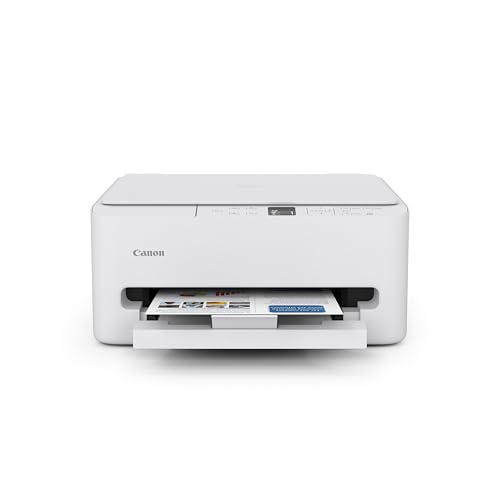




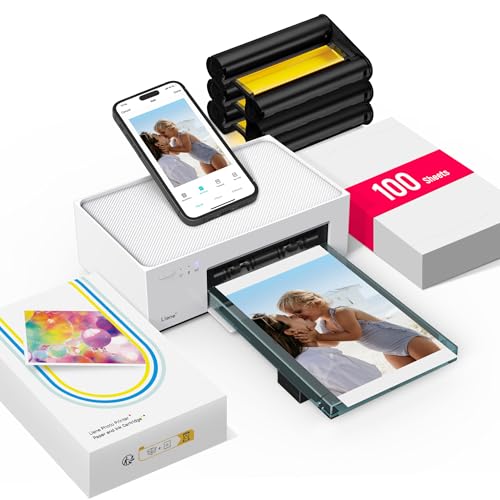
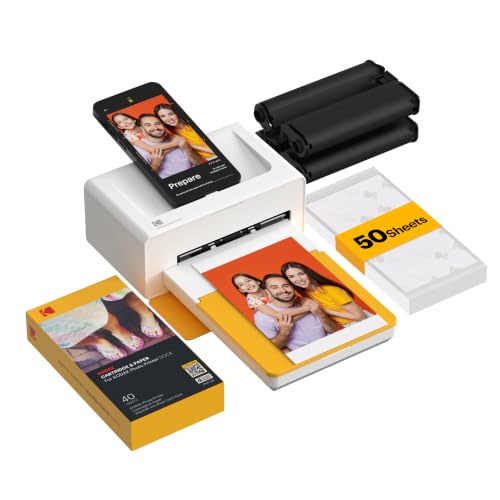

Types of Airprint Compatible Printers Compared
Four types cover most homes and small offices, and the best airprint compatible printers for you come from matching one of them to your workload. Inkjet models typically cost about $80 to $300 and favor photos and low purchase prices. Laser models run about $150 to $500 and favor speed and cheap text pages. Photo focused inkjets cost about $150 to $400 and favor image quality above all. Tank models range from about $200 to $450 and favor very low running costs for heavy printing. Every type below can offer AirPrint, but you must confirm it model by model, since WiFi alone does not guarantee AirPrint.
Inkjet Printers
Inkjet printers spray tiny droplets of ink onto paper, which makes them flexible and affordable. They handle documents well enough for school and home use and print far better color photos than laser models, especially on glossy paper. Most AirPrint inkjets are all in one models with scanning and copying built in. The weaknesses are speed and upkeep. Pages arrive slowly compared with laser, and ink nozzles can clog if the printer sits unused for weeks. Choose inkjet if your printing mixes documents with photos and your volume is light to moderate, and commit to printing something small every week or two to keep the nozzles clear.
Laser Printers
Laser printers fuse dry toner powder onto paper with heat, producing crisp text at high speed. They shine in home offices that print contracts, homework, shipping labels, and reports, because pages come out fast, dry, and resistant to smudging and water spots. Toner never dries out, so a laser can sit idle for a month and print perfectly on the first try. Color laser costs more than monochrome, and photo output on glossy paper trails a good inkjet. Choose laser if documents dominate your printing and you value low cost per page over photo quality. AirPrint support is common on WiFi laser models, but always check the spec sheet.
Photo Printers
Photo printers are inkjets tuned for images, often with five or six ink colors instead of four, support for borderless prints, and trays for photo paper sizes. They produce rich color and smooth skin tones that general purpose printers cannot match. The trade offs are narrow focus and cost. Text looks fine but not razor sharp, speeds are slow, and cost per photo is high once you count ink and quality paper. Choose a photo printer if printing your own pictures is a real hobby. If you print a few snapshots a year, a normal inkjet or a print service will serve you better for less money.
Tank Printers
Tank printers are inkjets with large refillable ink reservoirs instead of small cartridges. You refill them from bottles, which drops cost per page dramatically and suits households that print hundreds of pages a month, such as teachers, students, and busy parents. AirPrint support is common in this family, making them a friendly match for Apple households with heavy workloads. The weaknesses mirror other inkjets: slower speeds than laser and nozzles that dislike long idle periods. Choose a tank model if your volume is high and steady, and you want the lowest running cost without giving up color.
Laser Printers vs Inkjet Printers: Which Should You Choose?
Compare these two big families on five points. For speed, laser wins easily, often printing three or four times faster. For cost per page, laser wins for text, while a tank inkjet can undercut it for heavy color use. For photos, inkjet wins on glossy paper by a wide margin. For upkeep, laser wins because toner never clogs, while inkjet needs regular small jobs to stay healthy. For purchase price, basic inkjets cost least, though serious models from both families meet in the middle. The short answer: pick laser for document heavy, bursty printing, and pick inkjet for photo friendly, steady printing. If your household does both in volume, many families pair a monochrome laser for documents with a modest inkjet for color and photos.
How to Choose the Right Airprint Compatible Printer
Footprint and Noise
Measure the space before you fall for a spec sheet. All in one models need clearance above the scanner lid, and laser models need depth for trays and ventilation. Weight ranges from about 10 lb for compact inkjets to more than 40 lb for color lasers, which matters for shelves and for moving day. Noise is easy to overlook. Inkjets are fairly quiet throughout, while lasers are silent at idle but produce a burst of fan and roller noise during jobs, which can bother light sleepers in a shared room.
Printer Type and Workload Match
Start from your monthly page count and your content mix, because those two facts pick the type for you. Under about 50 pages a month of mixed content suits a basic inkjet. Hundreds of document pages suit laser or tank models. Mostly photos suit a photo printer. Be honest about the mix rather than the exception. Buying for the one glossy photo a year while printing text daily leads to slow, pricey document printing every single week.
Reliability and Support
A printer is only as good as its software support. Check how often the maker updates firmware and whether the printer can update itself over WiFi, because AirPrint behavior sometimes improves through updates after Apple releases a new system version. Look for a clear support page with drivers, manuals, and spare parts like rollers and drums. Community size helps too. Popular model lines have years of user answers online for odd error codes, which can save a support call when a deadline looms.
Print Quality and Resolution
Resolution figures such as 1200 dpi for laser or 4800 dpi for inkjet sound precise, but your eyes judge output by sharpness, color accuracy, and consistency from page to page. For text, laser output stays crisp even on cheap paper. For color graphics, check sample images in reviews that use charts and skin tones rather than saturated landscapes, which flatter any printer. Also consider draft modes. A good draft mode saves ink or toner on internal documents while keeping text readable, which lowers your real running costs.
Connectivity and Mobile Printing
Genuine AirPrint means no driver, no maker account, and no app between your iPhone and the printed page. Confirm the words AirPrint appear in the official specs, since some WiFi printers only work through a maker app. Dual band WiFi improves reliability in crowded homes, and Ethernet gives the most stable connection of all if your router is nearby. One practical tip: after setup, print once from each Apple device in the house. Finding a discovery problem on a calm day beats finding it before a school deadline. Our guide to the best airprint printers lists models where this support is the headline feature.
How to Make Your Airprint Compatible Printer Last Longer
- Print a small color page weekly on inkjets. A short nozzle check pattern keeps ink flowing and prevents the clogs that cause streaky prints and wasted cleaning cycles.
- Use genuine or reputable supplies. Poor quality ink can clog heads, and poor toner can leak and coat the inside of a laser printer with dust.
- Keep paper dry and stored flat. Damp or curled paper is the top cause of jams in every printer type, and it costs nothing to prevent.
- Update firmware a few times a year. Updates keep AirPrint working smoothly as Apple updates its devices, and they often fix sleep and WiFi faults.
- Dust the machine gently. Paper dust builds up on rollers and vents. A dry cloth and a cool, shaded spot away from radiators help any printer age well.
Airprint Compatible Printers: Your Questions Answered
Inkjet or laser: which is cheaper long term?
It depends on volume and content. Laser usually wins for document heavy printing because high yield toner keeps cost per page low and nothing clogs during quiet weeks. Tank inkjets can win for very heavy color printing. The deciding habit is consistency: steady printers suit inkjet economics, while bursty printers waste ink on cleaning cycles and tilt the math toward laser.
Which AirPrint printer type is easiest for beginners?
A basic all in one inkjet or a compact laser with a clear screen and guided WiFi setup is easiest, because both appear on Apple devices automatically once they join your network. Tank models add a one time ink filling step that is simple but messy if rushed. Whichever type you choose, run the firmware update during setup rather than skipping it.
What does cost per page mean?
Cost per page is the supply cost of one printed page: cartridge or bottle price divided by the rated page yield. A $60 cartridge rated for 1,200 pages costs about 5 cents per page before paper. Ratings assume light coverage, so photo heavy or graphics heavy pages cost more. Comparing this number across models is the fastest way to spot a cheap printer with expensive habits.
Are ink tank printers worth it?
Yes for households that print a lot every month, because bottled ink can cut color page costs to a fraction of cartridge prices. They are less worth it for light or bursty printing, since inkjets still need regular use to stay clog free, and the higher purchase price takes time to earn back. Do the simple math with your monthly page count before you pay the premium.
Our Verdict
Pick your type by workload first: laser for fast documents, inkjet for mixed home use, tank models for heavy color volume, and photo printers for image lovers. Then confirm true AirPrint support and fair cost per page on the models in the product table above. With those checks done, the best airprint compatible printers for your home will be an easy final choice. Mac focused readers may also want our guide to the best mac compatible printers, and our guide to the best apple airprint printers covers Apple first setups in more depth.

