Best Apple Ipad Keyboards 2026: A Buying Guide
Disclosure: We may earn a commission when you buy through links on this page, at no extra cost to you. As an Amazon Associate I earn from qualifying purchases. Learn more

Choose the best apple ipad keyboards by exact iPad model, connection type, key feel and trackpad, from cases to Bluetooth folios.
An iPad with a good keyboard becomes a light writing machine, and the best apple ipad keyboards depend on your exact iPad model, how you type and what you want to carry. This guide compares keyboard cases, folios, standalone Bluetooth keyboards and compact travel models. The product table lists current options so you can compare them side by side.
iPad keyboards suit students, writers and mobile workers who type emails and documents away from a desk. They are a weaker choice for heavy spreadsheet work or long coding sessions, where a laptop keyboard and larger screen still win.





Types of iPad Keyboards
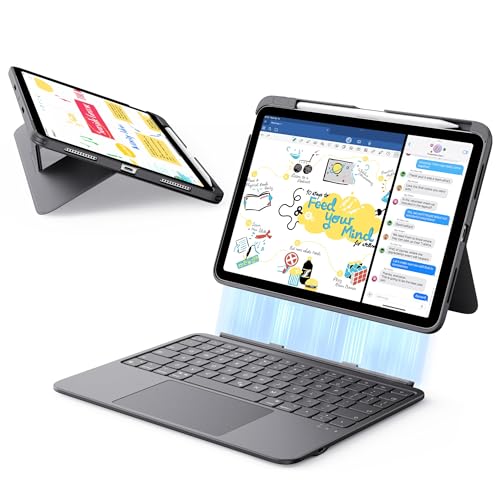
Keyboard cases
A keyboard case protects the iPad and adds a keyboard in one piece. Look for a firm hinge, keys that do not flex, and a design that still allows easy charging and camera use. Cases add weight, so check the total weight of the iPad and case together.
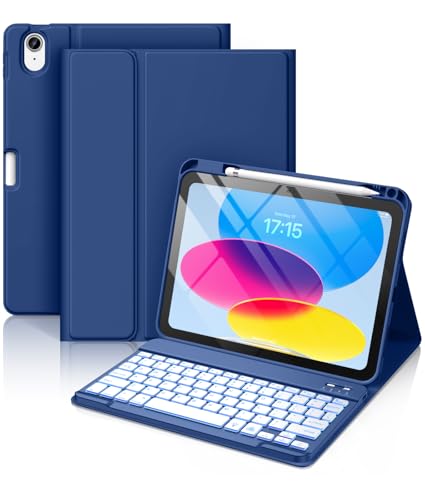
Folio keyboards
A folio keyboard folds flat for reading and props the iPad at a typing angle. It is lighter than a rigid case, but the angle is often fixed, so think about whether you will type on a lap as well as a desk.
Standalone Bluetooth keyboards
A separate Bluetooth keyboard works with an iPad and other devices, and you can choose the key feel you like. It adds a second item to carry, but you get a full size layout and a wider choice of models.
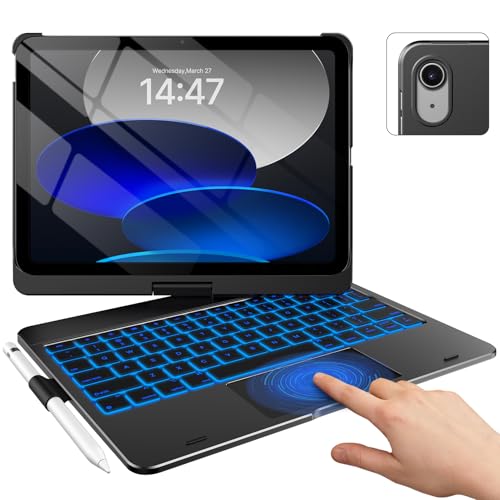
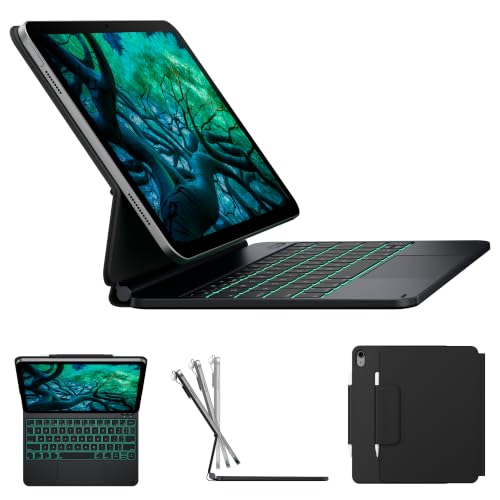
Floating keyboards with a trackpad
A floating design holds the iPad above the keyboard and adds a trackpad and often backlit keys. It feels close to a laptop, but it costs more and adds weight.
Compact travel keyboards
A folding or compact keyboard fits a small bag. It suits short typing sessions, but a cramped layout slows long documents.
Key Features to Compare
Model compatibility
Keyboard cases are model specific, so check the exact iPad model and generation, not just the screen size. A case made for one generation may not fit the camera layout or the connector of another, even when the size looks the same. Open Settings, then General and About, to find the model number.
Connection type
Smart Connector keyboards draw power from the iPad, so they need no charging or pairing. Bluetooth keyboards work across devices but need charging and pairing, and they can lag or disconnect at the wrong moment.
Key feel and layout
Key travel, spacing and layout affect typing speed more than brand. Backlit keys help in dim rooms, and a layout with a full row of function keys saves time with shortcuts. Make sure the layout matches your language.
Trackpad and gestures
A trackpad adds cursor control and gestures that make editing text easier. It is worth paying for if you edit documents and switch apps often, and less useful for simple note taking by touch.
Protection and weight
A keyboard case adds bulk that changes how you carry the iPad. Check whether the case covers the screen edges and corners, and whether the iPad can be removed easily for reading or drawing.
Which Keyboard for Which User
Students who type notes in lectures usually do best with a keyboard case that has a firm hinge and backlit keys, since it protects the iPad between classes. Writers and remote workers who want a real typing feel often prefer a standalone Bluetooth keyboard with a stand, which also works with a phone or laptop.
Travelers benefit from a compact folding keyboard, and artists who switch between drawing and typing should pick a case where the iPad detaches quickly. If you own a smaller or older iPad, start with the model specific guides such as best keyboards for ipad mini and best keyboards for ipad air.
Typing Comfort and Ergonomics
Typing on an iPad for hours demands more than a good keyboard. Raise the screen to eye level with a stand when you work at a desk, and use a separate keyboard if your iPad sits too low in a case. Keep your wrists straight and take short breaks, since a flat keyboard with little key travel can tire your hands.
If you type in dim rooms, backlit keys are worth the extra cost. If you share the iPad with others, a detachable keyboard lets them use the tablet in touch mode without a bulky case.
Mistakes to Avoid
- Buying a keyboard for the wrong iPad model or generation.
- Choosing a cramped keyboard that slows long typing sessions.
- Assuming a Bluetooth keyboard will never lag or run out of charge.
- Ignoring added weight, which can make the iPad less pleasant to carry.
- Paying extra for a trackpad you will not use.
Setting Up and Getting the Most From Your Choice
Keep the keyboard clean with a dry cloth, update its firmware if the maker provides it, and charge Bluetooth models before travel days. Try every key and the trackpad during the return window, and keep iPadOS updated so shortcuts keep working.
Learn a few shortcuts for copy, paste and app switching, and set up text replacement for phrases you type often. A new layout always feels slow at first, so give it a week of regular use before judging it.
A Final Check Before You Order
Confirm your iPad model number, set a budget range, and decide whether a trackpad and backlit keys are worth the extra cost. Compare the weight of each setup, check the return window, and keep the packaging until you are sure the keyboard suits you.
For related guides, see best keyboards for apple, best ipad covers with keyboards and best ipad keyboard cases.
Frequently Asked Questions
Which iPad keyboard is best for students?
A keyboard case with a firm hinge and backlit keys suits students who type notes in lectures and libraries. It protects the iPad between classes and needs no separate charging if it uses the Smart Connector. A standalone Bluetooth keyboard is cheaper and works with other devices, but it adds a second item to carry.
Do iPad keyboards work with all iPad models?
No. Most keyboard cases fit only specific iPad models and generations, because camera placement and connectors differ. Check the exact model number before ordering. Standalone Bluetooth keyboards work with almost any iPad, since they do not rely on a physical fit.
Is a trackpad worth it on an iPad keyboard?
A trackpad is worth it if you edit documents, select text and switch apps often, because it reduces reaching for the screen. It adds cost and weight, and some people prefer touch for simple note taking. Choose based on how you actually work.
Can I use an iPad keyboard with a Mac or phone?
A Bluetooth keyboard can pair with a Mac, phone or other tablet, which makes it flexible across devices. A Smart Connector keyboard case works only with its matching iPad model. Choose Bluetooth if you want one keyboard for several devices.
How do I type faster on an iPad keyboard?
Learn the iPad keyboard shortcuts for copy, paste and app switching, and use text replacement for phrases you type often. Good key spacing and travel help more than a faster processor. Practice on the same keyboard for a week, because every new layout feels slow at first.
Final Thoughts
The right choice among the best apple ipad keyboards is the one that fits your exact iPad, suits how you type and matches how much you want to carry. Use the product table above to compare options, check the points that matter for your routine, and keep the return window in mind while you try it.