Best Apple Printers: A Buyer Guide for 2026
Disclosure: We may earn a commission when you buy through links on this page, at no extra cost to you. As an Amazon Associate I earn from qualifying purchases. Learn more

Choose the best apple printers by AirPrint support, inkjet, laser or tank type, print quality and cost per page for Mac, iPhone and iPad.
The best apple printers are not made by Apple. They are printers that work smoothly with a Mac, iPhone and iPad, and the feature that makes that easy is AirPrint, Apple's built in wireless printing system. This guide explains what to check so setup stays simple, which printer type suits your pages, and how to keep running costs under control. The product table lists current options side by side.
Think about what you print most. A student printing essays, a home office scanning receipts and a family printing photos each need a different machine.




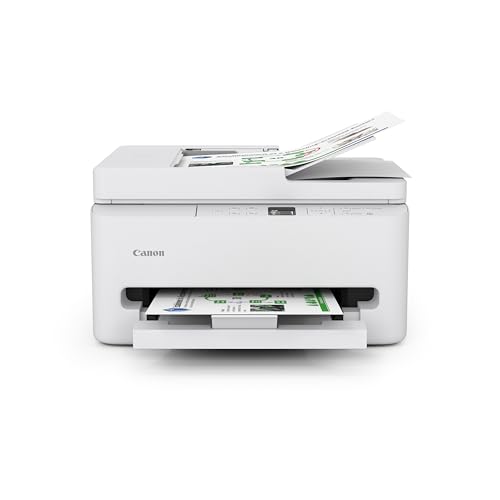


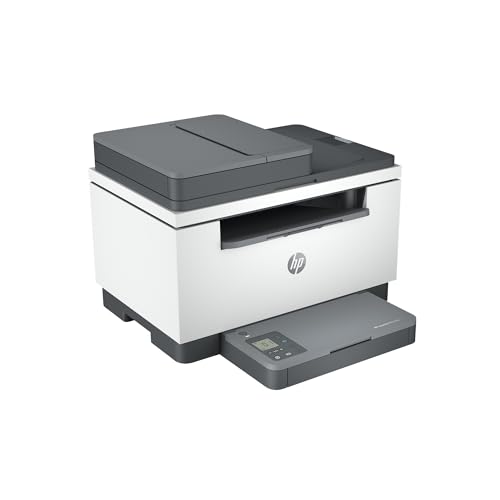
AirPrint and Wireless Setup
When a printer supports AirPrint, your Apple devices find it on the same wifi network and print without extra drivers or apps. You open a document, choose Print, pick the printer and go. Always check the exact model, since AirPrint support differs between models of the same brand.
A printer on wifi should sit within good range of your router. If it keeps dropping off the network, a wired Ethernet connection or a restart of the router and printer usually fixes it. Keep the printer firmware updated, since updates fix connection problems.
Who Should Buy Which Printer
Students and everyday home users
Choose a compact wireless printer with automatic double sided printing and low cost black printing. A mono laser or an ink tank model keeps the cost per page low for essays and forms. Reliability and easy setup matter more than photo quality.
Home office users
Choose an all in one with a document feeder, scanning and duplex printing. A laser all in one prints fast and crisp, and a larger paper tray means fewer refills. Check that scanning works from your Mac without extra software.
Photo and creative users
Choose an inkjet with several ink colors and support for photo paper. For small prints, a compact photo printer is simpler. For large or gallery prints, a print service is often better than a home printer.
Printer Types Compared
Inkjet printers
Inkjets handle color documents and photos at a modest price. Cartridge models cost more per page, so they suit light printing. They can dry out if left unused for weeks.
Laser printers
Lasers print text quickly and sharply with toner that lasts. A mono laser is often the cheapest way to print black and white pages, while color lasers suit offices that print charts and slides. Photos on plain paper usually look better from an inkjet.
Ink tank printers
Tank printers carry large ink reservoirs that you refill from bottles, which cuts the cost per page sharply. They suit homes that print often, but they cost more upfront than cartridge models.
Features and Costs That Matter
Compare cost per page by dividing the price of a cartridge or toner by its page yield. Starter cartridges often hold less ink than standard ones, so the first replacement arrives sooner than expected. Subscription ink plans can suit steady printing but make little sense for rare use.
Automatic double sided printing saves paper, a document feeder speeds up scanning, and a flatbed handles books and fragile pages. Check paper sizes if you need envelopes or photo paper, and look at the monthly page volume the printer is designed for.
Paper, Ink and Supplies
Paper choice affects print quality as much as the printer does. Plain office paper suits documents, glossy or matte photo paper suits pictures, and heavier card suits invitations. Check the maximum paper weight and the sizes the tray accepts before you buy.
Supplies are the long term cost. Look up the price and yield of the cartridges or toner for the exact model, and check that they are easy to find. A tank printer comes with bottles that last for thousands of pages, while cartridge models need regular replacements. Keep a spare set of black ink or toner if you print school or work documents every week.
Printing Speed, Noise and Size
Speed matters most for offices and students with large print jobs. Inkjets print a few pages a minute in color, while laser printers print black and white pages much faster. Noise matters in small apartments, and some printers have a quiet mode that slows printing to reduce sound.
Check the footprint too. A compact printer fits on a shelf, but a printer with a document feeder or a large paper tray needs more room. Leave space around it for the paper path and for opening the lid or the scanner.
Mistakes to Avoid
- Buying a cheap printer without checking the price and availability of its ink or toner.
- Assuming every wireless printer supports AirPrint.
- Choosing a photo printer when most of your pages are documents.
- Ignoring the size of the printer and where it will sit near your router.
Setting Up and Caring for Your Printer
Place the printer near your router, connect it to wifi, and add it from the Print menu on your Mac, iPhone or iPad. Print a sample page from each device you own during the first week, while the return window is open. Keep the packaging until you are sure the setup works.
Print a page or two every week or so to keep inkjet nozzles clear. Use the maker's cleaning cycle sparingly, since it uses ink. Store spare ink or toner in a cool dry place.
For more detail on related setups, see best printers for apple computers, best printers for apple products and best printers for apple macs. Readers who focus on wireless printing can also see best apple airprint printers and best apple air printers.
Frequently Asked Questions
Do all printers work with Apple devices?
Most modern printers work, but AirPrint support makes setup from iPhone, iPad and Mac far simpler and more reliable. Check the exact model for AirPrint before you order.
Is inkjet or laser better for home use?
Inkjet suits mixed color and photo use, while laser suits frequent text documents with a lower cost per page. If you print a lot of black and white pages, a mono laser or an ink tank model is usually the cheapest to run.
How do I reduce printer running costs?
Use draft mode for everyday pages, print double sided, and compare cartridge yield rather than cartridge price alone. A tank printer or a mono laser lowers the cost per page for frequent printing.
Why does my printer drop off the network?
Drops often come from router placement, band settings or sleep modes. Move the printer closer to the router, restart both, update the firmware, or use a wired connection.
Can I print from my phone without an app?
Yes, with AirPrint on supported printers. Some printers need the maker's app only for extra features such as scanning or checking ink levels.
Final Thoughts
The best apple printers pair confirmed AirPrint support with a stable network connection and running costs that match how much you print. Choose the type by your pages, check the cost per page, and use the product table above as a shortlist. A printer that simply appears and prints, month after month, is worth more than a long feature list.