
Best and Least Expensive Laptops: Every Type Explained Side by Side for 2026
Disclosure: We may earn a commission when you buy through links on this page, at no extra cost to you. As an Amazon Associate I earn from qualifying purchases. Learn more

Compare the best and least expensive laptops by type, including Chromebooks, convertibles and gaming models, with pros, cons and price ranges.
Shopping for a laptop on a tight budget is confusing because the cheapest machines come in very different shapes. A low priced Chromebook, a flexible convertible, and an entry gaming laptop solve different problems, and the lowest price tag does not always mean the best value for you. This guide to best and least expensive laptops compares each type side by side so you can see the trade offs clearly.
Start with the comparison table below, then read the type breakdowns and the choosing guide that follows. By the end you will know which style fits your work, what specs matter most, and where a small step up in price pays off.




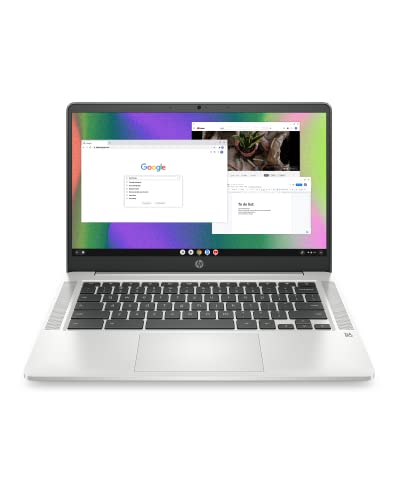
Types of the Best and Least Expensive Laptops Compared
Every budget laptop type makes a deliberate trade. Convertibles trade raw power for flexibility, gaming laptops trade portability for graphics strength, and Chromebooks trade full desktop software for simplicity and long battery life. Typical starting prices run from about $200 for basic Chromebooks to about $450 for convertibles and about $600 for entry gaming models. The right choice depends on the programs you run every day, not on which machine looks most impressive on paper.
2 in 1 Convertibles
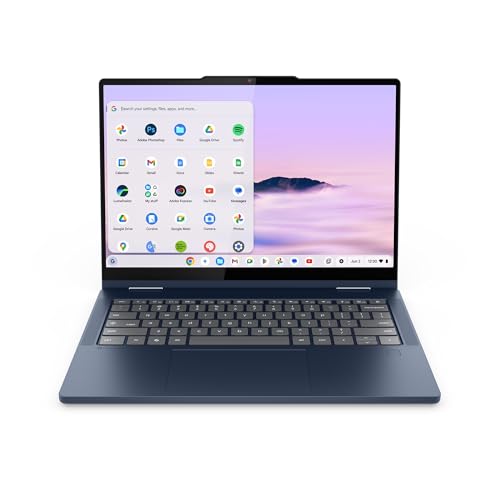
A 2 in 1 convertible has a hinge that folds the screen all the way back, so one device works as a laptop, a tent for video, and a thick tablet for reading or sketching. Touch input and pen support make convertibles natural for marking up documents, taking handwritten notes, and presenting in small meetings. They suit students and hybrid workers who move between typing and touch tasks all day.
The trade offs are weight and price. The folding hinge and touch screen add cost, so a convertible at a given price usually has a slower processor or less storage than a plain clamshell with the same budget. If you never fold the screen back after the first month, you paid for a feature you do not use, so be honest about how often touch input will help you.
Gaming Laptops
Gaming laptops pair a stronger processor with a dedicated graphics card, a fast refresh rate display, and bigger cooling fans. That combination runs modern games and heavy creative software such as video editors far better than integrated graphics can. Screens with refresh rates of 120 Hz or higher make fast motion look smoother, which matters in competitive games.
The costs are literal and practical. Entry gaming laptops usually start around $600 to $900, weigh 5 lb or more, and often run only 4 to 6 hours on battery away from the outlet. They fit buyers who play games or edit video at a desk most of the time and treat portability as a bonus rather than a daily need.
Chromebooks
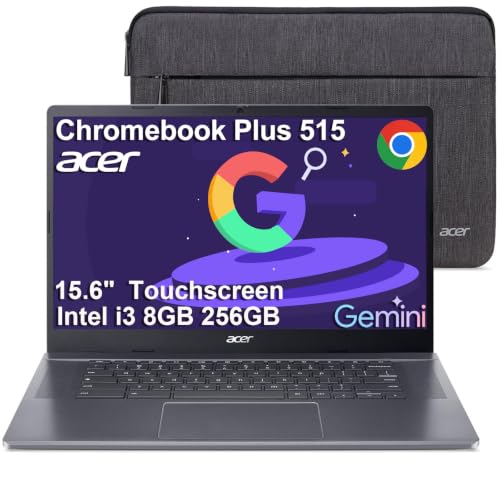
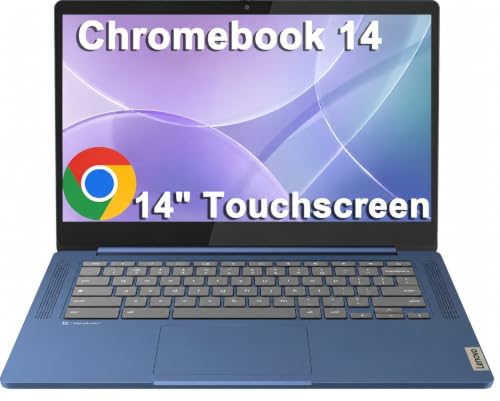
Chromebooks run ChromeOS and center your work in the browser plus Android and web apps. They start fast, update quietly in the background, and resist most common malware because so little traditional software installs on them. For email, documents, video calls, and classroom platforms, a Chromebook costing about $200 to $350 often feels quicker than a cheap Windows laptop with similar hardware.
The limit is software compatibility. Full desktop programs such as advanced photo editors, some engineering tools, and many PC games simply do not run on ChromeOS. Check the exact programs your school or job requires before choosing one, and confirm the update expiration date printed in the listing, because a very cheap older model may stop receiving updates sooner than you expect.
2 in 1 Convertibles vs Gaming Laptops: Which Should You Choose?
Choose a convertible if your day mixes typing, video calls, reading, and light creative work in several locations. Its battery usually lasts a full workday, it slips into a tote or backpack easily, and the touch screen earns its keep in meetings and classes. Choose a gaming laptop if play or heavy media work is the main event and the machine will live mostly on one desk.
On performance per dollar for games, the gaming laptop wins easily because of its dedicated graphics. On comfort for travel and couch use, the convertible wins by a wide margin. On screen quality at low prices, compare carefully, because both types sometimes ship with dim panels. On noise, convertibles stay nearly silent while gaming fans get loud under load. Your daily location and main programs should settle this choice faster than any spec sheet.
How to Choose the Right Budget Laptop
Work through the five points below in order and your shortlist will shrink quickly. If you want a slimmer starting point, see our guide to the best notebook laptops for compact everyday models. Buyers comparing the two ends of the market can also read about the best expensive laptops to see what extra money actually buys, and the best less expensive laptops for a step up in budget.
Battery Life in Real World Use
Maker claims assume dim screens and light tasks, so expect real use to land 20 to 30 percent lower. For a full school or office day away from outlets, look for claims of 10 hours or more and a battery of at least 50 watt hours in a standard laptop. USB C charging is worth wanting because one charger can then serve your laptop, phone, and tablet, and a quick top up during lunch can add hours. Students should also see our guide to the best laptops for college for campus specific advice.
Processor and Performance Tier
The processor decides how the machine feels two or three years from now. For browsing, documents, and video calls, a recent entry chip from the Intel Core, AMD Ryzen, or Apple M families is plenty. Photo editing, coding with large projects, and gaming call for a step up in tier or a dedicated graphics card. Avoid very old processor generations sold at tempting prices, because slow everyday response is the complaint that makes owners replace cheap laptops early.
Operating System (Windows, macOS, ChromeOS, Android, iPadOS)
Match the system to your software and your other devices. Windows offers the widest program and game library. macOS suits buyers already using an iPhone who value its polished included apps, though Apple machines rarely sit at the lowest prices. ChromeOS is the simplest and cheapest route for browser based work. Tablet systems such as iPadOS and Android shine for media and touch apps but need a keyboard case and workarounds for some desktop tasks, so price the full setup before comparing.
RAM and Storage
Treat 8 GB of RAM as the floor for Windows and macOS, and choose 16 GB if you keep many tabs open or plan to keep the laptop four years or more. Chromebooks run comfortably on 8 GB for school and office work. For storage, an SSD is non negotiable because it makes starting, loading, and updating feel fast. Aim for 256 GB if you store photos or install games, and remember that cloud storage can stretch a 128 GB drive for document based work.
Weight and Portability
Weight shapes how often you actually carry the machine. Under 3 lb feels easy in a backpack all day, 3 to 4 lb is fine for short commutes, and gaming laptops above 5 lb mostly travel between rooms. Screen size drives weight, so a 13 or 14 inch display is the sweet spot for students and commuters. Also weigh the charger, since some gaming bricks add more than a pound on their own.
Setup and Care Tips
On day one, run every operating system and firmware update before installing your programs, and turn on automatic updates so security fixes keep coming. Avoid keeping the battery at 100 percent charge all the time if the settings offer a charge limit, because holding a full charge for months speeds wear. Use a padded sleeve when commuting, keep vents clear on soft surfaces like beds, and back up important files to the cloud or an external drive each week. A cheap laptop that is backed up and updated will outlast a neglected expensive one in daily usefulness.
FAQs
Is a dedicated GPU worth it?
Only if you play demanding games or edit video and 3D work regularly. For documents, browsing, streaming, and school platforms, modern integrated graphics handle everything smoothly and save you about $150 to $300 plus battery life. One extra check: some creative programs list a dedicated GPU as a requirement for certain effects, so read the software requirements page before deciding to skip it.
How much RAM do I need?
Most buyers need 16 GB for a Windows or Mac laptop they plan to keep, while 8 GB still works for a Chromebook or a lightly used second machine. A simple check helps: if your current computer slows when you open your normal mix of tabs, mail, and documents, you are RAM limited. Choosing more memory now is usually cheaper than replacing the whole laptop earlier.
How long should a budget laptop last?
Expect about 3 to 5 years of comfortable use from a budget laptop. Chromebooks carry a printed update end date, so check it before buying. Battery wear is usually the first real limit, often showing after 500 or so full charge cycles. You can stretch the lifespan by keeping storage under 85 percent full and replacing the battery once if the rest of the machine still meets your needs.
Is a Chromebook enough for school?
Yes, for most elementary, middle, and high school work built on browser platforms and Google tools. The exception is a class that requires installed Windows or Mac software, such as certain coding, design, or exam programs. Colleges publish device guidance by major, so read that page before buying. Also budget for a protective case, because school bags are rough on any laptop.
Should I buy a laptop or a tablet?
Buy a laptop if you type long documents, juggle windows, or need specific desktop programs. Buy a tablet if your work is mostly reading, video, drawing, and light notes. Price the tablet honestly with a keyboard, pen, and case included, because that full kit often costs as much as a good budget laptop while doing less. Many households end up happiest with a modest laptop plus the phone they already own.
Wrapping Up
Decide by type first, then by battery life, processor tier, and memory, and the product table above becomes easy to read. Chromebooks win on simplicity and price, convertibles win on flexibility, and gaming laptops win on graphics power. Whichever route you take, the best and least expensive laptops are the ones whose trade offs match your actual day, so use the comparison table above to confirm your final choice.


