
Best AMD Motherboards for Ryzen 5000 at Every Price: What Your Money Really Gets You for 2026
Disclosure: We may earn a commission when you buy through links on this page, at no extra cost to you. As an Amazon Associate I earn from qualifying purchases. Learn more

Compare price tiers for the best amd motherboards for ryzen 5000, learn which features matter, and use this buying guide to match a board to your budget.
Prices for Ryzen 5000 boards span a wide range, and the gap between a basic board and a premium one can cost as much as a solid graphics card. This guide shows you exactly what each price tier adds, so you can pick the best amd motherboards for ryzen 5000 for your chip and your budget without paying for features you will never use. Start with your processor tier, then match the board to it.
Use the comparison table below as you read, and note which tier your short list falls into. The pattern becomes clear fast: spend follows power delivery and connectivity, not raw gaming speed.
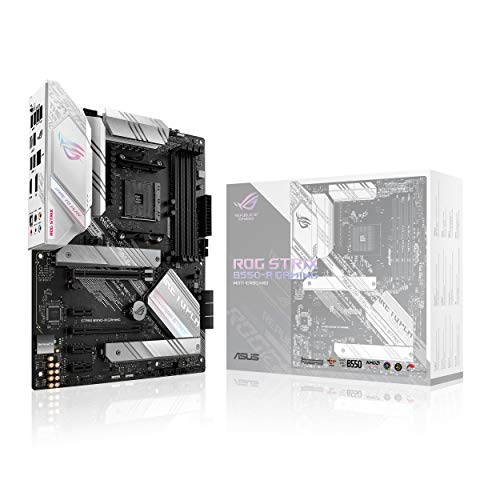
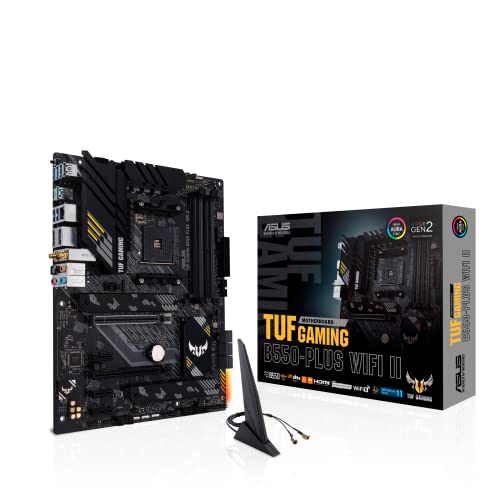
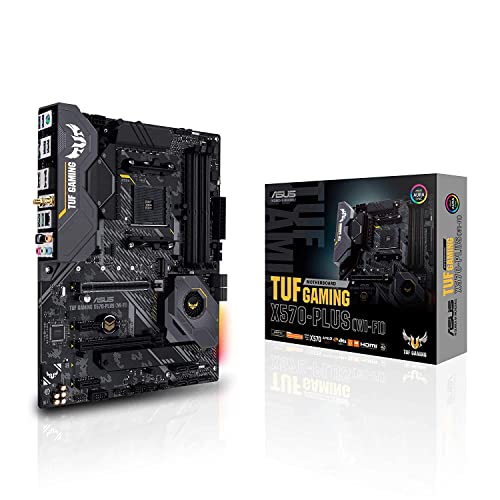
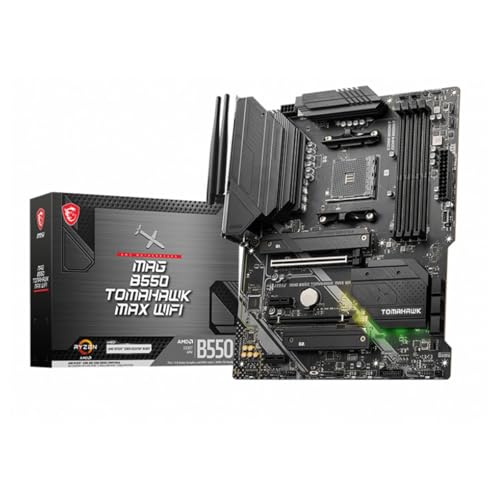
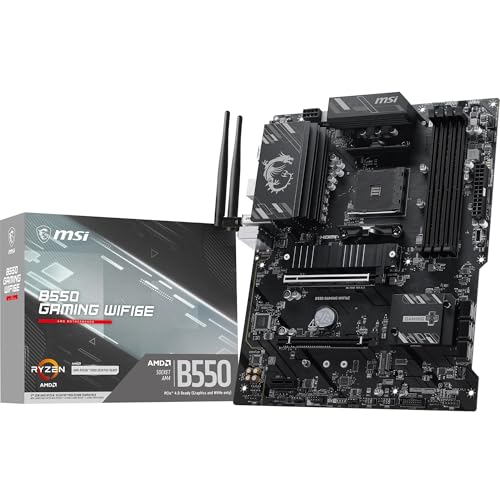


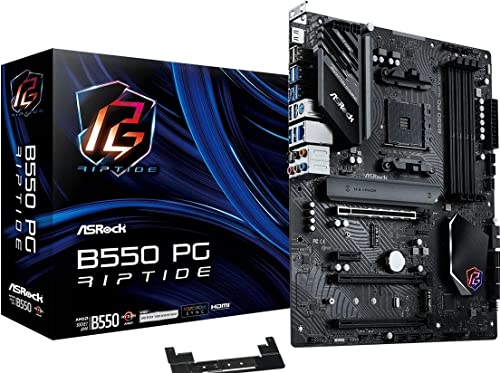

What Each Budget Tier Should Deliver
Budget Tier: The Sensible Starting Point
A budget board, generally under $150, should still give you a stable VRM for six core and eight core Ryzen chips, four memory slots, and at least one fast NVMe slot. Expect a B550 chipset, basic audio, and a modest port selection with no WiFi on many models. This tier suits a Ryzen 5 or Ryzen 7 build for 1080p and 1440p gaming where the graphics card does most of the work. The main trade off is headroom: heavy overclocking and a top tier sixteen core chip under long loads ask more of the power stages than this tier likes.
Midrange Tier: Where Most Buyers Should Land
Midrange boards, roughly about $150 to $250, add stronger power delivery, a second NVMe slot, better audio, and often WiFi and faster USB ports. This is the sweet spot for a Ryzen 7 or Ryzen 9 build because you gain stability and convenience without paying for extreme features. Heatsinks on the VRM and on both storage slots are common here, which helps during long gaming or work sessions. If you plan to keep the board through a later chip upgrade within the same socket, this tier protects that plan best.
Premium Tier: Pay Only for Clear Gains
Premium boards above about $250, often on the X570 platform, bring PCIe 4.0 across more slots, extra NVMe room, top tier networking, and power stages built for the sixteen core flagship at full load. They suit high end 4K builds, heavy content creation, and small form factor PCs that need rich connectivity in a tight space, though compact boards carry their own pricing. Buy this tier when you can name the feature you need, such as three storage drives or dual networking. Paying for it just for looks or lighting is money your graphics card could use better.
What Your Money Gets You at Each Price Tier
Budget Tier: What to Expect
At the budget end you get the AM4 socket, DDR4 memory support, PCIe 4.0 for the main graphics slot and one NVMe drive on B550, and enough fan headers for a normal case. BIOS quality varies, so favor brands with clear update pages. You give up WiFi, extra USB speed, and strong overclocking headroom. For a first build with a midrange card, those losses barely matter day to day, which is why this tier sells so well.
Midrange Tier: The Sweet Spot for Most Buyers
The midrange adds the things owners actually notice: WiFi that removes a cable run, a front USB C header, quieter and cooler power delivery, and a second drive slot for later expansion. Boards here also tend to hold value because they pair well with every Ryzen 5000 chip from the entry models to the flagship. Our guide to the best motherboards for ryzen 5000 covers the same ground from the processor side if you want a second view before deciding.
Premium Tier: When Spending More Pays Off
Spending more pays off when your work loads every core for hours, when you run several fast drives, or when you need the strongest networking for a home office or studio. Premium boards also bring debug displays and BIOS flashback buttons that save real time when a build misbehaves. For pure gaming, though, frame rates barely move between tiers with the same chip and card, because the board is a platform, not a performance part. Buy premium for capability and convenience, never for promised frames.
Features Worth Paying For (and Ones to Skip)
Cooling and Thermals
Board cooling means VRM heatsinks and storage heatsinks, and both matter more than exotic case gear. A board with real finned heatsinks over the power stages stays stable during long loads, while bare power stages can throttle a strong chip. For the processor itself, a good air cooler matches an AIO cooler at lower cost and with less fuss for most Ryzen chips. Case airflow still rules overall temperatures, so two intake fans and one exhaust fan beat any single premium part.
Noise Levels
Most boards are silent by themselves, but some chipsets use a tiny fan that can whine under load, and coil whine can appear from power stages near the socket. Reading owner reports on noise for a specific board class helps more than spec sheets here. Fan control in the BIOS matters too, since smooth fan curves stop the pulsing ramp sounds that annoy owners at night. Set curves once after the build and noise mostly disappears as a topic.
Warranty, Support, and Build Quality
Expect a warranty of about three years on reputable boards, with support quality shown by how fast BIOS updates arrive and how clear the manual is. Build quality signals include reinforced main slots, solid heatsink mounting, and enough fan and lighting headers placed where cables can reach. Good cable management room in your case matters as much as the board itself. If you are comparing wider AMD options, our guide to the best amd ryzen motherboards explains how tiers shift across newer sockets too.
Features That Matter for Ryzen 5000
Ryzen 5000 uses the AM4 socket and DDR4 memory, so ignore any board listing DDR5, since that belongs to the newer AM5 platform. Confirm the BIOS version supports your exact chip, because early boards may need an update before a 5000 series processor will start. PCIe 4.0 support on B550 and X570 gives fast storage and full graphics bandwidth. A BIOS flashback feature is gold here, letting you update without a working processor installed.
CPU and GPU Pairing
Pair the board tier to the chip, then pair the card to your screen. A Ryzen 5 with a midrange card is a classic 1440p setup and runs happily on a budget B550 board, while a Ryzen 9 built for work deserves midrange power delivery at least. Bottlenecks come from mismatched chip and card choices, not from the board, as long as the main slot runs at full width. Spend card money first, chip money second, and board money third.
Long Term Costs to Factor In
The board price is only part of ownership. Budget for a possible WiFi adapter if you pick a wired only board, extra fans if the case ships with one, and a larger power supply if a future card upgrade is likely, with an 80 Plus Gold unit around 650 to 750 watts covering most single card builds. AM4 is a mature platform, so your next big upgrade will likely mean a new board and memory together. That reality argues for buying the tier you need now rather than paying premium prices for upgrade dreams this socket cannot fulfill. Owners focused on one chip class can also check our guide to the best motherboards for amd ryzen 7 for narrower advice.
AMD Motherboards: Your Questions Answered
What features matter most in amd motherboards for ryzen 5000?
Power delivery that suits your chip, a BIOS that supports your chip from the first boot, and enough storage slots matter most. Add WiFi if your router sits far from the desk. Fancy extras like extra lighting headers change nothing about daily use. Check the maker CPU support list for your exact processor before ordering, because that one check prevents the most common build delay.
Do I need a BIOS update to run a Ryzen 5000 chip?
It depends on the board. Many older B450 and X470 boards need a BIOS update before a 5000 series chip will start, while newer B550 boards usually ship ready. Check the maker CPU support list for the BIOS version required, and look for a BIOS flashback button if you do not own an older chip to update with.
How much RAM do I need for gaming?
Sixteen gigabytes of DDR4 in two sticks is the baseline for smooth gaming, and 32 GB suits players who stream or edit. Capacity beats extreme speed for most people, though Ryzen chips do reward reasonably fast memory with tight timings. Buy a matched pair rather than mixing old and new sticks. Leave two slots free if your board has four, so a later capacity upgrade stays simple.
Air or liquid cooling: which is better?
Air cooling is better value for most Ryzen 5000 builds and runs quietly with zero pump risk. A large dual tower air cooler handles even the flagship chips at stock settings. Liquid cooling earns its place in compact cases or for looks, and in sustained heavy overclocks. Either way, case airflow decides your real temperatures more than the cooler style does.
Is B550 or X570 better for Ryzen 5000?
B550 is the better value for most builds because it gives PCIe 4.0 for the graphics card and one drive at a lower price. X570 adds more PCIe 4.0 lanes and extra storage and USB connectivity, which suits builders with several fast drives or add-in cards. A chipset fan on some X570 boards can add a little noise.
What GPU do I need for 1440p?
A current midrange card delivers smooth 1440p frame rates at high settings in most games. Pair it with at least a six core Ryzen 5000 chip so the processor keeps up in busy scenes. Your board only needs a full width PCIe slot, which every tier here provides. Spend the card budget before upgrading board tiers, because the card alone decides most of your frame rate.
Final Thoughts
Match the board tier to your chip, confirm BIOS support before you order, and put leftover money into the graphics card and power supply where it changes your experience. Most buyers land happily in the midrange, while budget boards serve focused gaming builds and premium boards serve heavy work and rich storage needs. Look back at the product table above, short list by tier, and the best amd motherboards for ryzen 5000 for your build will be an easy call. Builders set on the flagship chipset can also read our guide to the best x570 motherboards for ryzen 5000 and our guide to the best motherboards for ryzen 5000 series.


