
Best Airprint Printers for Home: Every Type Explained Side by Side for 2026
Disclosure: We may earn a commission when you buy through links on this page, at no extra cost to you. As an Amazon Associate I earn from qualifying purchases. Learn more

The best airprint printers for home depend on what your household prints. Compare inkjet, photo, laser and all in one types by cost and speed.
Shopping for the best airprint printers for home gets confusing fast because one shelf holds tiny inkjets, photo models, laser units, and large multifunction machines, all promising easy printing from your iPhone or iPad. The right choice depends on what your household actually prints.
This guide explains each type in plain language, compares the two most common home options directly, and gives you a simple way to match a printer to your pages, your space, and your budget. Start with the comparison table below, then use the sections that follow to narrow your list.
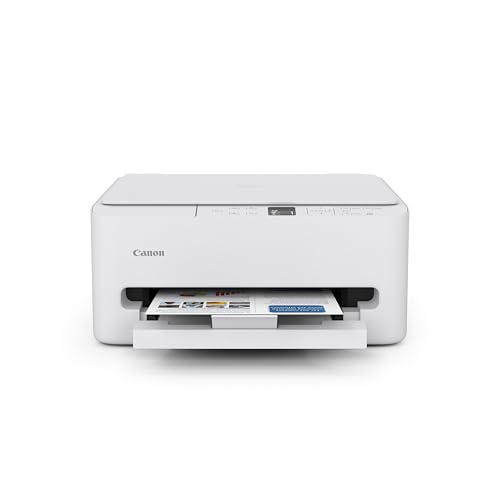




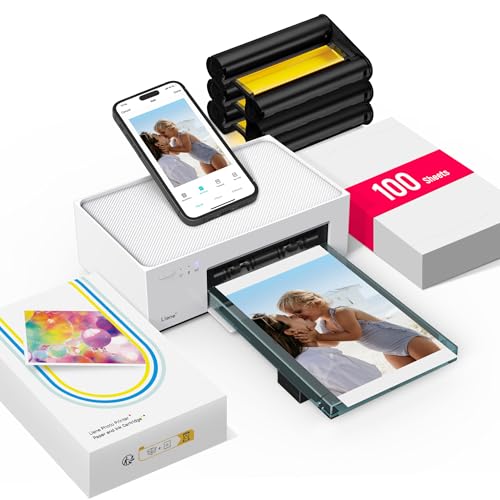
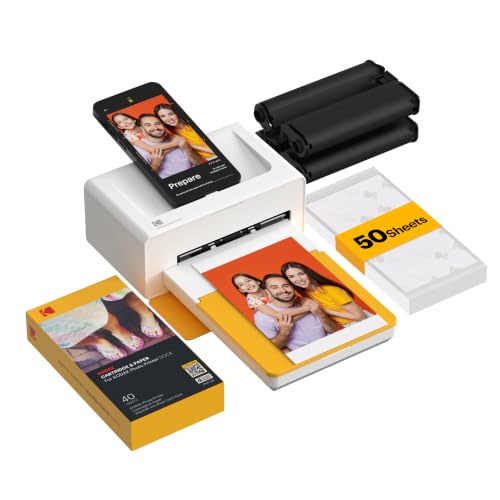

Types of Airprint Printers Compared
AirPrint is built into Apple devices, so setup is mostly a matter of putting the printer on your home WiFi network and choosing it from the print menu. Beyond that shared feature, the printer types behave very differently. Running cost, speed, photo quality, and upkeep all change with the technology inside the box.
Inkjet Printers
Inkjet printers spray fine drops of ink onto paper, which makes them good all rounders for a home. They print decent text, clear color graphics, and acceptable photos on plain paper, and basic models often cost under $100. For a household that prints a bit of everything in small amounts, an inkjet is the flexible default.
The weakness is upkeep. Cartridges are small and can feel costly for the pages they give, and ink can dry in the print head if the printer sits idle for weeks. Regular light use keeps an inkjet happy. Long silent gaps are where trouble starts, with cleaning cycles wasting ink before your real page appears.
Photo Printers
Photo printers are inkjets tuned for pictures. They use extra ink colors, handle glossy paper well, and work hard on smooth skin tones and soft gradients. If you print photos for frames, scrapbooks, or school displays and you care about how they look up close, this type earns its place.
For everyday home documents, though, a photo printer is rarely the smart main machine. Ink and photo paper cost more per page, text printing is slower, and many models have small trays. Treat a photo printer as a specialist partner to a general home printer, not as the only printer, unless photos truly are almost everything you print.
All in One Printers
All in one printers add scanning and copying to printing, and many add fax as well, though few homes use it now. That scanner earns its keep more often than people expect: school forms, signed documents, insurance papers, and old photos all pass through a home scanner sooner or later. A document feeder on top makes multi page scanning much less tedious.
The trade off is size and price. These machines are bigger, cost more, and have more parts that can fail. Still, for most homes they are the practical sweet spot, because one device covers printing, scanning, and copying without taking three spots on a shelf. To compare function sets in more depth, see our guide to the best mfp printers for home and note which features your household would really use.
Inkjet Printers vs Photo Printers: Which Should You Choose?
Put the two side by side on five points. First, print quality: a photo printer wins for pictures, while a general inkjet wins for mixed pages with text and graphics. Second, running cost: general inkjets use cheaper paper and ink for documents, while photo output costs more per page on any machine.
Third, speed: general inkjets handle everyday documents faster. Fourth, paper handling: home inkjets usually offer larger trays and, on some models, automatic two sided printing, which photo models often skip. Fifth, upkeep: both need regular use, so neither suits a home that prints twice a year.
The conclusion is simple. For the best airprint printers for home use, choose a general inkjet, ideally an all in one, as your main home printer. Add or choose a photo printer only when printed pictures are a weekly habit and display quality matters to you. Shoppers whose main goal is picture quality can also read our guide to the best quality photo printers for home for the quality points that matter most.
How to Choose the Right Airprint Printer
Work through these five checks with your real printing in mind. A printer that fits your actual pages will always beat a printer with a longer feature list that you never touch.
Cost per Page and Ink Costs
Cost per page decides what a cheap printer really costs. Small cartridges in a low priced inkjet can push document costs high, while ink tank models refill from bottles and bring color page costs down sharply. If your home prints hundreds of pages a month, running cost should outrank purchase price in your decision.
Ink subscription plans can smooth costs for steady users, sending cartridges before you run out. They suit households with predictable volume. If your printing swings wildly month to month, buying high yield cartridges or tank refills as needed is usually cheaper. Either way, check refill prices for the exact models on your shortlist before you buy.
Print Speed
Speed is measured in pages per minute. For home use, the number matters less than first page behavior, because most home jobs are one to five pages. A printer that wakes fast and prints a first page quickly feels fast every day, even with a modest headline speed.
Long jobs change the picture. Homework packets, reading for work, and club newsletters reward higher speed and a decent paper tray. If long jobs are common in your home, weight speed more heavily and avoid models with tiny trays that need constant refilling.
Connectivity and Mobile Printing
AirPrint is the headline feature, but check the rest of the connection picture. Dual band WiFi helps in homes where the 2.4 GHz band is crowded, and a steady connection matters more than any app feature. Place the printer where the router signal is strong, not in a far corner behind thick walls.
A maker app still helps for scanning to a phone, checking ink levels, and updating firmware. A practical know how tip: give the printer a fixed spot on your network through your router settings if you can. Printers that keep the same network address are found more reliably by phones and laptops. For a broader look at home models beyond AirPrint, see our guide to the best computer printers for home as a cross check.
Printer Type
Type follows page mix. Mostly text with idle weeks between jobs points to laser, which uses toner that does not dry out. Mixed pages in modest amounts point to inkjet. Heavy color volume points to an ink tank model. Photos as the main event point to a photo printer.
Do not let a low sale price pull you across types. A bargain inkjet in a home that prints rarely becomes a cartridge replacement habit, and a bargain photo printer in a document heavy home becomes slow and costly. Match the type first, then shop for price inside that type. That order saves money twice.
Paper Handling and Duplex Printing
Paper handling shapes daily convenience. A tray that holds a full week of your printing beats one you refill daily. Automatic two sided printing, called duplex, cuts paper use and makes school and work documents look tidy, so it is worth having if you print multi page documents often.
Check supported paper sizes and weights too. Homes that print labels, envelopes, or card stock should confirm those media are listed as supported, with a rear feed or straight path if possible. A document feeder on a scanner is a separate bonus: it turns a stack of forms into a scanned file while you do something else. Picture focused households may also want to browse our guide to the best picture printers for home for paper handling notes on photo models.
Tips to Get the Most From Your Airprint Printer
Print something small every week or two, especially with inkjet and tank models, so ink keeps moving and heads stay clear. Use genuine ink or reputable refills, since poor ink can clog heads and fade fast. Keep paper in its wrapper in a dry spot, and fan each stack before loading to prevent pages sticking together.
Update firmware when the maker app offers it, because updates often improve WiFi stability and AirPrint reliability. Finally, keep the printer out of direct sun and away from heaters. Heat dries ink faster and warps paper, and both lead to the jams and faded pages people blame on the printer itself.
Airprint Printers: Your Questions Answered
Are ink tank printers worth it?
Yes, for homes with steady and fairly high page volume. Bottle refills give a low cost per page, and the higher purchase price is repaid over time. They are less worthwhile for rare printing, since any ink system suffers when left idle for months. Match the tank choice to a realistic monthly page count, not to your busiest ever month.
Inkjet or laser: which is cheaper long term?
Laser is usually cheaper long term when documents dominate, because toner yields more pages and never dries out. Inkjet is cheaper to buy and better for photos, and tank inkjets can beat laser on color page cost at high volume. The honest method is personal: multiply your monthly pages by the cost per page of each shortlisted model and compare the yearly totals.
What does cost per page mean?
Cost per page is the ink or toner cost of one printed page, worked out by dividing a cartridge or bottle price by the pages it is rated to print, with paper added. It is the fairest way to compare printers, because a low priced printer with costly small cartridges often costs more over two years than a pricier model with generous refills.
The Bottom Line
Choose by type first, running cost second, and features third. For most households, an all in one inkjet or a compact laser covers daily printing, scanning, and copying with the least fuss, and best airprint printers for home shopping becomes much simpler once your page mix is clear.
Use the product table above to compare your finalists, confirm refill prices, and check the footprint against your shelf. If you want a second opinion on widely praised models, our guide to the best reviewed home printers offers another view before you decide.

