
Best AirPrint Printers: A Practical Buying Guide for 2026
Disclosure: We may earn a commission when you buy through links on this page, at no extra cost to you. As an Amazon Associate I earn from qualifying purchases. Learn more

Print from iPhone, iPad and Mac without drivers. The best airprint printers compared by type, wireless reliability and running cost per page.
The best airprint printers let an iPhone, iPad or Mac send a document or photo straight to paper over WiFi, with no driver, cable or maker account in between. The catch is that "wireless" does not always mean AirPrint, and the printer type you pick decides your running cost far more than the logo on the box.
This guide explains how AirPrint works, compares the main printer types, and lists the checks that separate an easy printer from a frustrating one. Use the product table below for a first look, then read on for the reasoning behind each choice.
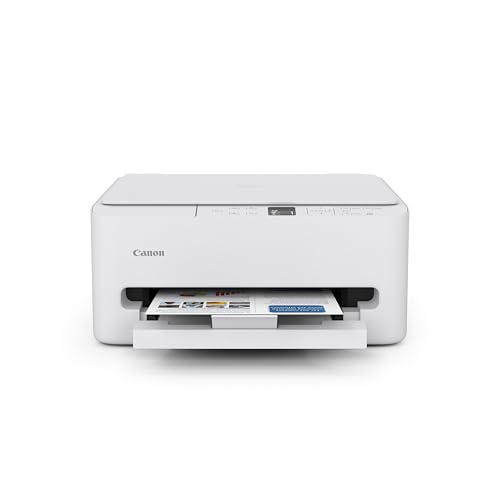




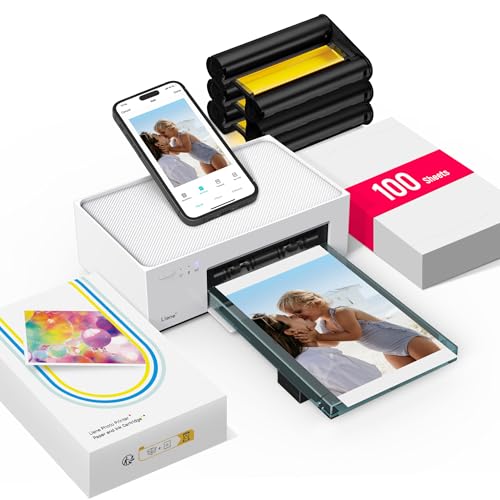
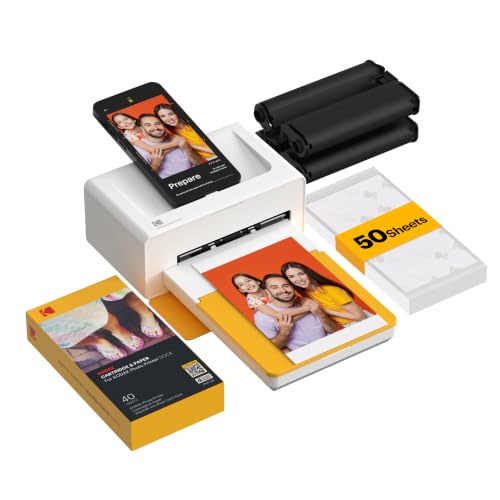

How AirPrint Works and Why It Matters
AirPrint is Apple's built in printing feature. Your device finds compatible printers on the same WiFi network and shows them in the share sheet, so setup usually takes a minute. Because it needs no driver, it keeps working through system updates better than older printing methods.
Not every wireless printer supports it. Some only print through a maker app, which adds steps and accounts. Check that the official specs name AirPrint, and confirm that your phone and printer join the same network, not a separate guest network.
Types of AirPrint Printers Compared
Inkjet All in One
Inkjets suit mixed home use: school papers, forms, color graphics and the occasional photo. Many models scan and copy too. Basic models are cheap to buy, but small cartridges can make each page costly, and ink can dry if the printer sits unused for weeks.
Ink Tank (Supertank)
Tank printers use refillable ink bottles instead of cartridges, which cuts cost per page sharply. They cost more up front and suit households that print hundreds of pages a month, such as students and home offices with color needs.
Laser
Laser printers use toner, which never dries out. They print text fast and sharp, handle long idle gaps well and usually cost less per page for documents. Color laser costs more, and photo quality trails a good inkjet.
Photo and Portable
Photo printers use extra ink colors for rich prints and are best as a second printer for pictures. Portable models suit travel and small desks but print slowly and cost more per page. Neither replaces a general home printer.
Key Features to Compare
- AirPrint support: Look for the word AirPrint in the official specs, and check that the model works with your device software version.
- Wireless reliability: Dual band WiFi helps in crowded homes, and Ethernet gives the most stable link if your router is close. Placing the printer where the signal is strong avoids most dropouts.
- Running cost: Divide the cartridge, bottle or toner price by its rated page yield. This cost per page figure is a better guide than the sticker price.
- Print quality: Laser gives crisp text. Inkjet gives better color and photos. Judge by the content you print most.
- Scanning and copying: An all in one earns its space if you handle forms or receipts. A document feeder makes multi page scans easy.
- Duplex printing: Automatic two sided printing saves paper and keeps long documents tidy.
Which Type Fits Which Household?
Students and Families
A compact inkjet all in one handles homework, forms and photos at a low price. If the family prints more than about 200 pages a month, a tank model repays its higher cost within a year or two.
Home Offices
Contracts, invoices and shipping labels favor a monochrome laser with duplex printing and a reliable network connection. Add color laser only if client documents need it.
Photo Hobbyists
Choose a photo focused inkjet with borderless printing and good paper support, and keep a simple laser or inkjet for everyday documents.
For a closer look at Apple focused options, see our guide to the best apple airprint printers, and for brand specific models see the best hp airprint printers. Readers who print mainly from a tablet can start with the best airprint printers for ipad, while Mac users may prefer the best airprint printers for mac. If documents are your priority, the best airprint laser printers explains that type in depth.
Setup and Care Tips
Join the printer to your home WiFi using its screen or maker app, then print once from each Apple device in the house. Finding a discovery problem on a calm day beats finding it before a deadline.
Print a small color page every week or two on an inkjet so the nozzles stay clear. Keep paper dry and flat to prevent jams, update firmware a few times a year, and use genuine or reputable supplies. If the printer disappears from your list, restart the printer, then the router, then the device.
FAQs
Do I need a driver for AirPrint?
No. Modern Apple devices print to AirPrint printers without a driver. If a printer does not appear, check that both devices share the same network, that software is up to date and that the model supports AirPrint.
Why will my iPhone not find the printer?
The phone and printer must be on the same network. Restart both, check that the printer is awake and connected, and avoid guest networks, which often stop devices from seeing each other.
Is AirPrint secure?
Printing on a home network is generally safe with a strong WiFi password and updated firmware. Avoid open public networks for sensitive documents.
Can I print from a Mac and an iPad to the same printer?
Yes. AirPrint works across Apple devices on the same network. Print once from each device after setup, because sleep settings and network names can differ.
Tank or cartridge for light use?
Cartridge models suit light use and a lower upfront cost. Tank models suit frequent printing because ink cost per page is usually much lower.
Final Thoughts
Pick the printer type from your real page mix, confirm that AirPrint appears in the specs, and compare cost per page before price. With those checks done, the best airprint printers for your home or office become an easy short list in the product table above.

