
Best Airprint Laser Printers in 2026: Which Type Is Right for You?
Disclosure: We may earn a commission when you buy through links on this page, at no extra cost to you. As an Amazon Associate I earn from qualifying purchases. Learn more

The best airprint laser printers print sharp documents fast from Apple devices. Compare monochrome, color and multifunction types by speed and toner cost.
Choosing among best airprint laser printers can feel confusing because listings mix monochrome models, color models, compact home units, and larger office machines as if they were all the same thing. They are not. Each type trades speed, color, size, and running cost in a different way.
This guide compares the types side by side, explains who each one suits, and walks through the decisions that matter before you spend anything. Use the comparison table below to see the field at a glance, then read on for the detail behind each row.




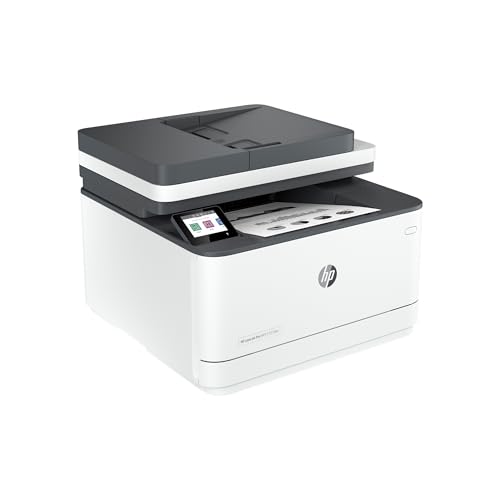


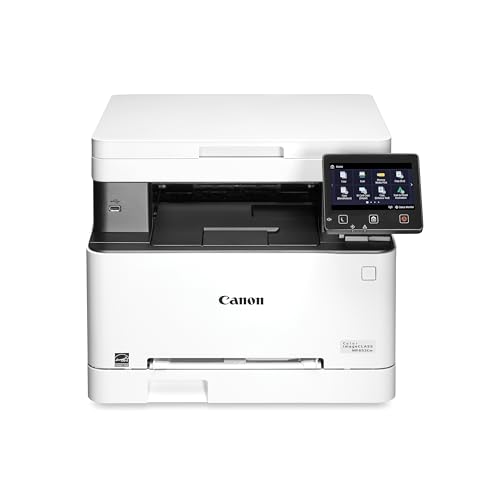
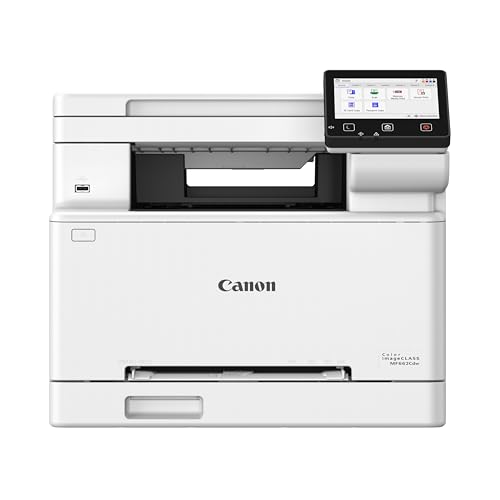

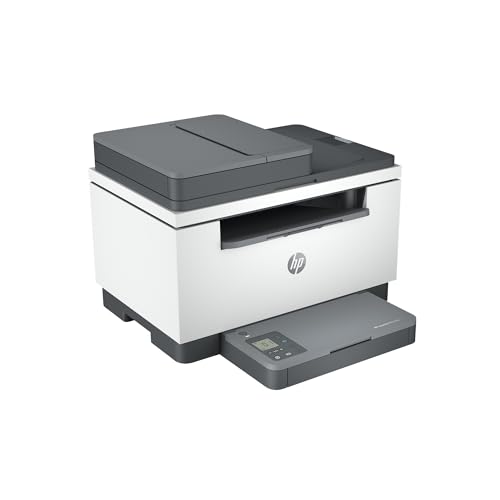
How Airprint Laser Printers Compare to Other Options
AirPrint is the printing feature built into Apple devices. It lets an iPhone, iPad, or Mac send a document to a compatible printer over your home or office WiFi network without extra driver software. A laser printer adds toner based printing, which is fast, sharp for text, and usually cheaper per page for documents than ink. Put together, you get quick document printing straight from the device already in your hand.
The real question is whether laser printing matches what you print. If most of your pages are forms, invoices, schoolwork, shipping labels, and reports, laser is a strong fit. If most of your pages are glossy photos or artwork with smooth color blends, another technology may serve you better. The three comparisons below make that call easier.
Airprint Laser Printers vs Inkjet Printers
Inkjet printers spray liquid ink onto the page. They handle color photos and mixed graphics well, and small models often cost less up front, sometimes under $100. The trade off is speed and upkeep. Inkjets print more slowly, and ink can dry in the nozzles if the printer sits unused for weeks, which leads to cleaning cycles that waste ink.
Laser printers use powdered toner that does not dry out, so a laser unit can sit idle and still print a clean first page. Text comes out crisper, pages come out faster, and cost per page for documents is usually lower. If you print mostly text with occasional simple color, laser wins. If photos are a weekly habit, inkjet still has a place.
Airprint Laser Printers vs Ink Tank (Supertank) Printers
Ink tank printers store ink in refillable reservoirs instead of small cartridges. Refill bottles cost little for the volume they hold, so cost per page can be very low, especially for color pages. For households that print hundreds of color pages a month, that saving adds up quickly and can outweigh a higher purchase price.
The trade off is that tank models are still inkjets. They print more slowly than laser units, output can smudge if handled before it dries, and the print heads still need regular use to stay clear. Choose a tank model for heavy color volume on a budget. Choose laser for speed, sharp text, and a printer that tolerates long idle gaps without complaint.
Airprint Laser Printers vs Photo Printers
Dedicated photo printers focus on image quality. They use more ink colors, support glossy and specialty papers, and render skin tones and gradients with care. For framed prints and portfolios, that quality is the whole point, and a document printer will not match it.
Photo printers are a poor fit for everyday documents, though. They are slower for text, their ink and paper cost more per page, and many lack large paper trays or automatic two sided printing. Most households are better served by a laser printer for daily work, plus an online print service or a small photo printer only if display quality photos are a regular need.
Who Should Choose Airprint Laser Printers?
Home office workers are the clearest match for the best airprint laser printers. If you print contracts, invoices, and reports from a Mac or iPhone and you value a clean first page after days of silence, this category was built for you. Students printing essays and reading packets benefit in the same way, and so do small teams sharing one machine.
Families with light to moderate document printing also fit well, especially when homework, forms, and return labels make up most of the load. A color model adds school projects and simple graphics without the upkeep of ink.
Look elsewhere if you print photos often, if you need very large paper sizes, or if your monthly color volume is so high that an ink tank model would cut your running costs sharply. Be honest about your last month of printing, not the printing you imagine doing someday. That one honest count settles most of the decision.
For a wider view of the category before you narrow down, see our guide to the best laser printers and compare what non AirPrint models offer for the same money.
How to Choose the Right Airprint Laser Printer
Start with your page mix, then work through the points below in order. Each one removes a few models from contention, and by the end the right type is usually obvious. Keep notes as you go, because spec sheets blur together quickly.
Monochrome or Color, Single Function or Multifunction
Within laser, your first split is monochrome versus color. Monochrome models cost less, print fastest for text, and need only one toner cartridge. Color models add flexibility for charts, projects, and handouts, at a higher price and with four cartridges to replace over time. If you need color only rarely, a monochrome laser plus an occasional outside print can be the smarter spend.
The second split is single function versus multifunction. A model that scans and copies earns its extra cost if you handle paper forms, signed pages, or ID documents at home. If you never scan, skip it and put the money toward speed or tray size. Readers comparing function sets can see our guide to the best multifunction laser printers for what those added features usually include.
Cost per Page and Toner Costs
Cost per page is the price of toner and paper divided across the pages a cartridge yields. A cartridge that costs more can still be cheaper per page if it prints far more pages, which is why high yield cartridges often beat standard ones for regular users. Check the stated yield for both sizes before you buy the printer, not after.
Also count the starter cartridge honestly. Many printers ship with a low yield starter cartridge, so your first replacement may arrive sooner than expected. Reputable compatible toner can lower costs, but poor quality toner can leak or produce faded pages, so buy from sellers with clear return policies. Subscription toner programs suit some offices, yet most home users pay less buying high yield cartridges as needed.
Print Speed
Speed is quoted in pages per minute, and it matters most for long documents. A difference between about 20 and about 35 pages per minute is barely noticeable on a three page form, but it is very noticeable on a 60 page report. First page time matters too, since many home jobs are only a page or two.
Remember that quoted speeds assume simple text pages at draft friendly settings. Color pages, dense graphics, and two sided printing all slow a printer down. If your work is mostly short jobs, prioritize fast wake up and first page time over headline speed. If you print long runs weekly, headline speed deserves real weight in your choice.
Footprint and Noise
Measure your shelf or desk before you fall for a feature list. Color and multifunction laser printers are larger than they look in photos, and they need clearance above for the lid and in front for the paper tray and output. Leave room for the power cord and for air to circulate, since laser printers vent warm air while working.
Noise is the other comfort factor. Laser printers whir and click during a job and run a fan briefly afterward. In a shared living space or a bedroom office, a quieter model with a quiet mode is worth having, even if it prints a little more slowly. Check the stated noise level if you take calls near your desk.
Reliability and Support
AirPrint removes much of the old driver trouble, but firmware still matters. A printer whose maker issues regular firmware updates is more likely to keep working smoothly after your phone or Mac updates its system software. Look for a clear support page, downloadable manuals, and a warranty of at least one year.
Read owner feedback for patterns rather than star averages. Repeated notes about WiFi dropping, trays jamming, or toner errors point to real weak spots. A practical know how tip: after setup, print the network settings page from the printer menu and keep it with the manual. It makes reconnecting the printer after a router change far quicker. If color output is central to your work, compare notes with our guide to the best airprint color laser printers before you decide.
How to Make Your Airprint Laser Printer Last Longer
Keep the printer on a firm, level surface away from steamy bathrooms and dusty workshop corners. Dust and paper fibers build up inside, so wipe the exterior with a dry cloth monthly and use the cleaning routine in the settings menu when pages show specks. Always use paper that is dry, flat, and within the supported weight range, and fan a new stack before loading it to reduce double feeds.
Handle toner cartridges gently and never leave one sitting in bright light. When print fades, remove the cartridge and rock it slowly side to side to spread the remaining toner, which often restores even output for a while. Update firmware when the maker releases a fix, and print something every week or two in busy seasons so moving parts stay exercised. For general AirPrint background beyond laser models, see our guide to the best airprint printers for how the feature works across printer types.
FAQs
What does cost per page mean?
Cost per page is what one printed page costs you in toner and paper. Divide the cartridge price by its stated page yield, then add a small amount for paper. A high yield cartridge at about $90 printing 3,000 pages costs about three cents per page in toner. Comparing this number, rather than cartridge price alone, shows which printer is truly cheaper to run.
Inkjet or laser: which is cheaper long term?
Laser is usually cheaper long term for document printing. Toner cartridges cost more up front but yield many more pages, and toner does not dry out during idle weeks. Inkjet can be cheaper for photo heavy homes, and ink tank models close the gap for high color volume. Count your real monthly pages and multiply by each type of cost per page to get your own answer.
Are ink tank printers worth it?
Ink tank printers are worth it when your color page volume is high and steady. Their refill bottles deliver a very low cost per page, which repays the higher purchase price over time. They are less worthwhile if you print rarely, because the ink system still needs regular use to stay clear. For mostly text printing with idle gaps, a laser printer is usually the calmer and cheaper owner experience.
The Bottom Line
Decide by page mix, running cost, and pace of use. If your pages are mainly documents sent from Apple devices, and you want fast, sharp, low fuss output, best airprint laser printers are the right category to shop in. Pick monochrome for pure documents, color for mixed work, and multifunction only if you truly scan.
Compare your shortlist against the product table above, check tray size against your desk space, and confirm the high yield toner price before you buy. For more color options, our guide to the best color laser printers covers similar ground. A careful hour now prevents years of small printing annoyances.


