
Best AIO Printers 2026: First Time Buyer Guide
Disclosure: We may earn a commission when you buy through links on this page, at no extra cost to you. As an Amazon Associate I earn from qualifying purchases. Learn more

The best aio printers compared: inkjet, laser and tank types, ink costs, scanning, wireless setup and paper handling.
AIO stands for all in one: a printer that also scans and copies, and often faxes. The best aio printers fit the way you print, keep running costs low and connect easily to your phone and computer. The comparison table below summarises the main options side by side, and the sections that follow explain each choice.
Start by counting what you print in a normal month, and what you scan or copy. A household that prints a few pages a week has different needs from a small office printing daily, and the cheapest printer is rarely the cheapest to run.
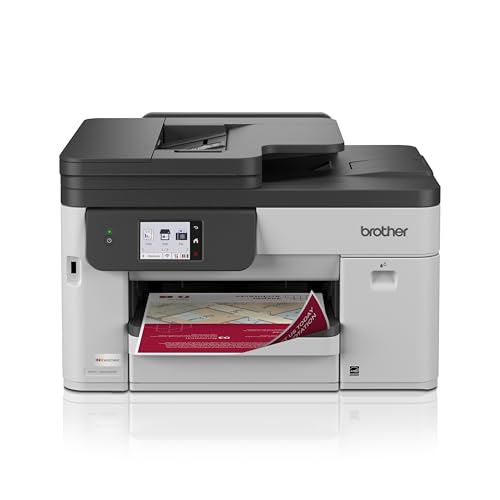



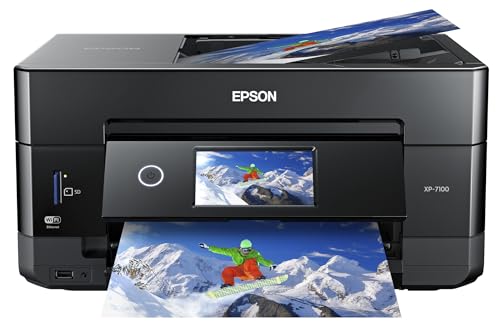
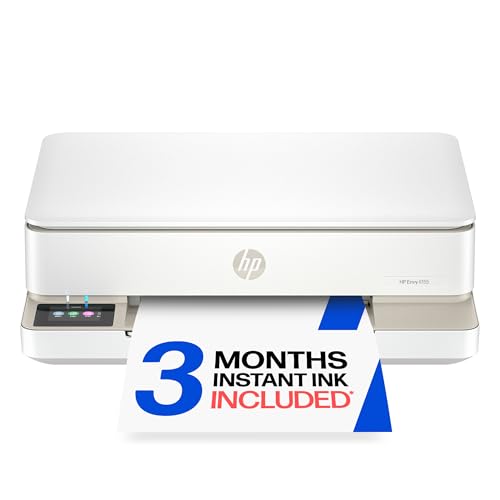


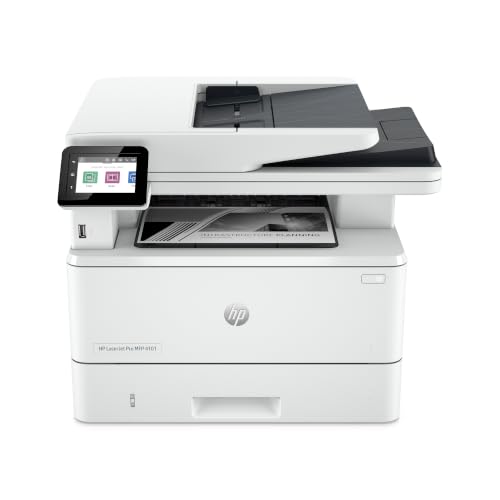

Who Should Buy Which Type
Three types cover most buyers. Match yours to your routine, and the features worth paying for become clearer.
Inkjet all in one printers
Inkjets suit mixed use, with color documents, school projects and occasional photos. They cost less up front than lasers, and the better models handle photo paper well. The trade off is that cartridges can be expensive per page, and ink can dry out if you print rarely.
Laser all in one printers
Lasers are the choice for frequent text printing. Pages come out fast and sharp, toner lasts a long time and does not dry out, so they suit home offices and students. Monochrome models are cheaper and smaller; color lasers cost more but print business documents well.
Tank all in one printers
Tank printers use refillable ink bottles instead of cartridges. They cost more to buy, but each page costs a fraction of a cartridge page, which makes them the best value for regular printing. They suit families, students and anyone who prints hundreds of pages a month.
Key Features Explained
Print, scan and copy functions
Check scan resolution, copy speed and whether the scanner is a flatbed only or has an automatic document feeder (ADF). A flatbed handles books and photos; an ADF scans multi page documents quickly.
Wireless printing
Look for Wi-Fi, a maker app and support for your phone's printing system. Wired Ethernet adds stability for desk based printers, and a USB port is a useful backup.
Ink and toner cost
Estimate your monthly pages, then compare cost per page, not cartridge price. Subscription ink plans can lower costs for steady users, and high yield cartridges or tanks lower them further.
Automatic duplex and paper handling
Automatic double sided printing saves paper, and a tray that holds a full ream reduces refills. Check supported paper sizes if you print envelopes, labels or photos.
Photo quality
If you print photos, look for models with extra ink colors and a photo tray. For documents only, photo specs add cost you will not use.
Related guides can help you compare nearby options, including best quality printers, best computer printers for home and best printers for pictures.
How to Choose Between the Best AIO Printers
Work through four questions. How many pages do you print each month? Under about 100, an inkjet or a basic laser is fine; over 300, a tank or laser pays back its higher price. Do you need color? If you only print text, a monochrome laser is smaller and cheaper to run. Do you scan multi page documents? If so, an automatic document feeder is worth the extra cost. Where will the printer sit? Measure the space, including the tray and the lid when open.
Then check the ecosystem. Make sure the printer works with your phone, your computer's operating system and any cloud services you use. Some manufacturers require an account or a subscription for features such as automatic ink delivery, so read the terms before you set up.
Everyday Scenarios
For a student, a compact wireless inkjet or a small tank printer handles essays, posters and the occasional scan to PDF. For a home office, a laser with duplex printing and a feeder speeds up invoices and contracts. For a family, a tank all in one keeps school work, recipes and photos affordable. For someone who prints rarely, a low cost inkjet is fine, as long as you print a page every couple of weeks to keep the nozzles clear.
Budget Tiers and Value
Entry models at about $60 to $130 suit light printing, but ink costs add up quickly. Mid range models at about $130 to $280 often add duplex printing, a document feeder and better ink economy. Tank and business models at about $200 to $500 or more cost the most up front and usually win for regular use over two or three years. Compare total cost over that period, not sticker price.
Care, Setup and Common Mistakes
Place the printer within good Wi-Fi range, load fresh paper, and run the setup from the maker app. Print a test page every couple of weeks to keep ink flowing, keep the scanner glass clean, and store paper dry and flat to avoid jams.
A common mistake is buying on print speed or a low price alone while ignoring ink cost. Another is skipping a document feeder and then scanning long reports by hand. Check warranty, support and ink availability before you order.
Frequently Asked Questions
Inkjet or laser for home use?
Inkjet printers handle color and photos well at a lower purchase price. Laser printers suit frequent black text printing. Match the type to your most common jobs.
Are tank printers cheaper long term?
Tank printers cost more up front, but ink refills cost far less per page. High volume users benefit most. Low volume users may prefer standard cartridges.
What does the scanner need to do?
Flatbed scanners suit books and photos, while document feeders suit multi page documents. Duplex scanning saves time on double sided pages.
How important is wireless printing?
Wireless printing lets phones and laptops print without cables. Check app support for your devices, and use a wired connection for a fixed desk setup if your Wi-Fi is weak.
Why do ink costs vary so much?
Cartridge yield, color use and cleaning cycles affect real costs. Compare cost per page, and print a test page after long idle periods.
Final Thoughts
Choose the type that fits your routine, check running costs before the sticker price, and make sure scanning and wireless features suit your household. The product table above gives a quick recap of the main options, and the best aio printers are the ones that stay cheap and easy to run for years.


