
Best Affordable Soundbars for TV in 2026: What Actually Matters Before You Buy
Disclosure: We may earn a commission when you buy through links on this page, at no extra cost to you. As an Amazon Associate I earn from qualifying purchases. Learn more
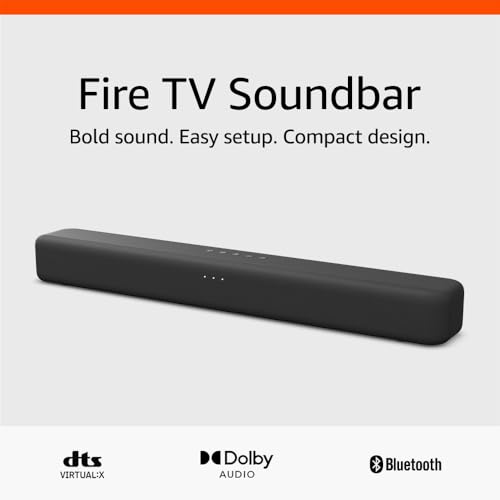
Compare affordable soundbars for your TV with clear guidance on channels, dialogue clarity, HDMI ARC, subwoofer style, sizing and sensible prices.
Most TV speakers point down or toward the wall, so voices sound thin and you keep raising the volume during quiet scenes. The best affordable soundbars for tv fix that basic problem first, with forward facing drivers, clearer dialogue and a connection your TV already supports. This guide uses a simple checklist, so you can judge any low price bar by the same points and compare the comparison table below with confidence.
Affordable here means honest trade offs, not missing basics. Most useful budget bars cost about $70 to $200, and that money should buy a reliable TV connection and sound that stays clear at normal volume. Decorative lights, elaborate apps and simulated surround effects matter far less.
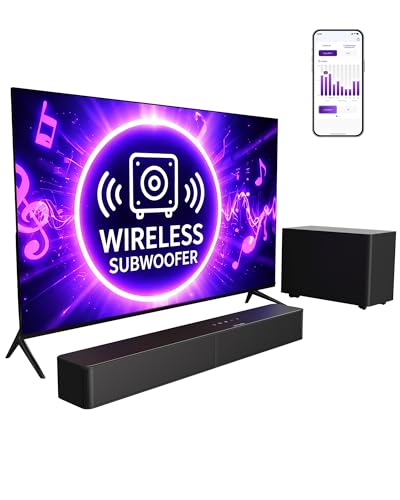
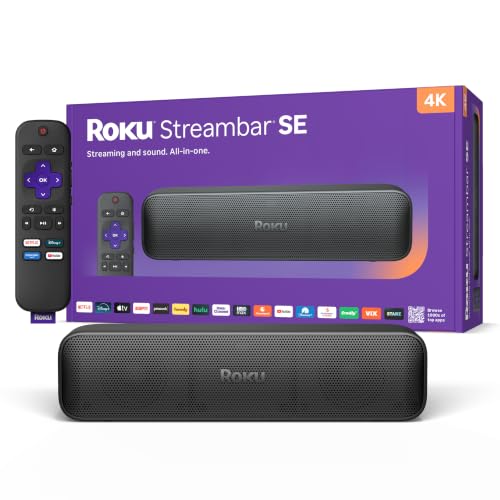


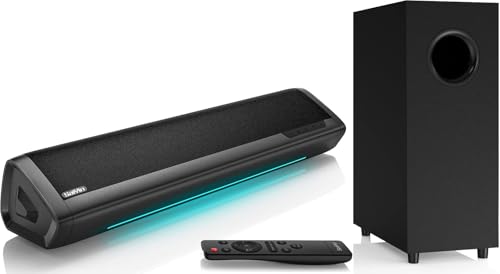



Who Should Buy an Affordable Soundbar for TV Viewing?
Start with the problem your TV speakers cause most often. A bar that suits a movie fan may waste money for a news viewer, and a small room needs far less bass than an open plan space.
Movie and Sports Fans Tired of Thin TV Sound
You hear crowd noise and music clearly, yet commentary and dialogue sit buried underneath. Choose a bar with a dedicated center channel or a strong dialogue mode, because that is where voices live in most mixes. A modest separate subwoofer helps with film rumble, as long as you can lower its level for late viewing.
Viewers Who Keep Rewinding to Catch Dialogue
You raise the volume for speech, then lower it again when an action scene or commercial arrives. Your priority is voice clarity at modest volume, not maximum loudness. Look for a center channel layout and an adjustable dialogue setting. Judge a bar from your normal seat, because voices that seem clear up close can blur across a room.
Apartment Viewers and Small Room Owners on a Tight Budget
You want fuller sound without neighbor complaints or a floor full of speakers and cables. A compact 2.0 or 2.1 bar under $150 often covers a small room well, and night mode keeps loud moments in check. Measure your TV stand before ordering, because a short bar that fits beats a wide bar balanced at the edges.
Key Features to Compare
Work through these five factors in order, since the first two decide whether a bar suits TV use at all. For a wider budget range, see our guide to the best affordable soundbars.
Channel Layout and the Center Speaker
Channel numbers describe where sound comes from. A 2.0 bar has left and right channels only, a 2.1 bar adds a subwoofer for bass, and a 3.1 setup adds a center channel that carries most dialogue. That center speaker is the biggest upgrade for TV viewing, because voices stay anchored to the screen. Choose 3.1 if dialogue is your main complaint. Choose 2.1 if you mostly want fuller, warmer sound for mixed viewing.
HDMI ARC, Optical and Bluetooth Connections
HDMI ARC is the connection to look for first, because one cable carries sound from the TV and lets the TV remote control the bar volume through HDMI CEC. An eARC port adds bandwidth for higher quality formats, though plain ARC covers broadcast TV and streaming apps well. Optical is a dependable fallback on older sets, but it cannot pass volume commands from the TV remote. Bluetooth serves music and should stay a bonus, since wireless links can add a small delay.
Subwoofer Choices and Bass That Fits Your Room
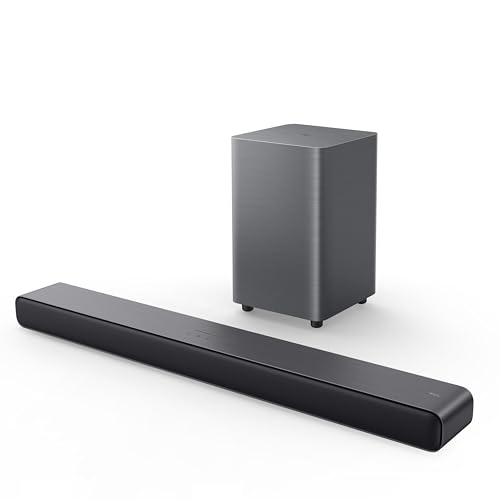
Bass comes from a built in woofer, a separate wired subwoofer or a separate wireless one. Built in bass keeps a small setup tidy and suits news, sports and casual viewing. A separate subwoofer gives deeper low notes for films, and a wireless model is easier to place because only a power outlet is needed. Bigger is not always better in a small room, where strong bass can boom and mask dialogue. An adjustable bass level matters more than raw power claims.
Dialogue Modes, Night Mode and Basic Sound Settings
A dialogue or voice mode lifts the midrange frequencies where speech sits, so words stay clear without raising the whole volume. Night mode compresses the gap between quiet and loud moments, which protects sleeping family members from sudden effects and adverts. Check that these modes are reachable from the remote in one or two presses, because a setting buried in a phone app rarely gets used.
Bar Width, Height and Control With Your TV Remote
A bar should be no wider than the TV stand it sits on, and most budget models run about 24 to 38 inches wide. Height matters just as much, because a tall bar in front of the TV can block the screen bottom edge or the infrared sensor the remote points at. Look for a height of about 2 to 3 inches for a bar on the same surface as the TV. Daily control should come from your TV remote through HDMI CEC.
How to Match a Soundbar to Your TV and Room
Before you order, measure the width of your TV stand and the space between the TV feet, then check the TV panel for a port labeled ARC or eARC. Note the height from the stand surface to the bottom of the picture, because the bar must sit below that line. For a wall mounted TV, confirm the bar includes a mount template or keyhole slots.
Room size guides how much bar you need. A compact bar fills a bedroom easily, while a wide open living area benefits from a longer bar and a separate subwoofer. Place a subwoofer near a wall but not tight in a corner, then adjust its level while a familiar show plays. If a new screen is part of the plan, see our guide to the best affordable tvs first.
Use this quick checklist before you buy, because it is the fastest way to spot the best affordable soundbars for tv in a crowded price band:
- Does your TV have an HDMI port labeled ARC or eARC?
- Is the bar shorter than your stand and lower than the bottom of the screen?
- Does the layout include a center channel or a clear dialogue mode?
- Can your TV remote control the bar volume through HDMI CEC?
- Does the subwoofer style suit your room size and your neighbors?
- Is there a power outlet where the bar and subwoofer will sit?
- Does the return window let you test the bar with your own shows?
For a second angle, see our guide to the best soundbars tv.
Common Mistakes to Avoid
- Buying on wattage claims alone leaves you with a loud bar whose dialogue is still unclear.
- Using Bluetooth as the main TV connection can leave voices behind the picture.
- Choosing a bar taller than the space under the screen blocks the picture edge or the remote sensor.
- Placing a strong subwoofer in a corner makes bass boom and drowns out speech.
- Skipping the ARC check before ordering means a second remote or a return.
- Spending on simulated surround effects before a center channel leaves the core problem unsolved.
Care and Maintenance of Your Soundbar
Dust the bar with a dry microfiber cloth, especially along the speaker grille, because dust dulls high notes and makes dialogue seem softer than it is. Keep liquids and scented sprays away from the grille cloth. Leave space around any separate subwoofer so air can move freely.
Check cable ends twice a year and reseat any plug that has worked loose, since a half seated cable is a common cause of sound that cuts out. Update the bar firmware only through the maker instructions. Store the small remote in one fixed spot.
FAQ
What features matter most in an affordable soundbar for clear TV dialogue?
Volume leveling matters most after basic voice clarity, because it evens out the jump between a quiet scene and a loud commercial. Many budget bars include this as dynamic range control or automatic volume. Turn it on for evening viewing and off for films where you want full impact.
What soundbar width should I choose for a 55 inch TV?
A bar of about 35 to 40 inches suits a 55 inch TV well. That width spreads stereo sound close to the width of the action on screen without overhanging the stand. Leave an inch of stand surface on each side so the bar sits stable. If your TV stands on two wide feet, measure the gap between them, because that gap sets your real limit.
Is a separate subwoofer worth it for affordable TV soundbars?
Yes, a separate subwoofer is worth it if films and sports fill your viewing. It adds weight to engines, weather and crowd scenes that a slim bar cannot reproduce alone. Place it along the same wall as the TV, then judge the balance from your seat, because bass sounds stronger in a corner seat than in the middle.
Can I connect an affordable soundbar to an older TV without HDMI ARC?
Yes, an optical cable connects most older TVs to an affordable soundbar. Check the TV menu for a digital audio output setting and set it to PCM if the bar sounds delayed or silent. A headphone socket also works on very old sets, though volume then depends on the TV headphone level. Keep the bar remote nearby with optical.
How long does an affordable soundbar for TV use usually last?
An affordable soundbar usually lasts about five to eight years. The speakers rarely wear out first; remotes, cable ports and outdated connections usually end its useful life. Keep the bar out of direct sun and away from heat vents. When you replace a TV, check the new set still offers ARC or optical output before assuming the old bar must go too.
The Bottom Line
Judge every budget bar by the same short list: a TV friendly connection, clear dialogue and a size that fits your stand and screen. Bass, presets and extras only count after those three points pass. Use the product table above to compare channel layout, connections and width.
When you shop for best affordable soundbars for tv, the right choice is usually the simplest bar that clears every line of that checklist. Buy that one, set the dialogue mode once, and enjoy shows at a volume the whole room can live with.


