
Best Affordable Routers for Streaming: Our 2026 Checklist
Disclosure: We may earn a commission when you buy through links on this page, at no extra cost to you. As an Amazon Associate I earn from qualifying purchases. Learn more
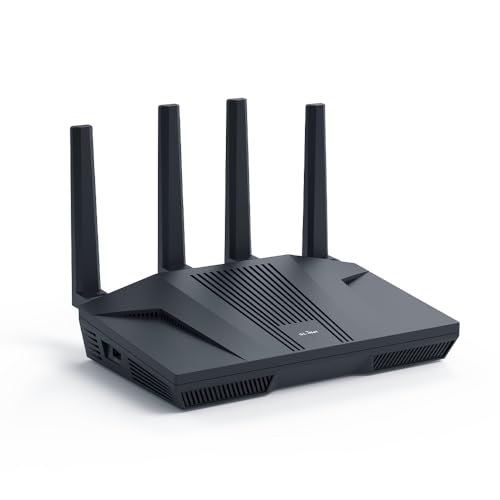
The best affordable routers for streaming balance WiFi speed, coverage and ports. Use this checklist to match a router to your home and plans.
Buffering in the middle of a film is rarely a problem with the film itself. More often, your router is struggling to move a steady stream of data to the room where you actually watch. This guide gives you a clear checklist for choosing best affordable routers for streaming without paying for speed or range you will never use.
Use the comparison table below to scan the basics, then work through the criteria here. By the end you will know which standard, coverage rating, and ports match your plan, your home, and the number of screens in use at once.




How We Evaluate Routers
A streaming router has one main job. It must deliver a stable connection to several devices at once, often in the evening when everyone is online. Peak speed on the box matters less than steady throughput, smart traffic handling, and coverage that reaches your television without weak spots.
What You Can Realistically Get on a Budget
For around $60 to $120 you can expect WiFi 6, dual band service, and enough power for a small to medium home with a few simultaneous streams. Around $120 to $200 usually adds stronger radios, better traffic controls, and sometimes a faster wired port. What you give up at the lowest prices is range, extra ports, and advanced software. Do not save money by dropping below WiFi 6 or by accepting weak security.
Features That Matter for Streaming
Streaming needs steady bandwidth more than brief bursts. A single high quality stream can use about 15 to 25 megabits per second, and a busy home may run three or four at once. Look for quality of service controls, often called QoS, that let you favor a television or streaming box. Beamforming, which aims the signal toward connected devices, and MU MIMO, which talks to several devices at once, both help when the house is busy.
WiFi Standard (WiFi 6, 6E, 7)
WiFi 6 is the sensible baseline for most buyers because it handles crowded homes well and works with almost every device. WiFi 6E adds the 6 GHz band, which is fast and less crowded, but only newer phones, laptops, and streaming devices can use it. WiFi 7 adds still more capacity, yet prices are higher and many homes gain little today. If your devices are older, money spent on coverage will help you more than money spent on the newest standard.
Coverage and Home Size
Coverage ratings on the box are rough guides measured in open space, not through brick, concrete, or multiple floors. A single router often suits an apartment or a home under about 1,500 square feet with the router near the center. Larger or long homes, and homes with dead zones, usually do better with a mesh system that uses two or three units. If you are weighing that choice, see our guide to the best routers for streaming for how coverage shapes picture quality.
Speed Ratings vs Your Internet Plan
Labels such as AX3000 combine the speeds of all bands into one large number you will never see on a single device. Match the router to your plan instead. A 100 to 300 megabit plan pairs well with a mid range WiFi 6 model, while a gigabit plan deserves a stronger model with a fast WAN port. Buying far beyond your plan does not make the incoming service faster, so put the savings toward coverage or a second mesh unit.
Security and Parental Controls
Choose WPA3 security when you can, and make sure the router receives regular firmware updates from its maker. Automatic updates are a real plus because many people never check manually. Basic parental controls, such as pausing access for a device or filtering by time of day, are often free. Some brands charge a monthly fee for advanced filtering and threat protection, so check that cost before you buy. A cheap router with a required subscription may not stay cheap.
Wired Ports (Multi Gig, WAN/LAN)
A wired connection is still the most reliable way to feed a television or streaming box, so count the LAN ports you need. Most budget models offer four gigabit LAN ports and one gigabit WAN port, which is enough for many homes. A multi gig port rated at 2.5 gigabits matters if your plan is faster than one gigabit or you move large files on your home network. If you plan to wire a game console as well, our guide to the best affordable gaming routers explains port needs for mixed use homes.
Price Tiers That Pass Our Checklist
Instead of chasing a single model, shop by tier. Each tier below describes what that money should buy, who it suits, and where it falls short, so you can judge any option in the product table above against the same standard.
Best Overall Tier
The overall tier, usually around $120 to $180, should give you WiFi 6 or 6E, strong dual band or tri band performance, QoS controls, WPA3, and at least four gigabit ports. This is the right zone for a family home with several streams, video calls, and phones all active at once. The main limit is that very large homes may still need mesh. For most buyers this tier offers the best balance of steady streaming, coverage, and price, without paying early adopter prices for WiFi 7.
Best Value Tier
The value tier, usually around $60 to $110, should still give you WiFi 6, dual band coverage, and basic QoS. It suits apartments and smaller homes where the router sits close to the television. Expect fewer ports, simpler parental controls, and less range than the tier above. This is also a sensible place to start if you are comparing options in our guide to the best affordable routers for general home use. Just avoid older WiFi 5 models sold at a small discount, because the saving rarely justifies the weaker handling of busy homes.
Best Premium Tier
The premium tier, usually around $180 to $250, should add either a mesh bundle for a larger home or a faster single router with a multi gig port and the 6 GHz band. It suits gigabit plans, big households, and homes with thick walls. The limit is value. If your plan is 300 megabits and your home is small, this tier adds cost without a visible gain in picture quality. Buy it for coverage, port speed, or many simultaneous users, not for a bigger number on the box.
Quick Buyer Checklist
Before you buy, answer these questions honestly. A no on the first four usually means you should keep looking.
- Does it use WiFi 6 or newer?
- Is its coverage rating suited to your home size and layout?
- Can it handle your plan speed with room to spare?
- Does it offer WPA3 and automatic firmware updates?
- Does it have enough LAN ports for your television and other wired devices?
- Does it offer QoS or an easy way to favor streaming traffic?
- Are any parental control or security features locked behind a fee you accept?
- Can you return it if a dead zone remains in your main viewing room?
That last point matters in practice. Walls and layout vary so much that a short return window used well is worth more than another spec on the box. Test the router in the room where you watch most during the first week.
Red Flags to Watch For
Walk away from a router with vague speed claims and no clear WiFi standard listed. Be cautious with models that have not received a firmware update in a long time, because old software is a security risk. Very short warranties, often under one year, can signal low build quality. Be skeptical of listings with many glowing ratings but few detailed comments about coverage or setup. Finally, check whether the maker charges for basic security. If you mostly watch films and series rather than live events, our guide to the best routers for streaming video covers the settings that help on demand viewing.
Care and Maintenance Tips
Place the router near the center of your home, raised off the floor, and away from thick walls and metal objects. Update the firmware regularly, or turn on automatic updates, and change the default admin password on day one. Restart the router every month or so if speeds drift, and keep its vents clear of dust. If you add a mesh unit later, place it about halfway between the main router and the weak room, not inside the dead zone itself. Readers comparing wireless only options may also find our guide to the best affordable wifi routers useful for placement ideas.
Routers: Your Questions Answered
What features matter most in routers for streaming?
Steady throughput, QoS, and coverage matter most. QoS lets the router favor your television when other devices compete, which reduces buffering during busy evenings. Coverage ensures the signal reaching the television is strong, not just fast near the router. A useful extra is a guest network, which keeps visitor devices separate and can reduce congestion on your main network during gatherings.
Mesh or a single router: which is better?
A single router is better for apartments and compact homes where one central spot reaches every room. Mesh is better for large, long, or multi floor homes because extra units fill weak areas. Mesh costs more and each unit needs power and a clear spot. A practical test is simple. If your current signal drops by more than half in the viewing room, mesh will likely help more than a stronger single router.
How often should I replace my router?
Plan on about four to five years for most homes. Replace sooner if the maker stops sending security updates, if you upgrade to a much faster plan, or if new devices in your home support a newer standard you want to use. Another sign is heat. A router that runs very hot and needs weekly restarts is often near the end of its useful life even if it still connects.
Will a new router speed up my internet?
A new router can remove a bottleneck, but it cannot exceed the speed your provider delivers. If your old router is WiFi 5 or has a slow WAN port, an upgrade can raise speeds on a fast plan and improve stability. Test your wired speed at the modem first. If that wired result is already low, the problem is the service or the line, and a new router will not fix it.
Do I need WiFi 7 yet?
Most homes do not need WiFi 7 yet. It helps when many very new devices share a very fast plan, but few streaming devices can use its full capacity today. WiFi 6 or 6E covers streaming needs well for less money. Consider WiFi 7 only if you are already buying premium tier hardware for a gigabit or faster plan and plan to keep it for many years as more devices adopt the standard.
Wrapping Up
Focus on three things. Match the standard and port speed to your plan, buy enough coverage for your layout, and insist on WPA3 with regular updates. Then use the product table above to compare options that meet those marks. Chosen that way, best affordable routers for streaming will end the buffering without overspending.

