Best Affordable Mechanical Keyboards: Switches, Layouts, and Value 2026
Disclosure: We may earn a commission when you buy through links on this page, at no extra cost to you. As an Amazon Associate I earn from qualifying purchases. Learn more

Best affordable mechanical keyboards: Switch type, layout, keycaps and hot swap sockets explained for typists and gamers.
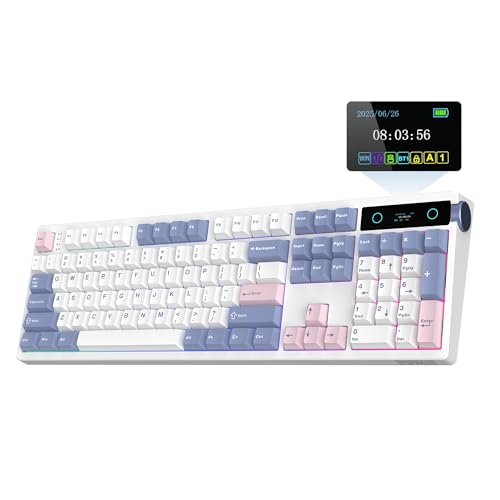
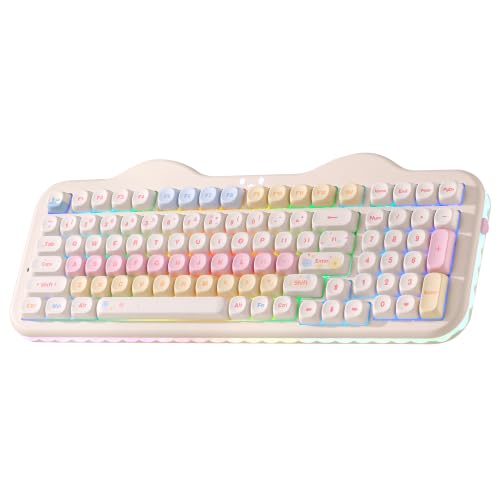
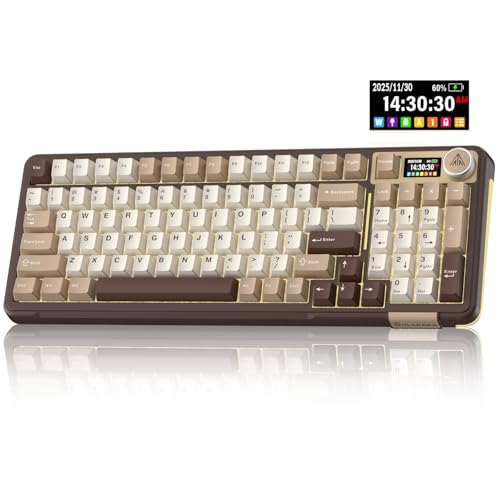
Choosing best affordable mechanical keyboards is about switches first, because switch feel shapes every keystroke. Linear switches feel smooth, tactile switches give a bump, and clicky switches add sound, and each suits different typists. The comparison table below compares the main options, so you can weigh switch type, layout, keycaps, and build quality.
Affordable mechanical keyboards have improved enormously, with hot swappable switches, decent keycaps, and solid cases now available at modest prices. You no longer need to spend a premium to get a satisfying typing experience. Decide your layout and switch preference before chasing features you may never use.





Who Should Buy an Affordable Mechanical Keyboard
Mechanical keyboards suit typists, writers, programrs, students, and gamers who type for hours and want comfort and durability. They also suit anyone who enjoys customizing sound and feel. If you need a silent office keyboard or a very portable laptop style board, a low profile or membrane keyboard may suit you better.
- Typists and writers
- Programmers
- Students
- Gamers
Key Features of the Best Affordable Mechanical Keyboards
Switch type is the core choice: linear switches suit fast gaming and smooth typing, tactile switches suit accurate typing with feedback, and clicky switches suit typists who love sound but may annoy colleagues. Hot swappable sockets let you change switches without soldering, which is a huge advantage for experimenting. Check stabilizers too, since rattly spacebars ruin an otherwise good board.
Keycap material matters: ABS keycaps feel smooth and wear shiny over time, while PBT keycaps resist shine and feel textured. Layout decides desk space: full size includes a number pad, tenkeyless drops it, and 75 percent or 65 percent boards save space but lose some keys. Case material affects sound, with metal cases sounding deeper than plastic.
Sound, Feel, and Modding
Sound is personal: some typists love a deep thock, others prefer a quieter clack. Switch choice, keycap thickness, case foam, and desk mat all shape sound. Affordable boards often benefit from simple mods such as lubing stabilizers or adding case foam, but start with switch choice, since mods cannot fix a switch feel you dislike.
Try switch testers before buying if possible, since descriptions alone rarely convey feel. A tester with 8 to 12 switch types costs little and prevents an expensive mistake. If you share a workspace, favor tactile or linear switches over clicky ones, and consider sound dampening.
Budget and Long Term Value
Affordable mechanical keyboards typically cost from about $40 to $100, with excellent value around $60 to $80 for hot swappable boards with PBT keycaps. Spending more buys better stabilizers, a metal case, and nicer keycaps. Budget for extra switches or keycaps if you plan to customize, since those hobbies can grow quickly.
A hot swappable board offers the best long term value, because you can replace a faulty switch or try a new feel without buying a new keyboard. Check software for remapping and lighting, and confirm the board works with your operating system. A board that types well and lasts years beats a flashy board that rattles.
Common Mistakes to Avoid
A common mistake is buying clicky switches for a shared office, then annoying everyone nearby. Another is choosing a tiny layout without checking whether you miss arrow keys or function keys. A third is judging a board by lighting alone, when switch feel and stabilizers matter far more. Prioritise typing feel over RGB effects.
Planning for Everyday Use
Keep a keycap puller handy for cleaning, and brush dust from between keys regularly. Clean keycaps in warm soapy water when they get shiny or sticky, drying them fully before refitting. If a switch feels scratchy or dead, swap it on a hot swappable board rather than replacing the whole keyboard.
Related Guides Worth Reading Next
For more on a related option, see our guide to best affordable keyboards for detail that complements this guide.
For more on a related option, see our guide to best sounding mechanical keyboards for detail that complements this guide.
For more on a related option, see our guide to best affordable gaming keyboards for detail that complements this guide.
For more on a related option, see our guide to best mechanical keyboards for typing for detail that complements this guide.
A Final Check Before You Order
Before you order, try a switch tester with the switch types you are considering, since feel descriptions rarely convey the real difference between linear, tactile, and clicky switches. A tester costs little compared with a keyboard you dislike. Pay attention to bottom out feel, spring weight, and sound, not just to switch names.
Check the layout against your daily keys: if you use arrow keys, function keys, or a number pad constantly, a compact board that hides them behind layers will frustrate you. Measure desk space too, since a full size board needs room for a mouse beside it. A layout that fits your work beats a fashionable compact board.
Finally, confirm software support for your operating system, including remapping and lighting controls. Some boards rely on software that works poorly on certain systems. Check stabilizer quality in reviews, since rattly stabilizers spoil an otherwise excellent board and are fiddly to fix.
Caring for Your Keyboard Over Time
Clean keycaps periodically in warm soapy water, drying them fully before refitting, and brush dust from the board with a soft brush. On hot swappable boards, replace any switch that feels scratchy or stops registering, rather than tolerating it. Lube stabilizers if they rattle, following guides for your board type.
Keep drinks away from the board, since spills damage switches and can kill a keyboard outright. If a spill happens, disconnect immediately, remove keycaps, and dry thoroughly before powering on. With basic care, a good mechanical keyboard can outlast several computers.
Frequently Asked Questions
What switch type should beginners choose?
Beginners often suit tactile switches, which give feedback without the noise of clicky switches. Linear switches suit gamers and fast typists who prefer smooth travel. Try a switch tester first, since feel is personal and descriptions alone can mislead.
Are hot swappable keyboards worth it?
Hot swappable keyboards are worth it for most buyers, since you can replace faulty switches and try new feels without soldering. They extend keyboard life and make customization easy. Check the socket type matches the switches you want before buying extras.
ABS or PBT keycaps?
PBT keycaps resist shine and wear better than ABS, and they usually feel more textured. ABS keycaps can feel smoother and offer more color options. For daily heavy typing, PBT usually lasts better and stays looking newer longer.
What layout should I choose?
Full size suits number heavy work, tenkeyless balances desk space and function, and 75 percent or 65 percent boards suit compact desks. Check whether you need dedicated arrow keys, function keys, or a number pad daily. A layout that forces awkward key combinations will frustrate you.
How do I make a keyboard quieter?
Choose linear or tactile switches over clicky ones, add case foam or a desk mat, and lube stabilizers to reduce rattle. Silent switches offer the quietest option. Avoid clicky switches entirely in shared spaces, since no mod makes them truly quiet.
What are keyboard stabilizers?
Stabilisers are mechanisms under long keys such as spacebar, enter, and shift that keep them level when pressed off center. Poor stabilizers rattle and feel mushy, while good stabilizers feel firm and quiet. They matter more to typing feel than many buyers expect, so check stabilizer quality in reviews.
What is the difference between 60 percent and 75 percent keyboards?
A 60 percent keyboard drops arrow keys, function keys, and navigation keys for maximum compactness, while a 75 percent board keeps most of those keys in a tight layout. Typists who use arrows and function keys daily usually prefer 75 percent. Gamers with limited desk space may prefer 60 percent.
Do mechanical keyboards last longer than membrane keyboards?
Mechanical keyboards typically last longer than membrane keyboards, with individual switches rated for tens of millions of presses and replaceable on hot swappable boards. Membrane keyboards wear as a sheet and cannot be repaired per key. A good mechanical board can serve for many years with basic care.
Can I use a mechanical keyboard with a laptop?
Yes, a mechanical keyboard connects to a laptop by USB or Bluetooth and gives a far better typing feel than most laptop keyboards. Use it at a desk with the laptop on a stand for good ergonomics. Keep the laptop keyboard for travel, and enjoy the mechanical board where you work most.
Final Thoughts
The best affordable mechanical keyboards deliver satisfying switches, solid build, and customization without a premium price. Start with switch feel, favor hot swappable boards, and choose a layout that fits your desk and work. The product table above helps you compare the strongest budget boards. Take time with this final check, since a careful choice now avoids returns and disappointment later, and it ensures the keyboard you buy genuinely fits your desk, routine, and budget.