Best Affordable Keyboards 2026: Complete Buying Guide
Disclosure: We may earn a commission when you buy through links on this page, at no extra cost to you. As an Amazon Associate I earn from qualifying purchases. Learn more

Compare the best affordable keyboards by typing feel, layout, and connection, and learn which type suits office work, gaming, or everyday use.
A keyboard is the part of your setup your hands touch most, and a good one can be surprisingly cheap. This guide helps you choose among the best affordable keyboards by explaining switch types, layouts, connections, and the features that make a difference in everyday typing.
The product table below lists current options. Use the comparison table and sections here to decide what you need before you compare prices.




Types of Keyboards Compared
| Type | Best for | Notes |
|---|---|---|
| Membrane keyboard | Office work and casual use | Quiet and low cost, softer feel |
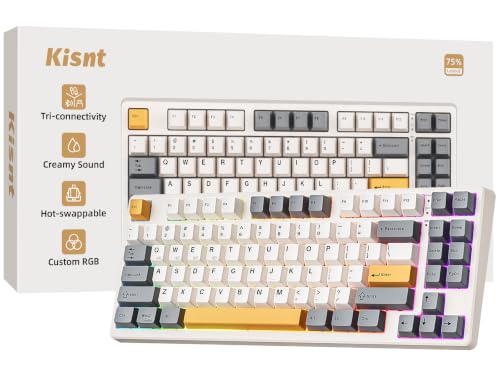
| Mechanical keyboard | Typing and gaming | Crisp feel and longer lifespan |
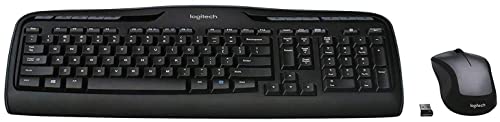
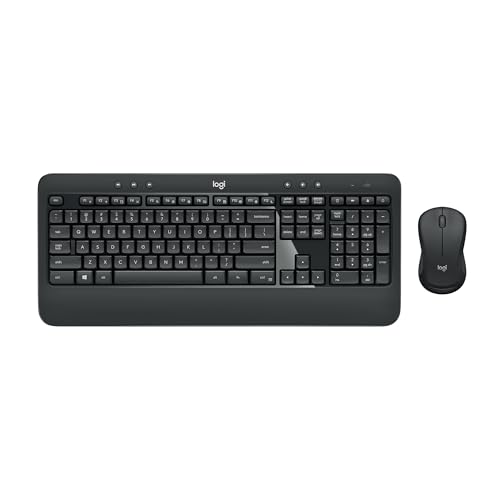
| Wireless keyboard and mouse combo | Clean desks and shared use | No cables, needs batteries |
| Compact keyboard | Small desks and travel | Saves space, hides some keys |
Affordable keyboards usually cost between $15 and $80. A basic combo can cost around $30, while a good mechanical model typically sits between $40 and $80.
How to Choose the Best Affordable Keyboards
Typing Feel
Membrane keys feel soft and quiet. Mechanical keys give a clearer response and come in linear, tactile, and clicky varieties. If you type a lot, try to choose a model with comfortable key travel and a stable frame.
Size and Layout
A full size keyboard has a number pad, which helps with spreadsheets. Tenkeyless and compact layouts free up room for the mouse. Check that the keys you use every day are present.
Wired or Wireless
Wired keyboards need no batteries and have no lag. Wireless models reduce clutter and work with laptops and tablets, and many offer Bluetooth for several devices. Check battery life if you choose wireless.
Build and Comfort
A sturdy frame prevents flex and noise. Adjustable feet help with wrist angle, and a wrist rest eases long sessions. Spill resistance is a bonus in a busy home.
Extras
Backlighting, media keys, and multi device switching add convenience. Treat them as bonuses, and put your budget toward typing feel and build first.
Who Should Choose Which Type
Office workers and students who type all day often enjoy a quiet membrane or a mechanical keyboard with soft switches. Gamers prefer mechanical keyboards with fast switches, and writers may favor tactile switches for a clear response. Shared homes benefit from quiet keys, and people who work across a laptop, tablet, and desktop will love a Bluetooth model that switches between devices.
If you only need a basic keyboard now and then, a simple combo does the job. If you type for hours, spending a little more on a better keyboard is one of the most noticeable upgrades you can make.
Common Mistakes
- Choosing the cheapest model. Very low priced keyboards can feel mushy and wear out quickly.
- Ignoring noise. Clicky switches may annoy people nearby.
- Buying the wrong layout. Check that the keyboard has the keys and language layout you need.
- Forgetting compatibility. Make sure the keyboard works with your operating system and connection type.
What Your Money Gets You
Under $30
At this level you find basic membrane keyboards and wireless combos. They cover typing, browsing, and office work. Expect lighter frames and softer key feel, and keep expectations modest for gaming or long writing sessions.
Around $30 to $60
This is the sweet spot. You can find compact mechanical keyboards, quality membrane models, and wireless keyboards with Bluetooth. Frames are sturdier, keycaps are better, and many include backlighting and multi device switching.
Around $60 to $80
Here you gain hot swappable switches, gasket mounted designs, wireless connections, and premium keycaps. The typing feel and sound improve noticeably. These keyboards suit enthusiasts and daily heavy typists.
Setting Up and Caring for Your Keyboard
Place the keyboard at a height where your wrists stay straight and your elbows stay near ninety degrees. A wrist rest and an adjustable foot can reduce strain, and short breaks during long typing sessions help comfort. If you use a wireless keyboard, keep the receiver close and replace or recharge batteries before they run out.
Clean the keyboard every few weeks by turning it upside down to shake out crumbs and using compressed air between the keys. A slightly damp cloth wipes the surface, and a cotton swab with a little alcohol reaches the edges of the keys.
Switch Types in Plain Terms
Switches decide how a keyboard feels. Linear switches press smoothly without a bump and suit fast typing and gaming. Tactile switches have a small bump at the point where the key registers, which many typists enjoy. Clicky switches add an audible click for feedback, which can be satisfying for the typist and distracting for everyone else.
Quiet or silent variants of each type soften the sound, and are worth considering if you share a room or work in an office. Membrane keyboards do not use individual switches at all, which keeps them quiet and inexpensive.
Wired, Wireless, and Bluetooth
Wired keyboards plug in and work with no setup, and they never need charging. Wireless keyboards that use a small USB receiver connect quickly and offer a reliable signal, while Bluetooth keyboards pair with several devices and are great for laptops and tablets. Battery life varies widely, so check whether a keyboard uses replaceable batteries or an internal rechargeable battery.
Frequently Asked Questions
What size of keyboard should I choose?
Full size suits spreadsheets and general use, tenkeyless frees up room, and compact layouts fit small desks. Choose the size with every key you need.
How much should I budget for a keyboard?
Most people find good options between $30 and $70. Spending beyond that usually adds features rather than major improvements in feel.
How do I maintain a keyboard for longer life?
Wipe it with a slightly damp cloth, remove crumbs with compressed air, and keep drinks away. Mechanical models may allow keycap removal for deeper cleaning.
Is a mechanical keyboard worth it?
If you type or game a lot, yes. The feel is crisper and the lifespan is longer. For occasional use, a quality membrane keyboard may be enough.
Is a wireless keyboard reliable?
Modern wireless keyboards are reliable for typing. Choose one with good battery life and a strong connection type such as a 2.4 GHz receiver or Bluetooth.
Final Thoughts
Match the switch feel, size, and connection to the way you work or play, and keep the extras secondary. Compare the models in the product table above and choose from the best affordable keyboards that suits your desk and budget. If you meant musical keyboards, see our guides to the best affordable piano keyboards and the best affordable midi keyboards. You may also like our guides to the best affordable mechanical keyboards and the best affordable gaming keyboards.