
Best 60 Inch Smart TVs 2026: Complete Buying Guide
Disclosure: We may earn a commission when you buy through links on this page, at no extra cost to you. As an Amazon Associate I earn from qualifying purchases. Learn more
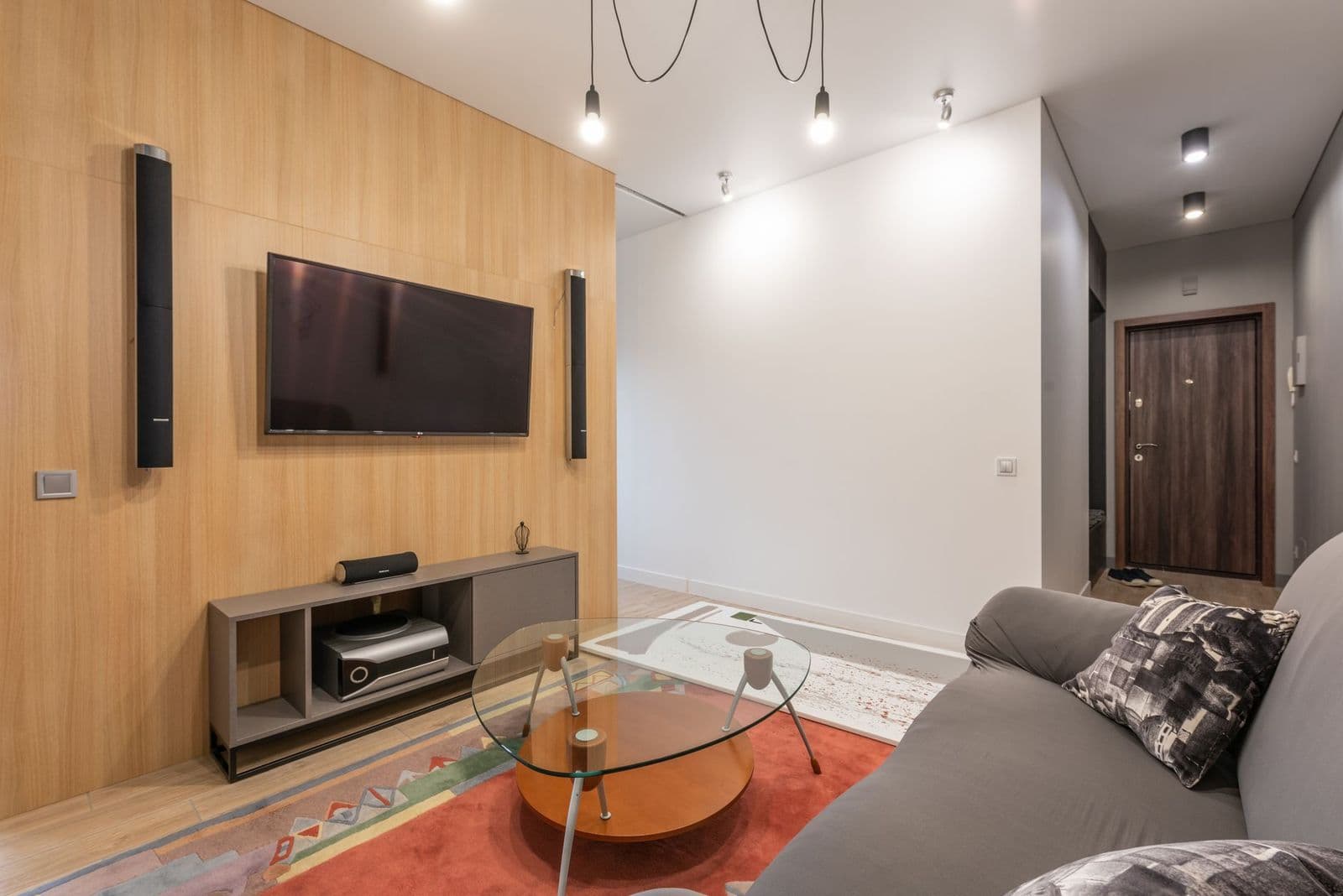
Learn how to choose 60 inch smart tvs by panel type, viewing distance, brightness, and smart features, with tips for living rooms and movie nights.
A 60 inch television fits many living rooms without dominating the wall. It is large enough for movie nights and sports, yet it works at the seating distances found in most homes. best 60 inch smart tvs now cover a wide price range, from bright everyday panels to richer contrast models.
Panel type, brightness, and viewing distance matter more than brand names alone. A television that looks great in a bright store may look washed out in a sunny room, or too dim in a dark room. This guide explains what to check before you buy.
The sections that follow explain types, features, and everyday use, so you can match a model to your routine rather than to a showroom display.
Who Should Buy Which Model
A 60 inch screen suits living rooms where viewers sit about 6 to 10 feet away. It gives an immersive picture for films and sports without forcing viewers to turn their heads. It also suits wall mounting above a media unit in a medium room.
It may be too large for a small bedroom or a very close seating setup, where a 43 or 50 inch screen feels more comfortable. It is also a poor fit for a very bright sunroom unless the panel handles reflections well. Measure your wall and seating distance first.
Types Compared
Most choices fall into a few clear types. The differences below matter more than small specification gaps, because they decide how the product feels in daily use.
LED LCD televisions
An LED LCD television uses a backlight behind a liquid crystal panel. It is bright, affordable, and widely available. This type suits bright rooms and everyday viewing, including news, sports, and family shows.
Contrast can be weaker than on premium panels, especially in dark rooms where blacks may look grey. Local dimming helps, but the number and quality of dimming zones vary widely.
QLED televisions
A QLED television adds a quantum dot layer to an LED LCD panel. Colors look richer and brightness often rises, which helps in sunny rooms. This type suits viewers who value vivid color for sports and nature shows.
QLED is still an LCD type, so viewing angles and black levels depend on the panel design. Check off angle viewing if seats sit far to the side of the screen.
OLED televisions
An OLED television lights each pixel on its own, giving deep blacks and excellent contrast in dark rooms. It suits film lovers who watch in dim light and value shadow detail. Viewing angles are usually wide and even.
OLED models cost more and may be less bright than top LED models in very sunny rooms. They also need care with static images left on screen for very long periods, though modern models include protective features.
Key Features to Compare
Brightness and reflections
Brightness matters most in rooms with windows or lamps facing the screen. A brighter panel holds color in daylight, while an anti reflection coating reduces glare. Check both, since a bright panel with a glossy screen can still reflect a window.
Resolution and upscaling
Most 60 inch models are 4K, which suits this size at normal seating distances. Upscaling quality matters, because much everyday content is not native 4K. A good processor keeps older shows and broadcasts looking clean rather than soft.
Smart platform and apps
The smart platform decides which apps you get and how quickly menus respond. Check that your must have streaming apps are available and that the remote is easy to use in the dark. A slow platform can frustrate daily use more than a small picture difference.
Sound and connections
Built in speakers are often thin, so plan for a soundbar if film sound matters. Check HDMI ports for a console, a streaming box, and a soundbar, plus support for the audio formats your devices use. Port placement matters for wall mounting.
Common Mistakes to Avoid
A common mistake is buying by size alone and ignoring seating distance. Sitting too close to a large screen can tire the eyes and reveal picture flaws. Measure from screen to your usual seat and compare it with size guidance before you choose.
Another mistake is judging picture only under store lighting. Stores use bright lights and vivid demo modes. At home, try cinema or filmmaker modes and adjust brightness to your room. A calibrated looking picture often beats a vivid store picture.
Budget and Long Term Value
A solid 60 inch LED television costs about $400 to $800, while QLED models often run about $700 to $1,200. OLED models at nearby sizes can cost more. For most living rooms, a bright QLED or a well reviewed LED model gives strong value.
Long term value includes software updates, app support, and panel durability. A television that keeps receiving app updates stays useful longer. Budget for a soundbar and a sturdy mount if you plan to wall mount the set.
A Final Check Before You Order
Before you order, measure wall width, stand width, and the distance to your seat. Check that the stand fits your media unit or that your wall can hold the mount weight. Confirm HDMI port count for every device you own.
List your must have apps and check them on the smart platform. If you game, check refresh rate and input lag guidance. If you watch in a bright room, prioritize brightness and reflection handling over contrast alone.
Related guides can help you compare nearby choices before you decide. Readers who want a wider view often look at best tvs of all time, best 55 inch smart tvs, best 32 inch smart tvs, best 50 inch smart tvs and best 40 inch smart tvs alongside this guide, then return here to check size, fit, and daily use against their own routine.
Getting the Most From Your Choice
Before you commit, picture a normal week with each shortlisted option. For best 60 inch smart tvs, that means thinking about setup, daily use, cleaning, and storage, not just the first day. A product that fits smoothly into a normal week will get used far more than one that needs special effort every time.
During the first days, pay attention to comfort and convenience rather than novelty. A product that feels easy on day three is more likely to stay useful than one that impresses only on day one. Note any setup steps that feel confusing, since you may repeat them later.
Plan for upkeep from the start. Know which parts wear first, how to clean the product safely, and where to get replacements. A product with available spare parts and clear care guidance usually offers better long term value than one without support.
When you compare final prices, include delivery, accessories, and any parts you will need in the first year. The cheapest sticker price is not always the cheapest year of ownership, especially if essential extras are sold separately.
Questions to Ask Before You Order
Use these questions as a final checklist before you buy. They help you catch fit, cost, and upkeep issues while a change is still easy.
- Does this option fit my space, my routine, and the people who will use it most?
- What will I need to clean, maintain, or replace in the first year?
- Which features will I actually use every week, and which are only nice to have?
- Can I return or exchange it easily if the fit or comfort is wrong?
- Does the total cost, including accessories and upkeep, stay within my budget?
Frequently Asked Questions
How far should I sit from a 60 inch television?
Most viewers feel comfortable at about 6 to 10 feet, depending on eyesight and room layout. Closer seating suits 4K content, while farther seating still gives a clear picture. Try marking the distance on the floor before you buy.
Is OLED worth it over LED at 60 inches?
OLED gives deeper blacks and better dark room contrast, which film lovers notice. LED and QLED models are brighter and often cheaper, which suits sunny rooms. Choose by room light and viewing habits, not by panel name alone.
Do I need a soundbar with a new television?
Most viewers benefit from one, since built in speakers are small and face away from the room. A basic soundbar improves dialogue clarity a lot. You can add it later, so it need not delay your television choice.
What refresh rate do I need?
A 60 Hz panel suits most shows and films. Gamers and sports fans may prefer 120 Hz for smoother motion. Check that the higher rate is native, not only a marketing term for motion smoothing.
Will my old devices work with a new smart television?
Most devices connect over HDMI, so older consoles and players usually work. Check port types and audio support if you use an older sound system. A streaming stick can also add apps if the built in platform ages.
Final Thoughts
The right 60 inch television fits your room light, seating distance, and viewing habits, not just your budget. Panel type and brightness decide daily satisfaction more than small feature lists.
Measure first, compare panels in similar light if you can, and check apps and ports. With those basics covered, best 60 inch smart tvs can anchor movie nights and everyday viewing for years.
Shortlist two or three models, then check measurements, fit, and running costs once more before you buy.


