Best 24 Inch Monitors (2026 Buying Guide)
Disclosure: We may earn a commission when you buy through links on this page, at no extra cost to you. As an Amazon Associate I earn from qualifying purchases. Learn more
A 24 inch monitor hits the sweet spot for most desks: large enough for real multitasking, but compact enough to sit close without straining your neck to see the edges. It's also the most common size for budget and mid-range displays, which means there's an unusually wide range of panels, refresh rates, and price points to choose from.
Whether you're upgrading a home office setup, adding a second screen, or building a budget gaming rig, here is what actually matters when shopping at this size, along with our picks for the best 24 inch monitors for 2026.
Why 24 Inches Is Still the Most Popular Monitor Size
Despite the growing popularity of ultrawide and 27-inch displays, 24 inches remains the standard for a reason. At a typical desk viewing distance of around 20 to 28 inches, a 24-inch panel at 1080p delivers a sharp, comfortable pixel density without forcing you to turn your head to see the corners of the screen. It also takes up noticeably less desk space than a 27-inch or larger monitor, which matters if you're running a dual or triple monitor setup.
Pricing at this size is also more competitive than any other category, since nearly every major monitor brand, from Dell and Samsung to budget-focused names like Sceptre and KTC, makes multiple 24-inch models to compete for the same shelf space.
What to Look for in a 24 Inch Monitor
Panel type is the first thing to check. IPS panels offer wide viewing angles and accurate, consistent color, making them the best all-around choice for office work, browsing, and casual gaming. VA panels typically offer deeper contrast and blacks at a lower price, but narrower viewing angles. TN panels are the fastest and cheapest but have the weakest color and viewing angles, so they're mostly found on budget gaming monitors.
Resolution at 24 inches is almost always 1920x1080 (Full HD), which looks sharp at this screen size without demanding a powerful graphics card to drive it. A few 24-inch panels push to 1440p for extra sharpness, though you'll want a stronger GPU to take full advantage of the added detail.
Refresh rate matters most if you play games. A standard 60Hz panel is fine for office work and web browsing, 100 to 144Hz gives noticeably smoother motion for casual and competitive gaming, and monitors above 144Hz mostly benefit fast-paced esports titles where every millisecond of input lag counts. For everyday productivity, anything above 75Hz already feels meaningfully smoother than a standard 60Hz panel when scrolling or dragging windows.
Response time works alongside refresh rate to reduce motion blur and ghosting during fast on-screen movement, which matters more for gaming than everyday productivity. Look for 1ms to 4ms response times if fast motion clarity is a priority.
Adjustability, including tilt, height, and swivel, affects long-term comfort. A monitor that only tilts is fine for casual use, but a stand with height adjustment is worth paying extra for if you'll be at the desk for hours a day, since it lets you position the top of the screen at eye level instead of adjusting your own posture to match a fixed screen height.
Connectivity is easy to overlook until you're setting the monitor up. Confirm it has the ports your computer actually uses, HDMI and DisplayPort are the most common on modern PCs, while VGA is mostly useful for connecting older laptops or office equipment.
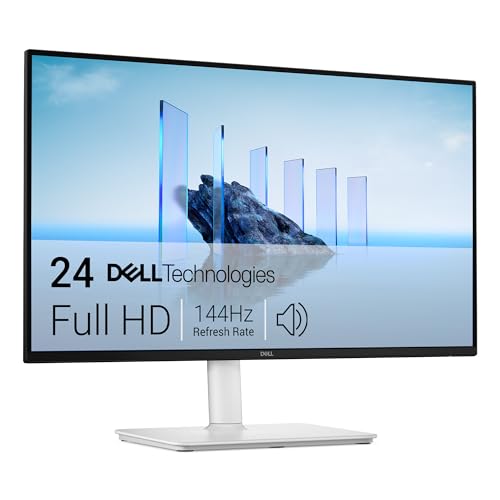
Best Overall: Dell 24 Plus Monitor (S2425HSM)
Dell's S2425HSM combines a 1080p IPS panel with a 144Hz refresh rate, which is a rare combination at this price point and makes it just as comfortable for office work as it is for casual gaming. It carries the highest review score of any monitor on this list, and Dell's reputation for reliable panels and multi-year warranty support adds extra peace of mind for a monitor you'll likely keep for years.
- Panel: IPS, Full HD (1920x1080)
- Refresh rate: 144Hz, 1ms response time
- Extras: AMD FreeSync support
Pros:
- 144Hz refresh rate is unusually high for this price tier
- Accurate, consistent IPS color for both work and media
- Strong review score relative to its review volume
Cons:
- Fewer total reviews than some of the longer-running budget picks below
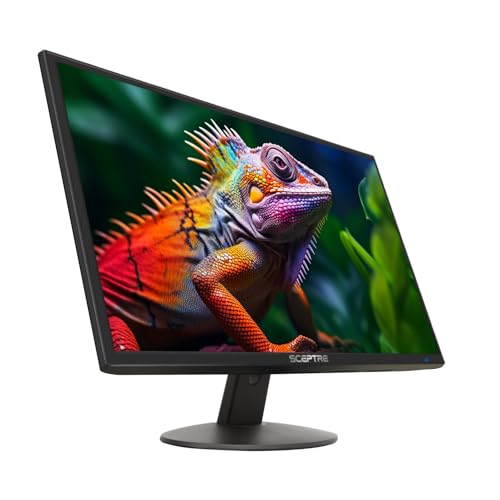
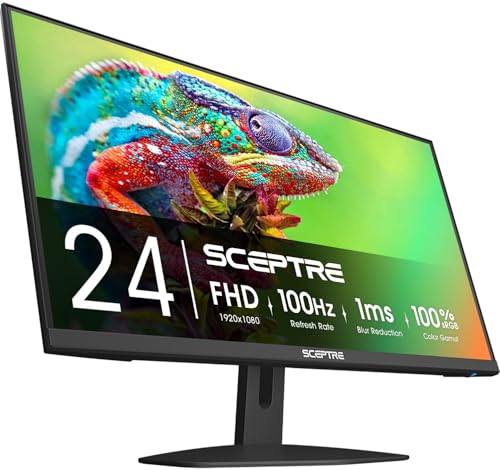
Best Value: Sceptre 24-Inch Prime Monitor
Sceptre has built a loyal following with budget monitors, and this Prime model is by far the most reviewed monitor on this list by a wide margin. It's a simple, no-frills 1080p display with a slim bezel design, aimed at buyers who just want a reliable second screen without paying extra for gaming features they won't use.
- Panel: Full HD (1920x1080), 99% sRGB color coverage
- Design: Thin bezel, built-in speakers
- Connections: 2x HDMI, VGA
Pros:
- Exceptional value backed by an enormous number of verified reviews
- Thin, modern-looking bezel design
- Built-in speakers save a bit of desk clutter
Cons:
- Stand offers tilt only, no height adjustment
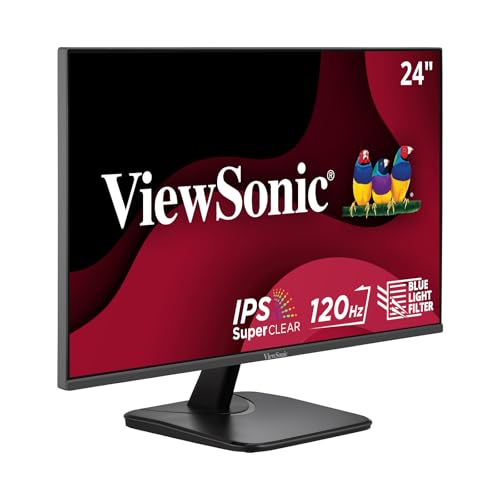
Best for Everyday Use: ViewSonic VA2456A-MHD
ViewSonic's VA2456A-MHD lands in the middle ground between the budget picks above and higher-end gaming monitors, offering a 120Hz IPS panel that feels noticeably smoother than a standard 60Hz display for everyday scrolling and window dragging, without stepping into dedicated gaming-monitor pricing.
- Panel: IPS, Full HD (1920x1080)
- Refresh rate: 120Hz
- Connections: HDMI, DisplayPort, VGA
Pros:
- 120Hz IPS panel is a solid step up from standard 60Hz displays
- Strong, well-established review base
- Flexible connection options for older and newer PCs alike
Cons:
- Priced closer to gaming monitors without dedicated gaming features like FreeSync
Eye comfort is worth considering if you spend long hours in front of the screen. Many modern 24-inch monitors include flicker-free backlighting and a low blue light mode, both of which reduce eye strain during extended sessions. These features don't affect the core picture quality, but they're a welcome bonus if you notice fatigue after long workdays.
Frequently Asked Questions
Is a 24 inch monitor big enough for everyday use?
For most single-monitor setups, yes. A 24-inch screen at 1080p gives you enough working space for browsing, documents, and video without the pixel density looking soft. If you regularly work with multiple windows side by side, either a larger single monitor or a dual 24-inch setup tends to work better than trying to cram everything onto one screen.
Do I need a high refresh rate monitor if I don't game?
Not strictly, but a 100Hz or higher panel still makes everyday scrolling, cursor movement, and window dragging feel noticeably smoother than a standard 60Hz screen. It's a nice-to-have rather than a requirement for productivity work.
What is the difference between IPS and VA panels at this size?
IPS panels generally offer more accurate color and wider viewing angles, which matters if more than one person looks at the screen or you care about color accuracy. VA panels usually offer deeper black levels and contrast, which some buyers prefer for movies and dark-room gaming, often at a slightly lower price.
Conclusion
If you want the most well-rounded pick, the Dell S2425HSM pairs accurate IPS color with a 144Hz refresh rate that few monitors match at this price. Buyers who just need a dependable second screen should look at the Sceptre Prime for its proven track record and low price, while the ViewSonic VA2456A-MHD is worth the extra cost if you want a smoother 120Hz picture for everyday use without paying gaming-monitor prices.