Best 1ms Response Time Monitors of 2026: Complete Buying Guide
Disclosure: We may earn a commission when you buy through links on this page, at no extra cost to you. As an Amazon Associate I earn from qualifying purchases. Learn more

Compare the best 1ms response time monitors by panel, refresh rate, sync and size, with a clear checklist to choose the right gaming display for your desk.
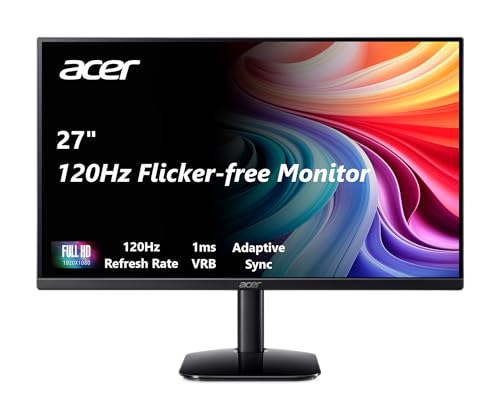
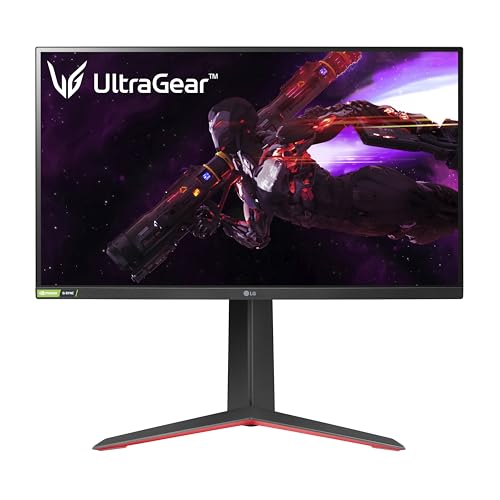
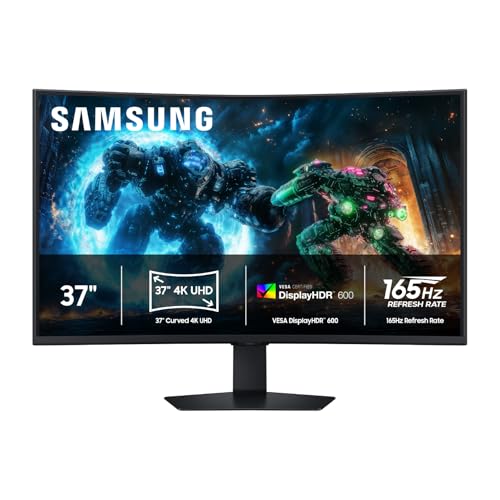
A fast shooter or racing game can turn muddy when pixels change color too slowly, leaving a faint trail behind every turn. The best 1ms response time monitors cut that blur so targets stay readable while you aim. This guide explains what the 1 ms rating measures and which panel and refresh rate pairings deliver it. Use the product table to compare screens and pick yours.
Response time is only one part of a sharp gaming display, so this guide also covers input lag, HDR and stand fit. If you want the broader category view first, see our guide to the best gaming monitors for how fast panels sit beside slower screens.



Who Should Buy a 1ms Response Time Monitor?
A 1 ms rating helps most when the image moves quickly and often. The three groups below feel the gain differently.
Competitive PC Players in Fast Shooters and Racing Games
You play ranked matches where a rival crosses your view in a fraction of a second, so motion clarity comes first. Look at 24 to 27 inch screens with a 240 Hz or higher refresh rate, strong overdrive and low input lag. A 1080p or 1440p panel here is easier for your graphics card to feed at high frame rates.
Console Players Using 120 Hz Game Modes
You play on a current console that can output 120 frames per second in supported titles, and you want that mode clean rather than smeared. Prioritize HDMI 2.1 ports, variable refresh rate support and a 1440p or 4K panel, since consoles upscale well to both. A 27 to 32 inch screen suits controller distance and fits most desks.
Players Who Also Work, Study and Watch Video at One Desk
You game at night but spend your days in documents, classes or editing tools, so the screen must serve both roles. A 27 inch 1440p IPS panel is the balanced pick, with crisp text, accurate color and wide viewing angles. Choose height adjustment so long work sessions stay comfortable. Trade top refresh rates for better color if work comes first.
Key Features to Compare
Spec sheets for the best 1ms response time monitors lead with one large number, but that number only holds under certain measurement settings. Work through these six checks and model differences become easier to judge.
Response Time Ratings, Overdrive and Overshoot
Response time measures how long a pixel takes to change shade. Makers usually quote the fastest gray to gray result they can reach, a method explained in our guide to the best response time for gaming monitors. Motion picture response time measures blur in movement instead, so the two numbers differ. Panels reach rated speed with overdrive, a voltage boost that pushes pixels faster. Too much overdrive causes overshoot and bright halos, so a medium setting often looks cleanest.
Panel Technology: IPS, VA, OLED and Mini LED Backlights
IPS panels give accurate color and wide angles, but contrast looks grayish in dark rooms. VA panels reach deeper contrast and suit dim rooms, yet dark transitions can stay slow despite a 1 ms claim, which smears night scenes. OLED pixels change almost instantly and turn off fully for true black, but static images held for hours raise a burn in risk. Mini LED is a backlight that improves IPS and VA models by dimming small zones.
Refresh Rate and the Frame Rate You Can Actually Feed
Refresh rate counts redraws per second, and it only helps when your system supplies that many frames. At 144 Hz a new frame can arrive about every 7 ms, and at 240 Hz about every 4 ms, so motion steps look smaller as the rate rises. Treat 144 Hz as the practical floor here and 240 Hz as the competitive step up. If 144 Hz fits your hardware, see our guide to the best 144hz 1ms monitors.
Resolution, Screen Size and Pixel Density
Resolution and size together set pixel density, which controls how sharp text and distant targets look. A 1080p image suits 24 to 25 inch screens and is easiest to drive at high frame rates. A 1440p image at 27 inches is the balance most buyers choose, with finer detail and a moderate graphics load. A 4K image earns its cost at 32 inches, while a 34 inch ultrawide adds side view but demands more frames.
Adaptive Sync, Input Lag and Gaming Ports
Adaptive sync matches refresh rate to the frame rate your system produces, removing tearing without the delay fixed sync can add. FreeSync and G Sync serve different graphics hardware, and variable refresh rate over HDMI 2.1 serves consoles. Input lag is the separate delay before your input appears, and a good game mode keeps it very low. HDMI 2.1 carries 4K at 120 Hz, DisplayPort suits PC play, and USB C drives a laptop over one cable.
HDR, Brightness and Contrast
Brightness around 300 to 400 nits is plenty for indoor play, and a matte coating helps in bright rooms by cutting reflections. HDR only looks clearly better with a high peak brightness, around 600 nits or more, plus local dimming that darkens one zone while another stays bright. A basic HDR label on an edge lit panel often washes out night scenes. Wide color enriches games, but accuracy matters more for photo editing.
Types of 1ms Response Time Monitors Compared
Most models fall into three shapes, set by size, panel and price.
Flat Esports Displays Built Purely for Speed
These are 24 to 25 inch 1080p screens at 240 Hz and above, with plain cabinets and few extras. Fast IPS and TN panels here deliver the clearest motion for the money, often about $180 to $350.
Balanced 1440p and Ultrawide Displays for Mixed Use
This group covers 27 inch 1440p panels and 34 inch ultrawide panels, flat and curved, usually at 144 Hz to 180 Hz. Prices often run about $250 to $550. You gain sharper text, more window room and a wider game view, with curved VA contrast or steady flat IPS color.
OLED and Large Screen 4K Displays for Immersion
Large 32 to 42 inch 4K models, many of them OLED, trade raw refresh rate for scale, deep black levels and a cinematic image. Prices often run about $650 to $1,200. You need a strong graphics card or a console to fill those pixels smoothly.
Common Mistakes to Avoid
Most regret here comes from trusting the box rating and skipping checks that take minutes before you order.
- Trusting a 1 ms claim without checking its measurement method can mean a panel that still smears badly.
- Choosing 4K on a weak system means frame rates fall below what the panel needs.
- Setting overdrive to its fastest mode causes bright halos that distract more than mild blur.
- Buying a fixed height stand leaves the screen too low, so your neck pays within a week.
- Ignoring port and cable versions means 4K at 120 Hz quietly falls back to a lower rate.
- Leaving a static game interface on an OLED screen for hours daily raises the chance of lasting marks.
Care and Maintenance for a 1ms Gaming Monitor
Correct setup helps the screen hold its speed and picture quality for years. Open your display settings and select the full native refresh rate, since many systems default to 60 Hz. Turn on game mode, pick an accurate picture mode over the vivid store mode, and set brightness for your room.
Clean the panel with a dry or slightly damp microfiber cloth, and never spray liquid onto the screen, since moisture can seep past the edges. Dust the vents often, and keep cable slack so ports are not strained. On OLED models, let the built in pixel refresh run when prompted.
Frequently Asked Questions About 1ms Response Time Monitors
Is 4K Worth It on a 1ms Response Time Monitor?
4K is worth it if you use a 32 inch screen or larger, play on a console, or spend much of the day reading text and editing images. The gain over 1440p shrinks at 27 inches. Streamed video and photos still use the full panel resolution even when a game renders lower and upscales, so the sharper screen pays off outside play.
Is IPS or OLED Better for a 1ms Gaming Monitor?
OLED is better for motion clarity and dark room contrast, while IPS is better for bright rooms, static work screens and lower budgets. IPS also carries no burn in risk during long days in the same programs. Before choosing OLED, check warranty terms for burn in coverage, since a generous policy can matter more than a small picture gap.
How Long Does a 1ms Response Time Monitor Usually Last?
A 1ms response time monitor usually lasts about five to seven years of daily use before its backlight dims enough to notice. Panels rarely fail suddenly; brightness and color drift slowly instead. Check the dead pixel policy and return window in your first weeks, since a bright stuck pixel near the center is far easier to exchange early than later.
Does Refresh Rate Matter if You Rarely Play Games?
Refresh rate matters less if you rarely play games, but you still feel it in smoother scrolling, a steadier cursor and cleaner video panning. Those gains are pleasant rather than essential for office work. If budget is tight, spend instead on color accuracy, a larger panel or a better stand. One exception is video editing, where a higher rate makes scrubbing a timeline feel more precise.
What Monitor Size Should You Choose for Your Desk?
Choose monitor size from desk depth first: about 24 to 27 inches suits a shallow desk, while 32 inches needs more distance. Measure depth before ordering and leave room for keyboard and forearms. If your desk is under about 24 inches deep, a VESA monitor arm can move the screen back and reclaim space, making a larger panel workable.
Our Verdict
Start with an honest panel and a refresh rate your system can feed, then match size, resolution and ports to your desk and hardware. Competitive players gain most from 240 Hz, console players from HDMI 2.1 at 120 Hz, and mixed use buyers from a balanced 1440p IPS screen. Chosen that way, the best 1ms response time monitors stay sharp in fast play and comfortable all day. Compare your shortlist in the product table above.