
Anker SOLIX C1000 Review: Honest Pros, Cons & Who It's For (2026)
Disclosure: We may earn a commission when you buy through links on this page, at no extra cost to you. As an Amazon Associate I earn from qualifying purchases. Learn more
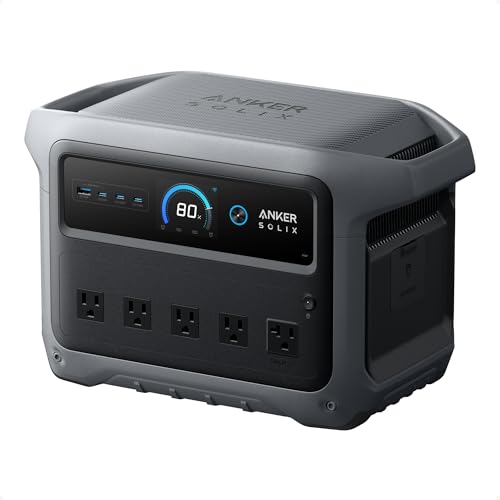
Thinking about the Anker SOLIX C1000? Our honest Anker SOLIX C1000 review covers everyday pros and cons, who it suits, and what to check first.
If you are reading an anker solix c1000 review because a storm or a planned outage left your home without power, you are asking a practical question. Can one medium size station keep a fridge cold, a router online, lights on, and phones charged for the whole family? This guide answers that for living rooms, bedrooms, and home offices.
Below you will find the core specs, the strengths and limits that matter indoors, and the mistakes that lead to returns. For wider context, see our guide to the best portable power station options households compare, and check the comparison table below for the headline figures.


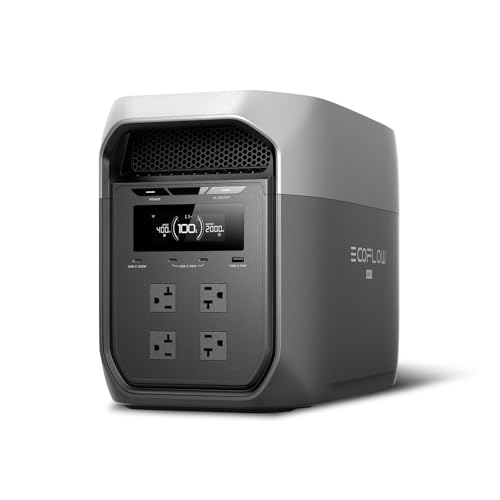
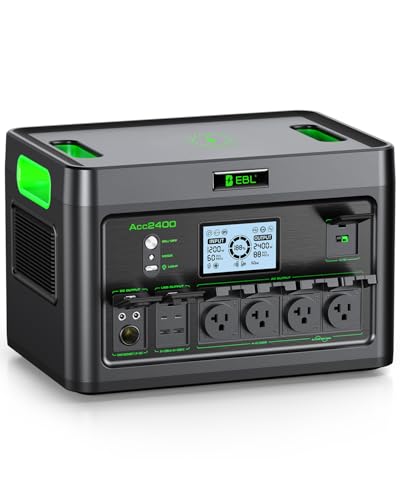
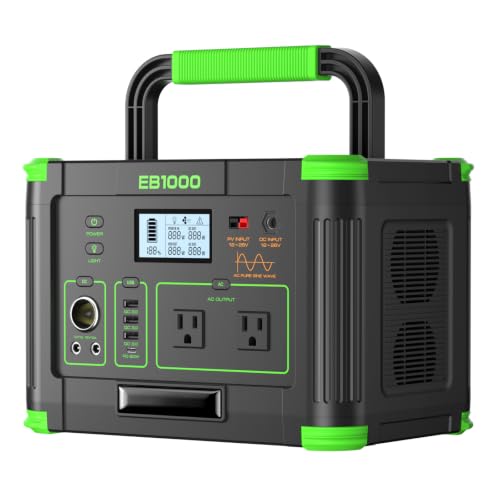
Anker SOLIX C1000: Key Specs
The C1000 sits in the one kilowatt hour class, with capacity of about 1,000 watt hours and rated output of about 2,000 watts on the current Gen 2 model. Its lithium iron phosphate battery is known for stability and long cycle life. You get multiple AC outlets, USB and car style ports, and inputs for wall and solar charging.
- Capacity: about one kilowatt hour, suited to hours of essential loads rather than days of full home use
- Output: about 2000 watts, enough for most single appliances used one or two at a time
- Battery: lithium iron phosphate, rated for thousands of cycles before capacity fades notably
- Weight: movable by one adult but not something to carry casually all day, so check the listing for the exact figure
- Charging: wall outlet, vehicle outlet, and solar panels sold separately
First Impressions and Build
The first thing most households notice is the footprint. The unit is compact for its capacity, roughly the size of a small cooler, so it can sit in a floor corner or beside a desk without taking over the room. The case feels solid, the handle is built into the body, and the ports sit on the front where you can reach them.
The display shows input, output, and remaining time in a clear layout, which helps when several family members share the station. Vent openings sit on the sides, so leave space around them rather than pushing the unit tight against a wall. There is no assembly beyond unboxing and an initial full charge, a good moment to test your outlets, cables, and the app.
How It Performs in Everyday Home Use
Performance at home is less about peak numbers and more about ordinary loads hour after hour. A fridge, a laptop, a router, a lamp, and a phone charger together draw far less than the rated output, and that is the workload this model was built for.
Performance
With light mixed loads of about 100 to 300 watts, a battery of this size runs for several hours, and a router and lamp alone can last through the night. Heavy loads change the math fast. A space heater, kettle, or microwave drawing about 1200 to 1800 watts can drain the battery in well under an hour, so treat high draw appliances as brief tasks. Surge capacity helps motors start, since fridge compressors draw a short spike when they kick on.
Compatibility
Most home electronics plug in without adapters, since the AC outlets accept standard plugs and the USB ports cover phones, tablets, and many laptops. Pure sine wave output matters for sensitive gear such as desktop computers, and this class of station provides it. Check each appliance label for wattage, and add up everything you plan to run at once before an outage forces the lesson. Solar and vehicle charging are slow, so treat both as top up options and wall charging as your main refill plan.
Thermals and Power Draw
Fans manage heat during fast charging and heavy output, and you will hear them. In a bedroom at night, fan noise during a large recharge can be noticeable, while low draw use is much quieter. Charging in a cooler room with clear vents helps the system avoid slowing itself to control temperature. Leaving the AC inverter on with nothing plugged in still uses power, so turn off output sections you are not using.
Build Quality and Warranty
The shell, handle, and port covers feel made for regular handling rather than careful storage only. The cells tolerate frequent partial charging well, which fits home use where you top up after short outages instead of running the battery flat. Anker backs this class of station with a multi year warranty, so register the purchase and keep your receipt. Capacity fades slowly over years rather than failing suddenly.
Features You Will Actually Use
The features that earn their keep at home are the simple ones. The screen estimate of remaining runtime tells you whether the fridge can stay plugged in overnight. The app lets you check charge level from another room, adjust charging speed, and set charge limits that can extend battery life while the unit sits stored.
A pass through mode with a fast switchover suits a router or desktop in a home office, since the station takes over quickly when wall power drops. Do not rely on it for life support or medical equipment, which needs dedicated approved backup systems. Multiple USB C ports also mean fewer wall adapters scattered around.
Living With It: Setup, Cleaning and Upkeep
Setup takes minutes. Place the station on a flat, dry surface with vent space on both sides, charge it fully, and label the cords for the fridge, router, and lamp so anyone in the house can set up during an outage without guessing.
Cleaning is limited to wiping dust from the case and vents with a dry cloth, since buildup restricts airflow. Never use water or sprays on the ports, and keep the unit away from damp floors. For storage, keep the battery partly charged rather than empty, and cycle it every few months.
What We Like and What We Do Not Like About the Anker SOLIX C1000
The balance of capacity, output, and size is the main appeal. It is strong enough for real appliances, light enough to move between floors, and quiet enough in normal use for shared spaces. Fast wall charging is the other standout, because a station that refills in about an hour is easier to rely on between rolling outages.
On the downside, one kilowatt hour runs out fast under heating or cooking loads, and extra capacity means buying an expansion battery or a second unit. Solar panels and extra cables cost extra. These anker solix c1000 pros and cons point the same way: a strong essentials station, not a whole home solution.
Is the Anker SOLIX C1000 Right for Your Household?
It fits households that want to protect food in one fridge, keep internet and lights running, and support a home office through outages of a few hours to a day. Apartment and condo owners who cannot use a fuel generator indoors will find battery power especially suitable, since there are no fumes and no fuel to store.
Skip it if you need to run a well pump, a large air conditioner, or an electric stove for many hours. Those needs point to a much larger station or a fixed backup system. Also skip it if you only need phone charging during brief outages, since a small power bank covers that job for far less. If your needs sit between those poles, a detailed anker solix c1000 alternative comparison can show whether a smaller or larger class suits your home better.
How the Anker SOLIX C1000 Compares
Within its class, rivals compete on small differences: a little more or less capacity, faster or slower charging, extra ports, or a different app. The practical gaps show up in recharge speed, fan noise, and warranty terms more than in headline wattage.
For a step up in scale, the anker solix f3800 review covers a far larger station aimed at heavier home backup, with capacity and output in a different league and a size and price to match. For a close rival, the ecoflow delta 3 plus review looks at a competing one kilowatt hour class model. Choosing between close rivals often comes down to pricing, port layout, and which app your household prefers.
Price, Deals and Warranty
Expect pricing for this class to sit in the mid hundreds of dollars, and expect it to move often. Sales events can cut the cost by a large margin, so the anker solix c1000 price on a random weekday is rarely the best available. If your need is not urgent, waiting for a major sale is sensible. Check what is in the box before comparing prices, since some listings bundle a panel or a bag. Prices and availability can change, so check the product page before ordering.
Common Buying Mistakes to Avoid
- Forgetting the startup spike of a fridge or pump, which can trip the station even when running watts look fine.
- Expecting heating and cooking loads to last, when heaters and kettles drain one kilowatt hour faster than most buyers expect.
- Storing the unit in a hot garage or damp basement, where it ages faster and is hard to reach mid outage.
- Buying solar panels without checking input limits and connector types the station accepts.
- Skipping a practice run, which on a calm weekend reveals missing cords and overloads before a real outage does.
Cost of Ownership and Care
Running costs are low. Charging one kilowatt hour from the wall costs a small amount at typical household rates, and there is no fuel or engine service to budget for. Likely extra spending goes to accessories: a solar panel, a longer cord, a dust cover, or a small cart if you move the unit between floors.
Over years, the main cost risk is battery fade reducing runtime, and simple habits slow it down. Avoid constant storage at full charge, keep the unit in a moderate temperature room, and use it a few times a year.
Your Questions, Answered
How do you clean the Anker SOLIX C1000?
Turn the unit off, unplug everything, and wipe the case and vents with a dry cloth, keeping moisture away from every port. Air from a can can clear dust from vent slots. Do not open the case, since there are no parts inside you can service and opening it can void the warranty. Clean it where it sits rather than near a sink.
What is a cheaper alternative to the Anker SOLIX C1000?
A smaller station of about 300 to 500 watt hours costs notably less and still covers phones, lights, a router, and a laptop, which is all many short outages require. What you give up is fridge runtime and the ability to run larger appliances. A large power bank costs even less for very light needs, though it lacks the surge capacity a fridge demands at startup.
How long does the Anker SOLIX C1000 last?
Per charge, runtime depends entirely on load, from under an hour at near full output to a full day of very light loads such as a router alone. Over years, the battery is rated for thousands of cycles before dropping to about 80 percent of its original capacity, so most households can expect many years of service.
What are common Anker SOLIX C1000 problems?
Most trouble traces back to use rather than defects: overload shutdowns from too many high draw appliances, slow solar charging on cloudy days, and runtime estimates that shift as a fridge cycles on and off. Fan noise during fast charging also surprises some owners. Many complaints in anker solix c1000 problems threads describe limits that apply to every station in this class.
Is the Anker SOLIX C1000 worth it?
It is worth it when one spoiled fridge of food or one lost workday without internet would cost your household more than the purchase price. It is harder to justify if your power rarely fails or your needs demand a much larger system. Judging is the anker solix c1000 worth it question against your own outage history gives the clearest answer.
Final Thoughts
The C1000 earns its place at home by covering the essentials well: food storage, light, connection, and work gear, in a unit one person can move and a family can share. The product table above shows how its capacity and output sit beside the alternatives discussed here.
If that balance matches your outage history, the anker solix c1000 review conclusion is simple: buy it on sale, practice your setup once, and store it ready. If your loads are much larger or smaller, choose the class that fits instead.


