
Best Mobile Printers in 2026: What to Look For
Disclosure: We may earn a commission when you buy through links on this page, at no extra cost to you. As an Amazon Associate I earn from qualifying purchases. Learn more

Not every printer needs to sit permanently on a desk. A mobile printer lets you print documents, labels, or shipping slips from wherever you're working, whether that's a car, a hotel room, or just a different room in the house without running a cable. Here is what to look for and our picks for the best mobile printers for 2026.
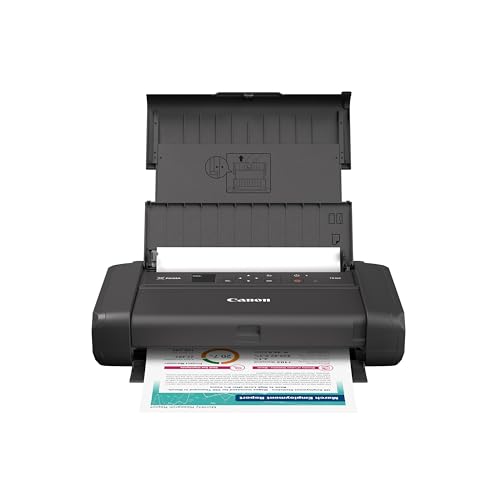
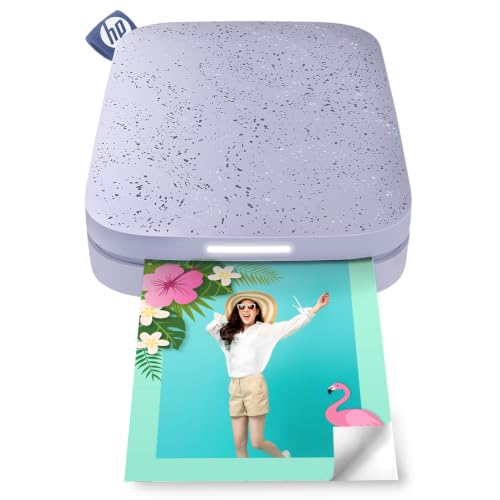
What to Look for in a Mobile Printer
Print type is the first major decision. Battery-powered inkjet printers print full-color documents on standard paper and are the closest thing to a true "printer in your bag," ideal for anyone who needs professional-looking documents on the road. Thermal and inkless printers skip ink cartridges entirely, printing on heat-sensitive paper, which makes them smaller and lighter but limited to black-and-white text and simple graphics.
Battery life matters most for anyone printing away from an outlet regularly. Look for a printer that specifies how many pages it can print per charge, and keep in mind that real-world battery life is often shorter than advertised once you factor in wireless printing and higher-coverage pages.
Connectivity determines how easily you can actually send a print job. Wi-Fi Direct lets you connect straight to the printer without a shared network, Bluetooth works well for quick jobs from a phone, and AirPrint or dedicated mobile apps add convenience for iPhone and Android users respectively.
Size and weight should match how you plan to carry it. A printer meant to live in a backpack or car should weigh just a few pounds and fold down compactly, while a slightly larger unit might be fine if it mostly travels between rooms in a house rather than truly on the go.
Paper handling varies more than you'd expect at this size. Some mobile printers only handle a handful of sheets at a time from a small tray, while others include a larger paper cassette that reduces how often you need to reload during a printing session.
Print quality and speed are worth checking against your actual use case rather than assuming faster and higher resolution is always better. A slower, lower-resolution printer is perfectly fine for shipping labels or simple text documents, while anything involving photos or detailed graphics benefits from a higher print resolution, even if it takes a bit longer per page.
Best Overall: Brother HL-L2405W Wireless Laser Printer

Brother's HL-L2405W is a compact monochrome laser printer built around mobile printing: the Brother Mobile Connect app lets you print from your phone and manage the printer remotely, and dual-band Wi-Fi makes it easy to connect several devices. At around $140, it suits home offices and anyone who mostly prints black-and-white documents from a phone or laptop. It carries good customer reviews.
- Print type: Monochrome laser
- Connectivity: Dual-band Wi-Fi (2.4GHz/5GHz), USB
- Paper: 250-sheet tray plus manual feed slot
Pros:
- Print from your phone and track toner usage through the Brother Mobile Connect app
- 250-sheet tray and a manual slot for envelopes and specialty paper
- 1-year limited warranty with free lifetime support
Cons:
- Not battery-powered and prints only in black and white, so it stays at home rather than traveling with you
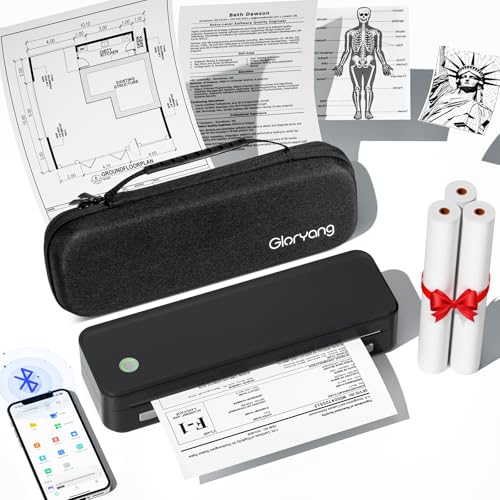
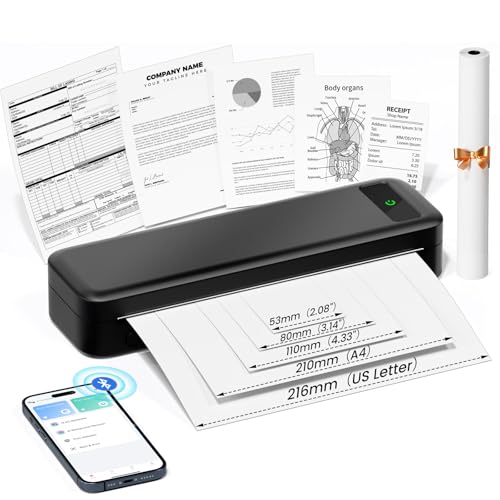
Best Budget: Gloryang Inkless Portable Printer
For anyone who mostly needs to print simple documents or labels rather than full-color pages, this inkless thermal printer from Gloryang delivers real portability at a fraction of the price of a battery-powered inkjet. It has built a large, active review base for a budget thermal printer.
- Print type: Inkless thermal
- Connectivity: Wireless, mobile app
- Paper size: Supports up to 8.5 x 11-inch thermal paper
Pros:
- No ink cartridges to buy or replace, ever
- Very low price for a genuinely portable printer
- Large, active review base for its price tier
Cons:
- Black-and-white thermal output only, no color printing
Portable Printers vs. Budget Wireless Home Printers
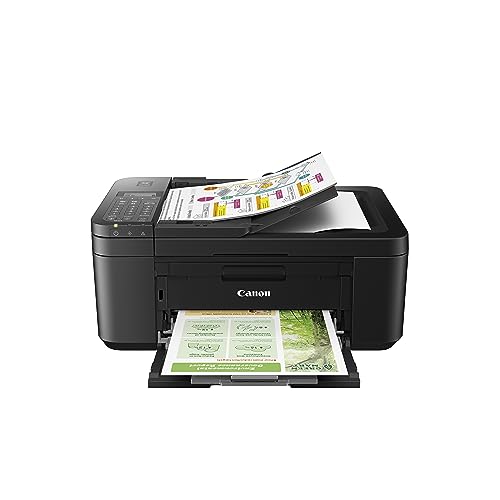
If you mostly print at home or in one fixed location but want the flexibility to print from a phone or tablet, a compact wireless all-in-one printer, like a Canon PIXMA model, is often cheaper and more capable per dollar than a truly portable battery-powered printer such as the HP Sprocket, since it can also scan and copy. These aren't designed to be carried in a bag, but they do support the same wireless and mobile app printing that makes a "mobile printer" convenient in the first place.
A genuinely portable, battery-powered, or inkless printer is the better choice specifically when you need to print somewhere without a nearby outlet or stable Wi-Fi setup, such as a car, job site, or hotel room. Think about how often you actually print away from home before deciding, since the premium you pay for true portability is only worth it if you'll regularly use that flexibility rather than leaving the printer in a drawer between the rare trips that call for it.
Frequently Asked Questions
Can a mobile printer print from my phone directly?
Yes, most mobile printers support printing directly from a smartphone or tablet through Wi-Fi Direct, Bluetooth, AirPrint, or a manufacturer's dedicated app, without needing a computer in between.
How long does the battery last on a portable printer?
This varies significantly by model and print type. Battery-powered inkjet printers are typically rated for a few hundred pages per charge, while smaller thermal printers often last for one or two rolls of paper before needing a recharge. Actual battery life depends heavily on how much ink coverage each page uses.
Do inkless thermal printers need special paper?
Yes, thermal printers require heat-sensitive thermal paper rather than standard printer paper, since the printing process works by heating the paper directly rather than depositing ink onto it. This paper is widely available but typically costs more per sheet than plain printer paper, and printed pages can fade over time if exposed to heat or direct sunlight for extended periods.
Conclusion
For anyone who wants to print from a phone with a compact, connected machine, the Brother HL-L2405W is a strong pick for home offices. Anyone who mainly needs simple black-and-white pages or labels on the go can save considerably with the Gloryang Inkless Portable Printer instead.


