Best Computer Monitors with 2 HDMI Ports: The Buyer Checklist We Use for 2026
Disclosure: We may earn a commission when you buy through links on this page, at no extra cost to you. As an Amazon Associate I earn from qualifying purchases. Learn more

Use this guide to the best computer monitors with 2 hdmi ports to compare panel type, size, refresh rate, HDMI version, and stands before you buy.
Two HDMI inputs sound simple, yet they change how a desk works daily. With best computer monitors with 2 hdmi ports as your starting point, both sources stay plugged in and you switch with a button instead of swapping cables behind the screen.
This guide uses a plain checklist to judge that idea in practice. You will compare panel type, size, refresh rate, port versions, and stand design, then check the comparison table below to see how models line up.
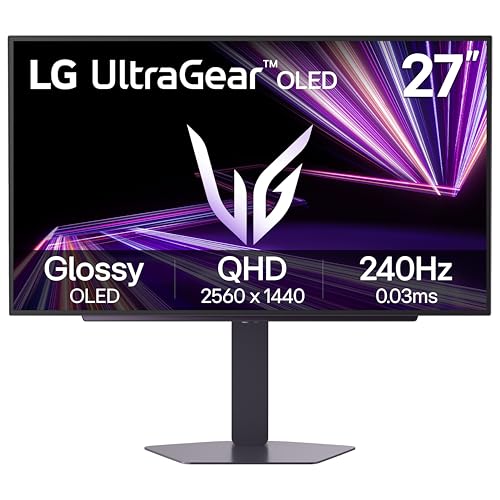
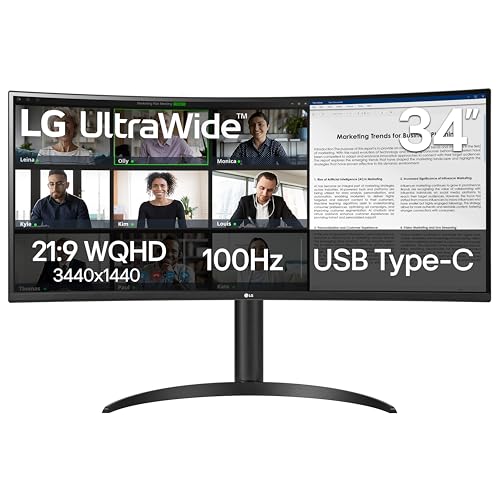


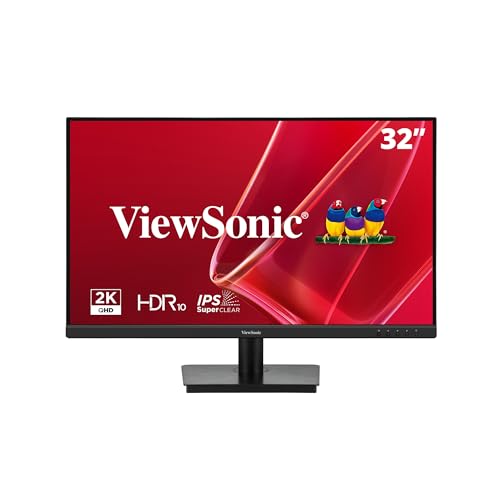

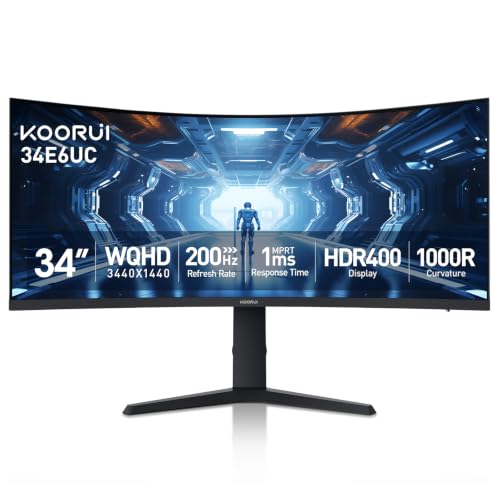

Who Should Buy a Monitor With Two HDMI Ports?
A dual HDMI screen helps most when two sources are used every week. If only one computer sits at your desk, a single HDMI port plus DisplayPort may serve you just as well and cost less.
People Sharing One Desk Between a Work Laptop and a Home Computer
You finish work, close the laptop lid, and press the input button to bring up your own desktop. No cable moves and your chair stays put. This group should value fast input switching and an easy to reach control button most of all. A slow menu that buries input choice three levels deep gets annoying within a week.
Players With a Console and a PC at the Same Desk
A console on the first HDMI port and a PC on the second port means both machines are ready when you sit down. This setup works well in bedrooms and small gaming corners where a TV is not always free. Look for a panel that gives both ports the speed you expect, because some models limit one port to lower output.
Households With a Computer Plus a Streaming or Media Device
Some desks double as a small media center, with a computer on one input and a streaming stick or spare laptop on the other. Two HDMI ports keep that second device ready for family photos or evening shows without borrowing the work cable. If your shortlist is already narrowed to dual HDMI models, see our guide to the best monitors with 2 hdmi ports for a broader look at that group.
Key Features to Compare
Use the points below in order. First confirm that the screen fits your sources and room, then compare picture quality, motion, and comfort.
Panel Technology in IPS, VA, OLED, and Mini LED Models
IPS panels give stable color and wide viewing angles, which suits work and shared viewing. VA panels usually give deeper contrast for movies, though color can shift far off center. OLED panels give near perfect black levels and fast response, and Mini LED backlights give strong brightness and local dimming. OLED owners should vary content, because static logos shown for many hours raise the risk of burn in over time.
Resolution and Screen Size for Your Desk Depth
A 24 inch 1080p screen looks fine at a close desk, but text is less crisp than on sharper panels. A 27 inch 1440p screen is a sweet spot for many desks, giving more working room without making text tiny. A 32 inch or larger 4K screen helps with spreadsheets and split screen work, as long as your desk is deep enough. If you are weighing one large screen against two smaller screens, see our guide to the best computer desk for 2 monitors to check the desk space you would need.
Refresh Rate, Response Time, and Adaptive Sync
Refresh rate, measured in hertz, tells you how often the picture updates each second. A 60 Hz or 75 Hz screen is fine for office work, while 120 Hz and above makes scrolling and games feel smoother when your source can deliver those frames. Response time affects how clean moving edges look, and adaptive sync helps prevent tearing. Players who put gaming first can also see our guide to the best computer monitors for gaming.
Stand, Mounting, and Ergonomics
A good stand tilts, swivels, and raises the screen so the top of the display sits near eye level. Height adjustment matters most for long workdays. Check the VESA mount pattern, most often 75 mm or 100 mm, if you plan to use a monitor arm. An arm also frees desk space and helps when two people with different heights share the same screen.
HDR and Brightness
Brightness is listed in nits, and about 250 to 350 nits suits most indoor desks. HDR labels such as HDR10 tell you the screen can accept an HDR signal, but they do not guarantee a dramatic picture on a dim panel without local dimming. For bright rooms, a matte finish helps more than an HDR badge alone. For evening movies, contrast usually matters more than peak brightness.
Connectivity Beyond the Two HDMI Ports
Look at the whole port list, not only the HDMI count. DisplayPort is often the best route for a desktop PC, and USB C with video input can carry picture and data for a laptop over one cable on some models. A headphone jack helps console players in shared rooms. If you also need to share a keyboard and mouse between two computers, see our guide to the best kvm switch for 2 computers and 2 monitors.
How to Match HDMI Versions and Cables to Your Sources
The port version decides what each input can actually carry. HDMI 2.0 supports 4K at 60 Hz, which is enough for office work and streaming. HDMI 2.1 supports 4K at 120 Hz for newer consoles and graphics cards, but only when the cable and the source support it too.
Read the specification sheet for each port by number. On some monitors the first port has full bandwidth while the second is limited, so put your fastest source on the full speed port. Put a work laptop or streaming device on the other port, where 60 Hz output is normally plenty.
Short, certified cables are less likely to drop signal at 4K and high refresh rates. Leave gentle slack and test both inputs at your target settings during the return window. That test catches a limited port or a weak cable while a swap is still easy.
Buying Guidance for Different Budgets and Setups
The product table above shows current prices and port layouts side by side. Use the tiers below to decide which features deserve your money.
What Entry Level Models Usually Give You
At around $150 you can expect a 24 inch or 27 inch 1080p or 1440p panel, 60 Hz to 100 Hz refresh, and a basic tilt only stand. That is enough for school, office work, and casual console use. Spend your limited budget on the right size and panel first, and skip HDR labels or built in speakers at this level.
What Midrange Models Add for Work and Play
Midrange models, often under $450, tend to add height adjustment, better color coverage, USB ports, and 120 Hz or higher refresh with adaptive sync. This is the level where dual HDMI setups feel smooth for mixed use. For most readers, this tier gives the best balance of comfort, speed, and price.
When Premium Screens and Design Are Worth Paying For
Premium models above about $450 add 4K OLED or Mini LED panels, wide color, and stronger HDR. Pay this much when you edit photos or video or play on a fast console and PC. Design can count too in a visible living space, so if looks guide your choice, see our guide to the best looking computer monitors.
Quick Buyer Checklist
Run through these questions before you order while comparing the best computer monitors with 2 hdmi ports for your own desk. A no answer should point you to the detail you still need to check.
- Will both of my main sources stay connected full time?
- Does at least one HDMI port match the top output of my fastest source?
- Is the screen size right for my desk depth?
- Does the panel type fit my main use?
- Can the stand raise the screen to a comfortable height, or is the VESA pattern right for my arm?
- Do I have the right cables for 4K or high refresh use?
- Have I checked the product table above for total cost, including any arm or cables I need?
Common Mistakes to Avoid and Red Flags to Watch For
- Assuming both HDMI ports are equal leads to disappointment when the second port caps your console below its best output.
- Buying a 32 inch screen for a shallow desk causes strain because you sit too close to take in the full picture.
- Choosing by the HDR badge alone wastes money when the panel is too dim to show HDR with real impact.
- Ignoring stand height leads to a stack of books under the base and a setup that slides when the desk moves.
- Trusting a listing with vague port details is a red flag because honest listings state the HDMI version for each port.
- Overlooking a very short warranty is a warning sign because panel faults often appear after the first months of use.
Care and Maintenance for Your Dual HDMI Monitor
Clean the screen only with a soft, dry microfiber cloth, lightly dampened if a smudge will not lift. Never spray liquid straight onto the panel and never use paper towels, which can scratch the coating. Turn the screen off before cleaning so streaks show clearly.
Use a standard or custom picture mode for daily use instead of a vivid store mode, which pushes brightness too hard. On OLED models, run the built in pixel refresh when the screen prompts you. Support cable connectors when you move the desk, keep vents clear of dust, and store spare cables loosely coiled so the ends are not strained.
Frequently Asked Questions
What size computer monitor with two HDMI ports should I get for my desk?
A 27 inch computer monitor with two HDMI ports suits most desks that are about 24 inches deep or more. Measure your desk depth before ordering, because a stand foot can take 8 to 10 inches of that space. If you sit closer than about 20 inches, a 24 inch screen will feel more comfortable.
IPS or OLED, which panel is better for a computer monitor with two HDMI ports?
IPS is the safer all around choice for a computer monitor with two HDMI ports used mainly for work. OLED wins on contrast and response for movies and games in a dimmer room. One point many buyers miss is warranty wording, since OLED coverage for burn in varies a lot between brands, so read that section before you pay a premium.
Does refresh rate matter for non gamers who use a computer monitor with two HDMI ports?
Yes, refresh rate can matter for non gamers, though the gain is smaller than it is for play. Scrolling and moving windows look smoother at 100 Hz or 120 Hz than at 60 Hz. It will not make text sharper, though, so if your budget is tight, put resolution and stand comfort ahead of speed.
How long do computer monitors with two HDMI ports last?
Most computer monitors with two HDMI ports last about five to eight years of daily use before brightness fades or a part fails. Backlights dim gradually, so an older screen may look dull long before it stops working. Keeping brightness moderate instead of maximum can slow that fade and reduce eye strain.
Is 4K worth it on a computer monitor with two HDMI ports?
4K is worth it on a computer monitor with two HDMI ports at 32 inches and above, or at 27 inches if you edit photos and video. At smaller sizes the sharper text brings less benefit, and your computer must work harder to drive games at 4K. Check your graphics card limits first.
Final Thoughts
Start with your two sources, then match port version, panel type, and size to the way you sit and work. Those checks rule out most poor fits before price enters the picture. Use the product table above for a final look, and choose the best computer monitors with 2 hdmi ports option that fits your desk, sources, and budget without cable swapping.