Best Computer Mini Speakers 2026: A Practical Buying Guide
Disclosure: We may earn a commission when you buy through links on this page, at no extra cost to you. As an Amazon Associate I earn from qualifying purchases. Learn more

Compact speakers that add clear sound without crowding your desk. Learn how to choose the best computer mini speakers for calls, study and music.
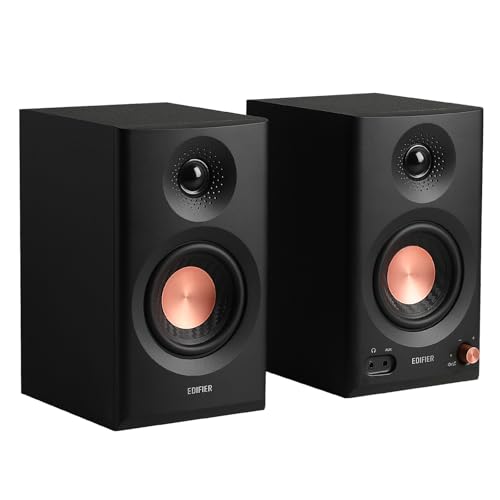
A small desk, a dorm room or a shared work area rarely has room for a full speaker system, which is why the best computer mini speakers are the ones that add clear sound without taking over the space around your monitor. They plug into a laptop or desktop, sit beside the screen, and replace the thin built-in audio that most computers ship with. Choosing well comes down to size, power source, connection and how you listen most days.
The product table above lists current mini and compact desktop speakers to compare. The sections below explain what each spec means in daily use, so you can match a pair to your desk, your computer and your habits.





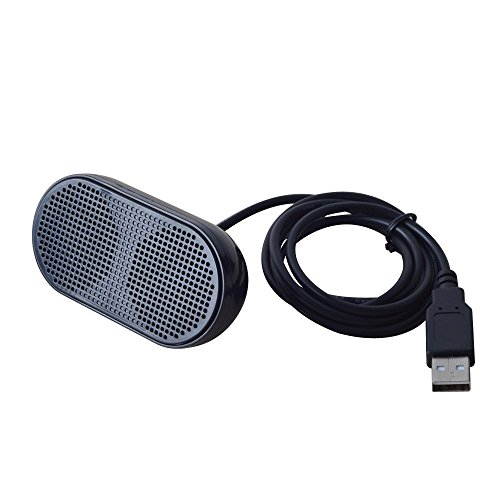
What Computer Mini Speakers Do Well
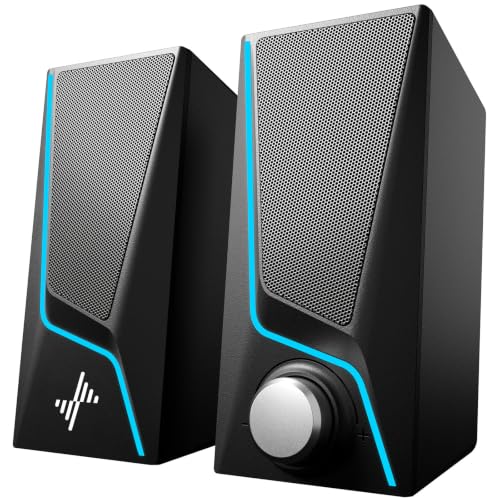
Mini speakers are built for near field listening, meaning you sit one to three feet away. At that distance a pair of small drivers can sound clear and balanced at low volume, which is exactly how most people use them for video calls, lectures, podcasts, streaming and background music. They are not meant to fill a large room or deliver deep bass, and expecting that is the most common source of disappointment.
Compared with laptop speakers, even a modest pair gives wider stereo separation, clearer voices and a little more body in the low end. Compared with a larger 2.1 system that includes a subwoofer, mini speakers save a lot of desk and floor space and cost less, but they give up bass depth and peak volume.
Power Source and Connection
Most computer mini speakers fall into three power groups. USB powered pairs draw power from a computer port, need no wall adapter and keep the desk tidy, though a few models sound thin at higher volume. AC powered pairs use a wall adapter, which usually allows more output and fuller sound. Battery powered portable minis, often Bluetooth, work anywhere but need charging and are built more for a phone than for a desk.
Connection matters just as much. A 3.5 mm audio cable works with nearly every computer and adds no delay. USB audio can carry both power and sound over one cable on some models. Bluetooth removes the audio cable, but check that it pairs smoothly with your computer and that video does not lag behind the sound. Make sure your computer has the port the speakers need before you order, since many newer laptops have fewer ports.
Sound Quality in the Best Computer Mini Speakers
With small drivers, clarity at normal volume matters more than raw wattage. A pair that sounds clean at a comfortable level is better for calls and study than one that is loud but harsh when you turn it up. Look for stereo separation, steady voice reproduction and a cabinet that does not rattle on a hard desk surface.
Bass is the main trade off. Small enclosures can add some warmth, especially with a passive radiator or a rear port, but they will not shake the desk. If you want more low end, a slim desktop pair with a separate subwoofer is a better fit, and our guide to the best sounding computer speakers covers that step up in sound.
Desk Fit and Placement
Measure the free space on both sides of the monitor and check the cable length of each speaker. Many pairs link one speaker to the other with a short cable, so the distance between them is limited. Point the speakers toward your ears rather than at the wall, keep them at roughly ear height if you can, and leave a little air behind them so sound does not get trapped.
Controls count more than they seem. A volume knob or button on the front or side of the speaker is easier to use than one on the back, and a headphone jack on the unit is handy when you need quiet. A weighted base or rubber feet stop the speakers from sliding when you adjust the volume.
How to Choose Computer Mini Speakers for Your Use
- Calls and lectures: prioritize clear voices at low volume, simple controls and a wired or reliable USB connection.
- Music and streaming: look for stereo separation, a small bass boost and enough power to stay clean at a moderate level.
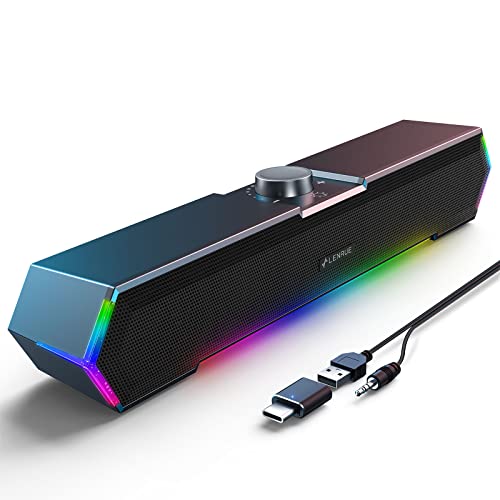
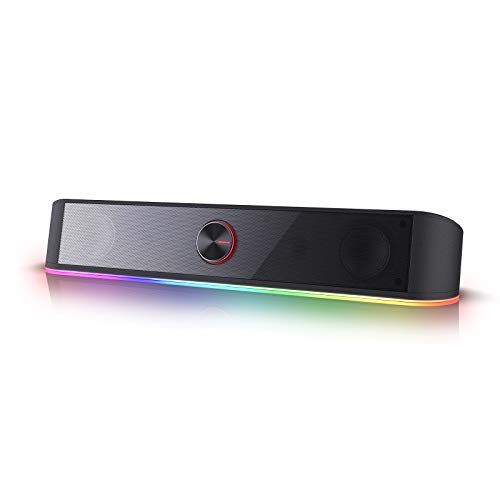
- Gaming and movies: pick a pair with a little more output and consider a compact soundbar style unit that sits under the monitor.
- Travel or shared desks: a battery powered or Bluetooth mini is easy to move between devices, but check battery life and charging time.
Budget is straightforward. Basic USB powered pairs often cost about $15 to $30, better powered or Bluetooth pairs often run about $30 to $60, and small desktop sets with deeper sound and a subwoofer cost more. Spend the extra only on the features you will notice daily.
Care and Common Mistakes
Wipe the grille with a dry cloth, keep drinks away from the driver openings and check the cable near the plug for kinks. Store a portable model in a pouch rather than loose in a bag. Avoid placing speakers where a monitor arm or a stack of books blocks the sound.
The most common mistakes are judging a speaker only by loudness, ignoring the connection type and buying a size that crowds the mouse area. Check these three points before you order and a small pair of speakers will serve you well for years.
Related Guides
- Best mini speakers
- Best sounding computer speakers
- Best mini wireless speakers
- Best computer speakers for gaming
- Best inexpensive computer speakers
Frequently Asked Questions
How much desk space do computer mini speakers need?
Most pairs need only a small patch of desk beside the monitor, but measure the depth as well as the width, because a deep speaker can push the keyboard toward you. Leave a little air around each unit so sound is not trapped against a wall, and keep the controls within easy reach.
Do mini speakers work well for video calls?
Yes, when voices are clear at a normal volume and the speakers do not distort when a caller speaks loudly. Place them near ear height and run a short call before an important meeting. If calls are your main use, clarity matters more than deep bass.
Should I choose wired or wireless mini speakers?
A wired connection is simple and avoids pairing steps, which suits a fixed desk. Wireless suits a shared desk or a setup where you switch between devices, but check battery life and charging time first. Either type can sound good when the speaker itself is well made.
Can small speakers fill a room with sound?
They can fill a small room at a comfortable level, such as a bedroom, study or small office, but they will not match a large speaker for bass in a big open space. For a large living room, a bigger system is a better match.
Do I need a subwoofer with mini speakers?
Not for calls, lectures or casual music. A subwoofer adds depth for movies, games and bass heavy music, but it needs floor or desk space and a power outlet. If you want more low end without extra boxes, look for a pair with a rear port or passive radiator.
Final Thoughts
Match the speakers to your desk, your computer and the way you listen: a clean, compact pair with the right connection beats a loud one that crowds your workspace. Use the product table above to compare current options, then check the size, cable length and controls against your own setup. The best computer mini speakers are the ones you stop noticing because they simply sound clear every day.