Best Computer Keyboards 2026: A Practical Buying Guide
Disclosure: We may earn a commission when you buy through links on this page, at no extra cost to you. As an Amazon Associate I earn from qualifying purchases. Learn more

Compare switch types, layout, ergonomics, and connection options to choose a computer keyboard that suits typing, work, and daily comfort for long sessions.
Choosing from the best computer keyboards starts with how you type, since a keyboard you use for hours should feel natural and reduce strain. Switch feel, layout, and ergonomics matter more than flashy extras, and the right board makes long writing or coding sessions noticeably easier. Think about your hands, your desk, and your noise tolerance before comparing models.
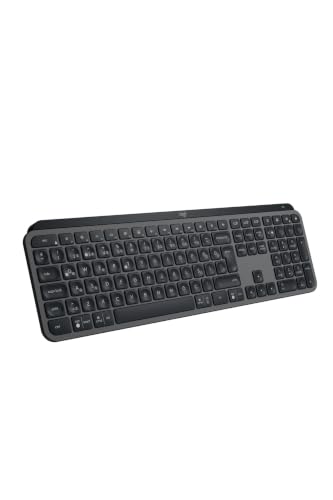
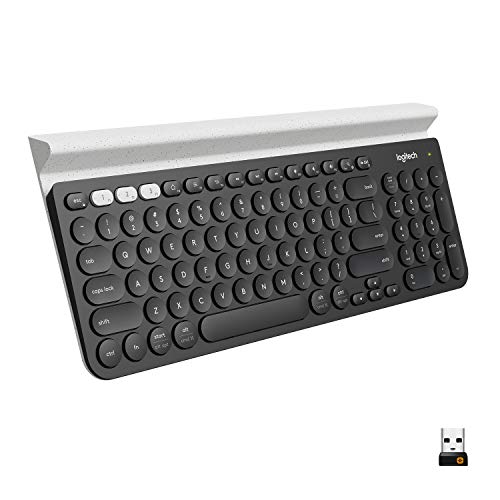
The product table above lists current keyboards to compare, and the sections that follow explain switches, layouts, ergonomics, and connections. Use them to match a keyboard to your typing style and workspace.

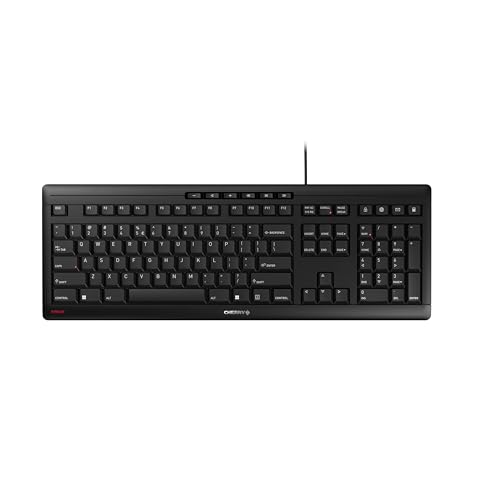


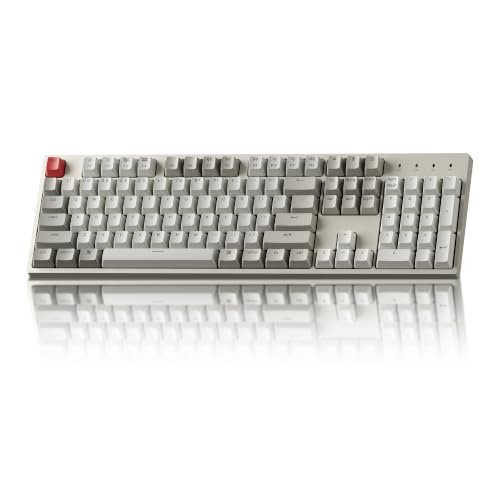

Switch Types and Typing Feel in the Best Computer Keyboards
Membrane keyboards use a rubber layer under the keys, giving a quiet, soft feel at a low price. Mechanical keyboards use individual switches, offering crisper feedback and a choice of tactile, clicky, or linear feels. Scissor switches, common on laptops and slim boards, sit between the two with a short, stable key travel.
Try switches before buying when possible, since feel is personal and specs cannot capture it. A tactile switch gives a small bump at activation, a clicky switch adds sound, and a linear switch moves smoothly without a bump. Choose the feel that keeps your fingers relaxed over long sessions.
Layout and Size Choices
Full size keyboards include a number pad, which suits data entry and spreadsheets. Tenkeyless boards drop the number pad for a compact footprint and a more centered mouse position. Compact 75 percent and 60 percent boards save even more desk space but move or remove some keys.
Consider your daily keys, since programmers, writers, and accountants use different keys most. A missing key that you use often becomes a daily annoyance, while an unused number pad wastes desk space. Match layout to your real workflow, not to a minimal ideal.
Ergonomics and Comfort
Ergonomic keyboards split or curve the key layout to keep wrists straighter, which helps some typists with strain. A gentle slope and a wrist rest support a neutral hand position, though a rest that is too high can also cause pressure. Keep wrists floating lightly rather than resting heavily while typing.
Keycap shape and spacing affect accuracy, and sculpted keycaps guide fingers to the home row. Adjustable feet let you test flat versus tilted positions, since a flat board often suits wrists better than a steep tilt. Take breaks and stretch hands during long sessions regardless of board design.
Wired, Wireless, and Battery
Wired keyboards offer the simplest connection with no charging and minimal latency, which suits most desk setups. Wireless keyboards free the desk from cables and suit shared spaces, though they need batteries or regular charging. Bluetooth pairs with several devices, while a dedicated dongle often gives a more stable link.
Battery life varies from weeks to months depending on backlighting and use. A keyboard with a rechargeable battery and a wired mode covers both preferences. Check cable length and port type, since a short cable can limit placement on a large desk.
Backlighting, Build, and Extras
Backlighting helps in dim rooms, and a simple white backlight suits most users better than rainbow effects. Build quality shows in key stability, frame flex, and cable routing, so check reviews for wobble and rattle. Hot swappable switches let you change feel later without soldering, which appeals to enthusiasts.
Extra keys for media, volume, and shortcuts add convenience, though they should not outweigh typing feel. Programmable keys help power users automate frequent actions. Keep extras secondary, since a keyboard that types well without software is the safer long term buy.
Keyboards for Different Work Styles
Writers benefit from a comfortable tactile feel and a full size or tenkeyless layout that keeps hands centered. Coders benefit from programmable keys and a layout that keeps brackets and symbols accessible without awkward reaches. Data entry workers benefit most from a full number pad and a firm key feel that prevents missed presses during fast entry.
Gamers benefit from anti ghosting and fast actuation, though most modern keyboards handle casual gaming well. Choose by your dominant task, since a keyboard optimized for one workflow may frustrate another. A versatile board with a standard layout suits mixed work better than a specialized layout used only occasionally.
Typing Technique That Reduces Fatigue
Touch typing with fingers returning to the home row reduces reaching and strain, and a keyboard with clear key dish shapes helps fingers find home without looking. Keep elbows near a right angle and forearms level, adjusting chair height rather than keyboard tilt to achieve it. Light key presses reduce finger fatigue, since bottoming out hard on every key wastes effort.
Take micro breaks every half hour to stretch fingers and wrists, especially during long writing sessions. Shake hands loosely, stretch forearms gently, and roll shoulders to release tension that builds silently. Technique and breaks matter more than any single keyboard feature for long term comfort.
Cleaning and Maintaining a Keyboard
Dust and crumbs collect under keycaps and affect feel over time, so shake the keyboard gently upside down and brush between keys regularly. A keycap puller lets you remove caps for deeper cleaning on mechanical boards, while membrane boards suit surface cleaning with a damp cloth. Never spray liquid directly onto a keyboard, since moisture damages switches and circuits.
Clean keycaps in warm soapy water when removed, dry fully before reinstalling, and keep drinks away from the desk edge. A keyboard cover helps in dusty workshops but can trap heat and change feel, so use one only when dust is a real problem. Regular light cleaning keeps typing feel consistent for years.
Related Guides Worth Reading
- Best computer keyboards for typing
- Best wireless computer keyboards
- Best vintage computer keyboards
- Best portable computer keyboards
- Best keyboards for Mac computers
Frequently Asked Questions
Are mechanical keyboards better for typing?
Mechanical keyboards often feel more precise and durable, with a choice of switch feels to suit different typists. Membrane boards are quieter and cheaper, and many typists prefer them for office use. The best choice depends on your feel preference, noise tolerance, and budget rather than a universal rule.
What keyboard size should I choose?
Full size suits number pad users, tenkeyless suits most writers and coders who want desk space, and compact boards suit travelers and minimal desks. Consider which keys you use daily before shrinking the layout. A missing key you need often outweighs the space saved.
Do wireless keyboards lag for work?
Modern wireless keyboards have latency low enough for typing, coding, and office work without noticeable delay. Competitive gaming is more sensitive, though many wireless gaming boards perform well. For standard work, a good wireless board feels as responsive as a wired one.
How can I reduce wrist strain while typing?
Keep wrists straight and floating lightly, adjust chair and desk height so forearms rest level, and take short breaks to stretch. An ergonomic layout or wrist rest may help, but posture and breaks matter most. If pain persists, talk with a clinician about assessment and workplace adjustments.
How long do computer keyboards last?
A well built keyboard often lasts many years, with mechanical switches rated for tens of millions of presses. Keycap legends wear first on cheaper boards, and spills cause more failures than wear. Keep liquids away from the desk, and clean dust from between keys regularly.
What is key rollover and does it matter?
Key rollover describes how many keys a keyboard registers at once, and it matters most for fast typists and gamers who press several keys together. Full rollover registers every key, while limited rollover may drop keys during complex combinations. Most modern keyboards handle normal typing well, so rollover matters mainly for gaming and fast chorded input.
Final Thoughts
Try switch feel when you can, choose a layout that keeps your daily keys close, and favor comfort over extras. With those priorities, best computer keyboards shopping leads to a board you enjoy using every day, and the product table above can help you compare the main types before you buy.