
Best Computer Keyboards for Seniors: Types Compared and How to Choose for 2026
Disclosure: We may earn a commission when you buy through links on this page, at no extra cost to you. As an Amazon Associate I earn from qualifying purchases. Learn more

Readable keys, simple setup and comfortable typing: compare keyboard types to choose the best computer keyboards for seniors without paying for extras.
Choosing a keyboard gets confusing fast when every model promises different switches, lights, and connections. This guide compares the main types side by side so you can focus on comfort, clear lettering, and simple daily use. When you shop for best computer keyboards for seniors, the right choice is the one you can read easily, type on without strain, and set up once and then forget about. The product table above gives you a quick overview before we walk through each type in detail.
You do not need gaming speed or complex software to write email, browse photos, or join video calls with family. You do need keys that feel clear under your fingers and a layout that does not force you to hunt for letters.


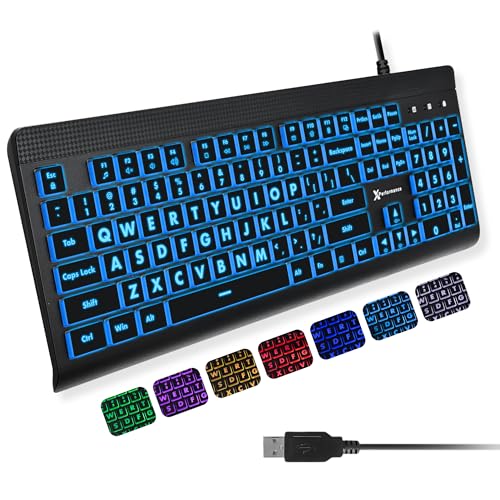
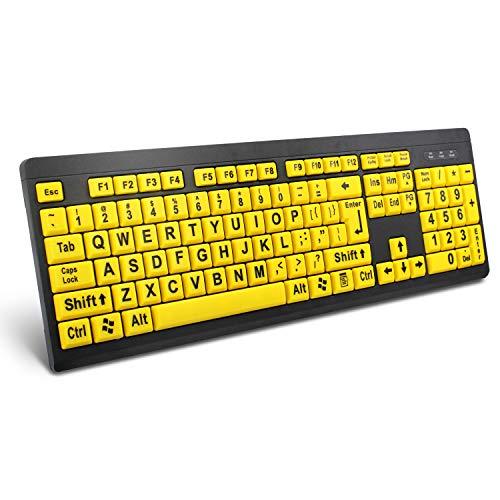

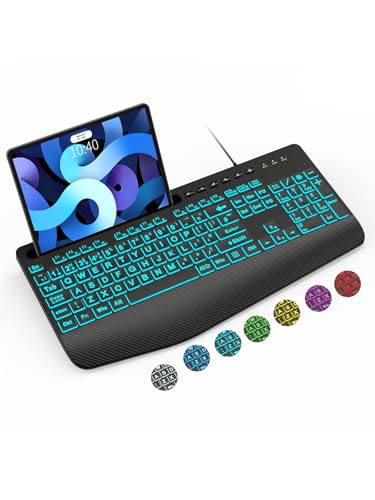
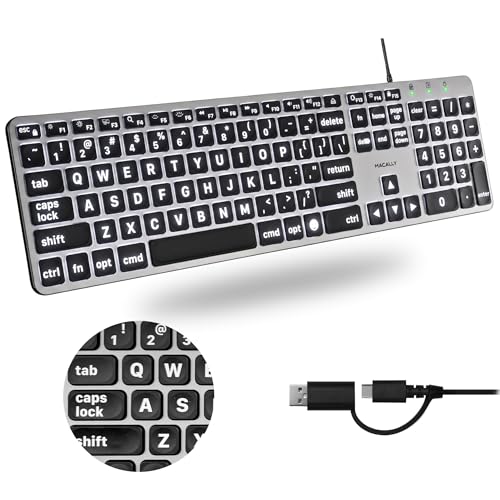
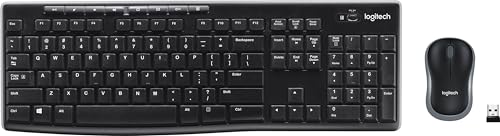


Types of Computer Keyboards Compared
Most keyboards for home use fall into three broad groups. Wired models connect with a cable and stay in one place. Wireless models free your desk from cords and can move between rooms. Gaming models add fast response and extra lighting, which helps some users and distracts others. Price also splits clearly, with basic wired and wireless boards often around $25 to $60, fuller featured models around $60 to $120, and premium gaming boards often above $120. As you read, compare each type against your eyesight, hand comfort, and how often you move your computer.
Wired Models
Wired models plug into a USB port and work right away, with no pairing steps and no batteries to watch. That simplicity is a real advantage if you want a keyboard that sits at one desk and always responds. The cable also means zero wireless latency, though for email and web browsing that speed difference is not something you will notice in daily use.
The trade off is the cord itself. It can snag, limit where you place the board, and look messy on a small desk. Wired models suit seniors who use a single desktop in a fixed spot and prefer to avoid charging. Many also cost less than similar wireless boards, which makes them a sensible starting point.
Wireless Models
Wireless models connect by Bluetooth or by a small USB receiver that uses a 2.4GHz signal. They keep your desk clear and let you type from a couch or recliner when your computer connects to a larger screen. Most use rechargeable batteries through USB C or replaceable batteries that last weeks or months between changes.
The extra steps are pairing, occasional reconnection, and keeping track of charge. If that sounds like fuss, a simple model with a clear power switch and a receiver stored in the board helps a lot. If you want to compare connection options in more depth, see our guide to the best wireless computer keyboards for how Bluetooth and receiver models differ in range and reliability.
Gaming Models
Gaming models focus on fast polling rate, responsive switches, and bright backlighting. Polling rate is how often the keyboard reports a press to the computer, and higher rates can feel snappier in fast games. For most senior users, that speed brings little benefit for typing, but the strong backlight and bold key legends can help in a dim room.
The downsides are higher price, louder clicky switches on some models, and software that can feel cluttered. Choose a gaming model only if you specifically love its lighting and large keys. Otherwise, a calmer board built for typing will usually serve you better and cost less.
Wired Models vs Wireless Models: Which Should You Choose?
Start with your desk. A fixed desk with a desktop computer favors wired, because you plug it in once and never think about batteries. A laptop that moves between kitchen and living room favors wireless, because you can pack the board away and reconnect quickly.
Next, think about upkeep. Wired asks for almost none. Wireless asks you to charge or swap batteries and to keep the receiver in a safe place. Then think about clutter and reach. Wireless wins for a clean surface and for typing at a distance. Cost is close for basic models, so let comfort lead. If you are still unsure, a wireless board that also works with a cable gives you both paths in one purchase.
How to Choose the Best Computer Keyboards for Seniors
This section turns the type comparison into a practical checklist. Work through each point with your own hands, eyes, and desk in mind. If you also want a broader view of layouts beyond senior focused models, our overview of the best computer keyboards explains standard sizes and switch families in plain terms.
Battery Life and Charging
For wireless boards, battery life can range from a few weeks on a bright backlit model to several months on a plain model with the light off. Look for USB C charging if you already use that cable for a phone or tablet, because one cable for several devices reduces confusion. A clear battery indicator light matters more than a huge claimed number, since it warns you before the board stops mid sentence. Keep a spare cable near your desk so a low battery never blocks an important email or call.
Compatibility (PC, Mac, Console)
Most keyboards work with both Windows and Mac, but the printed legends on modifier keys differ. Some boards include a switch to change layout, which helps if your household mixes systems. Check that the board lists your system by name before you buy, and note whether special keys like volume or brightness need extra software. Console support is narrower, so if you plan to type on a game console, confirm that exact use in the product details. A standard wired USB board is the safest bet for mixed devices.
Switch Type and Key Feel
What matters most is the switch under each key. Membrane switches feel soft and quiet and cost less. Mechanical switches feel more distinct, last longer, and come in linear, tactile, and clicky styles. Tactile switches give a small bump you can feel without much noise, which many seniors like because the bump confirms a press. Favor PBT keycaps when you can, because that plastic resists shine and keeps legends readable longer than cheaper caps.
What Seniors Should Look For
Look first for large, high contrast legends you can read without leaning in. A gentle backlight helps at dusk but should be easy to turn off. Choose keys with clear spacing and a layout that matches what you learned on, usually a full size board with a number pad if you enter numbers often. Weight helps stability, so a board that stays put is better than an ultralight one that slides. If your hands ache, consider a low profile board or a split ergonomic shape, and add a soft wrist rest. If typing comfort is your main goal, read about the best computer keyboards for typing and how key travel affects finger fatigue.
Wired vs Wireless (2.4GHz, Bluetooth)
Bluetooth pairs directly with most laptops and tablets and needs no receiver, but it can take a moment to wake. A 2.4GHz receiver wakes faster and often feels steadier, yet it uses one USB port and is easy to misplace. Wireless latency on modern boards is low enough that typing feels instant for letters, email, and browsing. Pick Bluetooth if you switch between a laptop and a tablet, and pick the receiver option if you want the simplest connection to one main computer every day.
Setup and Care Tips
Set your board flat, raise the rear feet only if that angle eases your wrists, and sit so your elbows rest near a right angle. Clean switches and keycaps regularly with a soft brush and a slightly damp cloth, and never spray liquid directly onto the board. Update firmware through the companion app only when the maker prompts you and your board is plugged in or well charged. Keep food and drinks a short distance away, because crumbs under keys are the most common cause of sticky presses. A simple dust cover when the desk is not in use keeps legends and switches cleaner for longer.
Comfort is also about the whole desk. Good lighting, a screen at eye level, and a chair that supports your back matter as much as the keyboard itself. Readers setting up a fuller senior friendly desk sometimes pair a new board with larger screen devices, and our guide to the best computer tablets for seniors can help if you are choosing a second device for reading and video calls. Take breaks every half hour, stretch your fingers, and stop if you feel sharp pain, numbness, or tingling. Talk with your clinician about personal needs if hand or wrist pain keeps returning.
FAQs
What makes computer keyboards for seniors different?
Keyboards for seniors put readability and ease first, with larger legends, stronger contrast, and simpler controls. They tend to avoid tiny extra keys and complex software that get in the way. Many also favor clear tactile feedback so you know a key has pressed. The difference is not age but design that respects eyesight, hand strength, and patience.
Are large print keyboards worth it?
They can be, if reading the letters is your main struggle. Large print or high contrast keycaps, often in black on white or yellow on black, make letters readable without leaning toward the screen. Check that the rest of the board still has normal key spacing, a steady feel and a connection you can set up once.
Do computer keyboards for seniors work with Mac and console?
Most do work with Mac for basic typing, though a few shortcut legends will differ between systems. Console support is less certain and varies by console and by game, so check the listing for your exact device. A board with a layout switch and both Windows and Mac legends is the easiest choice for a mixed household. Keep the cable or receiver handy for first setup.
Should I buy a keyboard and mouse set?
A matching set is a simple choice if you need both, since one receiver or one cable setup covers the pair and the pieces are designed to work together. Keep the mouse comfortable in your hand and the keyboard readable, and skip sets that add lights or software you will not use.
Are mechanical keyboards worth it for seniors?
Mechanical keyboards can be worth it if you value clear feedback, durable keys, and replaceable parts. Hot swappable models let you change a single worn or stiff switch without buying a whole new board. They can cost more and some clicky types are loud, so choose tactile or linear switches for a quieter home. If you type lightly and rarely, a good membrane board may be enough.
Our Verdict
Focus on three things: legends you can read at a glance, a switch feel that confirms each press without force, and a connection you do not have to manage every day. Choose wired for a fixed desk and zero upkeep, wireless for freedom and a clear surface, and a gaming model only for its light or speed. For more senior specific layouts, see our guide to the best keyboards for seniors as a companion read. Whichever path you choose, the best computer keyboards for seniors are the ones that make daily typing calm and clear, so compare the product table above and pick the type that fits your routine.


