Best Computer Soundbars of 2026: Complete Buying Guide
Disclosure: We may earn a commission when you buy through links on this page, at no extra cost to you. As an Amazon Associate I earn from qualifying purchases. Learn more

The best computer soundbars fit under your monitor and lift voices, music and games; compare driver size, inputs, desk fit and price.
Built in monitor and laptop speakers are usually the weakest part of a computer setup. Voices sound thin, movie dialogue gets buried under music and effects, and game audio loses the detail that helps you follow the action. A desk soundbar fixes that with one compact unit that sits under your screen. This guide explains how to choose the best computer soundbars for your desk, your budget, and the way you actually use your computer each day.
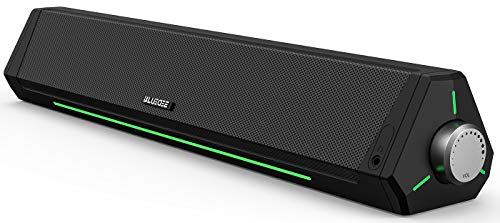
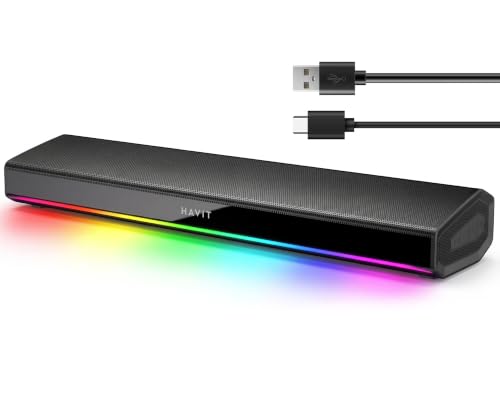
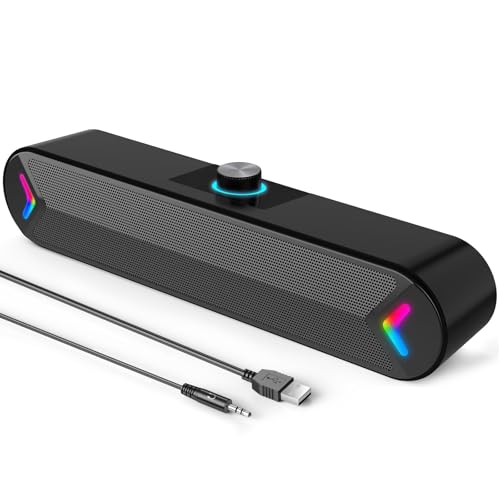
We compare driver size, inputs, desk fit, and controls so you can match a bar to your setup instead of guessing. The comparison table below gathers the key points side by side, and the sections after it explain what those points mean in daily use.




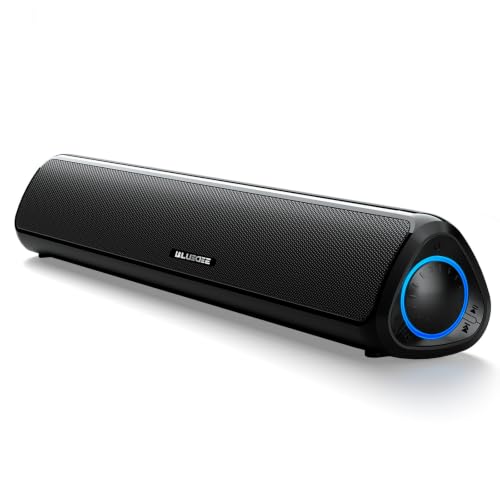

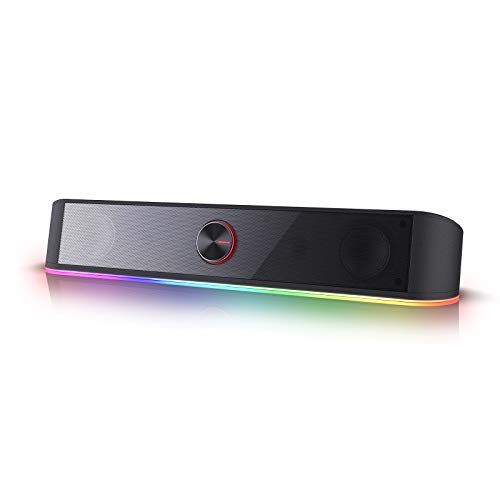
Who Should Buy Which Computer Soundbar?
The right bar depends on what comes out of your speakers most often, so start with the group below that sounds like you.
People Who Live on Video Calls
If your workday runs through meetings, clear voices matter more than deep bass. Look for a bar tuned for dialogue, with a strong center image that keeps speech in front of background noise. A front facing volume knob and a mute button you can reach without looking also help during calls. Some bars add a built in microphone, which can beat a laptop mic when you sit back from the screen.
Movie and Music Listeners at a Desk
People who stream films and music at their desk should favor a wider sound and fuller low end. A bar with larger drivers and a passive radiator or a separate subwoofer fills in the warmth that small speakers miss. Stereo separation is modest on any single bar, but a longer bar spreads the sound more convincingly. Check for a music or movie mode that softens harsh highs during long listening sessions.
Gamers Who Want Room Sound Without a Headset
Headsets get tiring over long sessions, and a soundbar lets you hear footsteps, dialogue, and ambient detail out loud. Gamers should look for low latency connections, since delay makes fast games feel off. A wired USB or aux connection avoids the small delay that wireless audio can add. If you are also upgrading your display, our guide to the best computer monitors for gaming covers the specs that pair well with better sound.
Key Features to Compare
Five factors decide most of the difference between bars. Work through them in this order and the choice usually becomes clear.
Drivers and Sound Quality
Driver size sets the ceiling for volume and fullness. Small bars with drivers under two inches sound clear at low volume but thin out when you turn them up, while larger drivers move more air and handle music better. Watt ratings are hard to compare across brands, so treat them as rough guides only. Readers who put tone first can also browse our roundup of the best sounding soundbars for a wider view beyond desk sized models.
Connectivity and Inputs
USB is the simplest option for most desks because one cable carries both audio and, on many models, power. A 3.5 mm aux input works with almost any computer and never needs drivers or pairing. Bluetooth adds freedom for playing music from a phone, but it can add a slight delay that gamers may notice. Optical inputs appear on larger bars and suit desks that double as entertainment setups.
Size and Desk Fit
Measure the space under your monitor before you shop, because monitor stands vary a lot. Most desk bars run about 16 to 24 inches wide, and the bar should sit clear of the stand feet so it does not buzz against the desk. Height matters too, since a tall bar can block the bottom edge of a low screen. A shorter bar centered under the screen still beats laptop speakers by a wide margin.
Controls You Can Reach
You will adjust volume far more often than any other setting, so control layout matters daily. A large front knob is the easiest to use without looking, while small buttons on top force you to reach over the bar. A remote helps when the desk doubles as a media corner and you sit back to watch. Check that mute and input switching are simple, since buried controls quickly become controls you never use.
Subwoofer or Single Bar
A separate subwoofer adds the low notes that make films and electronic music feel complete, and it frees the bar itself to focus on voices and detail. The trade off is space and one more cable, since the sub usually sits on the floor beside the desk. Apartment desks and shared rooms often do better with a single bar that has a built in bass radiator. Choose based on your room and your neighbors, not on bass alone.
Types of Computer Soundbars
Most desk bars fall into three broad types, and knowing yours narrows the field fast.
Compact Single Bars
A compact single bar holds every driver in one enclosure and connects with a cable or two. It suits most desks, costs the least to set up, and keeps voices clear at normal listening distances. Bass is limited by the small cabinet, so expect clarity rather than rumble.
Bars With a Separate Subwoofer
These pair a slim bar with a floor or under desk subwoofer for fuller low end. They suit movie fans and music listeners who have floor space to spare. The extra box and cable are the main costs, and prices usually run about $120 to $300.
USB Powered Mini Bars
Mini bars draw power from the computer itself, so there is no wall adapter and no spare outlet needed. They are the easiest upgrade for a laptop desk or a small workspace. Output is modest, but voices and alerts sound far clearer than through built in speakers, and prices often run about $25 to $60.
Soundbars for Specific Desk Setups
Best Desktop Computer Soundbars
The phrase best desktop computer soundbars points to bars built for near field listening, where you sit about two to three feet from the drivers. At that distance, clarity and a stable center image matter more than raw power, so a mid sized bar with front facing drivers is the sweet spot. Short cable runs and a low profile that clears the monitor stand are the other points to check. A bar designed for a living room TV usually sounds boomy and oversized at a desk.
Common Mistakes to Avoid
- Buying by watt rating alone, because brands measure power differently and the number says little about clarity.
- Skipping the measuring step, so the bar arrives too wide for the monitor stand or too tall for the screen.
- Choosing Bluetooth as the only connection for gaming, which can add delay between the picture and the sound.
- Expecting deep cinema bass from a mini bar, then turning it up until the small drivers distort.
- Placing the bar behind the monitor, where the screen blocks the sound and muffles voices.
Care and Maintenance
Soundbars ask for very little upkeep. Dust the grille with a dry cloth, since moisture and cleaning sprays can damage driver cones, and keep the rear vents clear so the amplifier can shed heat, checking cables once in a while for tight bends behind the desk. Keep the volume at a moderate level during long sessions, because comfortable listening levels protect both your hearing and the drivers. If sound starts to crackle, try a different cable and input before assuming the bar has failed.
Best Computer Soundbars: Your Questions Answered
How long do computer soundbars last?
Most computer soundbars last about five to eight years with normal desk use. There are no moving parts to wear out besides the drivers, and electronics usually age out through outdated connections before they fail. A bar with standard USB and aux inputs stays useful across several computers. Dust, heat, and constant maximum volume shorten that life, so basic care helps a bar reach the long end.
What size soundbar fits under a computer monitor?
A bar between about 16 and 24 inches wide fits under most monitors without crowding the stand. Measure the gap between the stand feet and the height from the desk to the bottom of the screen before ordering. Ultrawide monitors can take a longer bar, while laptop setups often suit a mini bar beside the machine.
Is a computer soundbar better than a pair of desktop speakers?
A soundbar is better when desk space is tight and you want simple setup with one unit and few cables. A pair of desktop speakers gives wider stereo separation, because the left and right channels sit farther apart. For calls and casual listening the difference is small, and many listeners pick the bar for its tidier look. Choose speakers only if stereo imaging for music matters more than space.
Can a computer soundbar work for video calls and meetings?
Yes, a computer soundbar works well for calls because voices land in the frequency range these bars handle best. The bar handles playback only, so your computer still uses its own microphone or a headset mic unless the bar includes one. Models with a built in microphone suit small rooms where you sit close. Keep the volume moderate during calls to avoid echo feeding back into an open microphone.
Do computer soundbars need their own power supply?
Some do and some do not, and the product page states which type you are getting. USB powered bars draw all their power from the computer, which limits volume but removes the wall adapter. Larger bars plug into an outlet and can play louder with stronger bass. Check your desk setup before buying, since a free outlet near the monitor is not always available.
Final Thoughts
Start with your main use, then check driver size, inputs, and the space under your monitor. That short process points to the best computer soundbars for almost any desk without overspending. Compare your short list against the product table above, and pick the bar that fits your room, your connections, and your budget.