
Best Computer Multimedia Speakers: Everything to Know Before Your First Purchase for 2026
Disclosure: We may earn a commission when you buy through links on this page, at no extra cost to you. As an Amazon Associate I earn from qualifying purchases. Learn more

Shopping for the best computer multimedia speakers for the first time? Learn the terms, compare options, and avoid rookie mistakes with this easy guide.
Built in laptop and monitor speakers are fine for a quick notification sound, but they make music thin, dialogue hard to follow, and games feel flat. A simple set of desk speakers fixes that in minutes, even on a modest budget. If you are shopping for the best computer multimedia speakers for the first time, this guide starts with the basics, explains each spec in plain English, and shows you the mistakes to avoid. The comparison table below gives you a quick overview of the styles on offer.
By the end, you will know whether you need a simple pair, a set with a separate bass unit, or a compact bar that fits under your monitor.
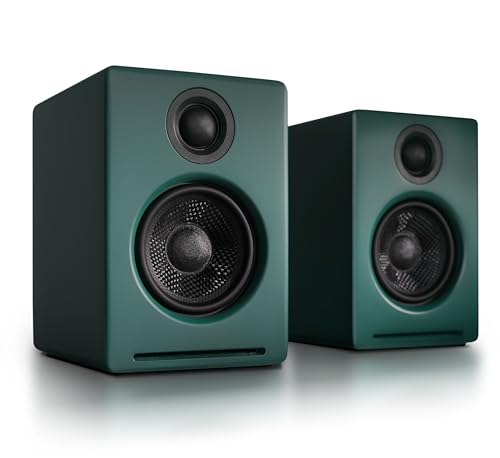

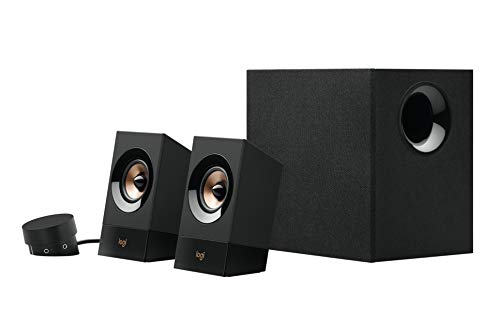
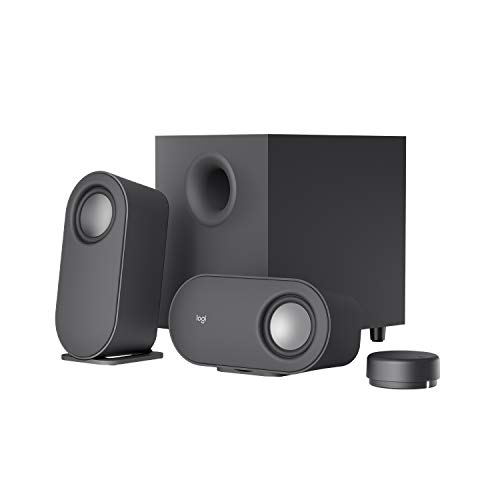

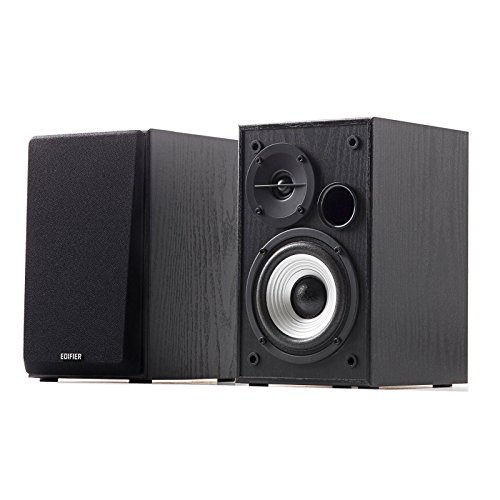


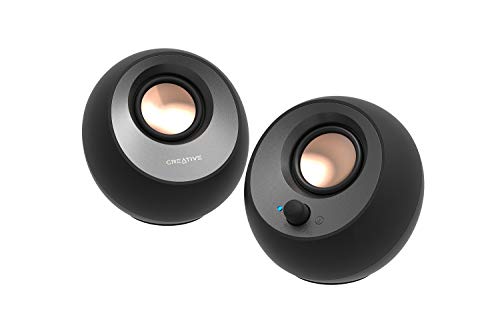
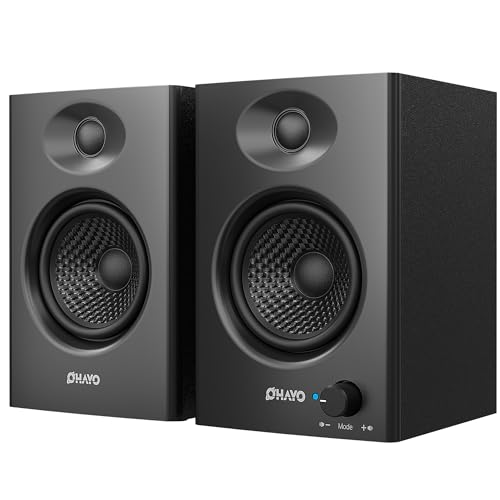

Computer Multimedia Speakers 101: The Basics
Computer multimedia speakers are speakers made to sit near a computer and handle a mix of sound: music, video, calls, and games. Most connect by a standard audio cable, USB, or Bluetooth. A basic set has two speakers, left and right, which creates stereo sound that places voices in the center and music across a small stage in front of you. That alone is a large step up from a single laptop speaker.
Some sets add a subwoofer, a separate box that sits on the floor and handles low bass notes the small desk units cannot reach. Others are single soundbar style units that slide under a monitor to save space. Power usually comes from a wall outlet or from USB on basic models.
More power generally means fuller sound at higher volume, but placement and speaker quality matter more than a big watt number on the box. For focused listening across music and film, readers often compare this category with our guide to the best sounding computer speakers once they know the basics.
Key Specs Explained in Plain English
Sound Quality and Tuning
Sound quality starts with the driver, the part that moves to make sound. Larger drivers in a desk speaker can move more air and usually give fuller voices and music. Frequency response describes the range from low bass to high treble a speaker can produce, and a wider, honestly stated range is better than a vague claim.
Tuning is the maker chosen balance: some sets boost bass for games and film, while others aim for a neutral balance that suits music and calls. For a first set, choose a balanced tuning you can adjust with simple bass and treble controls, rather than a bass heavy set you cannot calm down.
Controls, Inputs and Apps
Most computer speakers keep controls simple: a volume knob, a power switch, and sometimes bass control on the speaker or a small remote. A few Bluetooth models offer an app with EQ controls that let you raise voices or soften bass, plus firmware updates that fix connection quirks. An app is a bonus, not a requirement.
What matters more is easy switching between inputs, so you can move from your computer to your phone without unplugging cables. If you also shop the wider category, our overview of the best multimedia speakers explains how computer sets differ from speakers made for a TV or a whole room.
Power and Portable Models
Most desk speakers have no battery at all, because they plug into the wall and stay in one place, and that is a good thing for daily use. You never face a flat battery before a call. A small number of portable computer speakers do include a battery for moving between rooms, and for those, look for at least eight to ten hours of play at moderate volume and USB C charging you already own a cable for.
For a fixed desk, treat battery as irrelevant and spend on driver quality and a solid cabinet instead. That trade is the smarter first purchase for most people.
Placement and Room Size (for Speakers)
Placement changes sound more than most first time buyers expect. Put the left and right speakers at equal distance from where you sit, angled slightly toward your ears, with the tweeters near ear height when you can. Keep them a short distance from the wall to avoid boomy bass, and never hide them behind a monitor.
A small desk in a bedroom needs only a modest pair, while a larger room or a desk used for film nights may justify a subwoofer set. Stereo pairing is automatic on wired sets, since the two speakers are made to work as one system.
Clear Dialogue at Low Volume
Speakers do not offer ANC, or active noise cancellation, because that feature belongs to headphones that seal around your ears. No desk speaker can cancel room noise, and any listing that suggests otherwise is mixing terms. What speakers can do is play dialogue clearly at lower volume, so you do not need to raise the level to hear words over a fan or street sound.
Clear midrange tuning helps here. If your room is truly noisy and you must focus, headphones are the right tool for that job, and speakers are for shared, relaxed listening at your desk.
Rookie Mistakes to Avoid
- Buying by watt number alone, when driver quality, cabinet design, and placement decide how a set actually sounds at your desk.
- Choosing a large subwoofer set for a tiny desk, then having no sensible place for the bass unit except right against a wall.
- Forgetting to check connections: confirm your computer has the audio port, USB, or Bluetooth the set needs before you order.
- Placing both speakers on one side or behind the monitor, which destroys stereo imaging and makes voices muddy.
- Spending on lights and extras before sound, when a plain set at the same price, often around $50 to $100, usually sounds better.
On price, a sensible first set often falls around $35 to $100, with subwoofer sets and stronger Bluetooth models around $100 to $200. If your budget is tight, our guide to the best inexpensive computer speakers shows where cheaper sets cut corners and where they do not.
Getting Started: Setup and First Use
Setup takes only a few minutes. Place the speakers first, then run cables so they do not cross your keyboard area or hang where feet can pull them. Connect to your computer, select the speakers as the output device in your sound settings, and play a familiar song and a spoken video to check balance. Set the speaker volume to about three quarters and control daily level from your computer, or do the reverse, but pick one main control and leave the other steady so levels stay predictable.
Keep firmware updated if your Bluetooth set offers updates, and store a portable set in a case to protect drivers when you move it. For a wired desk set, dust the cabinets and check cable connections monthly. If sound comes from only one side, swap the left and right connections to learn whether the fault is the speaker, the cable, or the computer output. That simple test solves most first week confusion without any tools.
Computer Multimedia Speakers: Your Questions Answered
Wired or wireless computer speakers: which sounds better?
A wired connection sounds at least as good and never drops, so it is the safer default for a fixed desk. Modern Bluetooth can sound very close for music and video, with a tiny delay that rarely matters outside fast games. Choose wireless for a clean desk or phone use, and wired for simplicity and value. Many sets offer both, which gives you a wired desk link and wireless for guests or phones.
Do computer speakers need noise cancellation?
No, because ANC is not a real speaker feature, so never pay extra for it on a desk set. That money is better spent on larger drivers, a subwoofer, or better placement in your room. If a listing pushes ANC for speakers, treat its other claims with care.
For noise blocking, use headphones. For shared desk listening, clear tuning at modest volume is what actually helps you hear dialogue.
Do computer multimedia speakers have a battery?
Most sets have no battery and run from the wall without limit, so battery life is not a concern for a normal desk setup. Portable models vary, commonly offering about eight to fifteen hours at moderate volume, less when played loud. Check whether the rating was measured at low volume, which flatters the number. If you never move the speakers, ignore battery claims entirely and judge the set on sound and connections.
Can I use computer speakers outdoors?
Most computer speakers have no IP rating and should stay indoors, away from rain and splashes. An IP rating measures resistance to dust and water, and only portable models made for outdoor use carry a meaningful one. If you need sound on a patio, buy a speaker made for that purpose instead of moving desk speakers outside. Keeping desk speakers dry protects the drivers and the electronics, and avoids a costly and avoidable failure.
Does the Bluetooth codec matter for computer speakers?
No special codec is needed for normal computer use, because wired and USB connections carry sound without codec limits. For Bluetooth, the standard codec works fine for video, calls, and casual music. Advanced codecs can reduce delay or improve detail on supported devices, but both the computer and the speaker must support the same one.
Do not let codec names drive a first purchase. Connection reliability and tuning matter far more at a desk, and gamers who want stronger low end should look at our guide to the best computer speakers for gaming and, for film and music bass, the best computer speakers with subwoofer.
Final Thoughts
For a first set, prioritize clear voices, sensible size for your desk, and a connection your computer already supports. Add a subwoofer only when you have floor space and you watch films or play games often. Ignore headphone terms like ANC and codec hype, and let placement do real work for sound quality. The best computer multimedia speakers for you are the set that fits your desk and makes daily listening easy, so compare the product table above and choose with your room in mind.


